Sold out
bonelk long-life series 3-in-1 multiport hub (space grey) bonelk long-life series 3-in-1 multiport hub (space grey)
Bonelk 3-in-1 USB-C Multiport Hub $54.54 ex GST ($59.99 inc GST)
A three-in-one multiport hub — HDMI out plus USB ports from a single USB-C connection. The smallest hub that will get a laptop onto a classroom display, which for most teachers is the only thing they need one for. What it does: HDMI video output USB ports for peripherals Long-Life reinforced cable at the connector Small enough to live in a laptop bag rather than a drawer, which is the difference between having it when you need it and borrowing one from the next room. Purchase orders accepted on school accounts.
bonelk long-life usb-c to 6-in-1 multiport hub (space grey) bonelk long-life usb-c to 6-in-1 multiport hub (space grey)
Bonelk 6-in-1 USB-C Multiport Hub $90.90 ex GST ($99.99 inc GST)
A six-in-one multiport hub — HDMI, USB ports, card reader and power pass-through from a single USB-C connection. The middle of the Bonelk range, and the one that covers most of what a teacher laptop runs into. What it does: HDMI video output for classroom displays and projectors USB ports for peripherals Card reader for camera and drone footage Power pass-through, so the laptop charges while the hub is connected Power pass-through is the feature worth understanding. Without it, plugging in the hub means giving up the charging port — which is fine for a lesson and a problem for a full day. Purchase orders accepted on school accounts.
Bonelk Long-Life Armour laptop backpack 15 to 16 inch
Bonelk Armour — Laptop Backpack 15–16" $145.45 ex GST ($160.00 inc GST)
A padded laptop backpack for students carrying a device every day. A backpack spreads the load across both shoulders, which matters when a secondary student is carrying a laptop, charger, books and a water bottle between six classrooms. What it does: Padded laptop compartment for 15–16 inch devices Separate storage for books, chargers and accessories Long-Life construction at the straps and base — where school bags fail first For a take-home device program, a proper laptop backpack costs less than one screen repair. Worth quoting alongside a device rollout rather than leaving families to source their own. Purchase orders accepted on school accounts.
Bonelk Long-Life Armour padded laptop sleeve 13 to 14 inch Bonelk Long-Life Armour padded laptop sleeve 15 to 16 inch
Bonelk Armour — Padded Laptop Sleeve $63.63 ex GST ($69.99 inc GST)
A padded laptop sleeve with reinforced edges — the cheapest protection that students will actually use, because it slips into a bag they already carry rather than being another thing to remember. What it does: Padded sleeve with Long-Life reinforced construction Slim enough to go inside an existing school bag Zip closure Choose your size: 13–14 inch or 15–16 inch. Measure the laptop diagonally across the screen, and go up a size if it already wears a protective case. For a one-to-one program, a sleeve costs a fraction of a screen repair. Class quantities available on a school purchase order.
Bonelk Long-Life Attache laptop case 13 to 14 inch Bonelk Long-Life Attache laptop case 15 to 16 inch
Bonelk Attaché — Laptop Case $90.90 ex GST ($99.99 inc GST)
A slim laptop briefcase with a carry handle and a shoulder strap — for staff who move between campuses, or students in senior years who carry a laptop plus books and want something that isn't a backpack. What it does: Padded laptop compartment Separate space for documents, chargers and a notebook Carry handle and detachable shoulder strap Long-Life construction at the handles and seams Choose your size: 13–14 inch or 15–16 inch. Measure the laptop diagonally and go up a size if it already wears a protective case. Purchase orders accepted on school accounts.
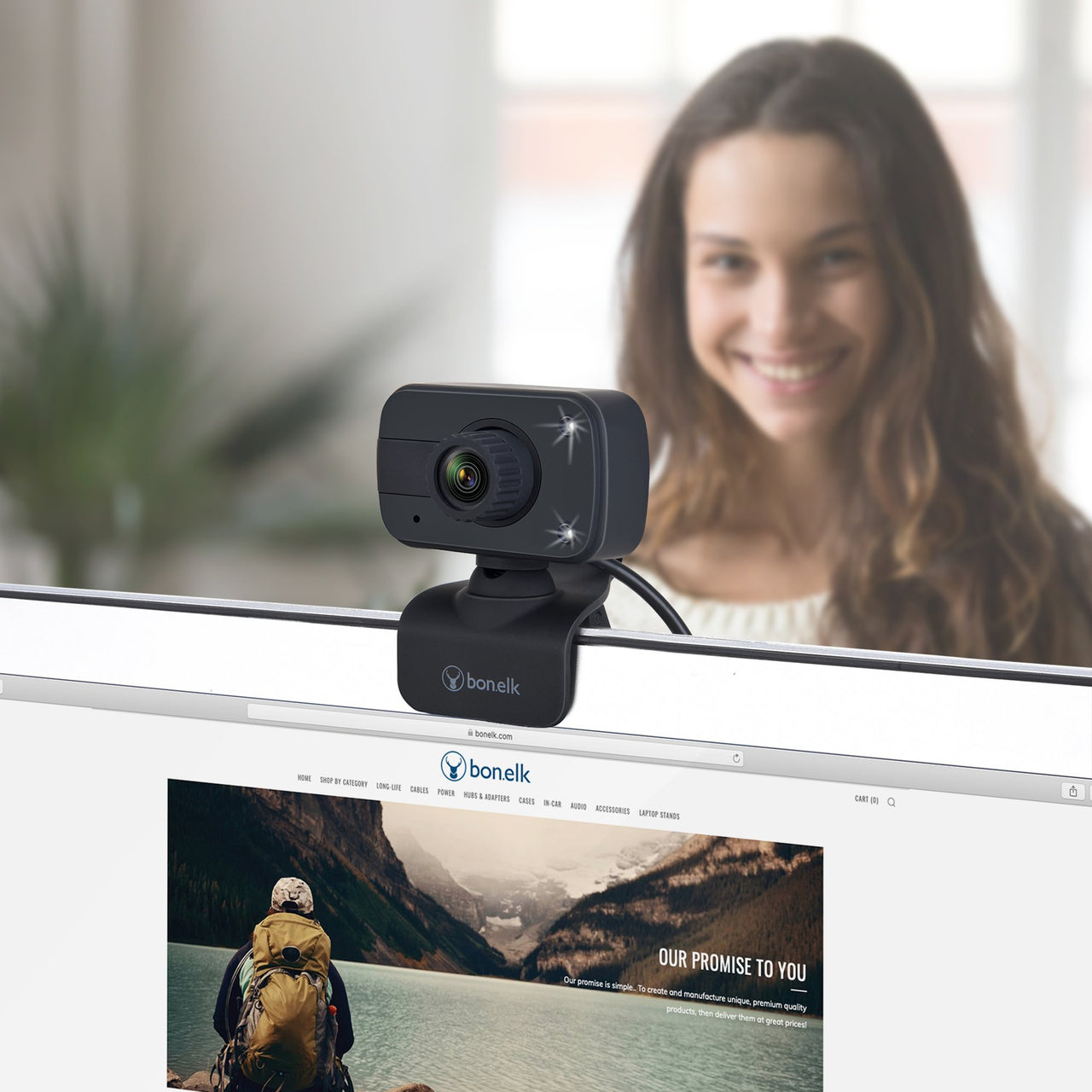
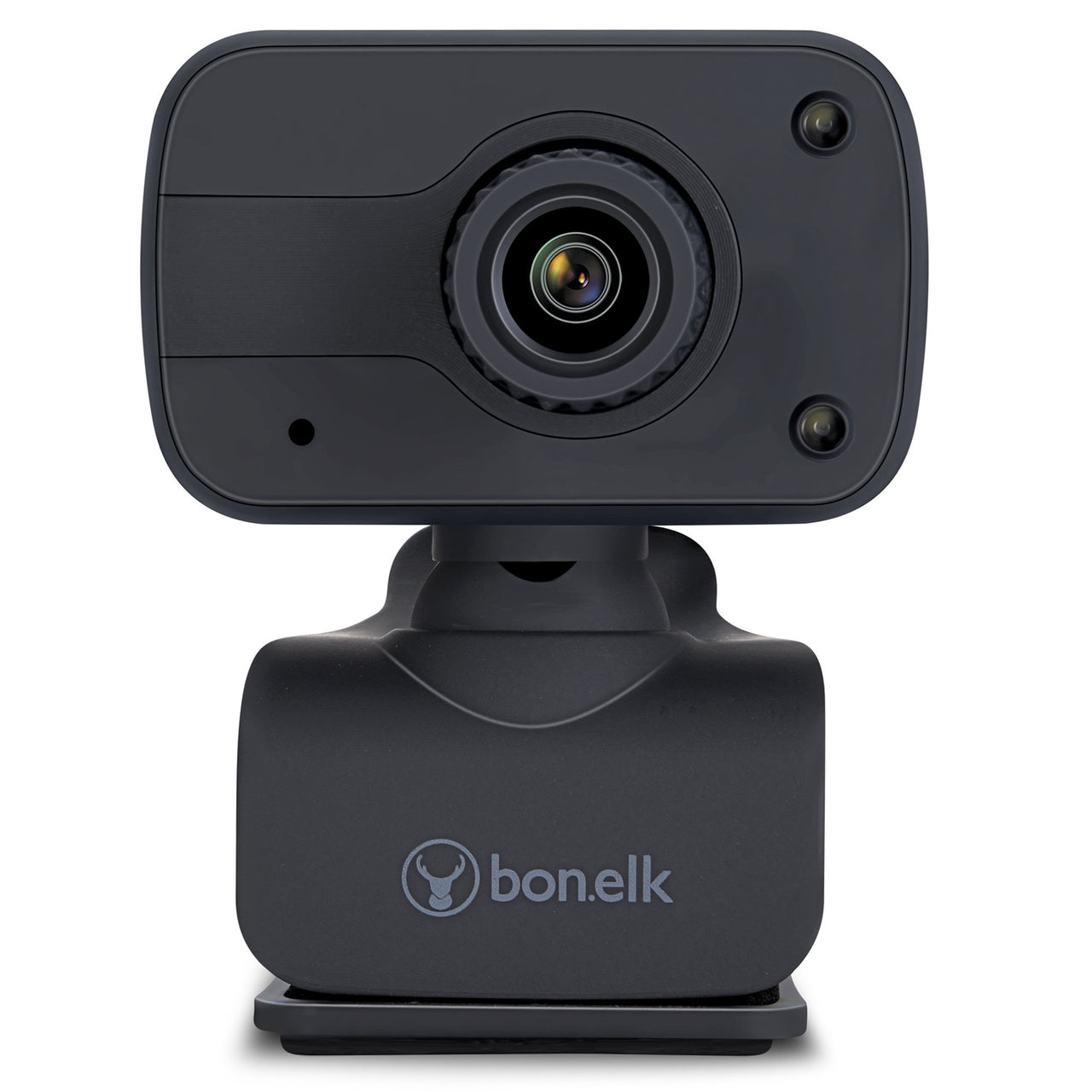
bonelk usb webcam, clip on, 1080p (black) bonelk usb webcam, clip on, 1080p (black)
Bonelk Clip-On USB Webcam — 1080p $45.45 ex GST ($50.00 inc GST)
A clip-on 1080p webcam for laptops and monitors without a usable built-in camera. Most classroom desktops have none at all, and older laptop cameras are grainy enough to undermine the point of a video call. What it does: 1080p video over USB Clips to a laptop lid or the top of a monitor Built-in microphone Plug and play — no drivers or software to install Where schools use it: Video calls with families, specialists and remote students Recording lessons and demonstrations Student presentations and media work Desktop machines in labs and offices with no camera at all Clip-on or flexible neck? A clip-on rides on the screen and points where the screen points — right for video calls. If you need to point the camera at a desk, a document or a model, the flexible-neck version is the one you want. Purchase orders accepted on school accounts.
bonelk desktop series 9 in 1 usb-c multiport hub bonelk desktop series 9 in 1 usb-c multiport hub black
Bonelk Desktop 9-in-1 USB-C Dock $154.54 ex GST ($169.99 inc GST)
A nine-port desktop dock for a fixed workstation — one USB-C cable to the laptop, and everything else stays permanently connected. For a staff desk or a library terminal, this is what replaces the daily ritual of plugging in four separate cables. What it does: Nine ports from a single USB-C connection Display output, USB-A and USB-C ports, card reader and Ethernet Power pass-through, so the laptop charges through the same cable Desktop form factor — designed to stay on the desk, not travel Available in black or space grey. Dock or hub? A portable hub goes in the bag with the laptop and does two or three jobs. A desktop dock stays put and does everything, so arriving at the desk means connecting one cable. For a teacher with an assigned workstation, the dock saves a few minutes every single day. Purchase orders accepted on school accounts.
bonelk display port to display port long life cable (black) 1.5 m bonelk display port to display port long life cable (black) 3 m
Bonelk DisplayPort to DisplayPort Cable from $22.72 ex GST ($24.99 inc GST)
DisplayPort to DisplayPort cables for connecting a desktop or dock to a monitor. Standard in computer labs and staff workstations, where DisplayPort is often the only output a tower PC offers alongside legacy VGA. What it does: Full DisplayPort video and audio Long-Life reinforced construction at the connector Available in 1.5m and 3m Choosing a length: 1.5m for a monitor sitting on the same desk as the tower, 3m where the machine is under a desk or in a cabinet. For 8K displays, look at the Pro-X range instead. For classroom projectors and panels, HDMI is usually the connector you want. Bulk quantities available on a school purchase order.
bonelk elevate laptop stand (black) bonelk elevate laptop stand (black)
Bonelk Elevate — Laptop Stand from $54.54 ex GST ($59.99 inc GST)
Laptop stands raise a screen to eye level, which is the single cheapest fix for the neck and shoulder strain that comes from a teacher spending a day looking down at a laptop on a desk. Aluminium construction, folding flat where the design allows. Choose your model: Elevate Stance — a fixed aluminium riser, the simplest and lowest-cost option. Silver or black. Elevate Junior — compact and foldable, sized for smaller laptops and Chromebooks Elevate — the standard adjustable stand, folds flat to travel between rooms Elevate Flow — adjustable with an open design for airflow, for laptops that run warm Elevate 360 — rotates, so a screen can be turned to show a student or a group without moving the laptop Where these matter in a school. Staff workstations and front offices, where someone is at a laptop for hours. The 360 is also worth considering for a teacher who regularly turns a screen to show work to students, and for library and help-desk positions. Check the fold. If the stand stays on one desk, a fixed riser is cheaper and sturdier. If it moves between rooms with the laptop, choose one that folds flat. Purchase orders accepted on school accounts.
Sold out
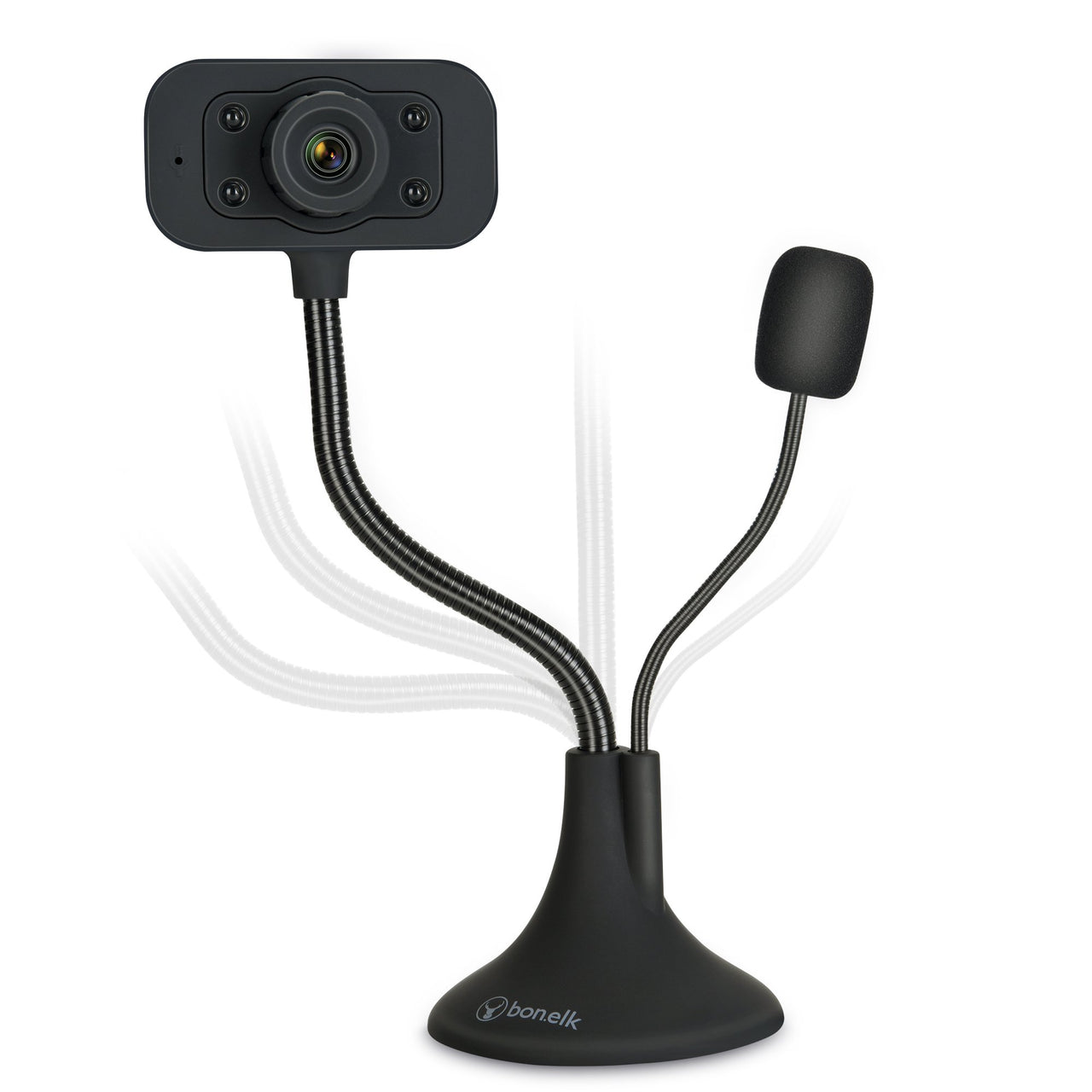
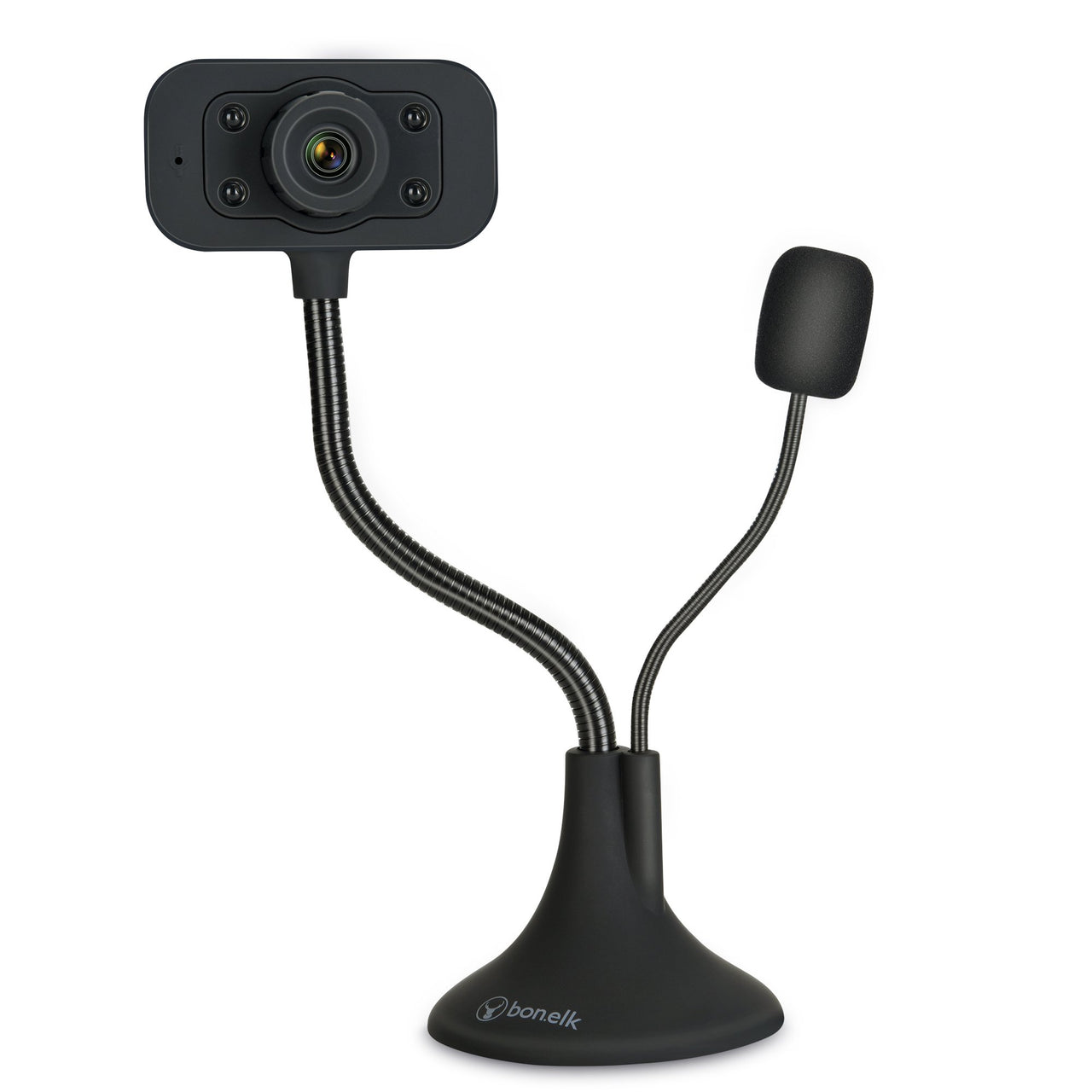
bonelk usb desktop webcam, flexible neck, 1080p (black) bonelk usb desktop webcam, flexible neck, 1080p (black)
Bonelk Flexible Neck USB Webcam — 1080p $63.63 ex GST ($69.99 inc GST)
A 1080p webcam on a flexible gooseneck that stands on a desk. The neck is the point — it lets you aim the camera at a desk, a book, a science demonstration or a model, which a screen-mounted camera physically cannot do. What it does: 1080p video over USB Adjustable flexible neck on a weighted desktop base Built-in microphone Plug and play — no drivers or software Where it earns its place: A low-cost visualiser for showing worked examples and texts Science demonstrations recorded or streamed to a display Stop-motion animation and maker documentation Video calls where the standard angle doesn't work Worth comparing with a proper document camera if visualising is the main use — a HoverCam gives better optics and focus control. This is the option when budget matters more than image quality, or when the camera has to do both jobs. Purchase orders accepted on school accounts.
bonelk fly wireless bluetooth transmitter bonelk fly wireless bluetooth transmitter
Bonelk Fly — Bluetooth Audio Transmitter $40.90 ex GST ($44.99 inc GST)
A Bluetooth transmitter that adds wireless audio to equipment that has none. Plug it into a 3.5mm or optical output and it sends the sound to wireless headphones or a speaker. What it does: Transmits audio over Bluetooth from a wired source Connects via 3.5mm or optical Pairs with wireless headphones and speakers Where schools use it: Older displays, projectors and TVs with no Bluetooth Sending audio from a fixed AV source to a wireless speaker Library and quiet-listening setups This is a transmitter, not a receiver — it sends audio out of a device, it doesn't let a speaker receive from a phone. If you need the opposite, you want a Bluetooth receiver. Purchase orders accepted on school accounts.
Bonelk Pro-X HDMI to 8K HDMI cable Bonelk Pro-X USB-C to 8K HDMI cable
Bonelk Pro-X — 8K Display Cables from $27.26 ex GST ($29.99 inc GST)
The Pro-X range carries 8K video, for the newest interactive panels and high-resolution displays. Most classrooms don't need this — 4K covers almost everything in service — but if you're specifying a new panel or a media lab, these are the cables that won't need replacing when the display is upgraded. Choose your connection: HDMI to HDMI — display or projector to a media player or fixed PC USB-C to HDMI — modern laptop straight to a panel DisplayPort to DisplayPort — desktop or dock to a high-resolution monitor USB-C to DisplayPort — laptop to a DisplayPort monitor Worth being honest about 8K. Very little classroom content is 8K, and a 4K cable will drive a 4K panel perfectly. Buy Pro-X when the display genuinely supports it, or when you're cabling a permanent installation you don't want to revisit. Bulk quantities available on a school purchase order.
bonelk universal folio case for 9 bonelk universal folio case for 9
Bonelk Universal Folio Case — 9–11" Tablets $45.45 ex GST ($50.00 inc GST)
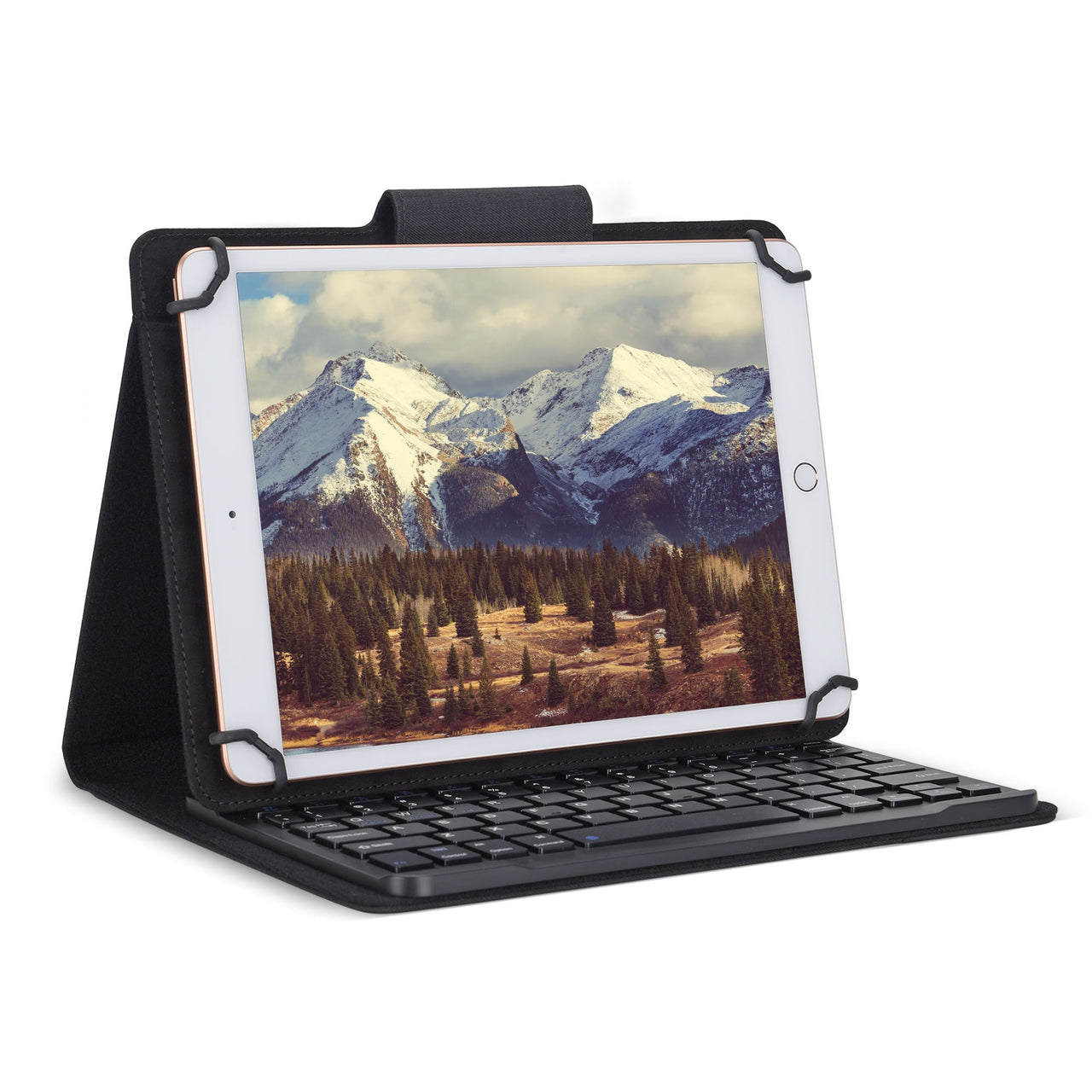
A universal folio case for 9 to 11 inch tablets — one case that fits most of the iPads and Android tablets a school runs, rather than a model-specific shell you replace at every device refresh. What it does: Fits tablets from 9 to 11 inches Folio cover protecting the screen in a bag Folds back as a viewing stand Universal or model-specific? A universal folio survives a device upgrade and suits a mixed fleet. A moulded case like the Gumdrop range fits one generation exactly and gives better drop protection. For a shared trolley set that turns over every few years, universal usually wins. Class quantities available on a school purchase order.
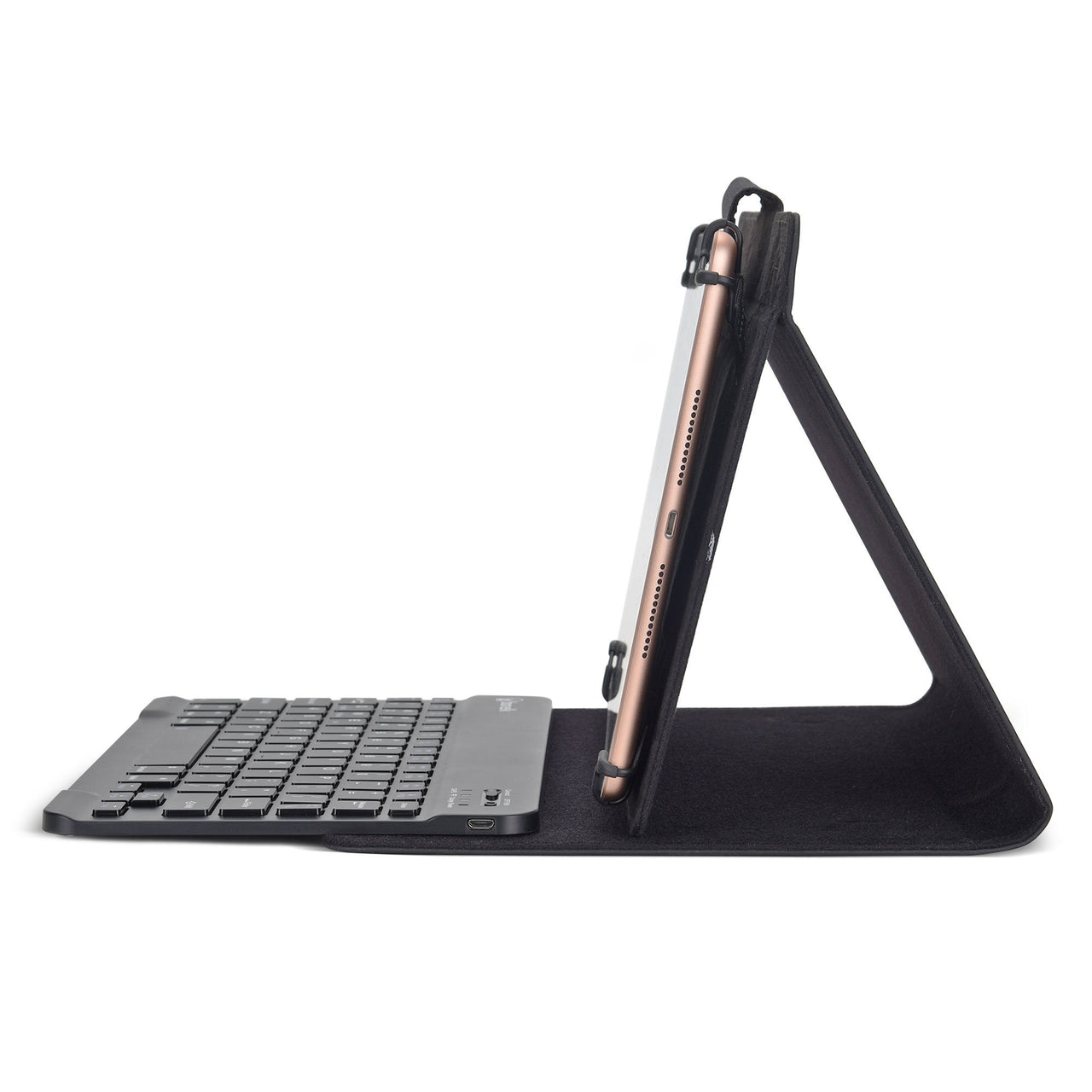
bonelk universal keyboard folio for tablets 9 bonelk universal keyboard folio for tablets 9
Bonelk Universal Keyboard Folio — 9–11" Tablets $81.81 ex GST ($89.99 inc GST)
A folio case with a detachable Bluetooth keyboard, for 9 to 11 inch tablets. Turns an iPad into something a student can write an essay on — which is the difference between a tablet used for consuming and one used for producing. What it does: Fits tablets from 9 to 11 inches Bluetooth keyboard built into the folio Folds back as a viewing stand when the keyboard isn't needed Protective cover for the screen in transit Where it earns its place: senior English and humanities, extended writing tasks, and any assessment where students type rather than handwrite. Also worth considering for students with handwriting difficulties. Class quantities available on a school purchase order.
bonelk universal sleeve for 11 bonelk universal sleeve for 11
Bonelk Universal Sleeve — 11" Tablets $31.81 ex GST ($34.99 inc GST)
A padded slip sleeve for 11 inch tablets — the simplest protection there is, and the one students will actually use because there's nothing to fasten or fold. What it does: Fits tablets up to 11 inches Padded slip-in construction Slim enough to go inside an existing school bag Sleeve or case? A sleeve protects in transit but comes off in use; a folio stays on. For a trolley set that lives in the classroom, a sleeve is often enough and costs less. For a take-home program, a folio protects the device while it's being used. Class quantities available on a school purchase order.
bonelk long-life usb-a to 4 port usb 3.0 slim hub (space grey) bonelk long-life usb-a to 4 port usb 3.0 slim hub (space grey)
Bonelk USB-A 4-Port USB 3.0 Slim Hub $36.35 ex GST ($39.99 inc GST)
A four-port USB 3.0 hub on a USB-A lead, for older laptops and desktop machines that don't have USB-C. Same slim body as the USB-C version — the difference is which way round it plugs in. What it does: Four USB 3.0 ports from a single USB-A connection Slim aluminium body with Long-Life reinforced cable No power adapter needed Space grey or black Check the laptop before ordering — if it has USB-C, the USB-C version leaves the USB-A ports free for something else. Purchase orders accepted on school accounts.
Bonelk Easy Grip USB-A to USB-C charging cable Bonelk USB-A to USB-C 2 metre cable
Bonelk USB-A to USB-C Charging Cable — 60W from $16.35 ex GST ($17.99 inc GST)
A USB-A to USB-C charging cable for the situation most schools are actually in — newer devices that charge over USB-C, plugged into older wall chargers, power boards and charging trolleys that only have USB-A ports. What it does: 60W charging from a USB-A source Easy Grip connector housings, easier for small hands to pull out without yanking the cable Long-Life reinforced construction at the stress points Choose length and colour: 1.2m for desks and charging stations, 2m where the outlet is further away. Black or white — some schools colour-code by year level or room. Class quantities available on a school purchase order.
Bonelk USB-C to USB-A 3.0 adapter Bonelk USB-A to USB-C 3.0 adapter
Bonelk USB-C & USB-A 3.0 Adapter from $13.63 ex GST ($14.99 inc GST)
Compact plug adapters that convert USB-C to USB-A or the other way round. The cheapest way to bridge a mixed device fleet — older peripherals into new laptops, or new USB-C accessories into older desktops. Choose your direction: USB-C to USB-A — plugs into a USB-C laptop, accepts a USB-A device. For mice, keyboards, USB drives and visualisers. USB-A to USB-C — plugs into an older desktop or hub, accepts a USB-C cable. For charging newer devices from existing equipment. What to know: these are rigid plug adapters, which is why they're the lowest-cost option. If the adapter will live permanently in a laptop that gets carried in a bag, the 15cm lead version flexes and lasts longer. Bulk quantities available on a school purchase order.
bonelk long-life series usb-c to 2 port usb 3.0 slim hub (space grey) bonelk long-life series usb-c to 2 port usb 3.0 slim hub (space grey)
Bonelk USB-C 2-Port USB 3.0 Slim Hub $31.81 ex GST ($34.99 inc GST)
A two-port USB 3.0 hub on a short USB-C lead. The smallest and cheapest hub in the range, for a laptop that just needs a mouse and a USB drive at the same time. What it does: Two USB 3.0 ports from a single USB-C connection Slim aluminium body Long-Life reinforced cable No power adapter needed If two ports won't cover it, the four-port version is only a few dollars more. Data only — for display output, look at the multiport hubs. Purchase orders accepted on school accounts.
bonelk long-life usb-c to 4 port usb 3.0 slim hub (space grey) bonelk long-life usb-c to 4 port usb 3.0 slim hub (space grey)
Bonelk USB-C 4-Port USB 3.0 Slim Hub $40.90 ex GST ($44.99 inc GST)
A slim four-port USB 3.0 hub on a short USB-C lead — the cheapest way to turn one port into four. For a laptop that has to run a mouse, a keyboard, a USB drive and a visualiser at the same time, this is usually all a classroom needs. What it does: Four USB 3.0 ports from a single USB-C connection Slim aluminium body Long-Life reinforced cable at the connector No power adapter needed Available in five colours — space grey, black, white, blue and green. Colour-coding by room or year level costs nothing and makes it obvious when a hub has wandered. Data only, not video. If you need to drive a display, look at the multiport hubs instead. Purchase orders accepted on school accounts.
Bonelk Eco Series 38W dual USB-C car charger Bonelk Carbon Series USB-C and USB-A car charger
Bonelk USB-C Car Charger from $18.17 ex GST ($19.99 inc GST)
USB-C car chargers for staff vehicles, excursion buses and anyone running a device between sites. Not a classroom item, but a practical one for schools with staff on the road. Choose your model: 25W single USB-C — phones and tablets 38W dual USB-C — two devices at once 20W USB-C + 18W USB-A — covers a newer and an older device together Purchase orders accepted on school accounts.
Bonelk Long-Life 65W PD USB-C desktop charger Bonelk 65W desktop charger with two USB-C and two USB-A ports
Bonelk USB-C Desktop Charger — 65W to 100W from $72.72 ex GST ($79.99 inc GST)
Desktop chargers that sit on a bench and run several devices from one wall outlet. For a staff room, a front office or a small charging point in a classroom, one of these replaces four plug packs and the power board they were fighting over. Choose your model: 65W USB-C, space grey or black — a single high-power port for a laptop 65W with 2 x USB-C and 2 x USB-A, black or white — four devices at once, mixed connectors 65W GaN multi-device with built-in 1.5m cable — no separate lead to lose 100W GaN with built-in 1.5m USB-C cable — for larger laptops Why GaN matters. Gallium nitride chargers run cooler and pack more power into a smaller body than older silicon designs — which is why a 100W GaN charger is about the size of a 30W one from a few years ago. For charging a class set, a desktop charger isn't the answer — look at a charging trolley or station instead. These suit a handful of devices at a fixed point. Purchase orders accepted on school accounts.
Bonelk USB-C 4-in-1 multiport slim hub Bonelk USB-C 8-in-1 multiport hub
Bonelk USB-C Multiport Hub — 4-in-1 to 14-in-1 from $40.90 ex GST ($44.99 inc GST)
Multiport hubs that turn one USB-C port into everything a laptop is missing — HDMI for the classroom display, USB-A for older peripherals, Ethernet for wired network, and card slots for camera work. Choose by how much you need: 4-in-1 — the basics for a teacher laptop: display out and a couple of USB ports USB-A 5-in-1 — for older laptops and desktops that still run USB-A 8-in-1 — adds card readers and Ethernet, for media and STEM work 11-in-1 — a near-docking-station spec for a fixed workstation 14-in-1 — the full set, for a staff desk driving multiple displays Which to buy for a school. A teacher who moves between rooms wants the smallest hub that reaches a display — fewer ports means less to carry and less to lose. A fixed staff workstation is the opposite case, where a bigger hub replaces a drawer full of adapters. Purchase orders accepted on school accounts.
Bonelk USB-C SD and MicroSD card reader
Bonelk USB-C SD & MicroSD Card Reader $27.26 ex GST ($29.99 inc GST)
A USB-C card reader taking both SD and MicroSD. For any classroom running cameras, drones, dash-mounted robots or Raspberry Pi, this is how footage and images get off the card and onto a laptop that has no card slot. What it does: Reads full-size SD and MicroSD cards Connects over USB-C Available in black, space grey or white Where schools use it: media and film courses, drone programs, photography, and any Raspberry Pi work where an SD card needs reimaging. One per trolley or per media kit saves a lot of hunting. Bulk quantities available on a school purchase order.
Bonelk USB-C to 3.5mm audio adapter
Bonelk USB-C to 3.5mm Audio Adapter $13.63 ex GST ($14.99 inc GST)
A USB-C to 3.5mm adapter for plugging wired headphones into a device that has no headphone socket. For a school with an existing 3.5mm class set and a fleet moving to USB-C, this is the cheapest way to keep those headphones working. What it does: 3.5mm audio output from a USB-C port Works with any wired headphone or headset Available in black or white The maths worth doing: replacing a 30-headphone class set with USB-C models costs several hundred dollars. Thirty of these costs a fraction of that and keeps the headphones you already own in service. Bulk quantities available on a school purchase order.
bonelk long-life usb-c to 4k hdmi adapter - 15cm (space grey) bonelk long-life usb-c to 4k hdmi adapter - 15cm (space grey)
Bonelk USB-C to 4K HDMI Adapter — 15cm $45.45 ex GST ($50.00 inc GST)
A USB-C to HDMI adapter for connecting a laptop or tablet to a classroom display, interactive panel or projector. On a 15cm flexible lead rather than a rigid plug, so it survives being left connected while the laptop is moved. What it does: 4K output from any USB-C device with DisplayPort Alt Mode 15cm Long-Life lead Plug and play — no drivers or software Where schools use it: the single most-requested adapter in any school, because every teacher with a USB-C laptop needs to get a picture onto a display that only has HDMI. Keep spares — a missing adapter stops a lesson. Check your display before ordering. 4K covers almost every classroom panel and projector in service. If you're running an 8K display, look at the Pro-X range instead. Bulk quantities available on a school purchase order.
bonelk long-life usb-c to gigabit ethernet adapter - 15cm (space grey) bonelk long-life usb-c to gigabit ethernet adapter - 15cm (space grey)
Bonelk USB-C to Gigabit Ethernet Adapter — 15cm $45.45 ex GST ($50.00 inc GST)
A USB-C to Gigabit Ethernet adapter, for putting a laptop on the wired network when Wi-Fi isn't good enough or isn't allowed. Most modern laptops have no RJ45 port at all, which is a problem the first time a school needs a stable connection for online testing. What it does: Gigabit Ethernet from a USB-C port 15cm Long-Life flexible lead Where schools use it: NAPLAN and other online assessment, where a dropped connection costs a session Fixed workstations in labs and libraries Troubleshooting — ruling out Wi-Fi as the cause Worth holding a few in the IT cupboard even if your fleet runs on Wi-Fi day to day. Bulk quantities available on a school purchase order.
bonelk usb-c to hdmi long life cable (black/space grey) 1.5 m bonelk usb-c to hdmi long life cable (black/space grey) 2.5 m
Bonelk USB-C to HDMI Cable from $45.45 ex GST ($50.00 inc GST)
A single cable from a USB-C laptop to an HDMI display — no adapter, no dongle to lose. For a teacher moving between rooms, one cable in the bag is more reliable than an adapter plus an HDMI lead borrowed from whatever room they're in. What it does: USB-C to HDMI in one lead, 4K capable Long-Life reinforced construction Available in 1.5m and 2.5m Cable or adapter? A cable is tidier and has one less failure point, but only reaches as far as its length. An adapter plus an existing HDMI lead is more flexible when the display is across the room. Most schools keep both. Your laptop needs DisplayPort Alt Mode over USB-C — almost every laptop and Chromebook made since about 2018 does, but a very old or budget device may not. Bulk quantities available on a school purchase order.
bonelk long-life usb-c to usb-a adapter (15cm) (space grey) bonelk long-life usb-c to usb-a adapter (15cm) (space grey)
Bonelk USB-C to USB-A Adapter — 15cm $18.17 ex GST ($19.99 inc GST)
A short USB-C to USB-A adapter on a 15cm lead. The lead matters more than it sounds — a rigid plug dongle sticking straight out of a laptop is the first thing to snap when a device goes into a bag, whereas a short cable flexes and survives. What it does: Connects USB-A devices to a USB-C laptop or tablet 15cm flexible lead rather than a rigid plug Long-Life reinforced construction Where schools use it: plugging older mice, keyboards, USB drives and visualisers into newer Chromebooks and MacBooks that only have USB-C. Worth keeping several per computer lab — they migrate. Bulk quantities available on a school purchase order.
Bonelk Easy Grip USB-C to USB-C charging cable Bonelk USB-C to USB-C right angle charging cable
Bonelk USB-C to USB-C Charging Cable from $18.17 ex GST ($19.99 inc GST)
USB-C to USB-C charging cables built to survive a school year. The Easy Grip housing gives students something to pull on, which is the single biggest cause of cable failure — a cable yanked out by the lead rather than the plug. Choose by what you're charging: 100W — covers iPads, Chromebooks and most laptops. The right default for a classroom. 240W — for larger laptops and fast-charging docks. 240W with 20Gbps data — adds high-speed transfer and 4K 60Hz video over the same cable. 140W with 10Gbps data — a middle option with data and video. Right-angle versions sit flat against a device instead of standing proud, which matters in a charging trolley where a straight plug gets bent against the back of the slot. A note on power ratings: a higher wattage cable won't charge a device faster than the device or charger allows — it just won't be the bottleneck. 100W is enough for almost every school device. Class quantities available on a school purchase order.
Bonelk 20W USB-C GaN wall charger with Easy Grip cable Bonelk 65W PD GaN wall charger
Bonelk USB-C Wall Charger — 12W to 100W from $18.17 ex GST ($19.99 inc GST)
USB-C wall chargers for classrooms, staff rooms and device trolleys — the plug pack that goes missing first and gets replaced most often. Several models include an Easy Grip cable, so there's one less thing to source. Choose by what you're charging: 12W USB-A — basic charging for older devices and accessories 20W or 25W USB-C with cable — phones and tablets, cable included 30W USB-C with cable — iPads and smaller Chromebooks, cable included 65W GaN — laptops and larger Chromebooks 65W GaN travel, USB-A and USB-C — two devices, for staff on the move 100W GaN, 2 x USB-C and 1 x USB-A — the highest output, for a laptop plus devices Matching wattage to device. A phone needs 20W, an iPad 30W, most Chromebooks and laptops 45–65W. A higher-wattage charger is safe on a smaller device — it simply delivers what the device asks for — so when in doubt, size up. Purchase orders accepted on school accounts.
Bonelk Vision clear USB-C 6-in-1 multiport hub Bonelk Vision clear USB-C 8-in-1 multiport hub
Bonelk Vision — USB-C Multiport Hub from $72.72 ex GST ($79.99 inc GST)
The Vision range uses a clear housing, so you can see the internals. That's mostly a styling choice — but in a classroom it's a genuinely useful one, because a transparent hub becomes a small teaching object when students ask what's inside the thing they plug into every day. Choose your configuration: 6-in-1 — HDMI, USB ports and power pass-through 6-in-1 with card reader — adds SD and MicroSD for camera and drone work 8-in-1 — the fullest Vision spec, adding Ethernet Long-Life construction at the cable and connector, which is where hubs fail in a school — the lead gets pulled sideways out of a laptop dozens of times a week. Purchase orders accepted on school accounts.