BBC micro:bit V2 Go Bundle BBC micro:bit v2 Board - Single
BBC micro:bit V2 Go Bundle $29.86 ex GST ($32.85 inc GST)
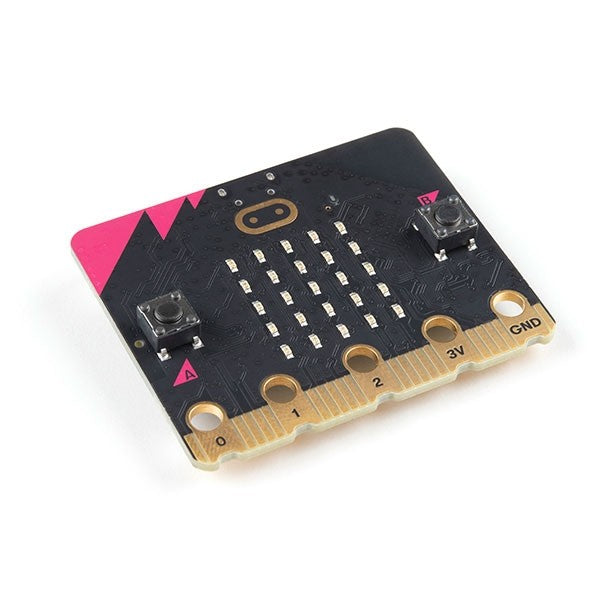
The BBC micro:bit V2 Go Bundle is the simplest way to start coding — everything a beginner needs in one box, with no extra parts to track down. Write a program in the browser, send it to the board, then unplug and run it on batteries. It's the recommended starting point for a child, a family, or a first classroom set. What's included: 1 x BBC micro:bit V2 board (colour varies — red, yellow, green or blue) 1 x micro USB cable for programming and power 1 x battery holder with 2 x AAA batteries, so projects can go cordless 1 x quick-start guide with four project ideas to try first Designed for ages 8 and up; the board measures about 4cm x 5cm What your child practises: Coding with Microsoft MakeCode blocks or Python Computational thinking — sequencing, loops and problem-solving Bringing code to life with the LED display, speaker, buttons and motion sensor The micro:bit V2 adds a built-in speaker, microphone and touch-sensitive logo to the original design, and works right across the curriculum — science, maths, design, art and music. A dependable, reusable starter kit that grows with your learner, shipped from Australia and backed by our teacher-run team. Not sure which to choose? Already have cables and batteries? The single BBC micro:bit V2 board is the lower-cost option. Setting up a whole class? Compare the 10-board class pack (boards only) with the micro:bit V2 Club (boards plus cables and batteries).
BBC micro:bit v2 Board - Single
BBC micro:bit V2 Board — Single $25.41 ex GST ($27.95 inc GST)
The BBC micro:bit V2 is a pocket-sized computer that makes coding something children can hold in their hand and watch respond. Students write a program in a web browser, send it to the board over USB, and instantly see it play out on the LED display, through the built-in speaker, or in response to movement, sound and touch. This is the single board on its own — the right choice when your classroom already has USB cables and batteries, or you're topping up an existing set of micro:bits. What's included: 1 x BBC micro:bit V2 board (colour varies — red, yellow, green or blue) 1 x quick-start guide Measures about 4cm x 5cm; designed for ages 8 and up On the board: A 25-LED display, two buttons and a touch-sensitive logo Built-in speaker and microphone for making and sensing sound Motion sensor (accelerometer and compass), plus light and temperature sensing Bluetooth and radio to connect to other micro:bits, tablets and phones What students practise: Coding with Microsoft MakeCode blocks or Python, at their own pace Computational thinking — sequencing, loops, logic and debugging Linking code to the real world through sensors and inputs Programmable again and again across science, maths, design and music, the micro:bit V2 grows with your students from their first block of code to independent projects. Shipped from Australia and supported by our teacher-run team. Not sure which to choose? Just starting out? The micro:bit V2 Go Bundle adds a USB cable and batteries so you can code straight away. Fitting out a class that already has cables and batteries? Save with the 10-board class pack. Want ten boards with all the accessories included? See the micro:bit V2 Club.
micro:bit club v2 micro:bit club v2
BBC micro:bit V2 Club — Class Set of 10 $281.00 ex GST ($309.10 inc GST)
The BBC micro:bit V2 Club is the complete class set — ten micro:bit V2 boards together with all the cables, holders and batteries a group of ten needs to start coding straight out of the box. There's no separate accessory order and no hunting for spare parts: open the box and teach. It's the ready-made choice for a coding club, STEM group, school class, or scouts and guides troop. What's included: 10 x BBC micro:bit V2 boards (colours vary — red, yellow, green or blue) 10 x micro USB cables and 10 x battery holders 20 x AAA batteries (two per board) Designed for ages 8 and up; each board measures about 4cm x 5cm If your classroom already has cables and batteries, our boards-only 10-pack is the lower-cost option. This Club set is for anyone who wants everything ready in one box. What students practise: Coding with Microsoft MakeCode blocks or Python Computational thinking — sequencing, loops, logic and debugging Physical computing with the LED display, speaker, buttons, motion sensor and radio The micro:bit V2 adds a built-in speaker, microphone and touch-sensitive logo to the original design, and stays fully compatible with earlier micro:bits — so existing lessons and mixed class sets keep working. Reusable year after year across science, maths, design and music, and shipped from Australia by our teacher-run team.
BBC micro:bit v2 Board - 10 Pack
BBC micro:bit V2 Board — 10 Pack $235.45 ex GST ($259.00 inc GST)
The BBC micro:bit V2 Board 10 Pack is a cost-effective way to put a programmable computer into the hands of a whole class. Each student writes code in the browser, flashes it to their own board, and watches it respond on the LED display, through the speaker, or to movement and sound. This pack is boards only — the practical choice for schools and makerspaces that already have USB cables and batteries on hand. What's included: 10 x BBC micro:bit V2 boards (colours vary — red, yellow, green or blue) 10 x quick-start guides Please note: USB cables, battery holders and batteries are not included Designed for ages 8 and up; each board measures about 4cm x 5cm What students practise: Coding with Microsoft MakeCode blocks or Python Computational thinking — sequencing, loops, logic and debugging Connecting code to the real world through sensors, sound and radio With a built-in speaker, microphone, motion sensor and touch-sensitive logo, the micro:bit V2 supports coding across science, maths, design and music. Durable, reusable and easy to share between groups, it's a class set that earns its place year after year — shipped from Australia and supported by our teacher-run team. Not sure which pack you need? This pack is boards only. If you also need cables, holders and batteries, the micro:bit V2 Club has everything for a class of ten. Just need one? Grab a single BBC micro:bit V2 board or the Go Bundle with cable and batteries.
micro:bit Basic Kit — ElecFreaks Beginner micro:bit Basic Kit — ElecFreaks Beginner
micro:bit Basic Kit — ElecFreaks Beginner $37.00 ex GST ($40.70 inc GST)
The cheapest way into micro:bit electronics, and a sensible first purchase for a Year 3 or 4 class. Five plug-in components clip onto the basic:bit board, and every one of them works with MakeCode's default blocks — no extension packages to install, no wiring to get wrong. What's included: basic:bit breakout board with an onboard buzzer and three GVS groups (P0, P1, P2) LED module and crash sensor Potentiometer and ADKey five-button module 180° servo motor Battery box, USB cable and printed user guide micro:bit board is not included — add a micro:bit V2 at checkout What students practise: Connecting a component and seeing code control something physical Reading an input — a button press, a dial position, a bump Block coding in Microsoft MakeCode with no setup beyond opening the editor The habit of changing one thing and testing it Six documented projects on the ElecFreaks wiki, including a light controller, a Morse code sender and a function selector. Recommended by ElecFreaks for Years 3 to 4. Because it is our lowest-priced kit, it also works well as a class set where budget is tight.
micro:bit Starter Kit — 24 Parts, 14 Lessons micro:bit Starter Kit — 24 Parts, 14 Lessons
micro:bit Starter Kit — 24 Parts, 14 Lessons $51.00 ex GST ($56.10 inc GST)
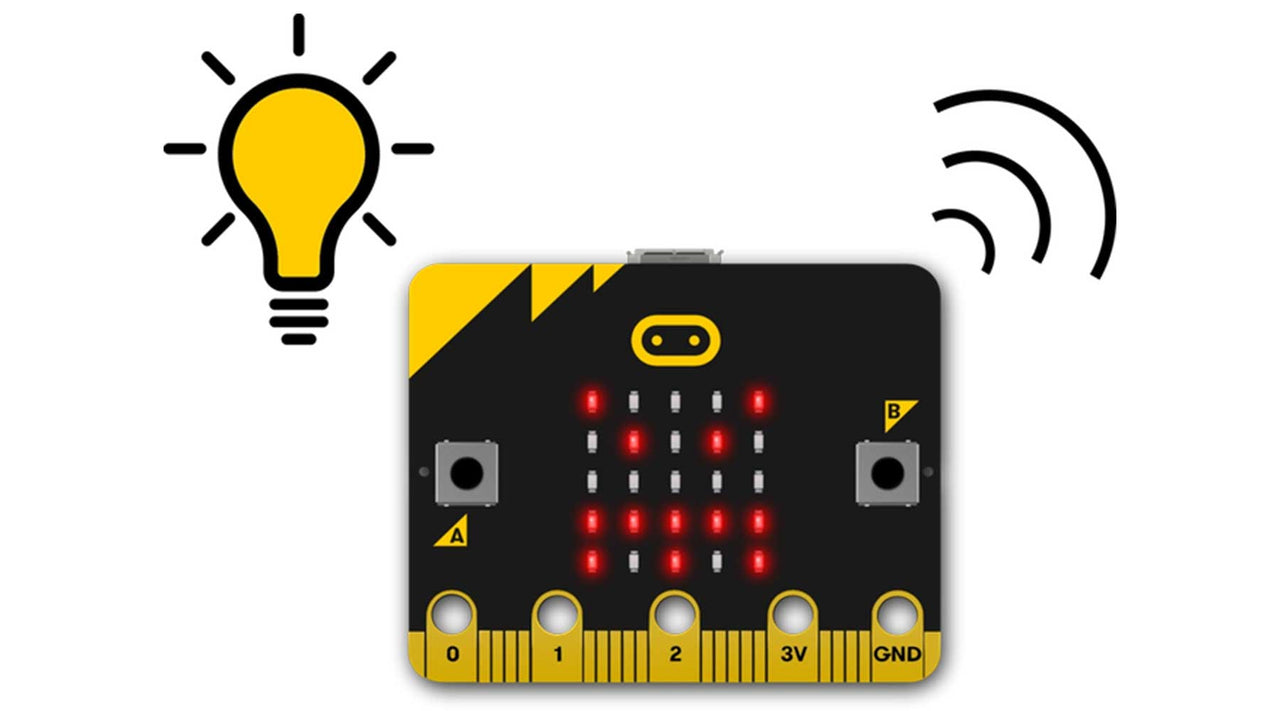
This is the kit for students who should understand the circuit, not just the code. Twenty-four components and a breadboard adapter, with fourteen lessons that build up from lighting a single LED to driving a motor — each one explaining what the component does and why the circuit works. What's included: micro:bit breadboard adapter and breadboard LEDs, RGB LED and a rainbow LED module Button, self-locking switch, trimpot and photocell Temperature sensor, buzzer, 180° servo and DC motor Jumper leads, resistors and connecting hardware — 24 component types in total micro:bit board and batteries are not included — add a micro:bit V2 at checkout The fourteen lessons: LED, button, trimpot and photocell — the basics of input and output RGB LED, self-lock switch, temperature sensor and servo Buzzer, motor and rainbow LED Accelerometer, compass and ambient light, using the micro:bit's own sensors All fourteen lessons are documented on the ElecFreaks wiki. The kit supports MakeCode block coding, Python and JavaScript, and works with both micro:bit V1 and V2, so it stays useful as students progress.
sammat education online academy - micro:bit level 1 sammat education online academy - micro:bit level 1
micro:bit Starter Kit + 10 Academy Lessons $80.00 ex GST ($88.00 inc GST)
The best first step into physical computing. A BBC micro:bit V2 arrives in the post, and ten self-paced lessons in the Sammat Online Academy take a child from their first flashing LED to a working step counter. No prior coding needed. What's included: 1 x micro:bit GO pack (V2) — board, battery pack with 2 x AAA batteries and a USB cable 10 self-paced lessons in the Sammat Online Academy, with written guides and video walkthroughs The V2 board adds a built-in microphone and speaker, a touch logo button and a power button The ten lessons: LEDs and timing blocks — animate a beating heart with a loop Text blocks — a scrolling name badge A and B buttons — flashing happy and sad faces Sound and the logo button — an emotion badge that makes noise Shake and tilt — reading the accelerometer Light sensor — turning the LED display into an input Dice, and rock paper scissors — two lessons on randomness Step counter and thermometer — using the built-in sensors You will need a computer, phone or tablet with internet access to load the Microsoft MakeCode editor. Headphones, crocodile clip leads and conductive materials like foil and paper clips are useful but not required. Work through the lessons at your own pace — there is no timetable and no expiry.
micro:bit Tinker Kit — ElecFreaks Octopus micro:bit Tinker Kit — ElecFreaks Octopus
micro:bit Tinker Kit — ElecFreaks Octopus $88.00 ex GST ($96.80 inc GST)
The Tinker Kit solves the problem that stops most classroom electronics lessons: messy breadboard wiring. Every module plugs into the Octopus:bit board with a keyed connector, so a class spends the lesson coding rather than hunting for a loose wire. What's included: Octopus:bit breakout board with a micro:bit edge connector OLED display, PIR motion sensor and soil moisture sensor ADKeypad, crash sensor and buzzer module Three LED modules, a potentiometer and a servo motor Crystal battery box (2 x AAA), micro USB cable and nine connection cables Full colour printed guide covering five projects, with more online micro:bit board is not included — add a micro:bit V2 at checkout What students practise: Choosing the right sensor for a problem from a box with several options Reading a value, setting a threshold and triggering an output Block coding in MakeCode, with officially certified extension packages Debugging behaviour rather than debugging wiring The Octopus:bit switches voltage level on some GPIO ports, so 5V sensors work alongside 3V ones. More than thirty documented projects on the ElecFreaks wiki cover a music machine, a plant monitor, a fish feeder, a lie detector and a maze game. Developed with Tinkercademy in Singapore, and used in classrooms in a number of countries.
micro:bit Experiment Box — Circuits & Code micro:bit Experiment Box — Circuits & Code
micro:bit Experiment Box — Circuits & Code $86.00 ex GST ($94.60 inc GST)
The Experiment Box puts circuit design and coding in the same lesson. Fourteen components sit on one printed board, connected with banana plug leads that push in firmly and pull out cleanly — the same connectors used in school physics labs, so students learn a habit that transfers. What's included: Single-board layout with 14 components, connected by banana plug leads NTC temperature sensor and photocell LEDs, RGB LED and a rainbow LED ring Buzzer, 180° servo and DC motor Button, self-locking button and trimpot MOSFET transistor and resistors of several values micro:bit board and batteries are not included — add a micro:bit V2 at checkout What students practise: Current, voltage, resistance and Ohm's law, with a working circuit in front of them Reading a resistor colour code and predicting what a circuit will do Block coding in MakeCode to control components they have wired themselves Designing a circuit, then designing the program that drives it Eleven documented cases plus two circuit design exercises on the ElecFreaks wiki. Usefully, the components can be explored as a plain circuits lesson with no micro:bit at all — which makes this the one kit here that serves a physics class as readily as a digital technologies one.
ring:bit car v2 for micro:bit ring:bit car v2 for micro:bit
micro:bit Ring:bit Car v2 — Beginner Robot Kit $40.00 ex GST ($44.00 inc GST)
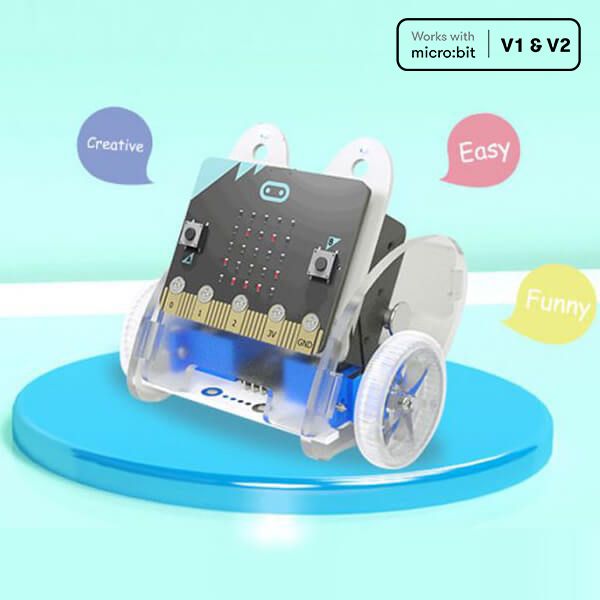
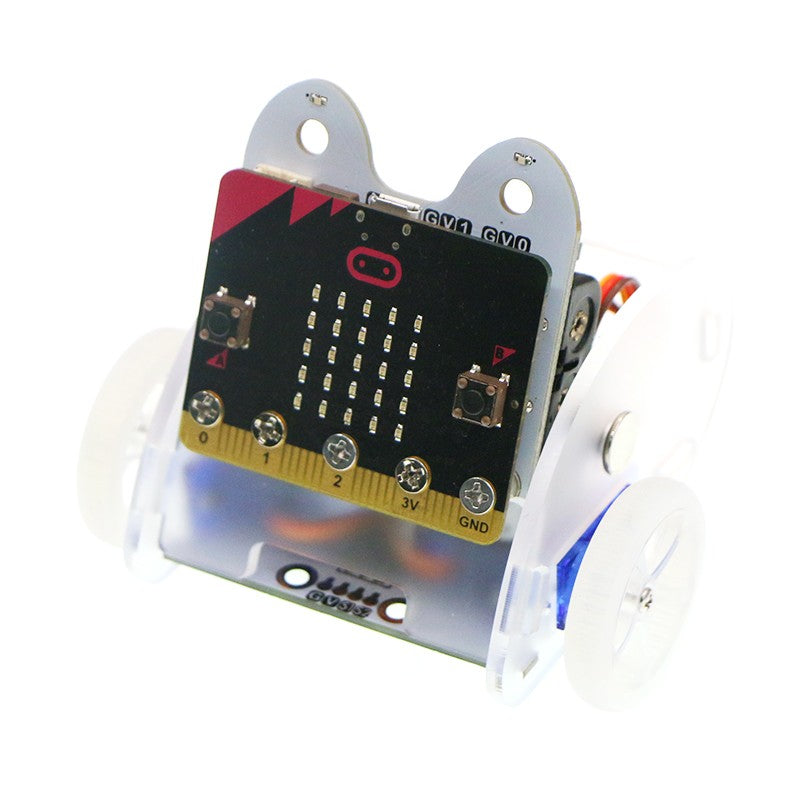
The Ring:bit Car v2 is the gentlest way into micro:bit robotics, and the only car in our range that students build themselves from parts rather than unboxing ready to drive. That assembly is the point — a child who has bolted on their own servos understands the machine differently from one handed a finished robot. What's included: Ring:bit v2 expansion board, which breaks out three of the micro:bit's GPIO ports Two 360° continuous rotation servos and a car chassis Rainbow LED module with eight full-colour LEDs Assembly guide, with build and code walkthroughs on the ElecFreaks wiki micro:bit board and batteries are not included — add a micro:bit V2 at checkout What students practise: Building a working machine from components, then finding the fault when it won't move Sequencing: getting a robot to do the right things in the right order Measuring and adjusting — a square that doesn't close teaches more than one that does Block coding in MakeCode, with Python sample code available for older students Expansion modules for line following, obstacle avoidance and drawing are sold separately, so the same car can carry a class from first program to independent project work. If you would rather start with a robot that arrives assembled and driving, look at the Smart Cutebot instead.
micro:bit Smart Cutebot — ElecFreaks Robot micro:bit Smart Cutebot — ElecFreaks Robot
micro:bit Smart Cutebot — ElecFreaks Robot $57.00 ex GST ($62.70 inc GST)
Cutebot is the micro:bit robot car most people picture when they think of one. It is small, quick and almost entirely pre-assembled — only the batteries and the ultrasonic sensor need fitting, so a class can be driving within minutes of opening the box rather than at the end of the lesson. What's included: Cutebot rear-drive car with dual N20 high-speed motors HC-SR04+ ultrasonic distance sensor Large line-following map and user guide Two RGB LED headlights, two NeoPixel rainbow lights and underbody clearance lamps Two line-tracking probes, a buzzer horn and an infrared receiver Runs on 3 x AAA batteries, not included micro:bit board is not included — add a micro:bit V2 at checkout What students practise: Sequencing and speed control — the difference between full speed and gradual Line following and obstacle avoidance using sensor thresholds Block coding in MakeCode, progressing to Python, JavaScript or C++ Measuring, adjusting and testing rather than guessing The arc-shaped shell takes knocks well and the motors are fully enclosed against dust, which matters for a robot that spends its life on classroom floors. A 3-pin port allows sensor expansion, and the body accepts standard building bricks. Measures 85 x 85 x 38 mm.
micro:bit TPBot Smart Car — ElecFreaks micro:bit TPBot Smart Car — ElecFreaks
micro:bit TPBot Smart Car — ElecFreaks $79.00 ex GST ($86.90 inc GST)
The TPBot works straight out of the box without a micro:bit — it will follow a line and avoid obstacles on its preset modes alone. That matters in a classroom, because a child who is stuck can still see the thing work, then slot in a micro:bit and start changing what it does. What's included: TPBot smart car with an ABS shell Line-tracking map Sticker sheet and user manual Runs on 4 x 1.5V dry cell batteries, not included micro:bit board is not included — add a micro:bit V2 at checkout What students practise: Sequencing and steering — getting a robot to follow a planned route Using sensor input to make a decision instead of running a fixed program Block coding in Microsoft MakeCode, with Python available for older students Designing a body for the robot, then testing whether it still drives properly Lock joints on both sides and studs on the roof take standard building bricks, so the same car becomes a police car, a delivery truck or a football player. Four sensor connections and four servo connections allow expansion, and it works with our Interactive Coding Accessories Pack. Winner of a bronze IDEA Design Award. Measures 113 x 128 x 90 mm.
micro:bit Cutebot Pro — ElecFreaks Robot Car micro:bit Cutebot Pro — ElecFreaks Robot Car
micro:bit Cutebot Pro — ElecFreaks Robot Car $88.00 ex GST ($96.80 inc GST)
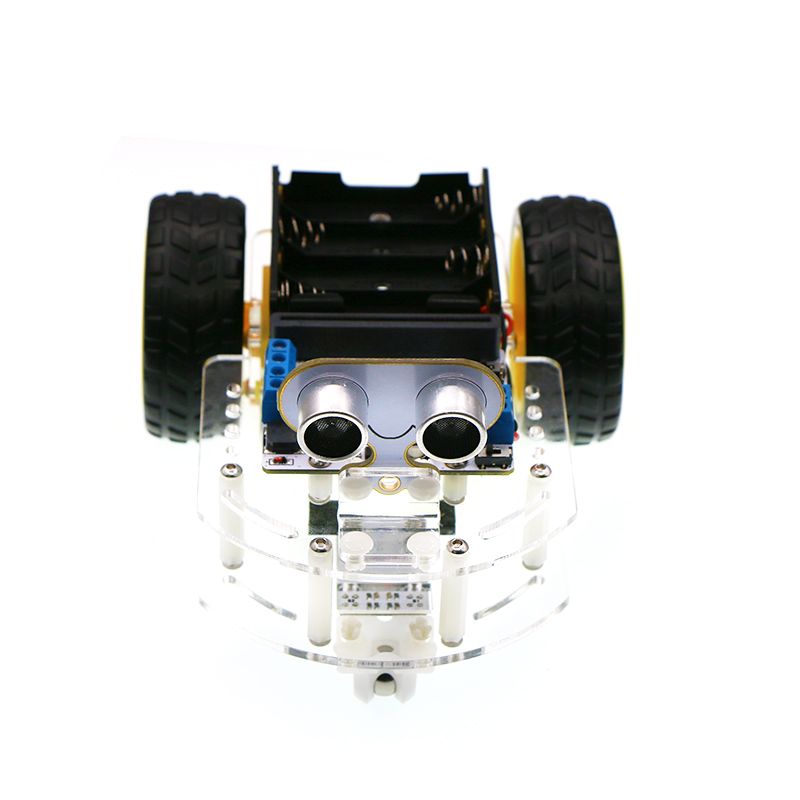
Cutebot Pro is the version for students who have outgrown approximate. Its encoder motors are closed-loop, so the car can be told to travel a set distance or turn a set angle and actually do it — which changes the kind of problem you can set. Four line-tracking sensors instead of two mean it can read crossroads and T-junctions rather than a single line. What's included: Cutebot Pro car with closed-loop encoder motors and wide-grip tyres Four-way infrared line-following sensor array Ultrasonic distance sensor Two rainbow lights, two headlights, a buzzer and an infrared receiver Integrated 18650 lithium battery box micro:bit board is not included — add a micro:bit V2 at checkout What students practise: Controlling distance and turning angle precisely, then measuring the error PID line following, using four sensor readings fused into one value Block coding in MakeCode, progressing to Python or JavaScript Competition-style problem solving where accuracy decides the outcome Please note: the 18650 battery is not included and cannot be shipped with the car under air freight rules. You will need a flat-top 18650 cell (3.7–4.2V) — a button-top cell will not fit. Bluetooth, infrared remote and Joystick:bit control are all supported.
-33% sale
motor:bit smart car kit motor:bit smart car kit
micro:bit motor:bit Smart Car Kit $50.00 ex GST
$73.77 ex GST ($55.00 inc GST)
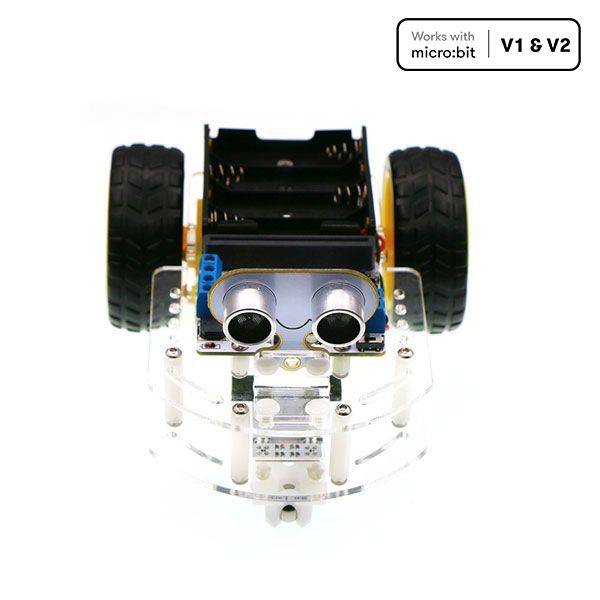
The motor:bit Smart Car Kit is a two-wheel robot students build themselves, then teach to see. With an ultrasonic sensor at the front and two line-tracking modules underneath, it can park at a fixed distance, hold its position behind a moving obstacle, or follow a taped line around the classroom floor. What's included: motor:bit driver board with a TB6612 chip, 12 GVS ports and an I2C port sonar:bit ultrasonic distance sensor Two line-tracking modules Acrylic chassis and assembly hardware micro:bit board and batteries are not included — add a micro:bit V2 at checkout What students practise: Using sensor input to make a decision, rather than just running a fixed sequence Threshold thinking — deciding what counts as "too close" or "off the line" Building and wiring a working machine from parts Debugging behaviour they can watch happen Six documented projects on the ElecFreaks wiki take a class from fixed parking through line tracking to Bluetooth remote control, so the same car supports several lessons rather than one.
MakeKit Wheel:bit – micro:bit Robot Car MakeKit Wheel:bit – micro:bit Robot Car
MakeKit Wheel:bit – micro:bit Robot Car $90.00 ex GST ($99.00 inc GST)
The MakeKit Wheel:bit is a three-wheeled micro:bit robot car students build from scratch and code themselves. Clip a pen to the front and it becomes a drawing machine — turning geometry and angles into art the class can see. What's included and how it works: A build-your-own micro:bit robot car with laser-cut, sustainable parts, designed and made in Norway An open, customisable design — rebuild the body with cardboard, 3D printing or a laser cutter Code in MakeCode blocks, JavaScript or Python, or load a ready-made program Suitable from around age 11 Please note: a BBC micro:bit is required (not included) and can be reused across other builds What your students practise: Coding and computational thinking Maths — geometry, distance and angles through the drawing robot Physics and design — motors, acceleration and building a car that works Unlike closed, pre-built robot cars, Wheel:bit is made to be changed and rebuilt — repairable, sustainable and truly the student's own.
Finch Robot 2.0 — micro:bit Coding Robot Finch Robot 2.0 — micro:bit Coding Robot
Finch Robot 2.0 — micro:bit Coding Robot $317.27 ex GST ($349.00 inc GST)
The Finch Robot 2.0 takes coding off the screen and into the real world. This durable, ready-to-go classroom robot drives, senses and draws, giving students an engaging way to see their code come to life. Powered by the BBC micro:bit, it grows with learners from their first block-based programs right through to text-based languages like Python and Java. Finch Robot 2.0 features: Rechargeable built-in battery (7+ hours) and Bluetooth wireless connection 5 × tri-colour LEDs and a multi-tonal buzzer Light, distance and line-tracking sensors, plus wheel encoders for precise movement A central marker holder for drawing, and a writable surface for whiteboard markers Compatible with plastic building bricks for adding your own creations What students practise: Sequencing, loops and logic through hands-on coding Programming across icon-, block- and text-based languages, from FinchBlox to Python and Java Using sensors and movement to solve mazes, draw shapes and complete challenges The Finch works from the first years of primary school through to senior secondary, so one robot supports coding across year levels. Free, classroom-tested lessons and online teacher professional learning are included. A BBC micro:bit is required as the robot's processor — choose the option with a micro:bit, or supply your own. A USB-C charging cable is included. Teaching a whole class? See the Finch Robot 2.0 Starter Flock. Add a Finch Drawing Mat for drawing activities, or explore all Finch robots.
MakeKit Air:bit 2 – micro:bit Drone Kit air:bit drone for micro:bit
MakeKit Air:bit 2 – micro:bit Drone Kit $208.18 ex GST ($229.00 inc GST)
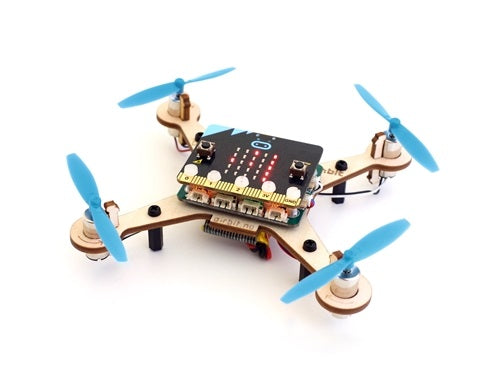
With the MakeKit Air:bit 2, students build, code and fly their very own micro:bit drone — turning a coding lesson into a real quadcopter they can put in the air. It's the original micro:bit drone, and a hands-on way to connect the code on screen to real motors, sensors and flight. What's included and how it works: A programmable micro:bit drone (quadcopter) construction kit — assemble the frame, wire the electronics, then code it to fly WonderKit flight-control board with laser-cut, repairable birch parts, designed and made in Norway Code in Microsoft MakeCode, JavaScript or Python, from beginner blocks to advanced flight algorithms Charges in under an hour and stands up to plenty of crash landings Suitable from around age 11 (upper primary and secondary) Please note: BBC micro:bits are not included. Two are recommended per drone — one inside the drone (micro:bit V2) and one as a controller — or fly it using the free iPad or Android app What your students practise: Coding and computational thinking across three real programming languages Electronics, motors and the aerodynamics of how a quadcopter flies Battery technology, problem-solving and design Fully repairable and made from sustainable materials, Air:bit 2 is built for the knocks of a busy classroom — and the same control board can later be rebuilt into a hovercraft or robot car.
MakeKit Hover:bit – micro:bit Hovercraft hover:bit for micro:bit
MakeKit Hover:bit – micro:bit Hovercraft $162.73 ex GST ($179.00 inc GST)
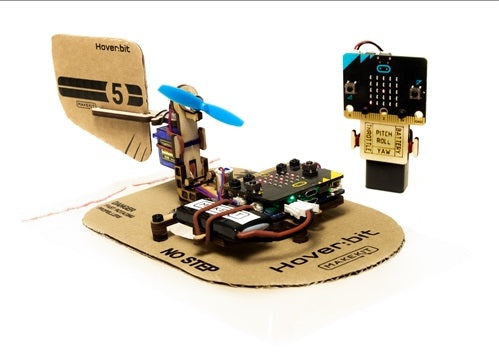
The MakeKit Hover:bit turns a micro:bit into a drifting hovercraft that students build, code and control themselves. Powerful drone motors lift it on a cushion of air, gliding across the floor at up to 30 km/h — coding you can watch, chase and redesign. What's included and how it works: A micro:bit hovercraft construction kit with a birch plywood frame and a cardboard base and rudder you can redesign Rechargeable 3.7V lithium battery with built-in USB charging; drone motors create the air cushion and a servo steers Code in MakeCode blocks, JavaScript or Python, or load a ready-made program Version 2 uses a built-in gyro for traction control and smoother drifting Suitable from around age 11 Please note: a BBC micro:bit is not included. Use one micro:bit with the free iPad or Android app, or add a second as a handheld controller What your students practise: Coding and control across three real programming languages Electronics, motors and how a hovercraft floats and steers Redesigning and rebuilding with cardboard — creativity and engineering Rechargeable, repairable and made from sustainable materials in Norway, Hover:bit is designed to be crashed, fixed and redesigned again and again.
MakeKit Bubble:bit – micro:bit Bubble Kit MakeKit Bubble:bit – micro:bit Bubble Kit
MakeKit Bubble:bit – micro:bit Bubble Kit $90.00 ex GST ($99.00 inc GST)
The MakeKit Bubble:bit is a build-and-code micro:bit construction kit that flashes an LED, waves and blows streams of soap bubbles. It's a playful, affordable first step into electronics and coding for curious young makers. What's included: MakeKit control board, lithium battery, and a laser-cut plywood Bubble:bit frame with small parts Servo with horn, propeller, LED, rubber rings, plus the nuts and bolts to build it Code in MakeCode blocks, JavaScript or Python Suitable from around age 11 Please note: one BBC micro:bit is required (not included) and can be reused across other builds What your child practises: Coding and sequencing — make it light up, wave and blow bubbles on cue Electronics, motors and how a servo works Building, problem-solving and creativity Sustainable, easy to reuse and repair, and designed and made in Norway — a fun, low-cost way into hands-on STEM at home or in the classroom.
micro:bit Smart Home Kit — ElecFreaks STEM micro:bit Smart Home Kit — ElecFreaks STEM
micro:bit Smart Home Kit — ElecFreaks STEM $88.00 ex GST ($96.80 inc GST)
The micro:bit Smart Home Kit turns coding into something students can see working. They wire up a sensor, write a few blocks of code, and a light comes on or a window opens. It is one of the clearest ways to show upper primary and lower secondary students what a program actually does in the physical world. What's included: sensor:bit expansion board with GVS terminals and an I2C port OLED screen, rainbow LED, relay, DC motor and 180° servo Temperature, sound, light, crash and soil moisture sensors Submersible pump, screwdriver, USB cable, AAA battery box and printed manual micro:bit board and batteries are not included — add a micro:bit V2 at checkout What students practise: Reading a sensor value and using it to trigger an output Block coding in Microsoft MakeCode, with a path into Python later Connecting circuits safely and debugging when something doesn't respond Talking about automation in terms they can point at, not abstractions Sammat's Online Academy carries eleven self-paced lessons for this kit — build steps, code and video walkthroughs, written for Australian classrooms. Academy access is sold as an add-on to the kit, and is included in the Smart Home Kit Classroom Pack.
micro:bit Smart Home Kit — ElecFreaks STEM micro:bit Smart Home Kit — ElecFreaks STEM
micro:bit Smart Home Kit + 11 Lessons $178.00 ex GST ($195.80 inc GST)
Everything needed to start, in one box: the micro:bit Smart Home Kit, a micro:bit V2 board, and eleven self-paced lessons in the Sammat Online Academy. Children wire up a sensor, write a few blocks of code, and a light comes on or a window opens — one of the clearest ways to show what a program actually does in the physical world. What's included: 1 x micro:bit Smart Home Kit 1 x micro:bit GO pack (V2) — board, battery pack with 2 x AAA batteries and a USB cable 11 self-paced lessons in the Sammat Online Academy, with build steps, code and video walkthroughs Kit contains a sensor:bit board, OLED screen, rainbow LED, relay, DC motor, 180° servo, submersible pump, temperature, sound, light, crash and soil moisture sensors, screwdriver, USB cable, AAA battery box and printed manual The lessons cover: Voice-activated lights, a smart fan and automatic windows A water level alarm, a decibel tester and an intruder detection system Reading a sensor value and using it to trigger an output Block coding in Microsoft MakeCode, from first program to independent project You will need a computer, phone or tablet with internet access to load the Microsoft MakeCode editor. Written in Australia for Australian classrooms and homes, and worked through at your own pace — there is no timetable and no expiry on a lesson you have not finished.
micro:bit Smart City Kit micro:bit Smart City Kit
micro:bit Smart City Kit — ElecFreaks STEM $88.00 ex GST ($96.80 inc GST)
The Smart City Kit takes the infrastructure students walk past every day — traffic lights, irrigation, drainage, bin collection — and lets them build small working versions of it. Each project starts with a real urban problem and ends with something on the desk that responds to its surroundings. What's included: IoT:bit Wi-Fi expansion board for the micro:bit Red, yellow and green LEDs for traffic and signalling projects DHT11 temperature and humidity sensor sonar:bit ultrasonic sensor, soil moisture sensor and water level sensor OLED screen and an EF92A 180° servo micro USB cable and jumper wires micro:bit board is not included — add a micro:bit V2 at checkout What students practise: Turning a civic problem into something a program can actually solve Using sensor thresholds to trigger a response automatically Block coding in MakeCode, with the option to send readings to a cloud dashboard Explaining a design decision, not just getting the code to run Twelve self-paced lessons in Sammat's Online Academy cover subway flood prevention, automatic irrigation, a smart bin, push-button crossings and library noise monitoring — a sequence of lessons rather than a single activity. Access is sold as an add-on to the kit, and is included in the classroom pack.
micro:bit Smart City Kit micro:bit Smart City Kit
micro:bit Smart City Kit + Academy Lessons $178.00 ex GST ($195.80 inc GST)
Everything needed to start, in one box: the micro:bit Smart City Kit, a micro:bit V2 board, and twelve self-paced lessons in the Sammat Online Academy. Students build small working versions of the infrastructure they walk past every day — traffic lights, irrigation, drainage, bin collection — and the lessons walk them through every build and every line of code. What's included: 1 x micro:bit Smart City Kit 1 x micro:bit GO pack (V2) — board, battery pack with 2 x AAA batteries and a USB cable 12 self-paced lessons in the Sammat Online Academy, with build steps, code and video walkthroughs Kit contains an IoT:bit Wi-Fi board, red, yellow and green LEDs, DHT11 sensor, sonar:bit, soil moisture and water level sensors, OLED screen, 180° servo, USB cable and jumper wires The lessons cover: Subway flood prevention, automatic irrigation and a smart bin Push-button crossings and library noise monitoring Using sensor thresholds to trigger a response automatically Block coding in Microsoft MakeCode, from first program to independent project You will need a computer, phone or tablet with internet access to load the Microsoft MakeCode editor. Written in Australia for Australian classrooms and homes, and worked through at your own pace — there is no timetable and no expiry on a lesson you have not finished.
micro:bit Smart Health Kit micro:bit Smart Health Kit
micro:bit Smart Health Kit — ElecFreaks STEM $88.00 ex GST ($96.80 inc GST)
The Smart Health Kit builds projects about the body and the habits around it: a tap that runs without being touched, a reminder to sit up straight, a UV meter for deciding whether to put a hat on. It gives health and PE a genuine point of contact with coding. What's included: sensor:bit expansion board for the micro:bit Analog UV sensor PIR motion sensor MQ3 alcohol sensor brick Servo and connecting leads, with ten sensor modules in total micro:bit board is not included — add a micro:bit V2 at checkout What students practise: Using a sensor reading to give feedback to a person, not just to a machine Setting a sensible threshold and testing whether it actually works Block coding in MakeCode Thinking about how technology nudges behaviour, and whether that's a good thing Nine self-paced lessons for this kit sit in Sammat's Online Academy, covering touch-free hand washing, UV detection, a step counter, a drinking reminder and a classroom noise monitor. Written for Australian classrooms and sold as an add-on to the kit.
micro:bit Smart Health Kit micro:bit Smart Health Kit
micro:bit Smart Health Kit + Academy Lessons $178.00 ex GST ($195.80 inc GST)
Everything needed to start, in one box: the micro:bit Smart Health Kit, a micro:bit V2 board, and nine self-paced lessons in the Sammat Online Academy. Projects about the body and the habits around it — a tap that runs without being touched, a reminder to sit up straight, a UV meter for deciding whether to put a hat on. What's included: 1 x micro:bit Smart Health Kit 1 x micro:bit GO pack (V2) — board, battery pack with 2 x AAA batteries and a USB cable 9 self-paced lessons in the Sammat Online Academy, with build steps, code and video walkthroughs Kit contains a sensor:bit board, analog UV sensor, PIR motion sensor, MQ3 alcohol sensor brick, a servo and connecting leads, with ten sensor modules in total The lessons cover: Touch-free hand washing and UV detection A step counter and a drinking reminder A classroom noise monitor and a posture reminder Setting a sensible threshold and testing whether it actually works You will need a computer, phone or tablet with internet access to load the Microsoft MakeCode editor. Written in Australia for Australian classrooms and homes, and worked through at your own pace — there is no timetable and no expiry on a lesson you have not finished.
micro:bit Smart Agriculture micro:bit Smart Agriculture
micro:bit Smart Agriculture Kit — ElecFreaks $105.00 ex GST ($115.50 inc GST)
The Smart Agriculture Kit puts food production on the desk. Students measure soil moisture and switch on a pump; watch greenhouse temperature and open a vent; detect movement near a crop and set off a deterrent. It connects coding to something most children have opinions about but rarely get to test. What's included: IoT:bit Wi-Fi expansion board for the micro:bit DS18B20 waterproof temperature sensor Soil moisture sensor and water level sensor PIR motion sensor Servos and connecting leads micro:bit board is not included — add a micro:bit V2 at checkout What students practise: Deciding what number counts as "dry enough to water" and defending the choice Building a system that runs without a person watching it Block coding in MakeCode, with readings able to go to a cloud dashboard Connecting a technology lesson to geography, science and sustainability Fifteen self-paced lessons for this kit sit in Sammat's Online Academy, covering irrigation, greenhouse monitoring, grow lighting, pond water levels and timed feeding. Written for Australian classrooms and sold as an add-on to the kit.
micro:bit Smart Agriculture micro:bit Smart Agriculture
micro:bit Smart Agriculture + Academy Lessons $195.00 ex GST ($214.50 inc GST)
Everything needed to start, in one box: the micro:bit Smart Agriculture Kit, a micro:bit V2 board, and fifteen self-paced lessons in the Sammat Online Academy. Students measure soil moisture and switch on a pump, watch greenhouse temperature and open a vent, and the lessons take them through each build step by step. What's included: 1 x micro:bit Smart Agriculture Kit 1 x micro:bit GO pack (V2) — board, battery pack with 2 x AAA batteries and a USB cable 15 self-paced lessons in the Sammat Online Academy, with build steps, code and video walkthroughs Kit contains an IoT:bit Wi-Fi board, DS18B20 waterproof temperature sensor, soil moisture sensor, water level sensor, PIR motion sensor, servos and connecting leads The lessons cover: Automatic irrigation and greenhouse monitoring Artificial grow lighting and pond water levels Timed feeding and movement detection near a crop Block coding in Microsoft MakeCode, with readings able to go to a cloud dashboard You will need a computer, phone or tablet with internet access to load the Microsoft MakeCode editor. Fifteen lessons is the deepest course we offer on a single micro:bit kit — enough for a full unit of work rather than a weekend.
micro:bit Smart Science IoT Kit — ElecFreaks micro:bit Smart Science IoT Kit — ElecFreaks
micro:bit Smart Science IoT Kit — ElecFreaks $100.00 ex GST ($110.00 inc GST)
The Smart Science IoT Kit is where micro:bit projects stop being local and start producing data students can argue about. Sensors measure the room; the onboard Wi-Fi board sends those readings to a cloud service; students graph a week of results and work out what the numbers actually show. What's included: IoT:bit breakout board with an ESP12F Wi-Fi module, real-time clock and buzzer BME280 pressure, temperature and humidity sensor OLED display, PIR motion sensor, light sensor and noise sensor Soil moisture, water level and dust sensors, plus a sonar:bit ultrasonic sensor 180° servo, micro USB cable and connecting leads micro:bit board and lithium battery are not included — add a micro:bit V2 at checkout What students practise: Collecting real measurements over time instead of one-off readings Reading a graph they produced themselves and explaining the shape of it Connecting a device to a cloud service and understanding what "IoT" means concretely Block coding in MakeCode, with certified extension packages already available The kit works with ThingSpeak and IFTTT, so a class can set a threshold and have an email arrive when a reading crosses it. Sammat's Online Academy adds seven self-paced lessons for this kit, from cloud data logging to air quality monitoring and automatic irrigation — sold as an add-on, and included in the classroom pack.
micro:bit Smart Science IoT Kit — ElecFreaks micro:bit Smart Science IoT Kit — ElecFreaks
micro:bit Smart Science IoT + 7 Lessons $190.00 ex GST ($209.00 inc GST)
Everything needed to start, in one box: the Smart Science IoT Kit, a micro:bit V2 board, and seven self-paced lessons in the Sammat Online Academy. This is where micro:bit projects stop being local and start producing data worth arguing about — sensors measure the room, and the readings go to the cloud. What's included: 1 x micro:bit Smart Science IoT Kit — IoT:bit Wi-Fi board, OLED screen, BME280, PIR sensor, light sensor, noise sensor, water level sensor, soil moisture sensor, sonar:bit, dust sensor and a 180° servo 1 x micro:bit GO pack (V2) — board, battery pack with 2 x AAA batteries and a USB cable 7 self-paced lessons in the Sammat Online Academy, with written guides and video walkthroughs The seven lessons: Uploading sensor data to the ThingSpeak IoT platform Working with KidsIoT Air quality monitoring Environmental noise detection An environmental quality monitoring station Automatic irrigation detection A self-defence monitoring station You will need a computer, phone or tablet with internet access to load the Microsoft MakeCode editor, and a Wi-Fi connection for the cloud projects. Work through the lessons at your own pace, with no timetable and no expiry.
ring:bit bricks pack ring:bit bricks pack
micro:bit Ring:bit Bricks Pack — 6 Builds $70.00 ex GST ($77.00 inc GST)
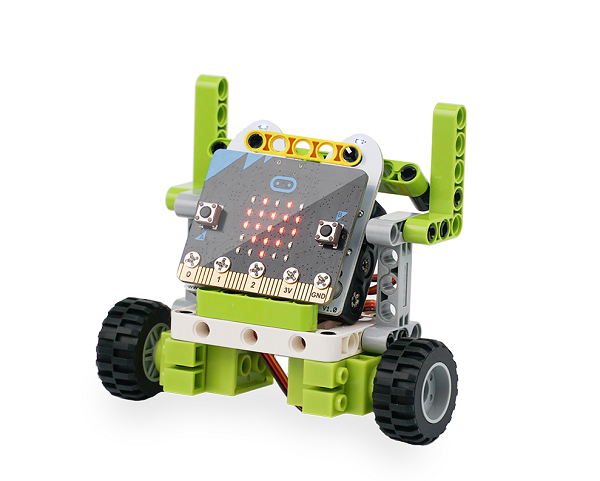
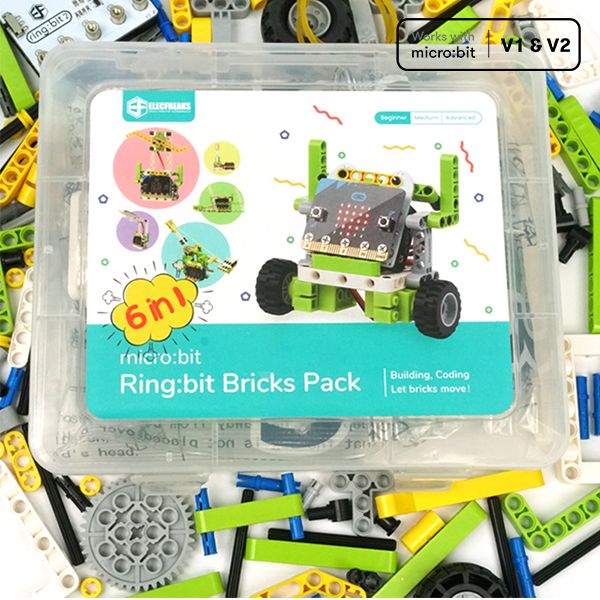
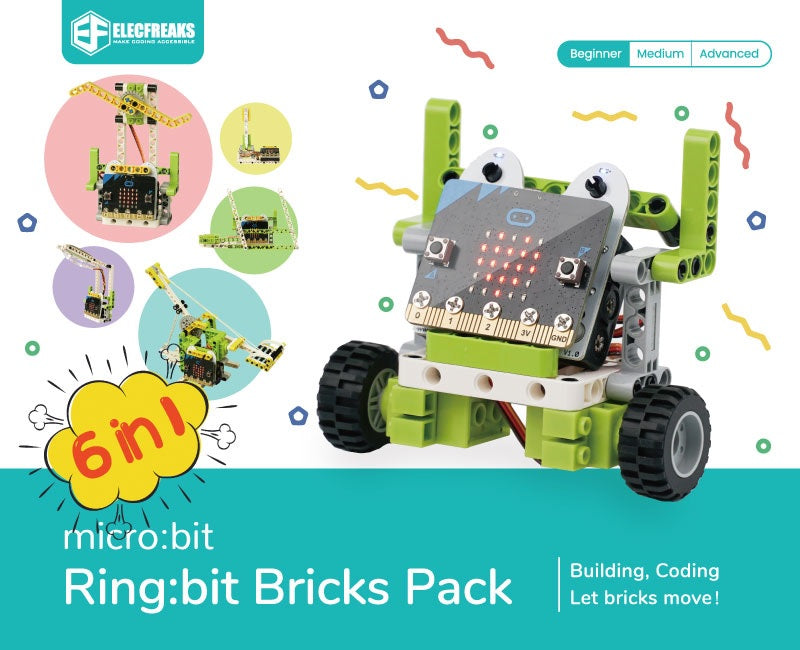
The Ring:bit Bricks Pack pairs a micro:bit with roughly 200 building bricks, so students design the thing before they code it. Six guided projects take a class from a set of traffic lights through a brick car, a temperature-controlled fan, a desk lamp, windscreen wipers and a working trebuchet. What's included: Ring:bit v2 expansion board for the micro:bit Two 360° continuous rotation servos Rainbow LED strip Close to 200 building bricks, compatible with the common brick standard Printed assembly instructions, with six guided lessons in the Sammat Online Academy micro:bit board and 3 x AAA batteries are not included — add a micro:bit V2 at checkout What students practise: Designing a mechanism, then writing the code that drives it Iterating — rebuilding when the first structure won't hold or won't move Controlling servos and LEDs from block code in MakeCode Working from an instruction set, then departing from it Six self-paced lessons for this kit sit in Sammat's Online Academy — traffic lights, a bricks car, a temperature-controlled fan, a smart desk lamp, wipers and a trebuchet. Access is sold as an add-on to the kit, and is included in the classroom pack. Because the bricks are a standard size, a class can keep building well past the last lesson.
sammat education online academy - ring:bit bricks pack for micro:bit sammat education online academy - ring:bit bricks pack for micro:bit
micro:bit Ring:bit Bricks + 6 Lessons $160.00 ex GST ($176.00 inc GST)
Everything needed to start, in one box: the Ring:bit Bricks Pack, a micro:bit V2 board, and six self-paced lessons in the Sammat Online Academy. Children design the thing before they code it, then write the program that brings it to life. What's included: 1 x Ring:bit Bricks Pack — Ring:bit v2 board, two 360° servos, a rainbow LED strip and close to 200 building bricks 1 x micro:bit GO pack (V2) — board, battery pack with 2 x AAA batteries and a USB cable 6 self-paced lessons in the Sammat Online Academy, with written guides and video walkthroughs The six lessons: Traffic lights — a working signal sequence Bricks car — build and drive it Temperature-controlled fan Smart desk lamp that turns on when it gets dark Windscreen wipers Trebuchet — a working catapult You will need a computer, phone or tablet with internet access to load the Microsoft MakeCode editor. Because the bricks are a standard size, a child can keep building well past the sixth lesson with whatever is already in the toy box.
micro:bit Nezha Inventor's Kit V2 — 32 Builds micro:bit Nezha Inventor's Kit V2 — 32 Builds
micro:bit Nezha Inventor's Kit V2 — 32 Builds $229.00 ex GST ($251.90 inc GST)
The Nezha Inventor's Kit V2 is the classroom version of the kit. It charges over USB instead of eating AAA batteries, the case has fitted compartments so thirty kits survive a term, and the board carries fifteen ports — enough for builds that would run out of connections on anything smaller. What's included: Nezha V2 expansion board with a built-in rechargeable battery, charged over USB Four TT motor ports, four servo ports, four Fischertechnik motor ports and seven RJ11 sensor ports Planet X sensors: ultrasonic, crash, line-tracking, soil moisture and trimpot Red, green and yellow LED modules, a 360° Geekservo and a fast motor Over 400 building bricks, six RJ11 leads, a pin puller, rubber bands and a line-following map Storage box with fitted compartments micro:bit board is not included — add a micro:bit V2 at checkout What students practise: Building a machine to a plan, then modifying it when the plan doesn't survive contact Choosing the right sensor for a problem from a box with several options Block coding in Microsoft MakeCode, with Python and JavaScript as students progress Sustained project work across weeks rather than a single lesson Thirty-two thematic projects are documented on the ElecFreaks wiki. Bricks work with both LEGO and Fischertechnik. If you want the longest project list rather than the rechargeable battery, the Nezha 48-in-1 Inventor's Kit covers 48 builds at a lower price.