Description
Everything needed to start, in one box: the micro:bit Smart Home Kit, a micro:bit V2 board, and eleven self-paced lessons in the Sammat Online Academy. Children wire up a sensor, write a few blocks of code, and a light comes on or a window opens — one of the clearest ways to show what a program actually does in the physical world.
What's included:
- 1 x micro:bit Smart Home Kit
- 1 x micro:bit GO pack (V2) — board, battery pack with 2 x AAA batteries and a USB cable
- 11 self-paced lessons in the Sammat Online Academy, with build steps, code and video walkthroughs
- Kit contains a sensor:bit board, OLED screen, rainbow LED, relay, DC motor, 180° servo, submersible pump, temperature, sound, light, crash and soil moisture sensors, screwdriver, USB cable, AAA battery box and printed manual
The lessons cover:
- Voice-activated lights, a smart fan and automatic windows
- A water level alarm, a decibel tester and an intruder detection system
- Reading a sensor value and using it to trigger an output
- Block coding in Microsoft MakeCode, from first program to independent project
You will need a computer, phone or tablet with internet access to load the Microsoft MakeCode editor. Written in Australia for Australian classrooms and homes, and worked through at your own pace — there is no timetable and no expiry on a lesson you have not finished.
More Great Resources & Lessons
Check out our other Sammat Education Online Academy Products!
Sammat Education Online Academy - Sphero Mini
$135.00 ex GST
($148.50 inc GST)
Creative Kids Voucher not valid for this program
Our 12-Lesson self-paced ONLINE workshop for children to learn how to use the Sphero Mini with the Sphero Edu app! Our Online Academy includes guides and videos to take you from first use to confident coder, creating your own Sphero magic.
Sphero Mini packs tons of fun into a tiny, app-enabled robot about the size of a ping pong ball. Drive Mini using different modes with the Sphero Mini app, or just by using your face. Yes, you read that right. Face Drive is a hilarious new feature that uses your facial expressions to drive the ball.
Packed with teeny tiny tech, Sphero Mini has a little gyroscope, accelerometer, and LED lights. Colourful, interchangeable shells are available, so you can easily switch one out to suit your mood. With almost an hour of play time, Sphero Mini is the next big thing. Download our Sphero Edu app and learn how to code while exploring activities that are fun too!
Includes 12 self-paced ONLINE lessons to learn how to code using the Sphero Edu App
Sphero Edu is your hub to create, contribute, and learn with Sphero robots. Go beyond code by incorporating unique STEAM activities to complete with your bot. Designed for learner progression, Sphero Edu beginners can give robots commands by drawing a path in the app for their robot to follow. Intermediate coders can use Scratch blocks to learn more advanced logic, while pros can use text programming and write their own JavaScript.
What’s in the Box
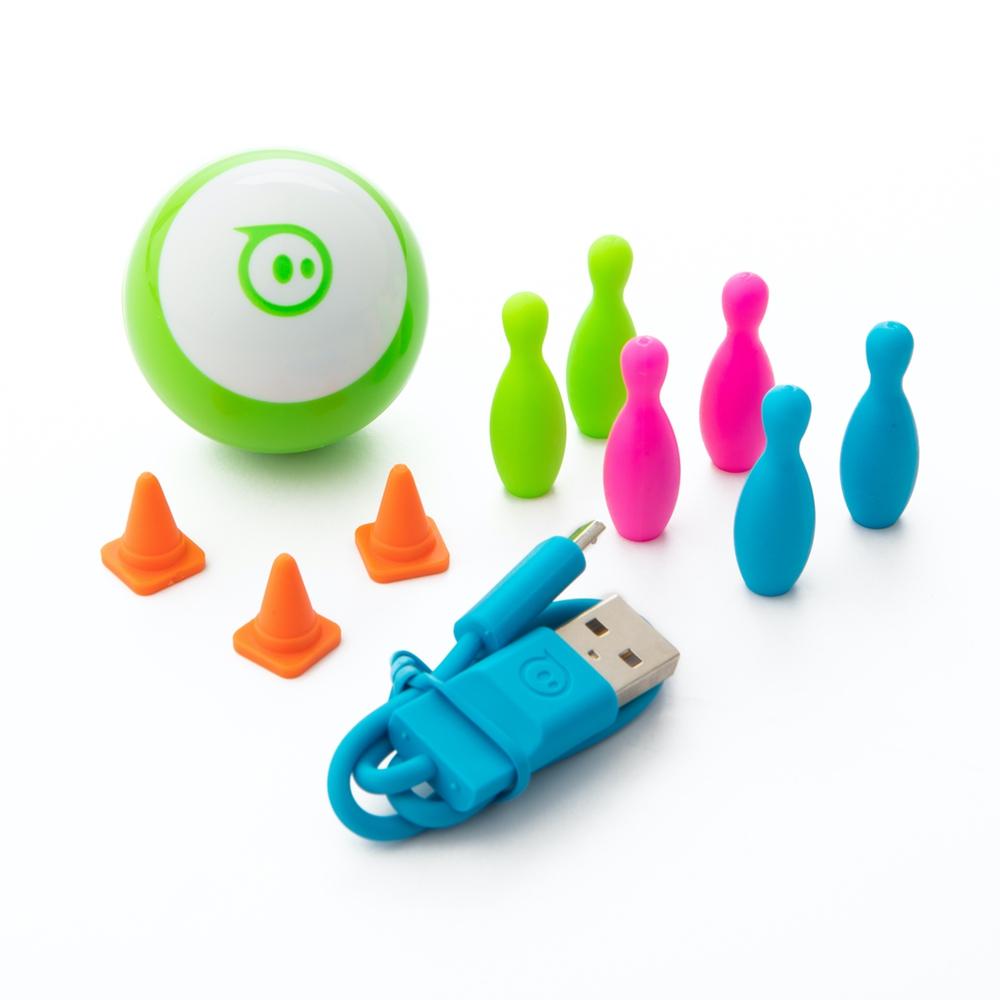
Sphero Mini Robot (Blue Colour supplied)
Micro USB Cord
3 Mini Traffic Cones
6 Mini Bowling Pins
Robot Tech Specs
iOS 10+ & Android 5.0+ compatible
Gyroscope, Accelerometer, LED Light
Bluetooth Low Energy (BLE) connection (10 meter range)
Micro USB charging (almost 1 hour of play on a full charge)
Height: 42mm / Width: 42mm / Weight 46g
Top speed 1m/s
Free App: Sphero Play app available on iTunes or Google Play
Free App: Sphero Edu app compatible with iOS, Android, Kindle, Mac, Windows, and Chrome
Sphero Mini Activity Kit + 12 Lessons
$190.00 ex GST
($209.00 inc GST)
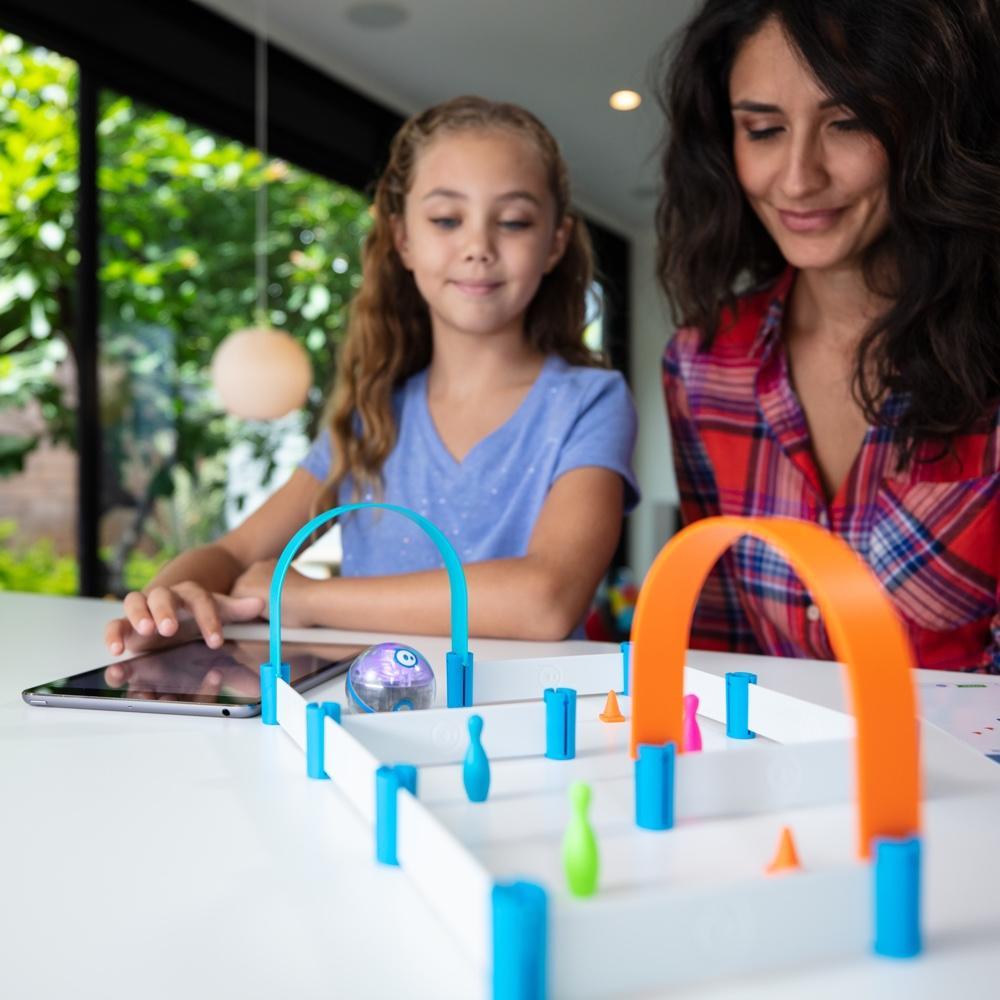
A robotic ball small enough to fit in a hand, and twelve self-paced lessons in the Sammat Online Academy that teach a child to code it. The Activity Kit adds the props — a construction set, bowling pins and cones — so there is something to drive around from the first afternoon.
What's included:
1 x Sphero Mini robotic ball with a clear shell
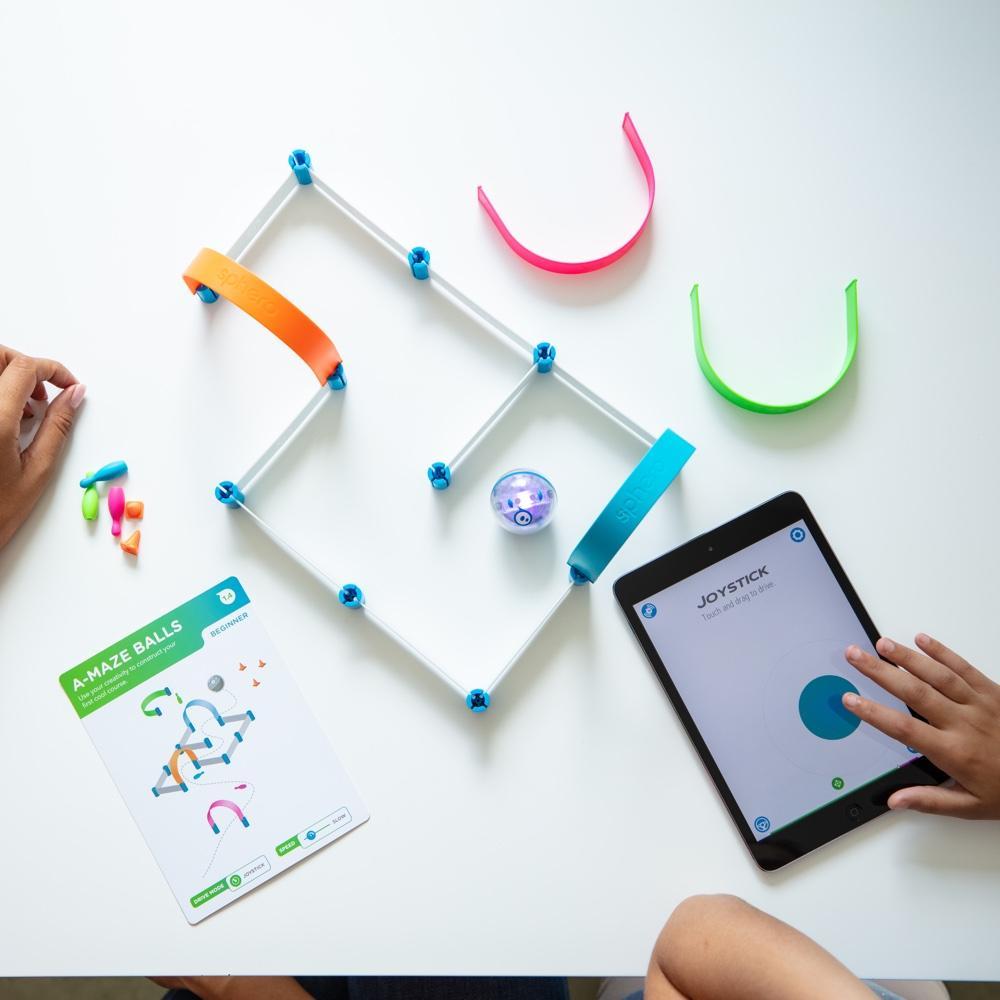
28-piece construction set, 6 bowling pins and 3 cones
15 activity cards
Robotic ball cover and a micro USB cable
12 self-paced lessons in the Sammat Online Academy, with written guides and video walkthroughs
What your child practises:
Drawing a path for the robot to follow — coding before reading code
Scratch-style blocks for loops, conditions and sensor input
JavaScript text programming once the blocks feel easy
Building mazes and obstacle courses, then programming a route through them
Free Sphero Edu app, available for iOS, Android, Kindle, Mac, Windows and Chrome. The ball charges over micro USB and connects by Bluetooth. This is the education edition, which ships in non-retail packaging.
Sphero Mini Soccer + 12 Lessons
$135.00 ex GST
($148.50 inc GST)
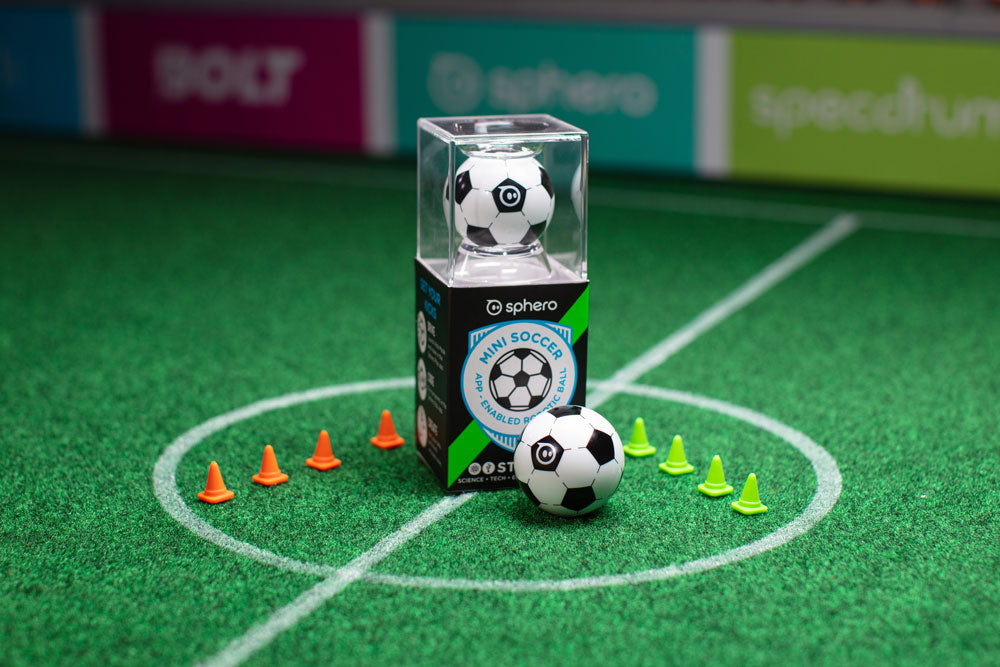
A robotic ball in a soccer shell, with eight cones for setting up a pitch on the lounge room floor. Twelve self-paced lessons in the Sammat Online Academy turn what looks like a toy into a first coding course.
What's included:
1 x Sphero Mini robotic ball with a soccer shell
8 cones (4 green, 4 orange)
Micro USB cable
12 self-paced lessons in the Sammat Online Academy, with written guides and video walkthroughs
What your child practises:
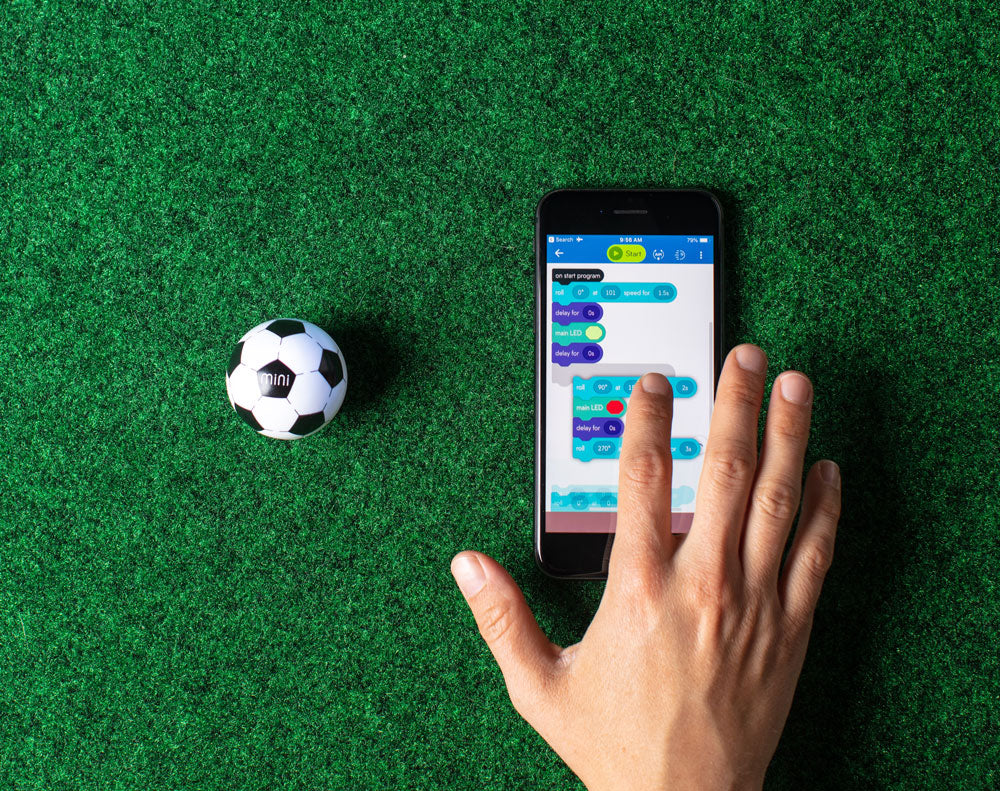
Drawing a path for the robot to follow — coding before reading code
Scratch-style blocks for loops, conditions and sensor input
JavaScript text programming once the blocks feel easy
Setting a challenge with the cones, then programming a route through it
Free Sphero Edu app, available for iOS, Android, Kindle, Mac, Windows and Chrome. The ball charges over micro USB and connects by Bluetooth. The cheapest way into Sphero coding, and the one most likely to get picked up again after the lessons are done.
Sphero BOLT + 12 Academy Lessons
$354.00 ex GST
($389.40 inc GST)
Sphero BOLT is the most capable robot ball Sphero makes, and the 8x8 LED matrix is what sets it apart — children can animate sensor data in real time and watch their code appear on the robot itself. Twelve self-paced lessons in the Sammat Online Academy take them from drawing a path to writing JavaScript.
What's included:
1 x Sphero BOLT robot ball with an 8x8 programmable LED matrix
Inductive charging cradle with USB cable
Protractor with heading, directions and clock markings
Sticker sheet and quick start guide
12 self-paced lessons in the Sammat Online Academy, with written guides and video walkthroughs
What your child practises:
Drawing a path for the robot to follow — coding before reading code
Scratch-style blocks for loops, conditions and sensor input
JavaScript text programming once the blocks feel easy
Reading live sensor data off the LED matrix and reasoning about what it shows
Free Sphero Edu app, available for iOS, Android, Kindle, Mac, Windows and Chrome. The durable UV-coated shell survives being dropped, which matters more than it sounds. Charges on the inductive cradle and connects by Bluetooth.
Sammat Education Online Academy - Sphero RVR+
$499.00 ex GST
($548.90 inc GST)
Creative Kids Voucher not valid for this program
Our 10-Lesson self-paced ONLINE workshop for children to learn how to use the Sphero RVR+ with the Sphero Edu app! Our Online Academy includes guides and videos to take you from first use to confident coder, creating your own RVR magic.
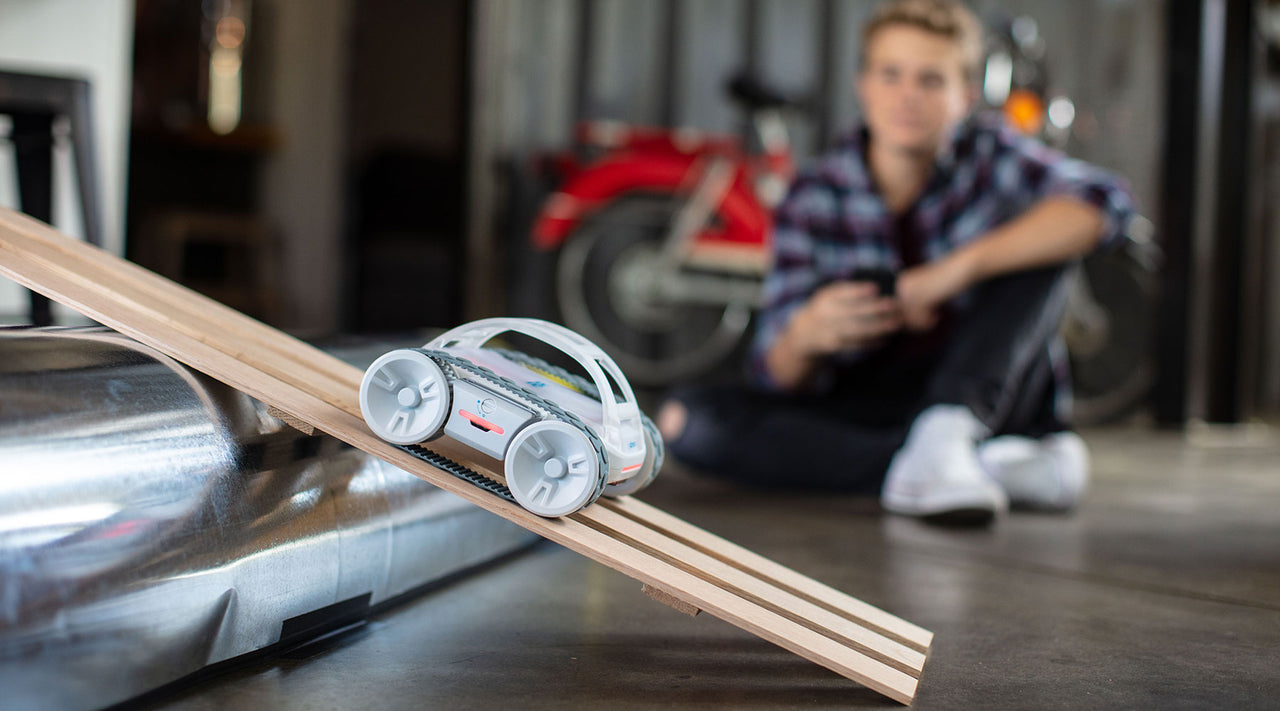
RVR+ is Sphero’s revolutionary take on the programmable robot — drivable right out of the box, packed with a diverse suite of sensors, and built for customization. RVR+ is the ultimate canvas for hackers, makers, educators, and learners.
Includes 10 self-paced ONLINE lessons to learn how to code RVR+ using the Sphero Edu App
Sphero Edu is your hub to create, contribute, and learn with Sphero robots. Go beyond code by incorporating unique STEAM activities to complete with your bot. Designed for learner progression, Sphero Edu beginners can give robots commands by drawing a path in the app for their robot to follow. Intermediate coders can use Scratch blocks to learn more advanced logic, while pros can use text programming and write their own JavaScript.
What’s in the RVR+ robot box?
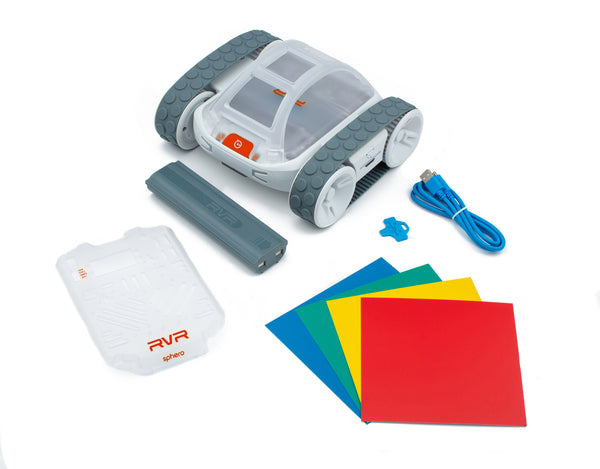
RVR+ mobile robot
Removable cover plate and developer plate with quick-release button
Removable, protective roll cage
Removable and rechargeable battery
Universal, 4-Pin UART expansion port for connecting 3rd party hardware like Raspberry Pi, Arduino, or micro:bit (products sold separately)
5V 2.1A USB-A onboard connectivity to power your projects using RVR+’s battery
Sphero Edu app (available for download on iOS, Android, and Chrome OS)
Sammat Education Online Academy - Ozobot Bit+
$171.00 ex GST
($188.10 inc GST)
Creative Kids Voucher not valid for this program
Our 10-Lesson self-paced ONLINE workshop for children to learn how to use the Ozobot Bit+!
Our Online Academy includes guides and videos to take you from first use to confident coder, creating your own Ozobot magic.
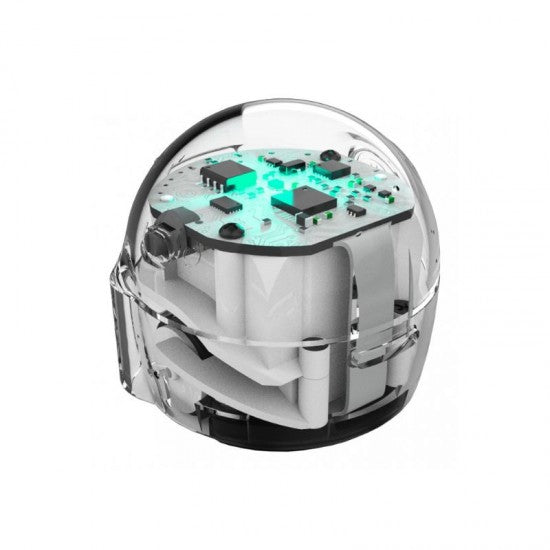
Ozobot Bit+ is a tiny smart-robot that can help expand your child's horizon. With Ozobot Bit+ Creative Kids Pack, your child can create a new landscape of adventures and coding.
Includes 10 ONLINE lessons to learn how to code Ozobot Bit+ using Colour markers as well as the Ozoblockly app!
Ozobot Bit+ has the ability to learn your programs and then play them back, which is a big change in shaping how young minds play and learn. Ozobot Bit+ is as challenging as you make it, from beginner to expert. OzoBlockly, a web-based visual editor, offers five step-up modes from icon-based to loops, logic and equation blocks, appealing to young kids and OzoCodes gives control of your robot with smile lines and colours.
Technical specifications of the Ozobot Bit+ Entry Kit
Ozobot Bit+ robot:
Rechargeable LiPo battery
3x more battery capacity than Ozobot Bit
New power switch to maximise battery life
Wireless charging equipped
Twice as much autonomy
Optical sensors for line following and colour codes
Improved LEDs
Arduino compatible
Connectivity: Ozobot Blockly (via USB)
Strong polycarbonate shell
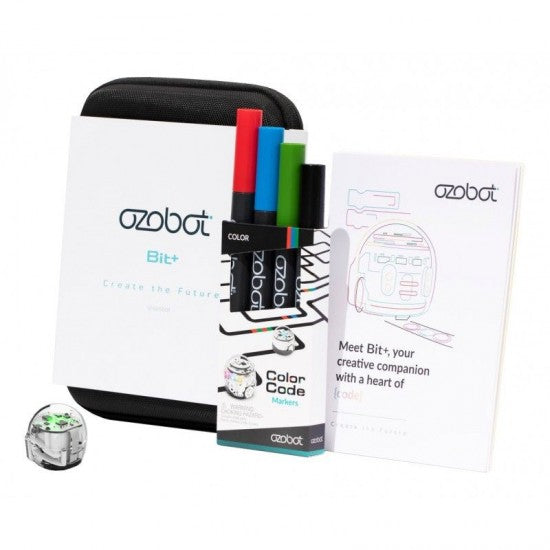
The kit includes:
1 Ozobot Bit+ robot
1 charging cable
4 colour code markers
Get started activities
1 protective zip case
micro:bit Starter Kit + 10 Academy Lessons
$80.00 ex GST
($88.00 inc GST)
The best first step into physical computing. A BBC micro:bit V2 arrives in the post, and ten self-paced lessons in the Sammat Online Academy take a child from their first flashing LED to a working step counter. No prior coding needed.
What's included:
1 x micro:bit GO pack (V2) — board, battery pack with 2 x AAA batteries and a USB cable
10 self-paced lessons in the Sammat Online Academy, with written guides and video walkthroughs
The V2 board adds a built-in microphone and speaker, a touch logo button and a power button
The ten lessons:
LEDs and timing blocks — animate a beating heart with a loop
Text blocks — a scrolling name badge
A and B buttons — flashing happy and sad faces
Sound and the logo button — an emotion badge that makes noise
Shake and tilt — reading the accelerometer
Light sensor — turning the LED display into an input
Dice, and rock paper scissors — two lessons on randomness
Step counter and thermometer — using the built-in sensors
You will need a computer, phone or tablet with internet access to load the Microsoft MakeCode editor. Headphones, crocodile clip leads and conductive materials like foil and paper clips are useful but not required. Work through the lessons at your own pace — there is no timetable and no expiry.
micro:bit Ring:bit Bricks + 6 Lessons
$160.00 ex GST
($176.00 inc GST)
Everything needed to start, in one box: the Ring:bit Bricks Pack, a micro:bit V2 board, and six self-paced lessons in the Sammat Online Academy. Children design the thing before they code it, then write the program that brings it to life.
What's included:
1 x Ring:bit Bricks Pack — Ring:bit v2 board, two 360° servos, a rainbow LED strip and close to 200 building bricks
1 x micro:bit GO pack (V2) — board, battery pack with 2 x AAA batteries and a USB cable
6 self-paced lessons in the Sammat Online Academy, with written guides and video walkthroughs
The six lessons:
Traffic lights — a working signal sequence
Bricks car — build and drive it
Temperature-controlled fan
Smart desk lamp that turns on when it gets dark
Windscreen wipers
Trebuchet — a working catapult
You will need a computer, phone or tablet with internet access to load the Microsoft MakeCode editor. Because the bricks are a standard size, a child can keep building well past the sixth lesson with whatever is already in the toy box.
micro:bit Smart Home Kit + 11 Lessons
$178.00 ex GST
($195.80 inc GST)
Everything needed to start, in one box: the micro:bit Smart Home Kit, a micro:bit V2 board, and eleven self-paced lessons in the Sammat Online Academy. Children wire up a sensor, write a few blocks of code, and a light comes on or a window opens — one of the clearest ways to show what a program actually does in the physical world.
What's included:
1 x micro:bit Smart Home Kit
1 x micro:bit GO pack (V2) — board, battery pack with 2 x AAA batteries and a USB cable
11 self-paced lessons in the Sammat Online Academy, with build steps, code and video walkthroughs
Kit contains a sensor:bit board, OLED screen, rainbow LED, relay, DC motor, 180° servo, submersible pump, temperature, sound, light, crash and soil moisture sensors, screwdriver, USB cable, AAA battery box and printed manual
The lessons cover:
Voice-activated lights, a smart fan and automatic windows
A water level alarm, a decibel tester and an intruder detection system
Reading a sensor value and using it to trigger an output
Block coding in Microsoft MakeCode, from first program to independent project
You will need a computer, phone or tablet with internet access to load the Microsoft MakeCode editor. Written in Australia for Australian classrooms and homes, and worked through at your own pace — there is no timetable and no expiry on a lesson you have not finished.
micro:bit Smart Science IoT + 7 Lessons
$190.00 ex GST
($209.00 inc GST)
Everything needed to start, in one box: the Smart Science IoT Kit, a micro:bit V2 board, and seven self-paced lessons in the Sammat Online Academy. This is where micro:bit projects stop being local and start producing data worth arguing about — sensors measure the room, and the readings go to the cloud.
What's included:
1 x micro:bit Smart Science IoT Kit — IoT:bit Wi-Fi board, OLED screen, BME280, PIR sensor, light sensor, noise sensor, water level sensor, soil moisture sensor, sonar:bit, dust sensor and a 180° servo
1 x micro:bit GO pack (V2) — board, battery pack with 2 x AAA batteries and a USB cable
7 self-paced lessons in the Sammat Online Academy, with written guides and video walkthroughs
The seven lessons:
Uploading sensor data to the ThingSpeak IoT platform
Working with KidsIoT
Air quality monitoring
Environmental noise detection
An environmental quality monitoring station
Automatic irrigation detection
A self-defence monitoring station
You will need a computer, phone or tablet with internet access to load the Microsoft MakeCode editor, and a Wi-Fi connection for the cloud projects. Work through the lessons at your own pace, with no timetable and no expiry.
micro:bit Nezha Kit + 36 Academy Lessons
$346.00 ex GST
($380.60 inc GST)
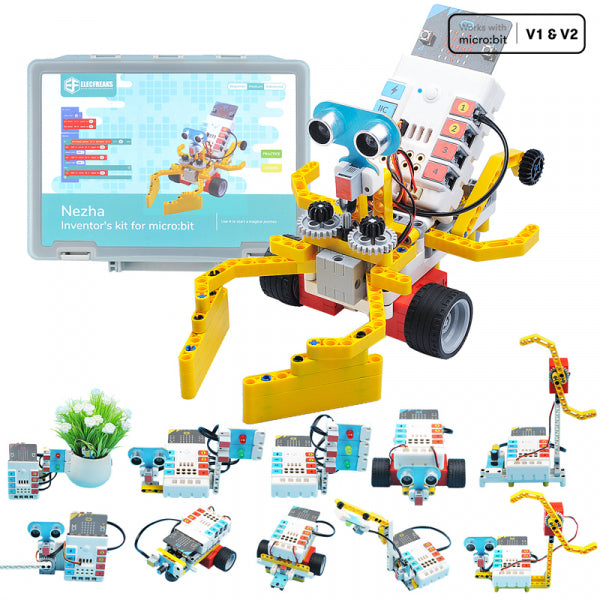
Our deepest Academy course, and the one that keeps a child busy longest. The Nezha Inventor's Kit, the Interactive Coding Accessories Pack and a micro:bit V2 board, with thirty-six self-paced lessons in the Sammat Online Academy — enough for a full term rather than a weekend.
What's included:
1 x Nezha Inventor's Kit — Nezha expansion board, Planet X sensors (ultrasonic, crash, line-tracking, soil moisture, trimpot), LED modules, a servo and motor, and over 400 building bricks in a divided case
1 x Interactive Coding Accessories Pack — colour recognition sensor, gesture recognition sensor, NeoPixel light ring, trimpot and 180+ bricks
1 x micro:bit GO pack (V2) — board, battery pack with 2 x AAA batteries and a USB cable
36 self-paced lessons in the Sammat Online Academy, with written guides and video walkthroughs
The lessons cover:
Traffic lights, automatic gates, mini table lamps and an automatic dryer
Line-tracking, obstacle-avoiding and speed-adjustable cars
Sound projects — a music box, a volume reminder, a memory test
Gesture and colour recognition, including a colour recognition password door
You will need a computer, phone or tablet with internet access to load the Microsoft MakeCode editor. The RJ11 connectors are keyed so they cannot be plugged in backwards, and the ports carry colour labels matching the sensors — small things that save a lot of frustration.
Makey Makey Kit + 9 Academy Lessons
$120.00 ex GST
($132.00 inc GST)
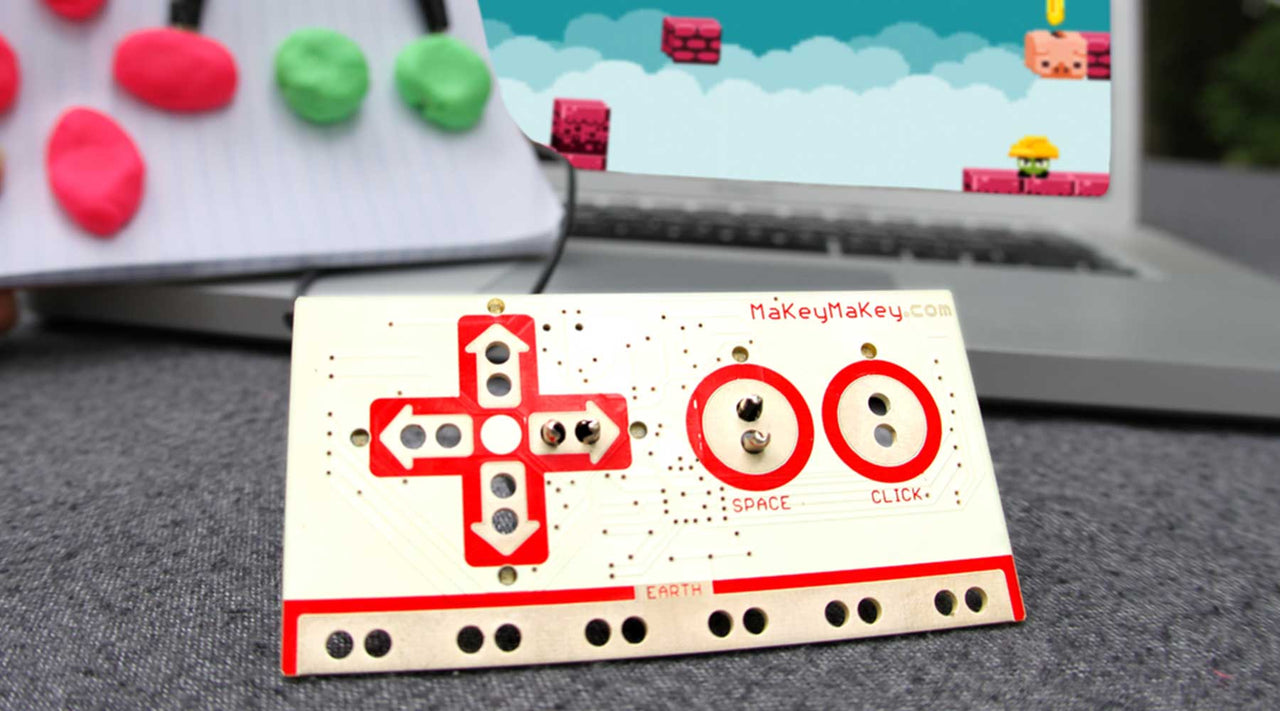
Makey Makey turns everyday objects into keyboard keys. Clip it to a banana and you have a piano; clip it to a pencil drawing and you have a game controller. Nine self-paced lessons in the Sammat Online Academy take a child from their first circuit to coding their own games.
What's included:
1 x Makey Makey pack — universal touch keyboard, copper tape, spare alligator clips, small LEDs and a coin cell battery
9 self-paced lessons in the Sammat Online Academy, with written guides and video walkthroughs
The nine lessons:
Craft a simple circuit and light your first LED
Hands on a Makey Makey — build a human circuit
What is conductive? Build a testing board and find out
Draw a playable instrument
Code your key presses in Scratch
Craft and code an interactive story
Two-player games in MakeCode Arcade
Draw and code a poem generator
Three ways to program the click input
You will need a computer with internet access to load the Scratch editor. Conductive odds and ends from around the house — foil, paper clips, fruit — make the projects better. Work through the lessons at your own pace, with no timetable and no expiry.
Scratch Coding Course — 5 Online Lessons
$40.00 ex GST
($44.00 inc GST)
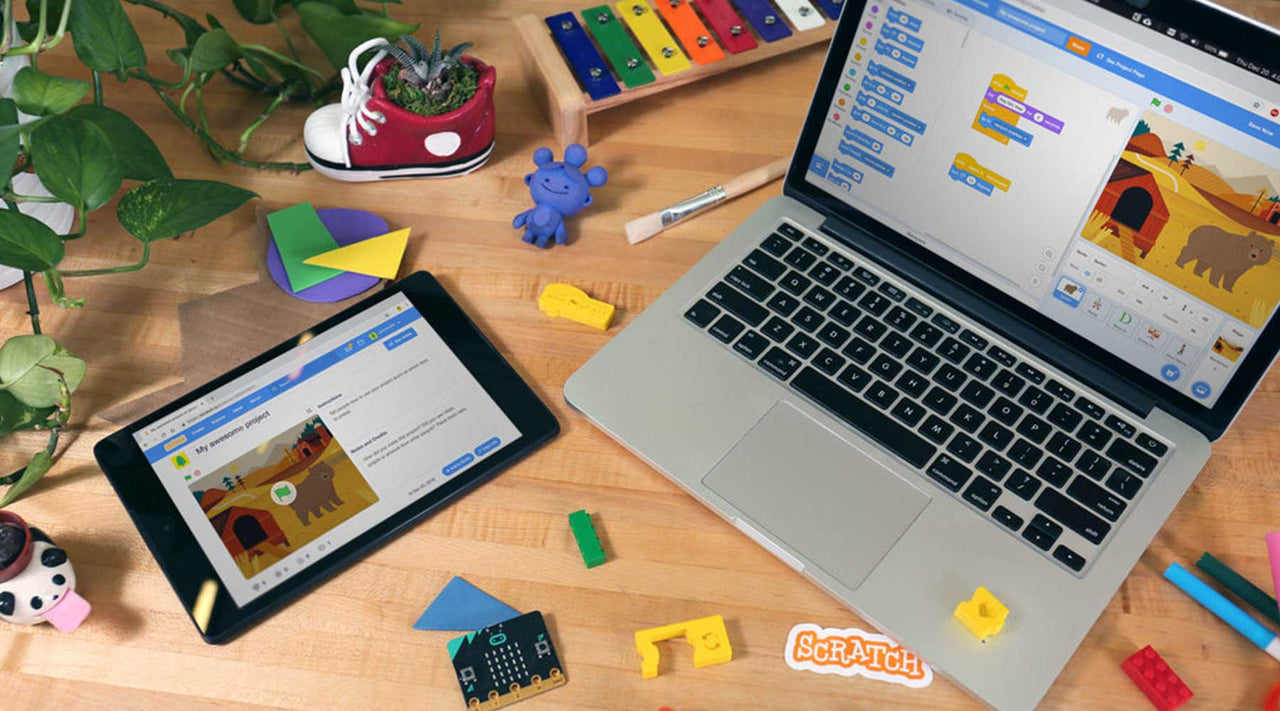
Five self-paced lessons that take a child from opening Scratch for the first time to building five complete games. Scratch is free, runs in a browser, and is designed for ages 8 to 16 — so this course needs nothing but a computer and an internet connection.
What's included:
5 self-paced lessons in the Sammat Online Academy, with written guides and video walkthroughs
No hardware — this is a course, not a kit
What your child builds:
A chase game
A maze game
A pong game
A side-scrolling game
A platformer
What they practise:
Breaking a problem into steps a computer can follow
Loops, conditions and variables, without writing a line of syntax
Testing and fixing a game that doesn't behave as expected
Designing something of their own once the five games are done
You will need a computer with internet access to load the Scratch editor. Work through the lessons at your own pace — there is no timetable and no expiry on a lesson you have not finished.
micro:bit Smart City Kit + Academy Lessons
$178.00 ex GST
($195.80 inc GST)
Everything needed to start, in one box: the micro:bit Smart City Kit, a micro:bit V2 board, and twelve self-paced lessons in the Sammat Online Academy. Students build small working versions of the infrastructure they walk past every day — traffic lights, irrigation, drainage, bin collection — and the lessons walk them through every build and every line of code.
What's included:
1 x micro:bit Smart City Kit
1 x micro:bit GO pack (V2) — board, battery pack with 2 x AAA batteries and a USB cable
12 self-paced lessons in the Sammat Online Academy, with build steps, code and video walkthroughs
Kit contains an IoT:bit Wi-Fi board, red, yellow and green LEDs, DHT11 sensor, sonar:bit, soil moisture and water level sensors, OLED screen, 180° servo, USB cable and jumper wires
The lessons cover:
Subway flood prevention, automatic irrigation and a smart bin
Push-button crossings and library noise monitoring
Using sensor thresholds to trigger a response automatically
Block coding in Microsoft MakeCode, from first program to independent project
You will need a computer, phone or tablet with internet access to load the Microsoft MakeCode editor. Written in Australia for Australian classrooms and homes, and worked through at your own pace — there is no timetable and no expiry on a lesson you have not finished.
micro:bit Smart Health Kit + Academy Lessons
$178.00 ex GST
($195.80 inc GST)
Everything needed to start, in one box: the micro:bit Smart Health Kit, a micro:bit V2 board, and nine self-paced lessons in the Sammat Online Academy. Projects about the body and the habits around it — a tap that runs without being touched, a reminder to sit up straight, a UV meter for deciding whether to put a hat on.
What's included:
1 x micro:bit Smart Health Kit
1 x micro:bit GO pack (V2) — board, battery pack with 2 x AAA batteries and a USB cable
9 self-paced lessons in the Sammat Online Academy, with build steps, code and video walkthroughs
Kit contains a sensor:bit board, analog UV sensor, PIR motion sensor, MQ3 alcohol sensor brick, a servo and connecting leads, with ten sensor modules in total
The lessons cover:
Touch-free hand washing and UV detection
A step counter and a drinking reminder
A classroom noise monitor and a posture reminder
Setting a sensible threshold and testing whether it actually works
You will need a computer, phone or tablet with internet access to load the Microsoft MakeCode editor. Written in Australia for Australian classrooms and homes, and worked through at your own pace — there is no timetable and no expiry on a lesson you have not finished.
micro:bit Smart Agriculture + Academy Lessons
$195.00 ex GST
($214.50 inc GST)
Everything needed to start, in one box: the micro:bit Smart Agriculture Kit, a micro:bit V2 board, and fifteen self-paced lessons in the Sammat Online Academy. Students measure soil moisture and switch on a pump, watch greenhouse temperature and open a vent, and the lessons take them through each build step by step.
What's included:
1 x micro:bit Smart Agriculture Kit
1 x micro:bit GO pack (V2) — board, battery pack with 2 x AAA batteries and a USB cable
15 self-paced lessons in the Sammat Online Academy, with build steps, code and video walkthroughs
Kit contains an IoT:bit Wi-Fi board, DS18B20 waterproof temperature sensor, soil moisture sensor, water level sensor, PIR motion sensor, servos and connecting leads
The lessons cover:
Automatic irrigation and greenhouse monitoring
Artificial grow lighting and pond water levels
Timed feeding and movement detection near a crop
Block coding in Microsoft MakeCode, with readings able to go to a cloud dashboard
You will need a computer, phone or tablet with internet access to load the Microsoft MakeCode editor. Fifteen lessons is the deepest course we offer on a single micro:bit kit — enough for a full unit of work rather than a weekend.