




Bonelk Universal Sleeve for 11" Tablets (Black)
$31.81 ex GST
($34.99 inc GST)
The Bonelk Universal Tablet Sleeve provides first class protection for your tablet! Featuring high quality padded sides, reinforced edging and a plush internal lining to protect from scratches it is an ideal companion for your tablet. Slimline design allows easy carrying on its own or fit into another larger bag.
Lightweight design - with a reinforced zip is the perfect accessory to protect your 11" tablet while not in use
Microfibre lining - a super-soft internal microfibre lining protects your device screen from scratches & abrasions
360 degree protection - padded front and back protect your device from bumps and scratches. Tactile reinforced durable edging resists scuffs, wear and tear.


Bonelk Long-Life USB-C to USB-A Adapter (15cm) (Space Grey)
$18.17 ex GST
($19.99 inc GST)
The Bonelk USB-C to USB adapter is the easy way to convert any USB-A cable or device into a USB-C connection. Built using high quality materials and intelligent electronics it works with any USB-C laptop, tablet or smartphone with a USB-C port. The adapter features 1 x USB-C male port and 1 x USB-A 3.0 female port, encased in a premium grade aluminium housing.
USB 3.0 port - connect your USB-A high speed devices to your USB-C native laptop, smart device or desktop computer
USB-C connection - convert 1 x USB-C port into a USB-A 3.0 female port that supports 5Gbps transfer speeds
Flex-SR Technology - state of the art strain relief, made from flexible material with multi-rib design to withstand bends
Braided cable - durable and long-lasting double braided nylon cable jacket
Premium materials - built using high quality materials and intelligent electronics encased in a premium grade aluminium housing
Compatibility:
USB-C devices
Technical Specifications:
Connection: USB-C to USB-A (Female)
Cable Length: 15cm


Bonelk Universal Folio Case for 9"-11" Tablets (Black)
$45.45 ex GST
($50.00 inc GST)
Durable and featuring an elegant faux leather exterior, the Bonelk Universal Folio for 9"-11" tablets provides optimal protection for your compatible device while also adding a stylish touch to your look.
The Universal Folio comes with elastic clips that stretch to secure to a range of sizes, a smooth microfibre lining, and a soft padded cover to securely hold onto your tablet and keep it safe from damage caused by drops and scruffs.
Multi-view stand - adjustable tilt design stand allows multiple screen viewing angles for the perfect position
Magnetic clasp - wide latch to keep your folio closed and secure to protect your tablet when not in use
Universal fit - stretchable clips extend to attach to the corners of most common 9"-11" tablets


Bonelk Elevate Laptop Stand (Black)
$90.90 ex GST
($99.99 inc GST)
The Bonelk Elevate aluminium folding laptop stand raises the height of your stand from 56mm to maximum 215mm for better ergonomics. Fully customise your viewing angle with tilt functionality. The Elevate laptop stand optimises desk space and also has the ability to fold down for easy transportation. Suits laptop sizes from 11" to 17".
High grade premium aluminium
Silicone feet prevent stand from sliding
Air circulation prevents overheating
Pivot tilting - universal angle adjustment


Sphero Space & Soccer Code Mat
$299.99 ex GST
($329.99 inc GST)
Sphero Space & Soccer Code Mat - Unlock the Universe of Coding
Explore the universe of coding with the Sphero Space & Soccer Code Mat, a revolutionary educational tool designed to make learning block-based coding, basic maths principles, and collaborative problem-solving thrilling and accessible. Perfect for educators, students, and parents alike, this two-sided mat pairs seamlessly with any round Sphero robot for an interactive learning experience that's out of this world.
Major Features:
Dual-Themed Learning Adventure: Dive into the Sphero Outer Space on one side or score a programming goal with the Sphero Soccer Pitch on the other.
Comprehensive Educational Tool: Enhances computational thinking, block-based coding skills, and basic math principles through engaging play.
Collaborative Problem-Solving: Designed to foster teamwork and critical thinking in a fun, interactive setting.
First-Class Support & Resources: Comes with downloadable Sphero Space & Soccer Code Activity Cards and backed by exceptional educational support.
Proudly Australian Owned: Benefit from efficient and timely delivery from Australian warehouses, with a Purchase Order option available for educational institutions.
We recommend using the Sphero Space & Soccer Code Mat in conjunction with the Sphero Space & Soccer Code Activity Cards which are available for download here.
What’s in the box:
1 Double-Sided Sphero Code Mat (220cm x 115 cm)
Interactive coding accessories pack for micro:bit
$61.00 ex GST
($67.10 inc GST)
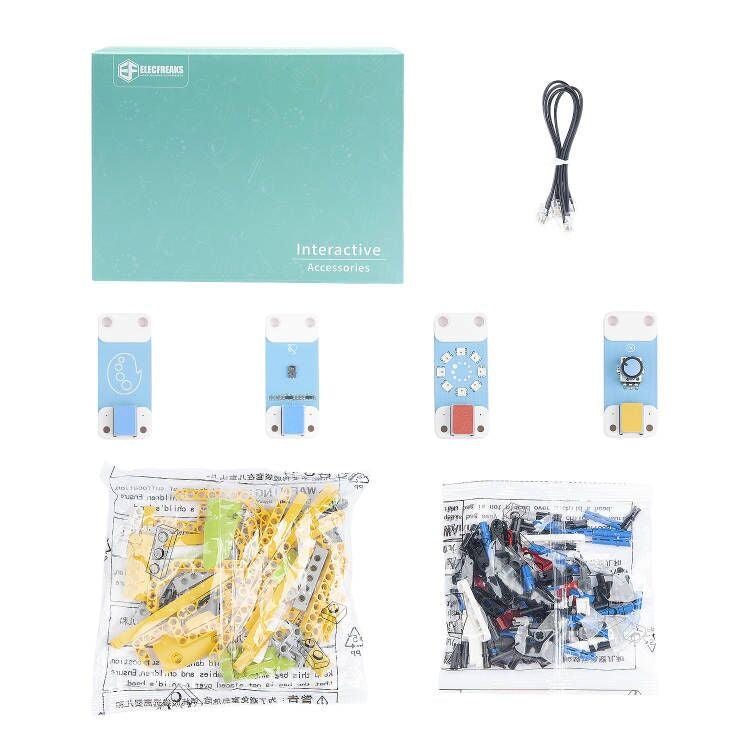
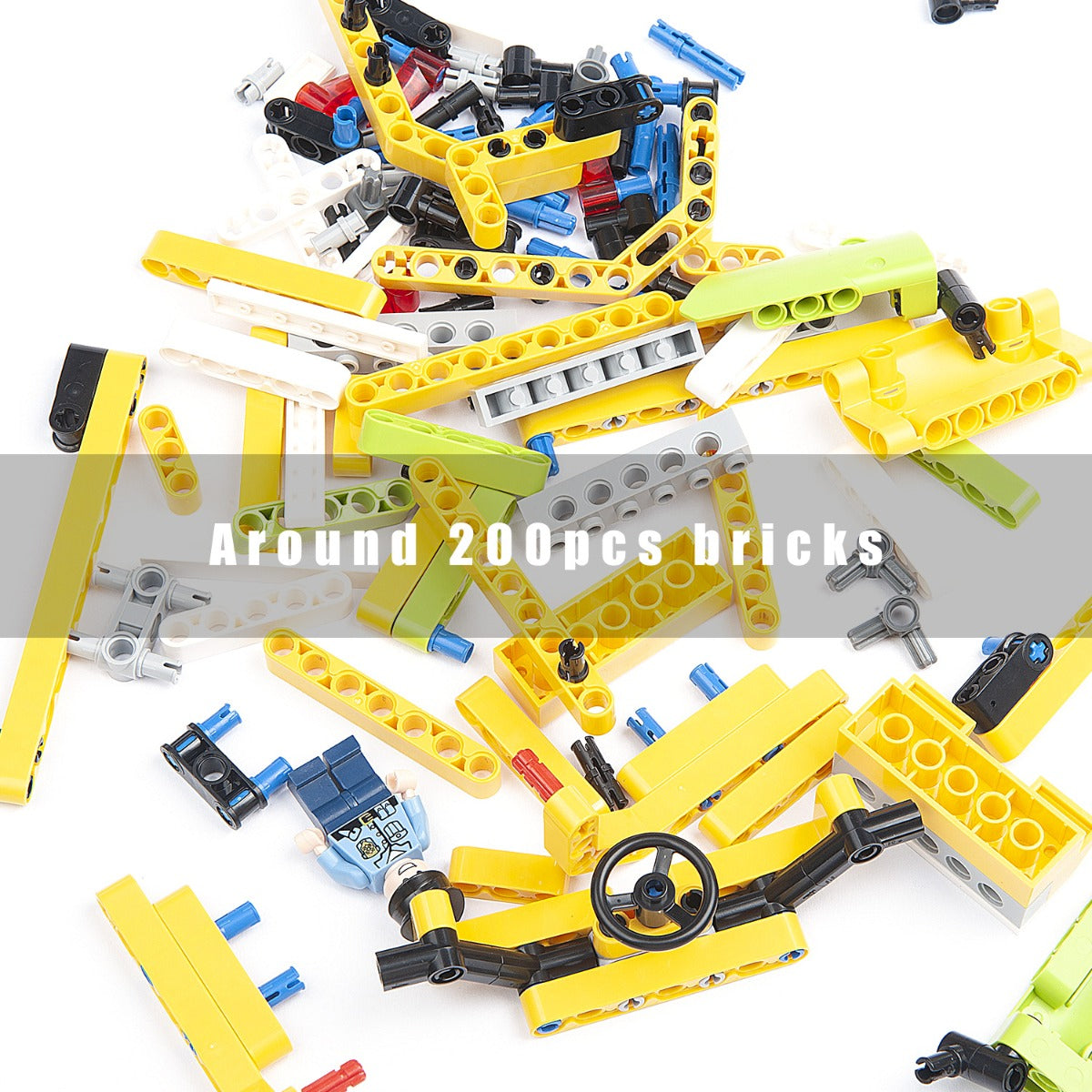
The Interactive Coding Pack contains the Trimpot module, NeoPixel 8 module, Gesture sensor, Colour sensor and almost 180pcs bricks, it gives kids more chances to solve problems and create projects!
Compatible with TPBot smart car and Nezha Inventor’s kit, it inspires kids more with the add-on functions.
Sammat Education Online Academy - Smart Home Kit for micro:bit
$140.00 ex GST
($154.00 inc GST)
Creative Kids Voucher not valid for this program
Our 11 Lesson self-paced ONLINE workshop for children to learn how to use the Smart Home Kit for micro:bit!
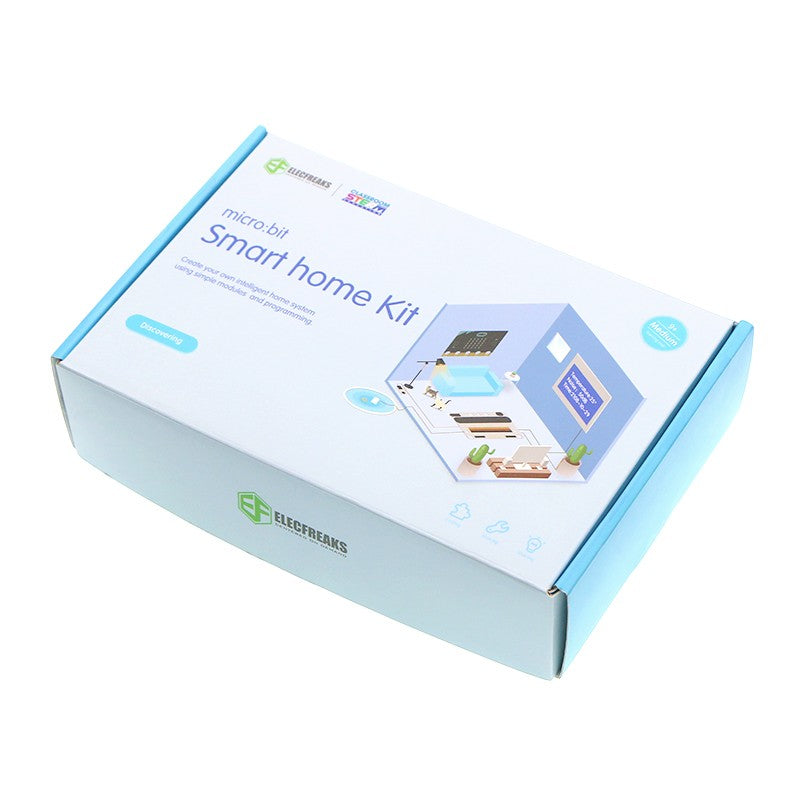
The micro:bit Smart Home Kit is designed to help you get started with exploring the world of electronics with a focus on home automation. Simply speaking a “Smart Home” is a home equipped with the lighting, heating, cooling, visual, sound appliances, miscellaneous electronic devices that can be controlled remotely (and automated) by a smartphone or a computer. A “Smart Home” usually allows for automation of simple tasks (e.g. turning lights on only when someone enters the room, checking if your plant needs watering and turning on the water supply for a brief instant, turning off all the lights in the house at a predefined time at night, etc.) with a view to increasing efficiency (reducing consumption, cost of energy, etc.) and allowing for easier access to controls (for the given appliance).
It’s this combination of software, smart hardware (e.g. lights that can sense humans and turn on) combined with automation capability and integration with other smart devices allows us to build such “Smart Homes”. These days “Smart Home” controls (e.g. switches, sensor readings, etc.) are made available over the internet increasing the accessibility to controls and allowing home owners to control their appliances sitting anywhere in the world. Get started with your own STEAM learning journey using the micro:bit Smart Home Kit.
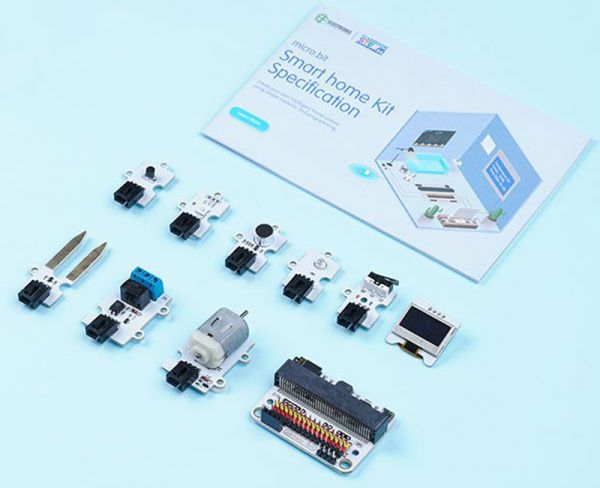
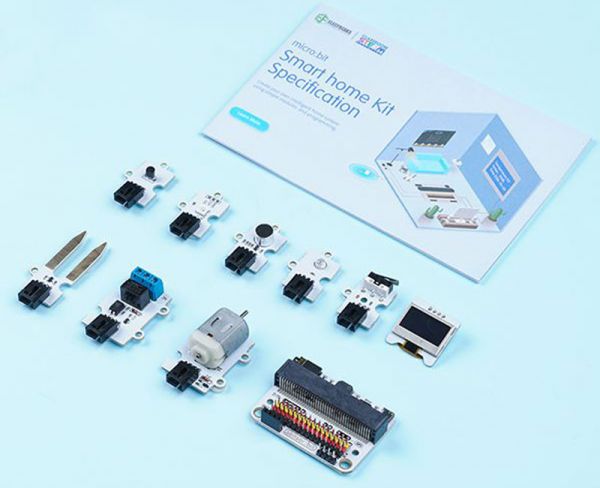
The micro:bit Smart Home Kit comes packed with 11 easy to use sensors (OLED screen, noise sensor, light sensor, relay sensor, soil moisture sensor, crash sensor, etc.) and includes the ElecFreaks sensor:bit. The Sensor:bit is a breakout board based on micro:bit. It has extended all available IO ports on micro:bit, and lead out them in the form of GVS. With this board, we can extend various 3V electric brick modules like LED light, photocell, etc. On the board, it has integrated a buzzer and an audio jack, which allows us to hear music from the buzzer or with a headphone.
With the micro:bit Smart Home Kit you will challenge yourself in many different ways, gain experience working with each of the electronic components and learn concepts around Smart Home, IoT (Internet Of Things) and Home Automation. The micro:bit Smart Home Kit is a great way to dive into the awesome world of electronics and get started with your own STEAM learning journey.
Learn how to build and code these inventions with our self-paced Online Academy Lessons - subscription included in this package!
Projects
Voice activated lights
Smart fan
Auto windows
Smart wardrobe
Water level Alarming
Smart tele-control door opener
Smart decibel tester
Simple spirometer
Lie detector
Simple alarm box
Intruder detection system
What's in the Box
3V sensor:bit
OLED Screen
Crash E-Blocks
TMP36 temperature sensor E-Blocks
Rainbow LED E-Blocks
Simulation noise sensor E-Blocks
Light sensor E-Blocks
Soil moisture sensor E-Blocks
Relay E-Blocks
DC motor E-Blocks
180° servo E-Blocks
Submersible pump E-Blocks
Screw driver
USB Cable
Crystal Battery Box (Batteries required 2 x AAA)
Smart home kit manual book
Sammat Education Online Academy - Smart Science IoT Kit for micro:bit
$150.00 ex GST
($165.00 inc GST)
Creative Kids Voucher not valid for this program
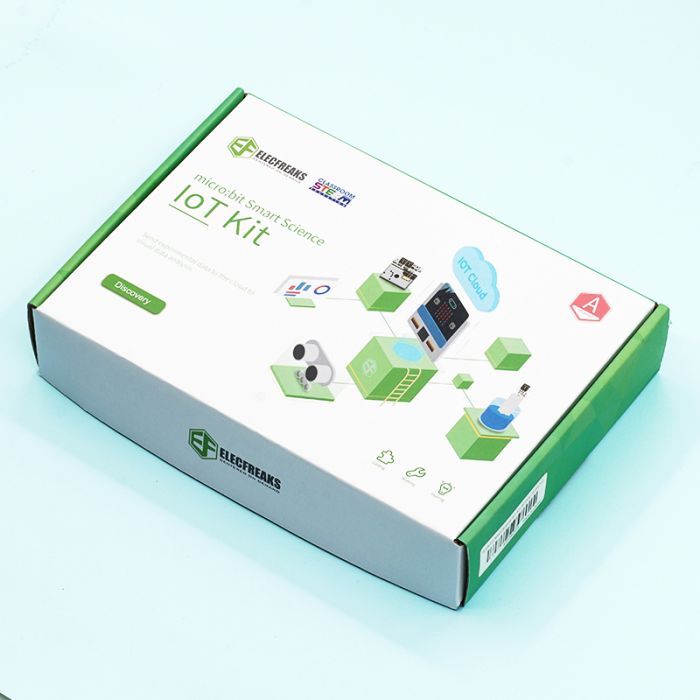
Our 7 Lesson self-paced ONLINE workshop for children to learn how to use the Smart Science IoT Kit for micro:bit. Everything you need is included in this kit!
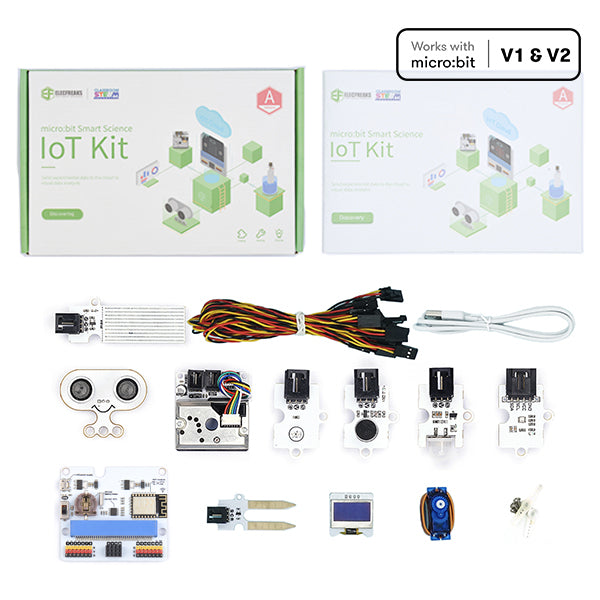
ELECFREAKS micro:bit Smart Science IoT Kit is developed based on loT:Bit, a new breakout board compatible with science sensors such as the ultrasonic sensor, dust sensor, light sensor and water level sensor, including RTC Timing and WIFI module. You can gather data via the sensors and send data to the cloud with more stable and accurate data analysis.
Learn how to build and code these inventions with our Online Academy Lessons - subscription included in this package!
What's in each box:
IoT:bit
OLED
BME 280
PIR sensor
Light sensor
Noise sensor
Water level sensor
soil moisture sensor
Sonar:bit
Dust sensor
180° servo
micro:bit GO V2 pack
Online Academy Lessons
Tutorial 1 - Upload the data collected by IoT kit to the Thingspeak IoT platform.
Tutorial 2 - KidsIoT.
Project 1 - Air quality monitoring.
Project 2 - Environmental noise detection.
Project 3 - An environmental quality monitoring station.
Project 4 - An automatic irrigation detection.
Project 5 - Self defense monitoring station.
Sammat Education Online Academy - Nezha Inventor Kit for micro:bit
$285.00 ex GST
($313.50 inc GST)
Creative Kids Voucher not valid for this program
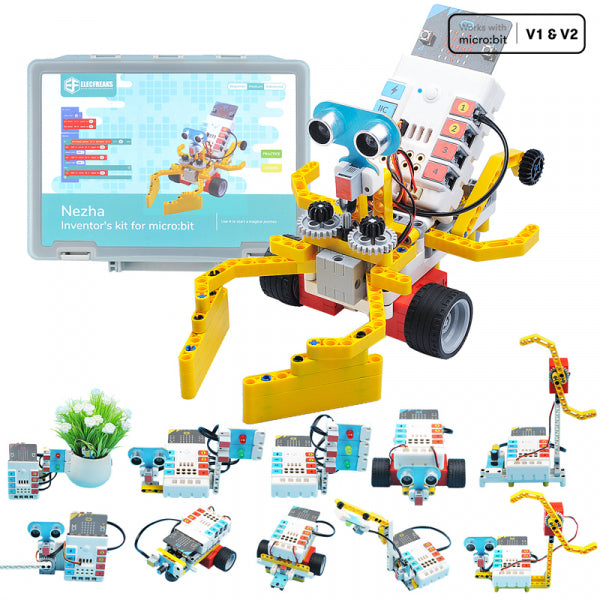
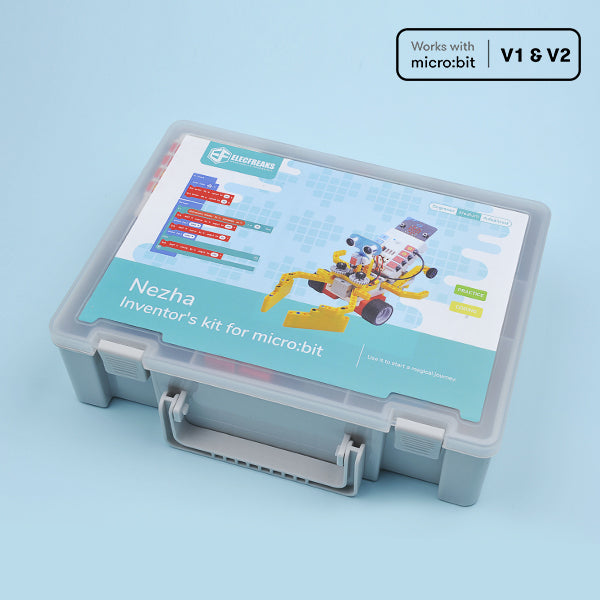
Our 36 Lesson self-paced ONLINE workshop for children to learn how to use the Nezha Inventor Kit for micro:bit! Includes Nezha Inventor's Kit, micro:bit GO Ver 2 Pack and Interactive coding accessories pack.
Based on Planet X sensors, Nezha Inventor's Kit is designed for BBC micro:bit. It contains multiple sensors, ultrasonic sensor, crash sensor, line-tracking sensor and over 400 pieces of bricks x 10. Includes 36 projects on our Online Academy for this kit - cultivate and inspire kids' creativity and imagination!
Highlights
Planet X Sensors: contains multiple sensors and modules including LED, trimpot, soil moisture sensor, ultrasonic sensor, crash sensor, line-tracking sensor, etc.
18 Programming Fun Projects(continuously updated) and Over 400+ Bricks Kit: Not limited to default projects, children can create what they want. The purpose is to cultivate and inspire kid's creativity and imagination.
microbit NeZha Expansion Board: Rich expansion equiped with 4 servo connections, 4 motor connections and 7 sensor connections.
Simple connection: NeZha Expansion Board can be connected to Planet X sensors with the RJ11 cable, and it is compatible with building blocks.
Built-in 900 mAh Lithium Battery: it can be used normally for 2 hours after charging. Protects from over-current, short-circuit and electrostatic.
Projects on our Online Academy
Project 1 - Traffic Lights
Project 2 - Flower-watering Prompter
Project 3 - Automatic Gate
Project 4 - Mini Table Lamps
Project 5 - Automatic Dryer
Project 6 - Temperature-controlled Fan
Project 7 - Smart Lamps
Project 8 - Speed Adjustable Fans
Project 9 - Invading Detection Device
Project 10 - Speed Adjustable Car
Project 11 - Line-tracking Car
Project 12 - Obstacles Avoidance Car
Project 13 - Lively Music
Project 14 - Guess the tones
Project 15 - Volume Reminder
Project 16 - Memory Test
Project 17 - Alarm Device
Project 18 - Music Box
Project 19 - The Automatic Laundry Rack
Project 20 - Micro:bit Avoiding Bricks
Project 21 - An Oscillating Fan
Project 22 - Micro:bit Helix
Project 23 - micro:bit Crawlers
Project 24 - The Climbing LEDs
Project 25 - Colours of the Emotions
Project 26 - The Volume Indicator
Project 27 - The Distance Indicator
Project 28 - The Corridor Lights
Project 29 - The Dazzling Car
Project 30 - Adjustable lights
Project 31 - The Rotary Password Door
Project 32 - Gesture Recognition Ring LEDs
Project 33 - Colour-controlled Lights
Project 34 - Gesture Recognition Car
Project 35 - Colour Recognition Car
Project 36 - Colour Recognition Password Door
micro:bit Smart Science IoT Classroom Pack
$1,200.00 ex GST
($1,320.00 inc GST)
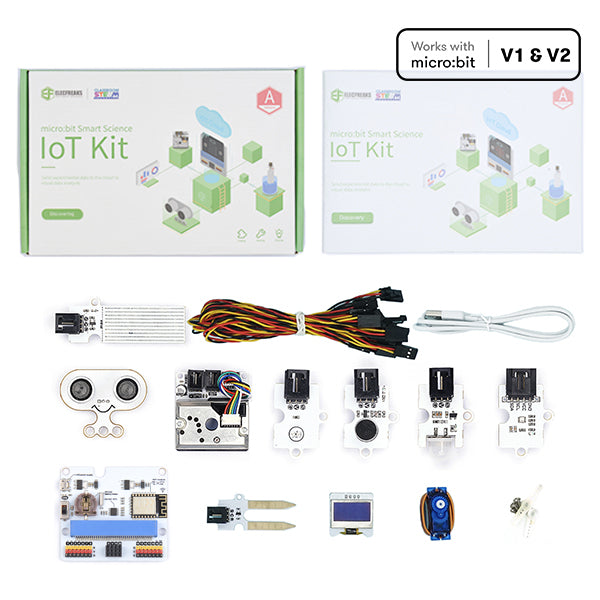
This Classroom Pack includes:
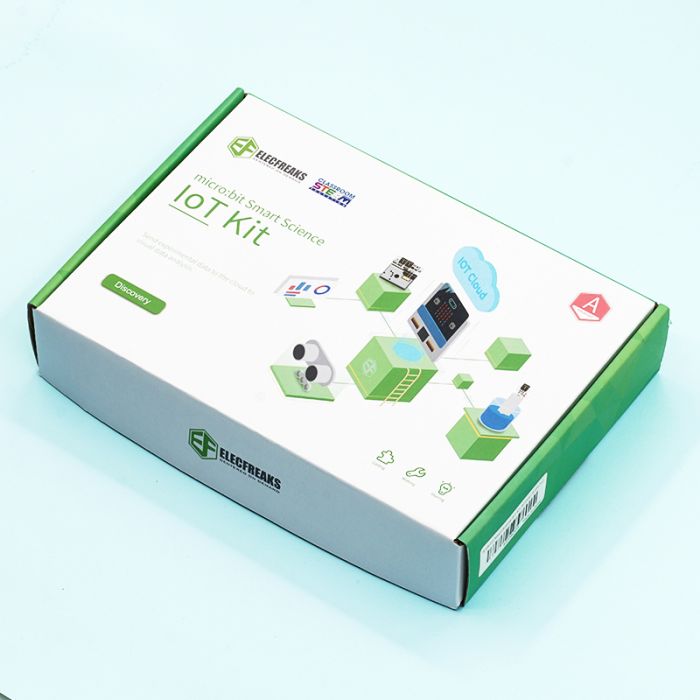
10 x Smart Science IoT Kits10 x micro:bit GO Ver 2 Packs30 x Student Licenses to our Online Learning Academy for project tutorials1 x Teacher Licenses to our Online Learning Academy for project tutorials
ELECFREAKS micro:bit Smart Science IoT Kit is developed based on loT:Bit, a new breakout board compatible with science sensors such as the ultrasonic sensor, dust sensor, light sensor and water level sensor, including RTC Timing and WIFI module. You can gather data via the sensors and send data to the cloud with more stable and accurate data analysis.
Learn how to build and code these inventions with our Online Academy Lessons - subscription included in this package!
What's in each box:
IoT:bit
OLED
BME 280
PIR sensor
Light sensor
Noise sensor
Water level sensor
soil moisture sensor
Sonar:bit
Dust sensor
180° servo
Online Academy Lessons
Tutorial 1 - Upload the data collected by IoT kit to the Thingspeak IoT platform.
Tutorial 2 - Use the IoT kit to male a temperature alarm through Thingspeak and IFTTT.
Tutorial 3 -Use IoT and Excel to visualise data.
Tutorial 4 -KidsIoT.
Project 1 - Air quality monitoring.
Project 2 - Environmental noise detection.
Project 3 - An environmental quality monitoring station.
Project 4 - An automatic irrigation detection.
Project 5 - Self defense monitoring station.
micro:bit Nezha Inventor Classroom Pack
$2,780.00 ex GST
($3,058.00 inc GST)
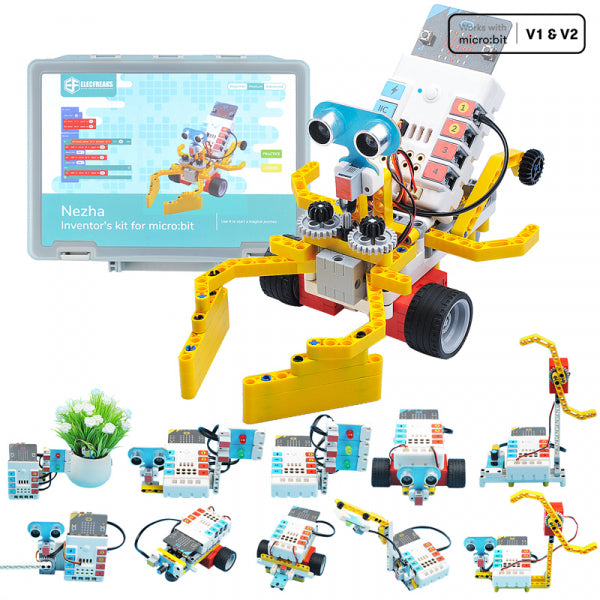
This Classroom Pack includes:
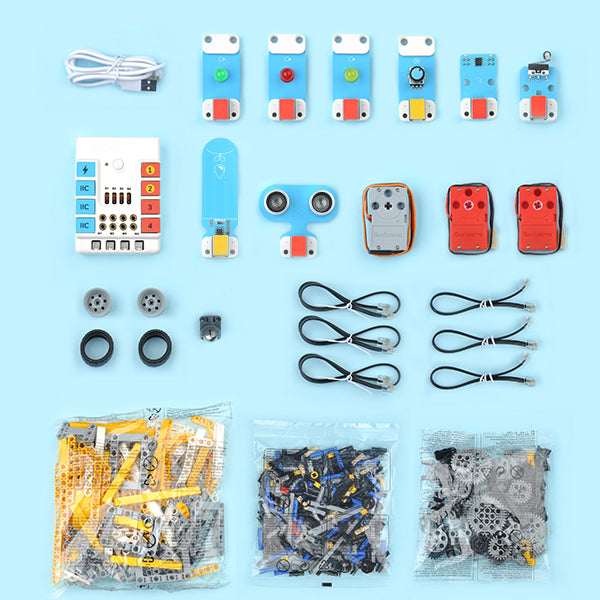
10 x Nezha Inventor Kits10 x micro:bit GO Ver 2 Packs10 x Interactive coding accessories pack30 x Student Licenses to our Online Learning Academy for project tutorials1 x Teacher Licenses to our Online Learning Academy for project tutorials
Based on Planet X sensors, Nezha Inventor's Kit is designed for BBC micro:bit. It contains multiple sensors, ultrasonic sensor, crash sensor, line-tracking sensor and over 400 pieces of bricks x 10. Includes 36 projects on our Online Academy for this kit - cultivate and inspire kids' creativity and imagination!
Learn how to build and code these inventions with our Online Academy Lessons - subscription included in this package!
Highlights
Planet X Sensors: contains multiple sensors and modules including LED, trimpot, soil moisture sensor, ultrasonic sensor, crash sensor, line-tracking sensor, etc.
18 Programming Fun Projects(continuously updated) and Over 400+ Bricks Kit: Not limited to default projects, children can create what they want. The purpose is to cultivate and inspire kid's creativity and imagination.
microbit NeZha Expansion Board: Rich expansion equiped with 4 servo connections, 4 motor connections and 7 sensor connections.
Simple connection: NeZha Expansion Board can be connected to Planet X sensors with the RJ11 cable, and it is compatible with building blocks.
Built-in 900 mAh Lithium Battery: it can be used normally for 2 hours after charging. Protects from over-current, short-circuit and electrostatic.
Projects on our Online Academy
Project 1 - Traffic Lights
Project 2 - Flower-watering Prompter
Project 3 - Automatic Gate
Project 4 - Mini Table Lamps
Project 5 - Automatic Dryer
Project 6 - Temperature-controlled Fan
Project 7 - Smart Lamps
Project 8 - Speed Adjustable Fans
Project 9 - Invading Detection Device
Project 10 - Speed Adjustable Car
Project 11 - Line-tracking Car
Project 12 - Obstacles Avoidance Car
Project 13 - Lively Music
Project 14 - Guess the tones
Project 15 - Volume Reminder
Project 16 - Memory Test
Project 17 - Alarm Device
Project 18 - Music Box
Project 19 - The Automatic Laundry Rack
Project 20 - Micro:bit Avoiding Bricks
Project 21 - An Oscillating Fan
Project 22 - Micro:bit Helix
Project 23 - micro:bit Crawlers
Project 24 - The Climbing LEDs
Project 25 - Colours of the Emotions
Project 26 - The Volume Indicator
Project 27 - The Distance Indicator
Project 28 - The Corridor Lights
Project 29 - The Dazzling Car
Project 30 - Adjustable lights
Project 31 - The Rotary Password Door
Project 32 - Gesture Recognition Ring LEDs
Project 33 - Colour-controlled Lights
Project 34 - Gesture Recognition Car
Project 35 - Colour Recognition Car
Project 36 - Colour Recognition Password Door
micro:bit Smart Home Kit Classroom Pack
$1,200.00 ex GST
($1,320.00 inc GST)
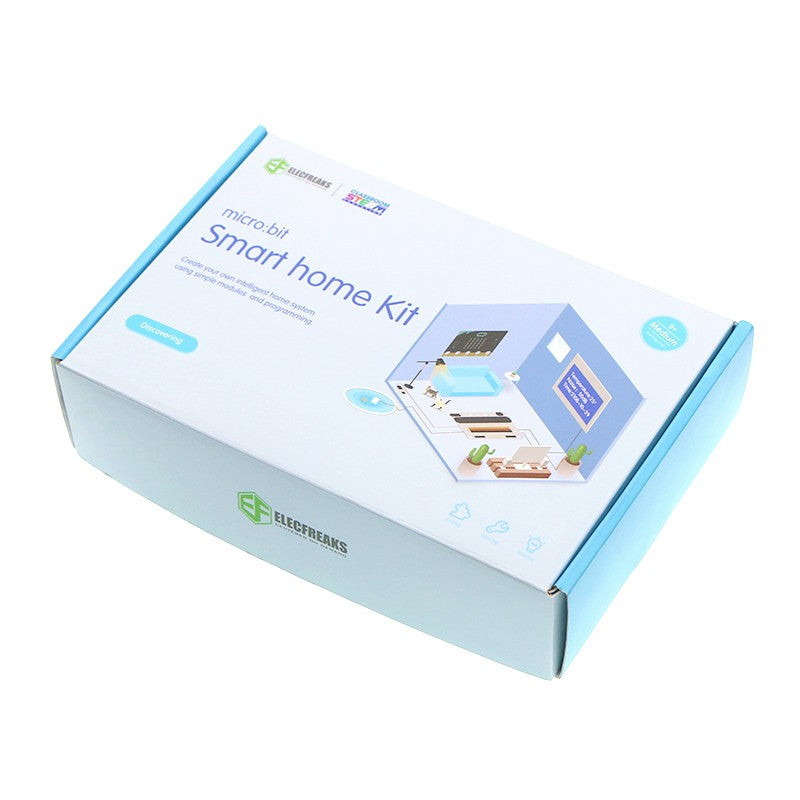
This Classroom Pack includes:
10 x micro:bit Smart Home Kits10 x micro:bit GO Ver 2 Packs30 x Student Licenses to our Online Learning Academy for project tutorials1 x Teacher Licenses to our Online Learning Academy for project tutorials
The micro:bit Smart Home Kit is designed to help you get started with exploring the world of electronics with a focus on home automation. Simply speaking a “Smart Home” is a home equipped with the lighting, heating, cooling, visual, sound appliances, miscellaneous electronic devices that can be controlled remotely (and automated) by a smartphone or a computer. A “Smart Home” usually allows for automation of simple tasks (e.g. turning lights on only when someone enters the room, checking if your plant needs watering and turning on the water supply for a brief instant, turning off all the lights in the house at a predefined time at night, etc.) with a view to increasing efficiency (reducing consumption, cost of energy, etc.) and allowing for easier access to controls (for the given appliance).
It’s this combination of software, smart hardware (e.g. lights that can sense humans and turn on) combined with automation capability and integration with other smart devices allows us to build such “Smart Homes”. These days “Smart Home” controls (e.g. switches, sensor readings, etc.) are made available over the internet increasing the accessibility to controls and allowing home owners to control their appliances sitting anywhere in the world. Get started with your own STEAM learning journey using the micro:bit Smart Home Kit.
The micro:bit Smart Home Kit comes packed with 11 easy to use sensors (OLED screen, noise sensor, light sensor, relay sensor, soil moisture sensor, crash sensor, etc.) and includes the ElecFreaks sensor:bit. The Sensor:bit is a breakout board based on micro:bit. It has extended all available IO ports on micro:bit, and lead out them in the form of GVS. With this board, we can extend various 3V electric brick modules like LED light, photocell, etc. On the board, it has integrated a buzzer and an audio jack, which allows us to hear music from the buzzer or with a headphone.
With the micro:bit Smart Home Kit you will challenge yourself in many different ways, gain experience working with each of the electronic components and learn concepts around Smart Home, IoT (Internet Of Things) and Home Automation. The micro:bit Smart Home Kit is a great way to dive into the awesome world of electronics and get started with your own STEAM learning journey.
Learn how to build and code these inventions with our Online Academy Lessons - subscription included in this package!
Projects
Voice activated lights
Smart fan
Auto windows
Smart wardrobe
Water level Alarming
Smart tele-control door opener
Smart decibel tester
Simple spirometer
Lie detector
Simple alarm box
Intruder detection system
What's in the Box
3V sensor:bit
OLED Screen
Crash E-Blocks
TMP36 temperature sensor E-Blocks
Rainbow LED E-Blocks
Simulation noise sensor E-Blocks
Light sensor E-Blocks
Soil moisture sensor E-Blocks
Relay E-Blocks
DC motor E-Blocks
180° servo E-Blocks
Submersible pump E-Blocks
Screw driver
USB Cable
Crystal Battery Box (Batteries required 2 x AAA)
Smart home kit manual book
Sammat Education Gift Card
from $20.00 ex GST
($22.00 inc GST)
Buying gifts can be tricky. But with a Sammat Education Gift Card you're giving your friends and family the opportunity to treat themselves to something they'll truly enjoy. No matter what their interests, give them an eGift Card that will never expire! From Sphero robots for kids of all ages, Ozobot programming kits for techies or online coding lessons from our Creative Kids programs there's always the perfect gift waiting just around the corner - especially when it comes in digital form!
micro:bit Ring:bit Bricks Classroom Pack
$935.00 ex GST
($1,028.50 inc GST)
This Classroom Pack includes:
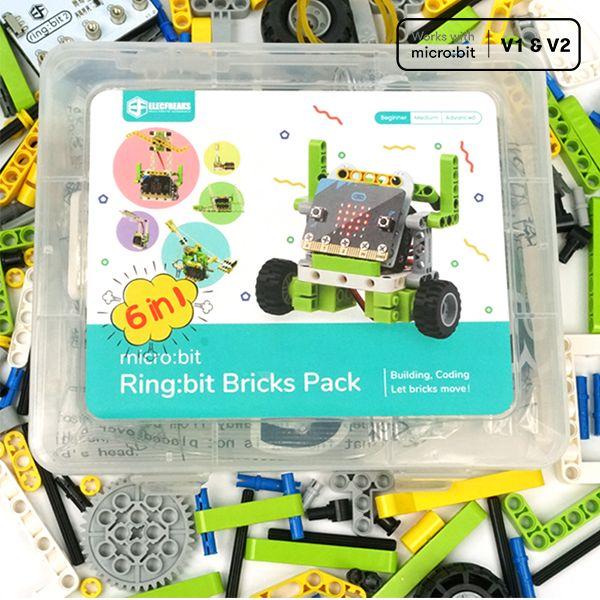
10 x Ring:bit Bricks Packs10 x micro:bit GO Ver 2 Packs30 x Student Licenses to our Online Learning Academy for project tutorials1 x Teacher Licenses to our Online Learning Academy for project tutorials
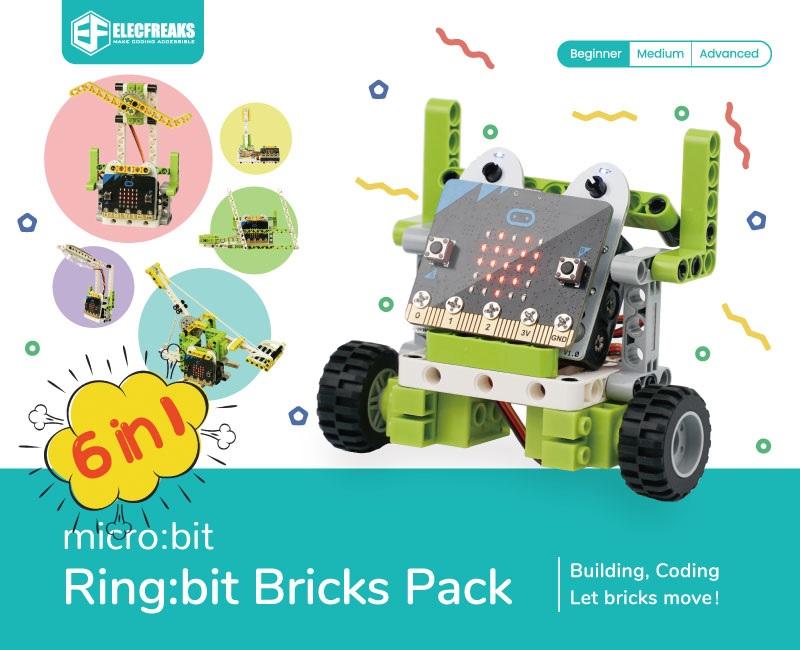
The Ring:bit Bricks Classroom Pack is the perfect starter package for STEM classrooms - six fun projects that teach students how to program while still assembling. The included set of 360 Degree Servos, LED Strips and 2000 Brick Pieces can be used with your own other bricks or sensors. And to help you in the classroom it comes with a classroom license to our Online Learning Academy. Filled with instructions and videos to get your projects up and running!
Lesson Summary
Project 1 – Traffic Lights
Make your micro:bit turn into a traffic light system.
Project 2 – Bricks Car
Build a car with the bricks from the kit.
Project 3 – Temperature-controlled Fans
Build a fan that is controlled by the temperature.
Project 4 – Smart Desk Lamp
Build a lamp that turns on when it automatically gets too dark.
Project 5 – Wipers
Make your own set of windscreen wipers.
Project 6 – Trebuchet
Build your own catapult.
Learn how to build and code these inventions with our Online Academy Lessons - subscription included in this package!
Sammat Education Online Academy - Ring:bit Bricks Pack for micro:bit
$135.00 ex GST
($148.50 inc GST)
Creative Kids Voucher not valid for this program
Our 6-Lesson self-paced ONLINE workshop for children to learn how to use the micro:bit Ring:bit Bricks Pack! Our Online Academy includes guides and videos to take you from first use to confident coder, creating your own micro:bit magic.
The BBC micro:bit is a pocket-sized computer that introduces you to how software and hardware work together. It has an LED light display, buttons, sensors and many input/output features that, when programmed, let it interact with you and your world.
The new micro:bit with sound adds a built-in microphone and speaker, as well as an extra touch input button and a power button.
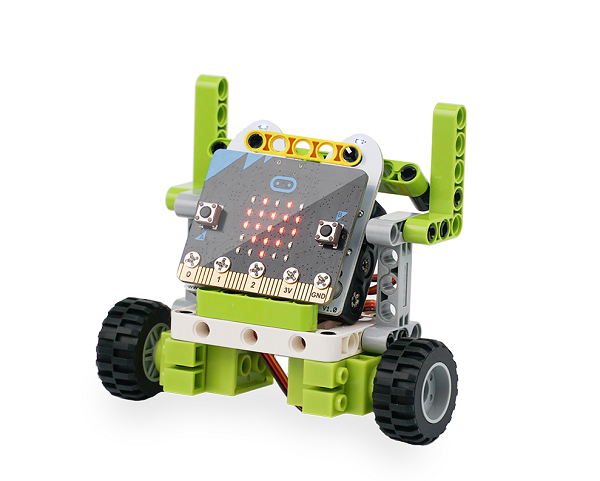
Based on the Ring:bit V2 from Elecfreaks, you can build exciting projects with this kit that will teach children how to code and assemble blocks. With 360 degrees servos, LED strips, 200 brick pieces- as well as a set of instructions for 6 different project ideas – it’s an engaging way to learn STEM skills. Let’s get started!
What you Get:
1 x micro:bit GO pack (Ver 2) including battery pack with 2 x AAA batteries and a USB cable will be shipped out to you.
1 x Ring:bit Bricks Pack
6 x Online lessons/projects on our Online Academy with guides and videos to help you get the most out of the micro:bit's features - and have fun!
What you Need:
A computer, phone or tablet with internet access to load the Microsoft MakeCode code editors.
Lesson Summary
Project 1 – Traffic Lights
Make your micro:bit turn into a traffic light system.
Project 2 – Bricks Car
Build a car with the bricks from the kit.
Project 3 – Temperature-controlled Fans
Build a fan that is controlled by the temperature.
Project 4 – Smart Desk Lamp
Build a lamp that turns on when it automatically gets too dark.
Project 5 – Wipers
Make your own set of windscreen wipers.
Project 6 – Trebuchet
Build your own catapult.


Sphero indi Educational Robot Student Kit
$244.55 ex GST
$254.54 ex GST ($269.01 inc GST)
$254.54 ex GST ($269.01 inc GST)
Rev up STEAM learning with the indi Student Kit— designed to engage 1-3 students at a time or to supplement additional indi learning robots and colour tiles for your indi Class Pack.
The indi learning robot is designed to introduce early learners to the fundamentals of computational thinking, STEAM, and computer science principles while encouraging open-ended, imaginative play-based learning with real-life scenarios as students build custom mazes and solve puzzles. indi offers an unplugged programming experience with an on-board colour sensor or students can kick their skills into high gear with more coding options in the free Sphero Edu Jr app.
What's in the box
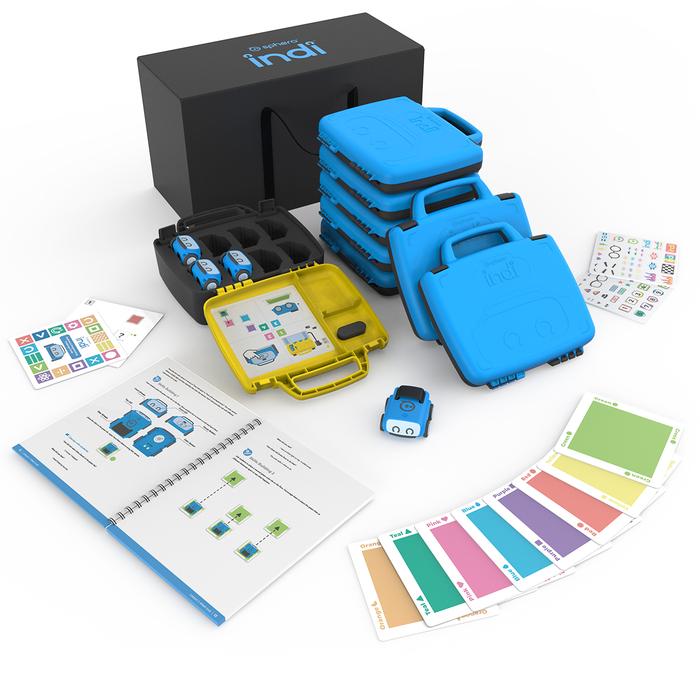
1 indi robot
20 durable silicone colour tiles
1 student case
15 Beginner’s Programming Challenge Cards
1 quick start guide
2 decorative sticker sheets to customise indi
1 charging cable

Sphero indi Educational Robot Class Pack
$2,362.73 ex GST
$2,454.54 ex GST ($2,599.00 inc GST)
$2,454.54 ex GST ($2,599.00 inc GST)
FREE Shipping on this product
Take your entire class on the road to STEAM with the indi Class Pack. The indi learning robot is designed to introduce early learners to the fundamentals of computational thinking, STEAM, and computer science principles while encouraging open-ended, imaginative play-based learning with real-life scenarios as students build custom mazes and solve puzzles.
The Class Pack provides educators with all the resources and tools needed to get an entire class up and running: includes 8 indi robots, colour tiles, storage, a changing case, and standards-aligned lesson plans in our indi Educator Guide Book. indi offers an unplugged programming experience with an on-board colour sensor or students can kick their skills into high gear with more block coding options in the free Sphero Edu Jr app.
This Class Pack provides versatile and simple implementation tools and materials to get students started on their robotics journey. Ready to roll?
What's in the Box?
8 indi robots
8 durable student cases (for sending home with students or transporting indi)
1 classroom tote
1 charging case to charge and store 8 indi robots
8 charging cables
1 Educator Guide
160 durable silicone colour tiles (20 per student case)
8 sets of 15 Beginner’s Programming Challenge Cards (15 per student case)
2 sets of 30 replacement colour cards with adhesive tape sheets
2 decorative sticker sheets for students to customise indi


Sphero indi At-Home Learning Kit
$199.09 ex GST
$227.26 ex GST ($219.00 inc GST)
$227.26 ex GST ($219.00 inc GST)
With its on-board colour sensor and colour cards, indi provides endless opportunities to reinforce kids’ imagination. With a range of skills taught from problem solving to computational thinking, this is the perfect way for youngsters who want creative robots as their friends!
Build custom mazes, solve puzzles, and take control of the wheel to drive. Teach coding concepts to beginners and kick programming into high gear with even more options to spark interest in computer science in the free Sphero Edu Jr app. Buckle up and watch indi go!
Tech specs
Charge time: 1h 40 min
Playtime on full charge: > 1h
Max top speed: ~1.6 m/s
Bluetooth version: Bluetooth Low Energy (BLE)
Bluetooth range: 30 ft (10m)
What's in the box
1 robot
1 charging cable
1 legal guide
1 quick start guide
1 Beginner's Guide to Programming Booklet
30 colour cards
500+ individual pieces of adhesive tape to secure colour cards
2 decorative sticker sheets to customise indi
Air:bit 2 Drone for micro:bit
$208.18 ex GST
($229.00 inc GST)
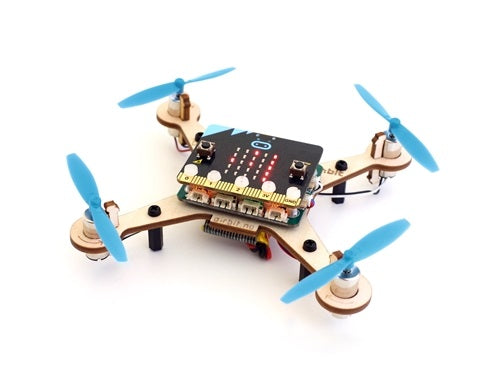
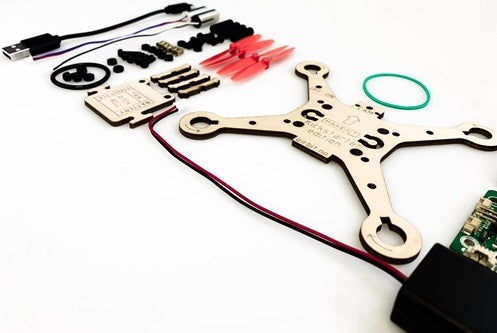
Air:bit 2 is a drone kit for the BBC micro:bit which you build, code and then fly.
Note: This kit does not include the micro:bit
Air:Bit combines the micro:bits ease of use with the excitement of a drone. It is the world's first ever developed micro:bit drone, combining the relevant skills for mastering the future of technology. It is a STEAM learning kit, which will engage students with a more practical and creative way of learning. It is fully repairable and withstands a lot of crashes. The best of all - it is affordable comparing to other drones, With the Air:bit, it's possible to add a camera. This way you can use the Air:bit to take pictures and even do FPV flights. Make:code or java-programming Programmable remote and app Advanced measurements in real-time Upgradeable for multiple sensors
Air:bit in education
Air:bit is a true STEAM learning tool. As a teacher you can dive into following subjects:
Physics: Electronics, electromechanics, aerodynamics, acceleration and gravity
Math: Geometry, functions, scale factors and vectors
Technology: Bluetooth, telemetry, data logging, lithium battery technology
Arts: Design a drone frame using materials like wood or 3d-printing. Invent your own flying machine.
Programming: Blocks, Javascript or Python
Air:bit is also perfect to conduct experiments where data logging is needed. You can collect data like temperature, battery voltage and acceleration in real time and store it for analysis in spreadsheets. Data logging can be done using the Android App or another micro:bit.
You are in control
Choose between 3 methods to pilot Air:bit:
iOS app: Use the micro:bit app for iPhone or iPad
Android app: Use our Android app, made with MIT App Inventor
Another micro:bit: Use another micro:bit and its motion sensor, buttons and screen to remotely operate your Air:bit using ergonomic motion.
Tech Specs
Usage: Indoor and outdoor, not colder than 15 degrees celcius
Size: about 120x110x30 cm
Weight: about 90 gram (take off weight)
Frame materials: Birch plywood, nylon screws
Flight time: up to 7 minutes on each battery
Operating range: 50-100 meter (Bluetooth long range)
Altitude: Max 50 meter recommended
Remote control: Android App, iOS app, or another micro:bit
Telemetry: Acceleration, battery voltage, temperature and more
Sensor support: TOF (distance), Sonar, Barometer* (*soldering might be required)
I/O Ports: Serial, I2C,PWM, Analog Voltage
Programming languages: Makecode blocks, Javascript, Python, MIT App Inventor blocks
Hover:bit for micro:bit
$162.73 ex GST
($179.00 inc GST)
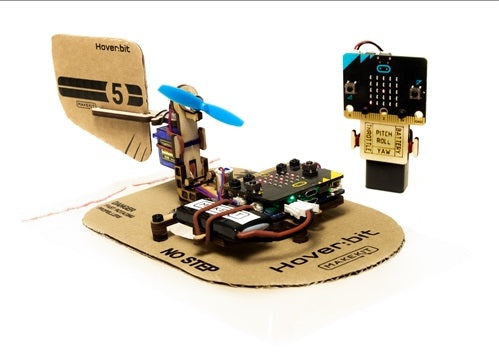
Hover:bit is a hovercraft kit for the BBC micro:bit which you build, code and then drift drive.
Note: micro:bits are not included in this kit.
Hover:Bit combines the micro:bits ease of use with the excitement of a drift driving Hovercraft! It is the world's first ever developed micro:bit hovercraft, combining the relevant skills for mastering the future of technology. It is a STEAM learning kit, which will engage students with a more practical and creative way of learning.
It is fully repairable and withstands a lot of crashes.
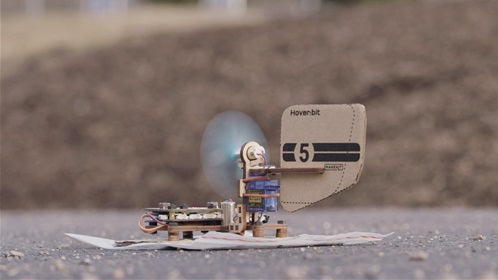
Hover:bit-build, code and hover awayHover:bit is an air pillow vessel hovering above the ground. A cloud engine with great force ensures the progress and a servo managed tail fin controls the direction. A micro:bit used as a remote and another on the receiving end.
Construction and DesignUse the packaging as a fleet and seal or clip out your own in cardboard. Experiments with different shapes and materials and find out what works best.
Code with make:codeStill, more people discover micro:bit like a very simple platform with great opportunity space. Hover:bit offers programming guidance for remote control and receiver.
Driven driving experience with gyrochondrial control.Because the vessel floats freely, the driving style becomes more like drifting than usual driving. A lightning-fast gyrossor corrects the halerret automatically and the result is an incredibly fun driving experience. Look at it as some kind of anti-spin on smooth lead.
Nezha Inventor Kit for micro:bit
from $195.00 ex GST
($214.50 inc GST)
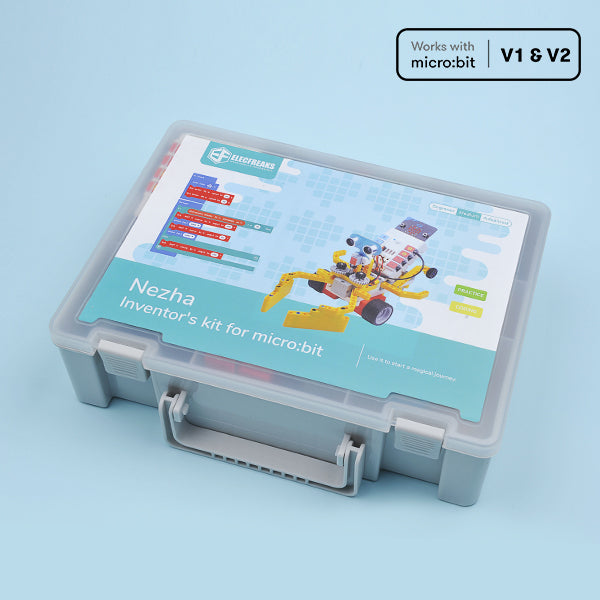
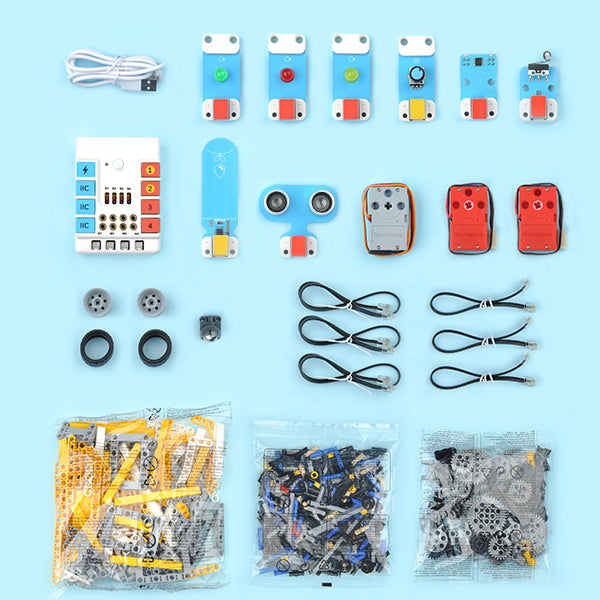
Based on Planet X sensors, Nezha Inventor's Kit is designed for BBC micro:bit. It contains multiple sensors, ultrasonic sensor, crash sensor, line-tracking sensor, etc., and also with over 400 pieces of bricks. We plan to write 36 cases for this kit in our wiki aiming to cultivate and inspire kids' creativity and imagination.
PLEASE NOTE A MICRO:BIT IS REQUIRED AND SOLD SEPARATELY. PLEASE CHOOSE CORRECT OPTION CAREFULLY WHEN ORDERING THE Nezha Inventor Kit for micro:bit IF YOU REQUIRE A MICRO:BIT
Highlights
Planet X Sensors: contains multiple sensors and modules including LED, trimpot, soil moisture sensor, ultrasonic sensor, crash sensor, line-tracking sensor, etc.
18 Programming Fun Projects(continuously updated) and Over 400+ Bricks Kit: Not limited to default projects, children can create what they want. The purpose is to cultivate and inspire kid's creativity and imagination.
microbit NeZha Expansion Board: Rich expansion equiped with 4 servo connections, 4 motor connections and 7 sensor connections.
Simple connection: NeZha Expansion Board can be connected to Planet X sensors with the RJ11 cable, and it is compatible with building blocks.
Built-in 900 mAh Lithium Battery: it can be used normally for 2 hours after charging. Protects from over-current, short-circuit and electrostatic.

Sammat Education Online Academy - Makey Makey Level 1
$120.00 ex GST
($132.00 inc GST)
Creative Kids Voucher not valid for this program
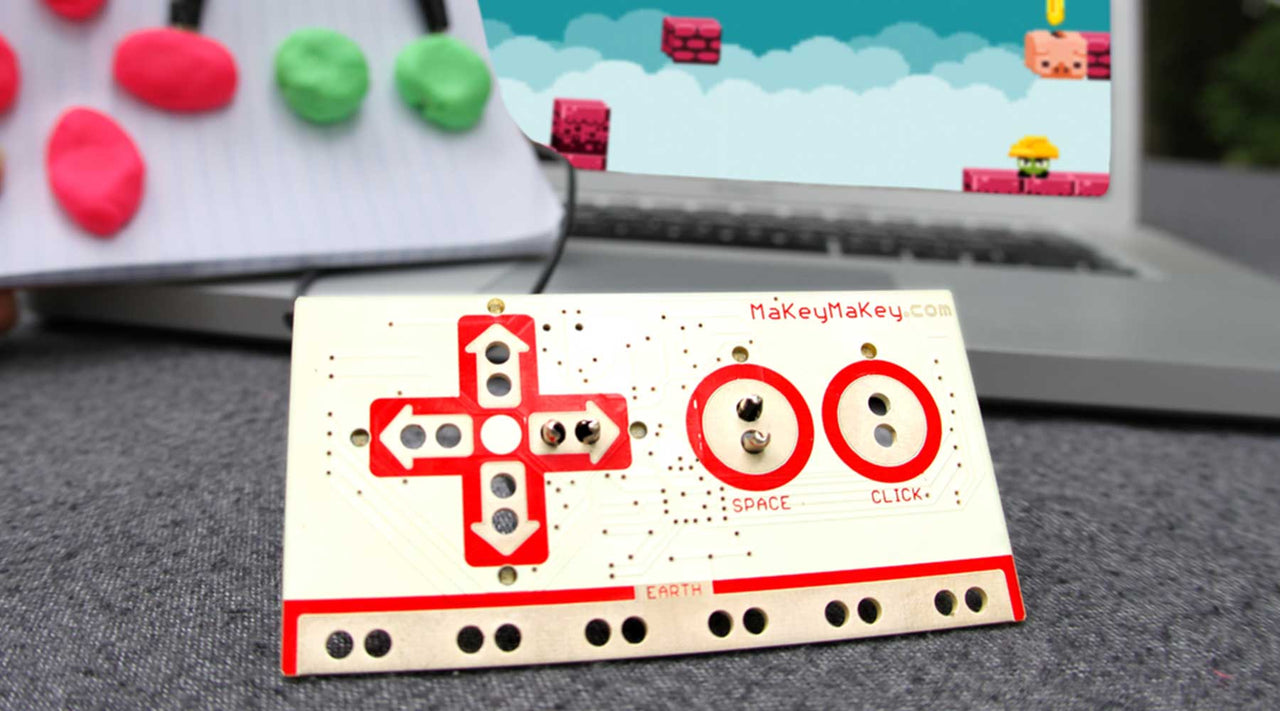
Our 9-Lesson self-paced ONLINE workshop for children to learn how to use the Makey Makey. Our Online Academy includes guides and videos to take you from first use to confident coder, creating your own Makey Makey magic.
Ready to start inventing?
First set up takes seconds. Start out easy with a banana piano. Then create game controllers, invent musical instruments, make voting machines, and light up paper circuits. Connect Makey Makey to the world of things around you, and the possibilities are endless!
What you Get:
A Makey Makey pack including universal touch keyboard, copper tape, spare alligator clips, small LED lights and coin cell battery will be shipped out to you.
9 Online lessons/projects on our Online Academy with guides and videos to help you get the most out of the Makey Makey features - and have fun!
What you Need:
A computer with internet access to load the Scratch code editor.
For building and making projects with your Makey Makey, some extra items that are great to have include conductive materials such as aluminium foil and paper clips.
Lesson Summary
1. Craft a Simple Circuit
Learn how a simple circuit works so you can create your first circuit and light your first LED! You will learn how to craft a simple circuit, learn how Makey Makey works by completing a circuit, and learn how humans can connect to make a key press on your computer!
2. Hands on a Makey Makey
Learn how Makey Makey works so you can start inventing! You will, make a simple sketch of Makey Makey, use your hands to trigger Makey Makey for piano, build a human circuit, and play and explore with Makey Makey.
3. What is Conductive?
Makey Makey works by alligator clipping into everyday things that have some conductivity. When you hook an alligator clip into a banana and you hold an alligator clip connected to EARTH, you are actually the conductive stuff that closes the circuit and makes Makey Makey work! But what materials can we use with Makey Makey besides bananas? What does it mean for an item to be conductive? or an insulator? or even a resistor? Let’s set up a simple experiment to find out! In this lesson, you will make a conductivity testing board to test items for conductivity; learn that everything in the world is either or conductive or an insulator; and start to ideate inventions with everyday stuff you can find in your home.
4. Draw a Playable Instrument
Have you already played a banana piano? Did you know you could draw your own instrument and play your drawings too? You’ll learn how in this lesson!
5. Code Your Key Presses in Scratch
Today you will code key presses in Scratch! Head to Scratch and create a project along with us! Choose your own characters and backdrops and let’s get started!
6. Craft and Code Interactive Stories
Craft a city out of cardboard, or draw a city to make an interactive poster. The idea behind this project is to craft or create buildings for an imagined city and then tell the story of the people who live in your crafted buildings.
7. Code Two Player Games with MakeCode Arcade
MakeCode Arcade is another great block based programming language! It is block-based liked Scratch but it also includes the JavaScript code for any games you make. It works great with Makey Makey and is a pretty fast set up to use your Makey Makey as a controller once you learn to code games in MakeCode Arcade!
8. Draw and Code a Poem Generator
Now that you know a little bit more about coding games in Scratch and connecting those games to Makey Makey, we thought it would be fun to tinker with literacy. In this project, you’ll write different parts of a poem, code them in Scratch, and then draw a poem generator.
9. 3 Ways to Program Click with Scratch!
In this lesson, you will learn THREE ways to program the click input with Scratch. Plus, we will also show you how to access click on the back of your Makey Makey.

NewsMaker
from $8.00 ex GST
($8.80 inc GST)
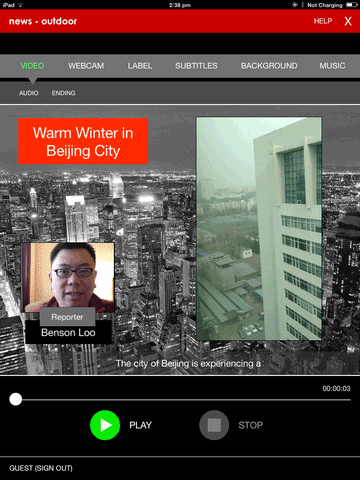
NewsMaker is a video news-making tool to help provide students an easy, affordable, and fun platform to practice writing, speaking, and presentation skills.
A tool to practice language skills
NewsMaker provides students an easy, affordable, and fun platform to practice language skills – Writing and Reading, Speaking and Listening, Representing and Viewing.
Use across curriculum
NewsMaker is neither grade-level specific nor content-area specific. It is a tool to help students improve their communication skills while mastering content in any subject area.
Create for a real audience
With NewsMaker, students take on the role of news anchor and producer, creating their own story for a real audience.
Self Assessment and Self Learning
With the help of rubrics, NewsMaker provides individual student with immediate feedback for self-assessment of performance and it also facilitates peer critiquing, especially in the area of oral skills.
NewsMaker Project
A NewsMaker project is made up of segments. Each segment can be of the following types: Webcam Recording, Voiceover Image, Voiceover Video, Trailer, Text Insert and Video Insert.
Portfolio
Students can upload and share their published videos on the Newsmaker.tv website, and at the same time, they are creating a portfolio of their works over time. Teachers can conveniently access and assess students’ videos anytime, anywhere.
Installing NewsMaker
Available on Windows 7, 8 and 10 as well as iOS (for iPad).
Academic License
NewsMaker is available to schools on annual subscription. License includes both school and home use. Please contact us if you are interested in NewsMaker academic license.
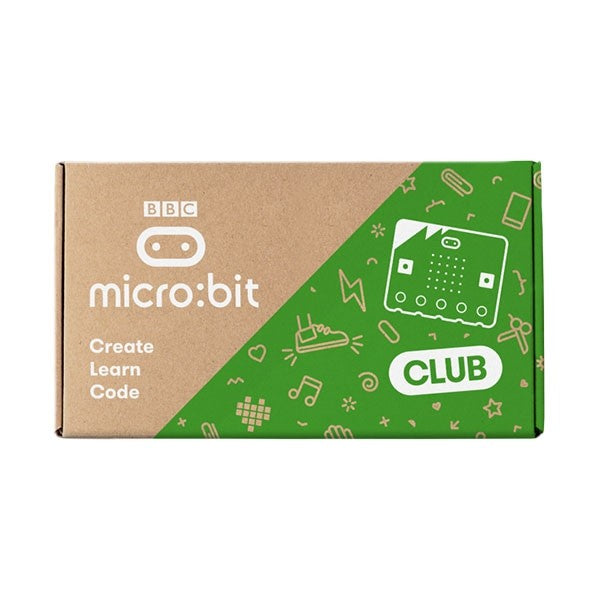
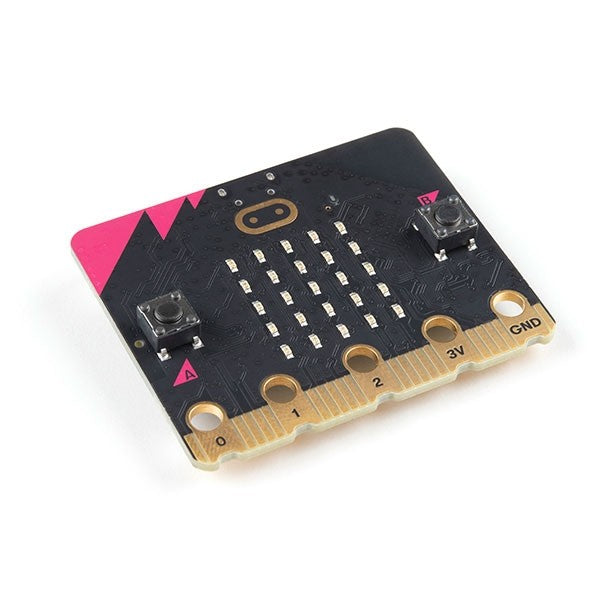
micro:bit CLUB v2
$265.00 ex GST
($291.50 inc GST)
Meet the new BBC micro:bit
Now with speaker and microphone!
Same great features, easier ways to use sound and touch to get creative in the classroom!
Perfect for sharing the micro:bit with friends, the micro:bit club is a 10 pack containing all the pieces needed to enjoy micro:bit in STEM groups, coding clubs, school classes, scouts, guides and cubs or any other social gathering (contains 10 BBC micro:bits, 10x USB cables, 10 x battery holders & 20x AAA batteries).
The micro:bit is a pocket-sized computer that you can code, customise and control to bring your digital ideas, games and apps to life. Measuring 4cm by 5cm, and designed to be fun and easy to use, users can create anything from games and animations to scrolling stories at school, at home and on the go - all you need is imagination and creativity.
New micro:bit is here
With five million micro:bits already used for teaching digital skills and computational thinking, the updated micro:bit is set to add even more opportunities for learning, exploration and creativity in classrooms.
Features
Full Backwards Compatibility - For educators, this means all your existing lesson plans can be used without modification, and class sets can end up a mix of the original and V2 versions without issue.
Audio I/O - The micro:bit V2 comes with an onboard speaker and MEMS microphone, so you can now sense and play with sound! This opens up an enormous number of new possibilities!
Capacitive Touch Sensor - The micro:bit logo is now a capacitive touch sensor! This means you no longer need to connect yourself to ground to physically interact with the micro:bit, further lowering the barrier to access and enabling intuitive interaction and control.
Power Improvements - A new built-in sleep/off mode means the board can be powered down without disconnecting the batteries. This is great for ultra-low energy use projects, lessons on energy consumption.
More Processing Power - The new micro:bit V2 allows you to do more, to help grow your students' knowledge further and extend the useful life of the micro:bit in your school or home.
Notched Edge Connector - The refinement of the edge connector profile greatly improves the reliability of electrical connections when using alligator clip connectors and conductive thread. This means less time fiddling and more time learning!
Power LED - There is now a power LED to indicate whether the micro:bit V2 is on or off - a very nice complement to the new sleep mode!
Gold Plated Antenna - BBC have plated the Bluetooth radio component to make it more visible.
micro:bit CLUB v2 Contents
10x micro:bit v2, 10 x USB cables, 10 x battery holders and 20 x AAA batteries.
Ink2Go
from $21.27 ex GST
($23.40 inc GST)
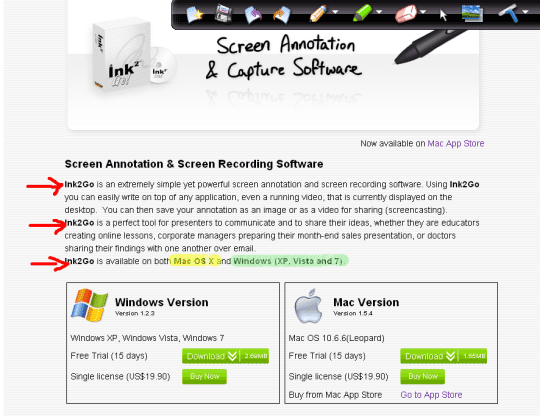
Ink2Go is an extremely simple yet powerful screen annotation and recording software. You can easily write on top of any other application that is currently active on the desktop, even on a running video. You can then save your annotations as an image file or even record the whole session as a video for sharing. It is a useful tool for presenters to communicate and share ideas during a live session, for educators to create effective video tutorials and for salespeople to create impressive video presentations. Ink2Go is available for both Windows (XP, Vista and 7) and Mac OS X 10.6.6 (Leopard) or later, Intel only.
Sammat Education Online Academy - Scratch Level 1
$40.00 ex GST
($44.00 inc GST)
Creative Kids Voucher not valid for this program
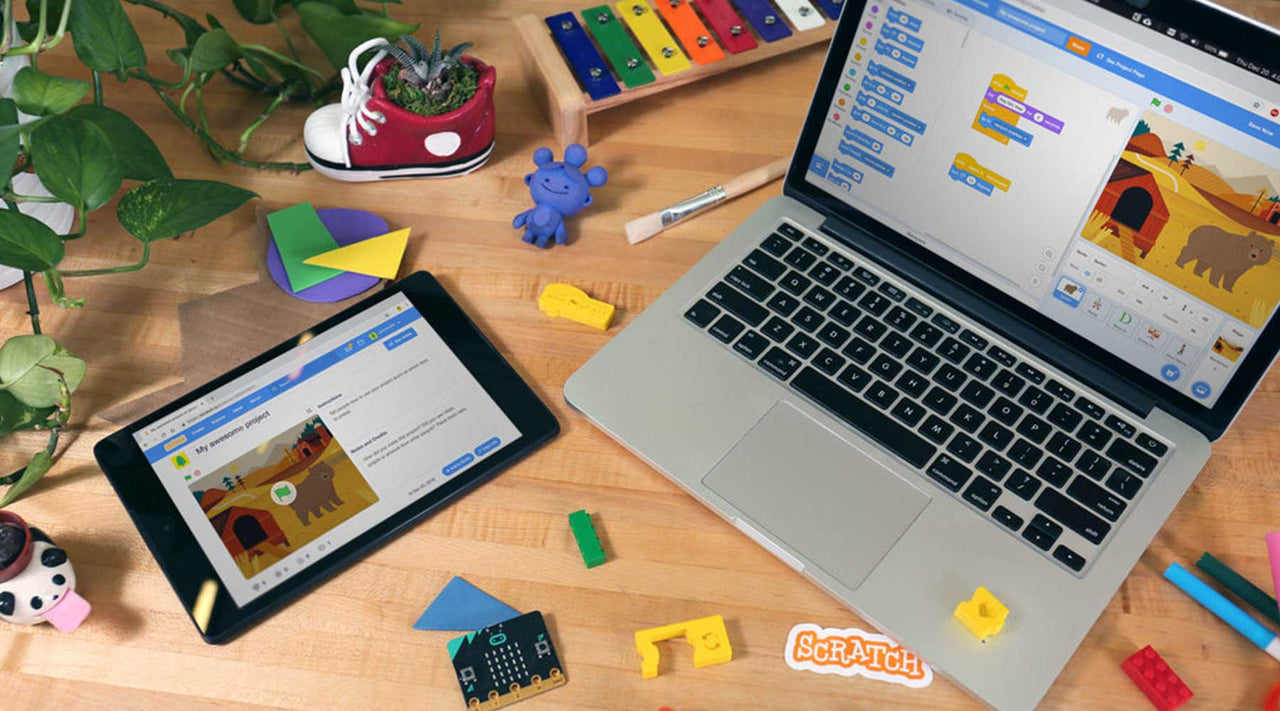
Our 5-Lesson self-paced ONLINE workshop for children to learn how to use Scratch 3.0 software. Our Online Academy includes guides and videos to take you from first use to confident coder, creating your own Scratch Projects.
With Scratch, you can program your own interactive stories, games, and animations — and share your creations with others in the online community.Scratch helps young people learn to think creatively, reason systematically, and work collaboratively — essential skills for life in the 21st century.
Scratch is designed especially for ages 8 to 16, but is used by people of all ages. Millions of people are creating Scratch projects in a wide variety of settings, including homes, schools, museums, libraries, and community centres.
The ability to code computer programs is an important part of literacy in today’s society. When people learn to code in Scratch, they learn important strategies for solving problems, designing projects, and communicating ideas.
What you Get:
5 Online lessons/projects on our Online Academy with guides and videos to help you get the most out of Scratch features - and have fun!
You will learn to make your own chase, maze, pong, scroller and platformer games.
What you Need:
A computer with internet access to load the Scratch code editor.
Sammat Education Online Academy - micro:bit Level 1
$80.00 ex GST
($88.00 inc GST)
Creative Kids Voucher not valid for this program
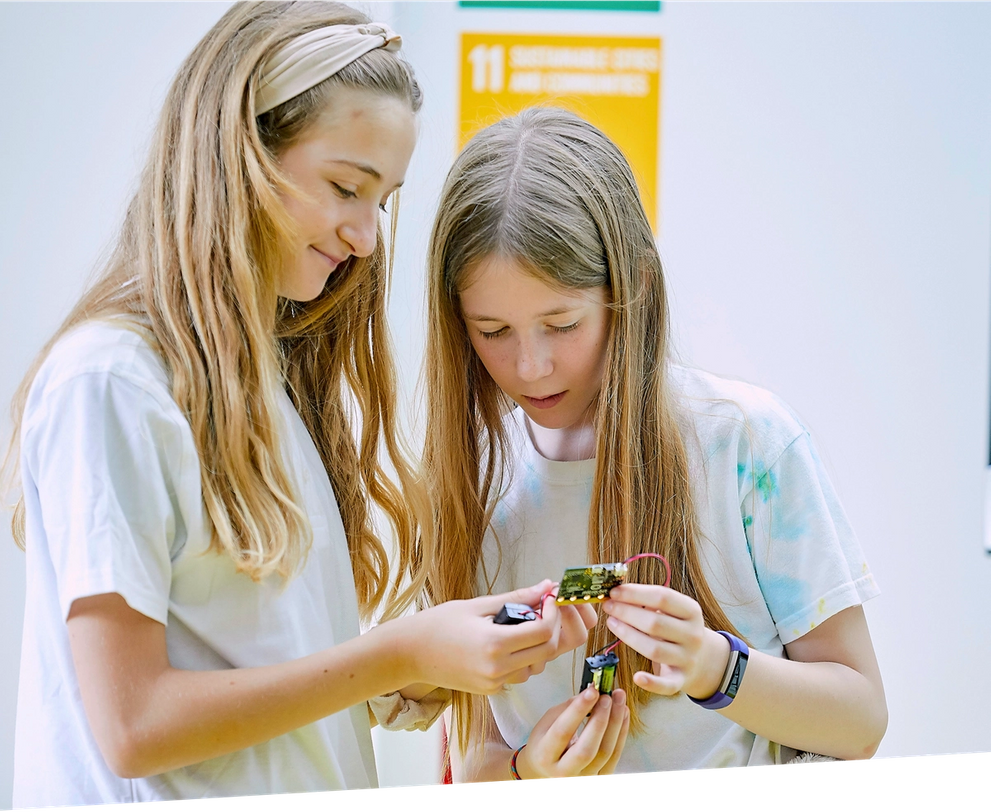
Our 10-Lesson self-paced ONLINE workshop for children to learn how to use the micro:bit! Our Online Academy includes guides and videos to take you from first use to confident coder, creating your own micro:bit magic.
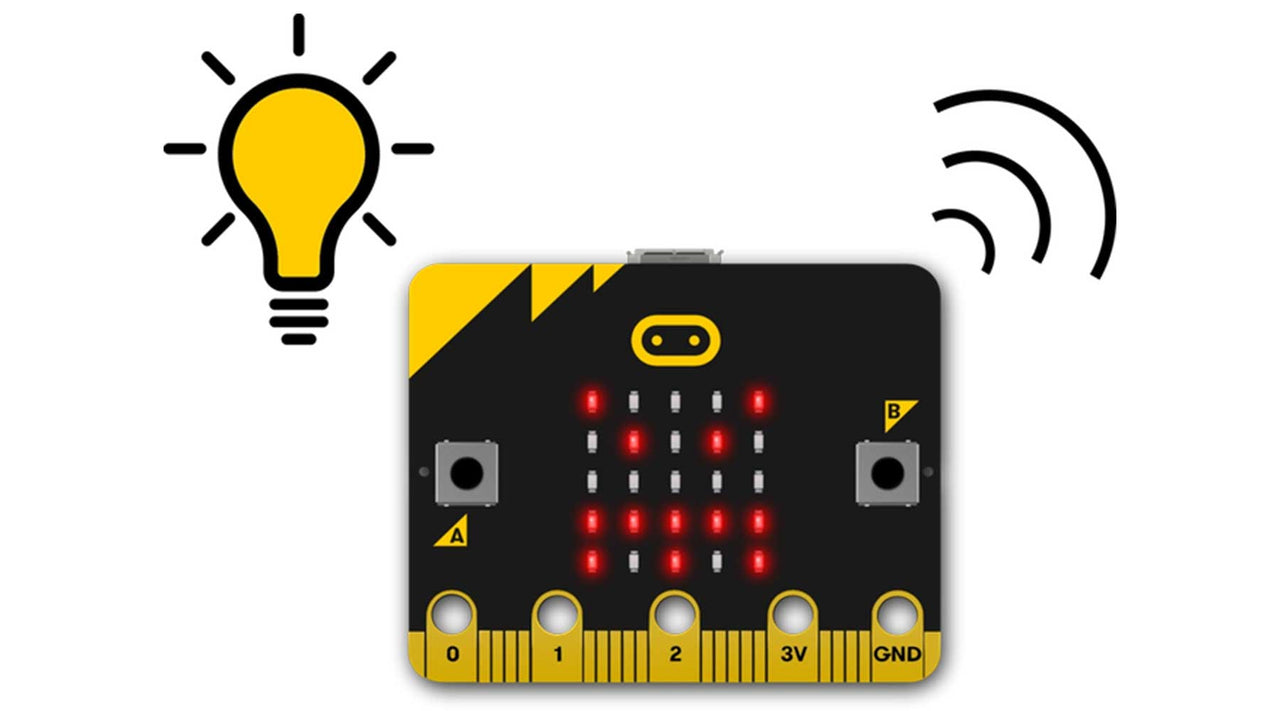
The BBC micro:bit is a pocket-sized computer that introduces you to how software and hardware work together. It has an LED light display, buttons, sensors and many input/output features that, when programmed, let it interact with you and your world.
The new micro:bit with sound adds a built-in microphone and speaker, as well as an extra touch input button and a power button.
What you Get:
A micro:bit GO pack (Ver 2) including battery pack with 2 AAA batteries and a USB cable will be shipped out to you.
10 Online lessons/projects on our Online Academy with guides and videos to help you get the most out of the micro:bit's features - and have fun!
What you Need:
A computer, phone or tablet with internet access to load the Microsoft MakeCode code editors.
For building and making projects with your micro:bit, some extra items that are great to have include headphones, crocodile clip leads and conductive materials such as aluminium foil and paper clips.
Lesson Summary
1. LEDs and timing blocks
Make your micro:bit’s heart beat using loops to create an animation.
2. Text blocks
Turn your micro:bit into a scrolling name badge with just a few instructions.
3. A & B buttons
Make your feelings really stand out with flashing happy and sad faces.
4. Sound and logo button
Make an emotion badge that expresses how you feel in sounds as well as pictures.
5. Shake and Tilt
This program uses the micro:bit’s accelerometer input to measure forces and sense when it’s shaken.
6. Light sensor
Turn the LED display into a sensor to make your micro:bit react to light.
7. Sensors and chance - Dice
Shake your micro:bit to make random numbers.
8. Sensors and chance - Rock, paper, scissors
Rock, paper, scissors is a classic game of chance for two people. Code a game with the micro:bit
9. Step counter
Turn your micro:bit into a step counter (or pedometer) to help you track how active you are - and learn some coding at the same time!
10. Thermometer
Show how hot or cold your micro:bit is using the built-in temperature sensor.

Shintaro Light Weight Headset
$13.59 ex GST
($14.95 inc GST)
Shintaro Light Weight Headset Features:
Lightweight Stereo Headphones.
Flexible Headband for easy adjustment.
Ideal for Office or classroom situations.
Volume control
2.5m Lead

Mount Panorama Robot Raceway
$53.64 ex GST
($59.00 inc GST)
Our Mount Panorama Robot Raceway provides you a track for racing robot challenges!
For use with light sensing Robots, challenge students to design and build racing robots for line tracing the Mount Panorama Speedway. Suitable for use with RoboTami, Robotron Pro Series, Lego Mindstorms, Lego EV3, Zumo Robot, Arduino controlled Robots and many more.
The Mount Panorama Robot Raceway is designed and manufactured in Australia.
Size 120cm x 90cm.
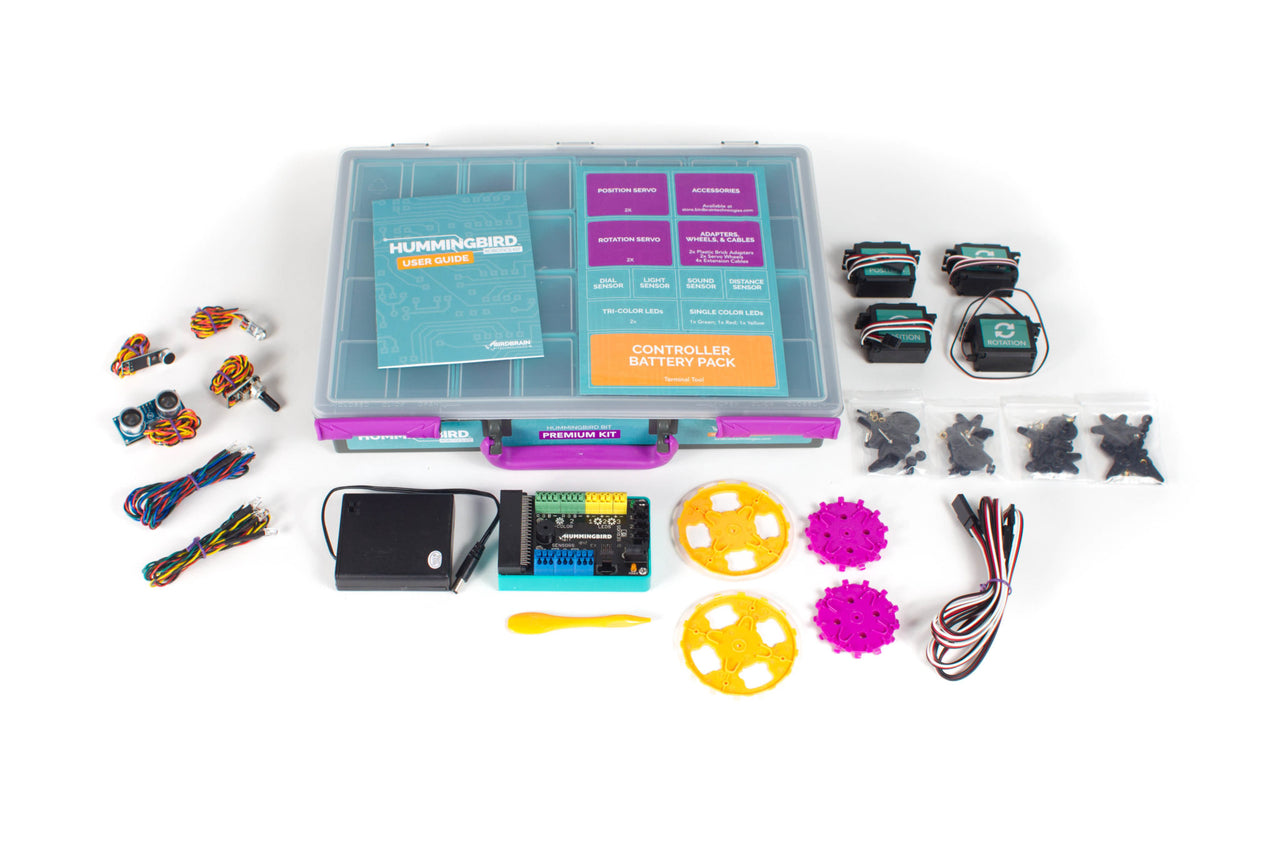
Hummingbird Bit Classroom Bundle
from $1,726.36 ex GST
($1,899.00 inc GST)
Inspire deep and joyful learning with the micro:bit-powered Hummingbird Bit Base Kit! The Hummingbird Robotics Kit is comprised of lights, sensors, and motors which allow students to build a robot out of any materials. The power of Hummingbird is in its flexibility - the same reusable kit can animate a poem, model the human arm, build an autonomous rover, or create a pinball machine.
Hummingbird epitomises a low-floor, high-ceiling approach: absolute beginners can build & program a robot in minutes, but continue learning advanced engineering & programming for years.
PLEASE NOTE A MICRO:BIT IS REQUIRED AND SOLD SEPARATELY. PLEASE CHOOSE CORRECT OPTION CAREFULLY WHEN ORDERING IF YOU REQUIRE A MICRO:BIT
All Hummingbird Bit Robotics Kits include:
Free classroom-tested and standards-aligned learning materials, such as programming tutorials, lesson plans, and printable student activities.
Out-of-the-box compatibility with all laptops and most tablets.
Free software that is tested to work with school IT environments.
Support for 4 blocks-based and 3 text-based programming environments, including Makecode, Python, and Java.
Electrically protected connectors that allow students to easily add multiple motors, sensors, and LEDs without risk of harm due to incorrect connections.
Options for online and in-person professional development, including classroom and school district curriculum integration planning.
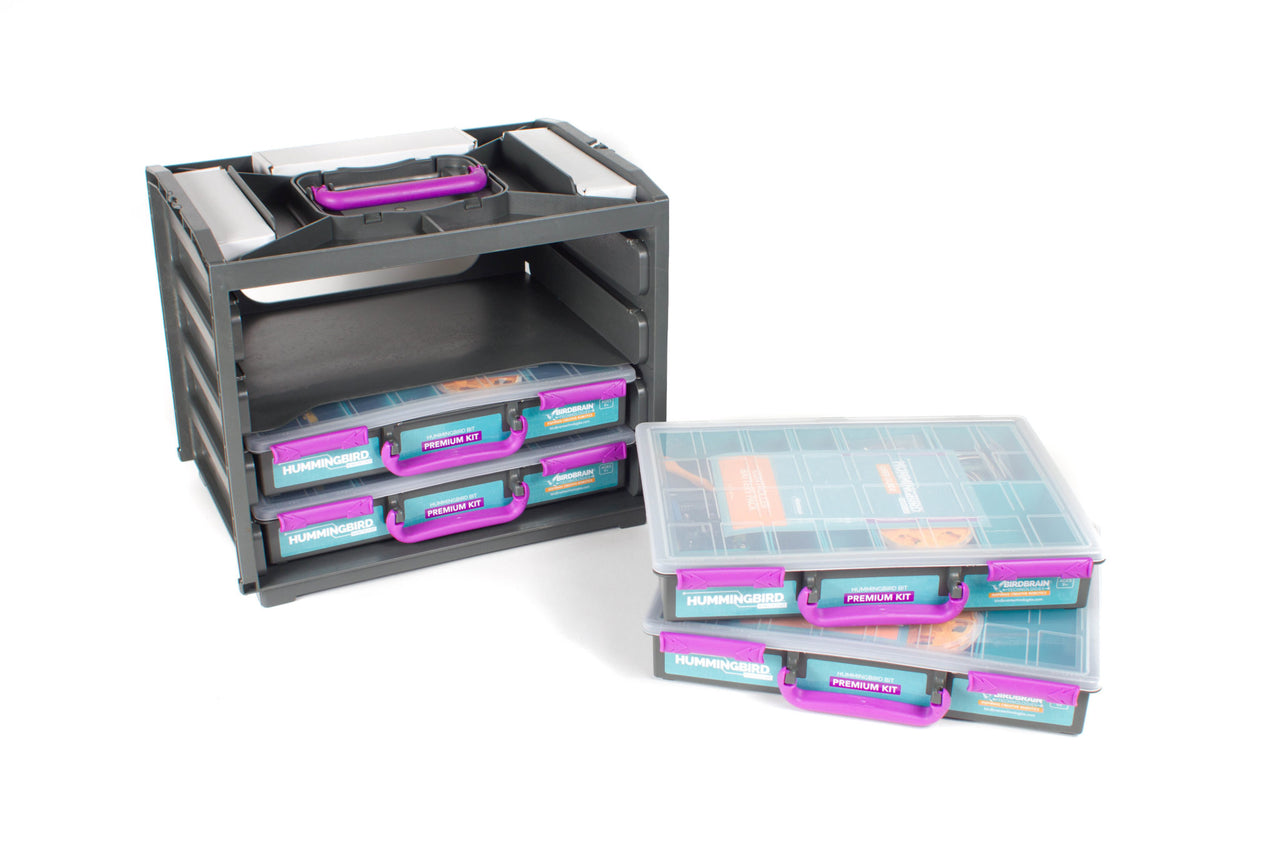
Classroom-ready packaging, including sturdy cases, sorting compartments, and stackable containers.
Hummingbird Bit Small Classroom Bundle Contents:
4 - Bit Controller
4 - Terminal Tool
4 - Battery pack
4 - Green LED
4 - Red LED
4 - Yellow LED
8 - Tri-colour LED
8 - FS5103B servo
8 - FS5103R servo
8 - Servo wheels
8 - Lego adapters
16 - 50 cm servo Extension cables
4 - Light sensor
4 - Sound Sensor
4 - Distance Sensor
4 - Rotary Sensor
4 - User Manual
4 - Premium Kit Case Total is 4 Premium Kits Classroom Supplies & Tools (for 8-12 students)
The Classroom Bundle comes in three sizes:
Small: 4 Premium Kits + Stacking Container + Classroom Supplies & Tools (for 8-12 students)
Medium: 8 Premium Kits + 2 Stacking Containers + Classroom Supplies & Tools (for 16-24 students)
Large: 12 Premium Kits + 3 Stacking Containers + Classroom Supplies & Tools (for 24-36 students)
If you opt to purchase the kit with micro:bits, you will receive 4 micro:bits for a Small Bundle, 8 micro:bits for a Medium Bundle, 12 micro:bits for a Large Bundle.
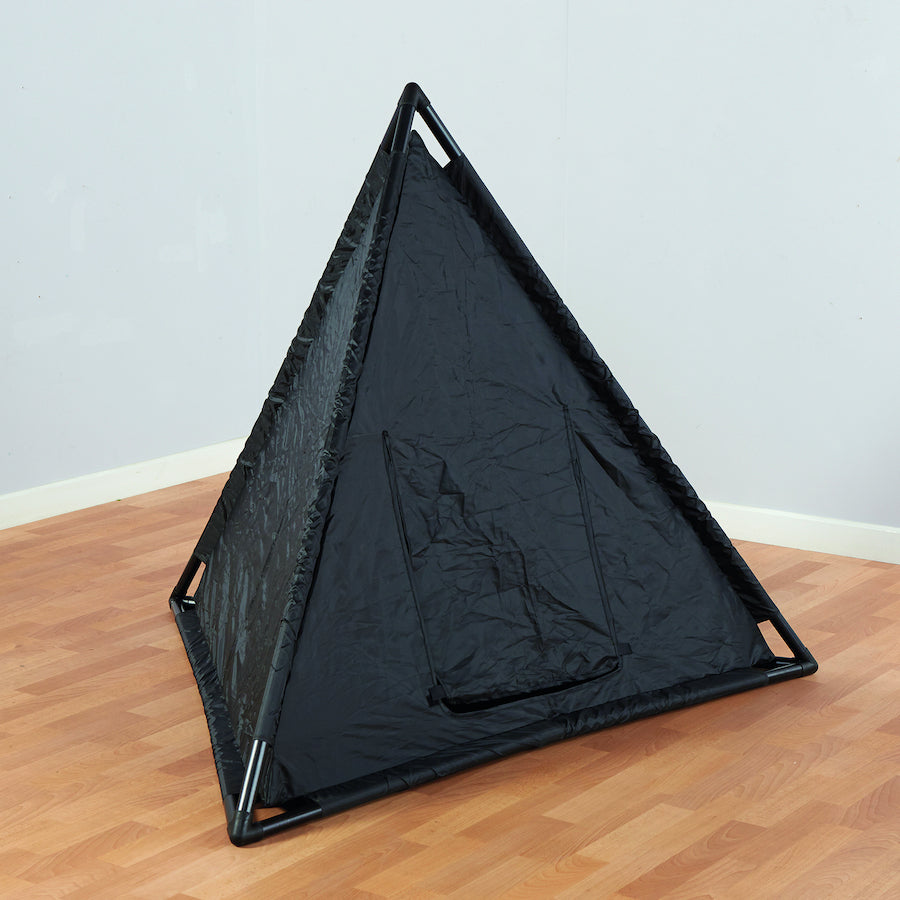
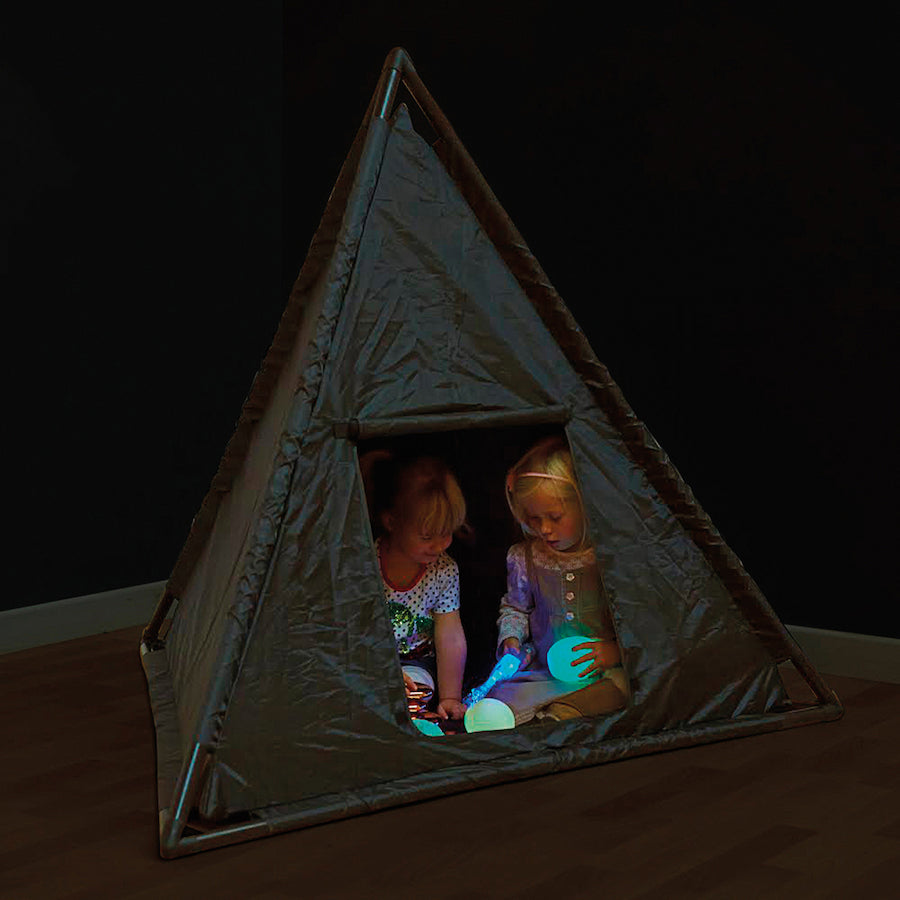
Pyramid Dark Den
$226.36 ex GST
($249.00 inc GST)
A new take on the classic Dark Den.
A flap door covers the entrance and the double nylon skin blocks out the light. Great for sensory exploration, using torches, glow in the dark resources or as a cosy space for children to retreat too.
Why not decorate the exterior of Triangular Dark Den with fabrics and create a teepee.
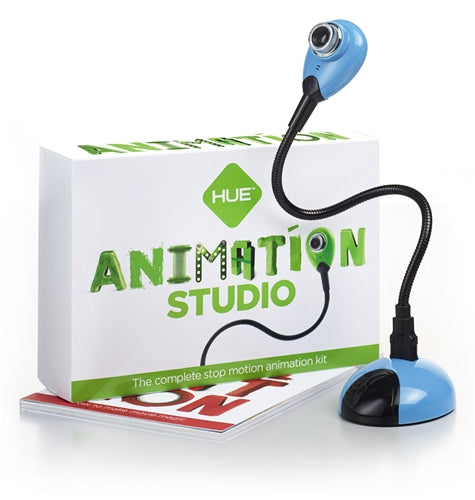
Hue Animation Studio
from $180.91 ex GST
($199.00 inc GST)
Hue Animation Studio contains everything that a budding animator needs to learn to create stop motion animation videos. The animation software has been specifically designed for educational use, with a user friendly, fully-featured interface.
Children of all ages can be creating their own stop motion films minutes after first installing Hue Animation Studio.
Hue Animation Studio comes with powerful tailor-made software, ideal for use by anyone from novice animators creating their very first film, through to experienced animators looking for a fully featured animation suite. Sounds can be imported either from your computer, or recorded directly in the software itself using the Hue HD Webcam's built-in microphone.
Another key feature is onion-skinning, which displays a transparent image of the last frame you took over the live camera feed. This is invaluable for creating error-free, smoothly animated sequences.


