

Bee-Bot/Blue-Bot World Map
from $80.91 ex GST
($89.00 inc GST)
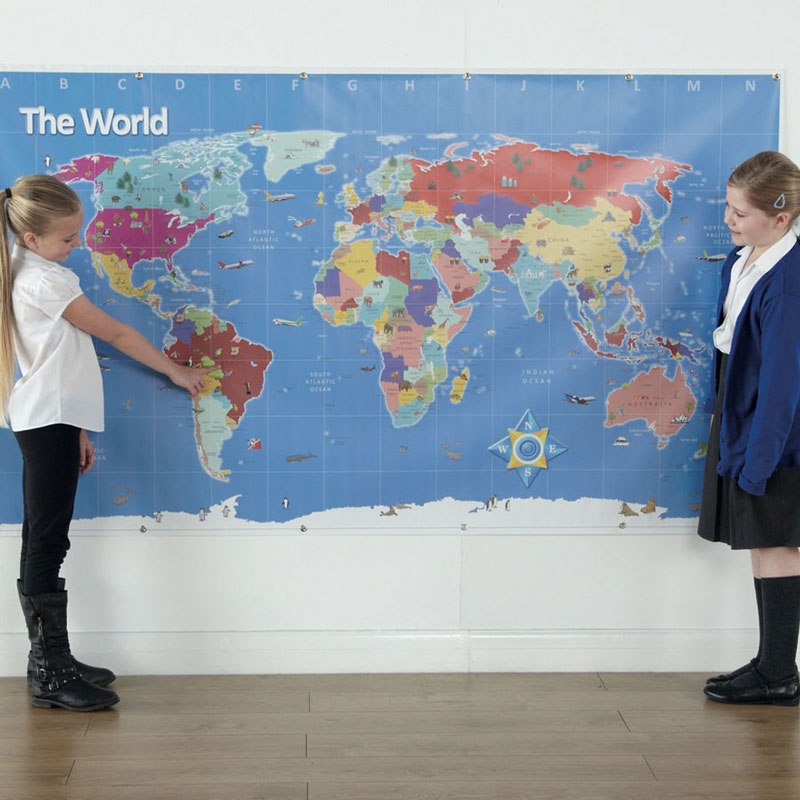
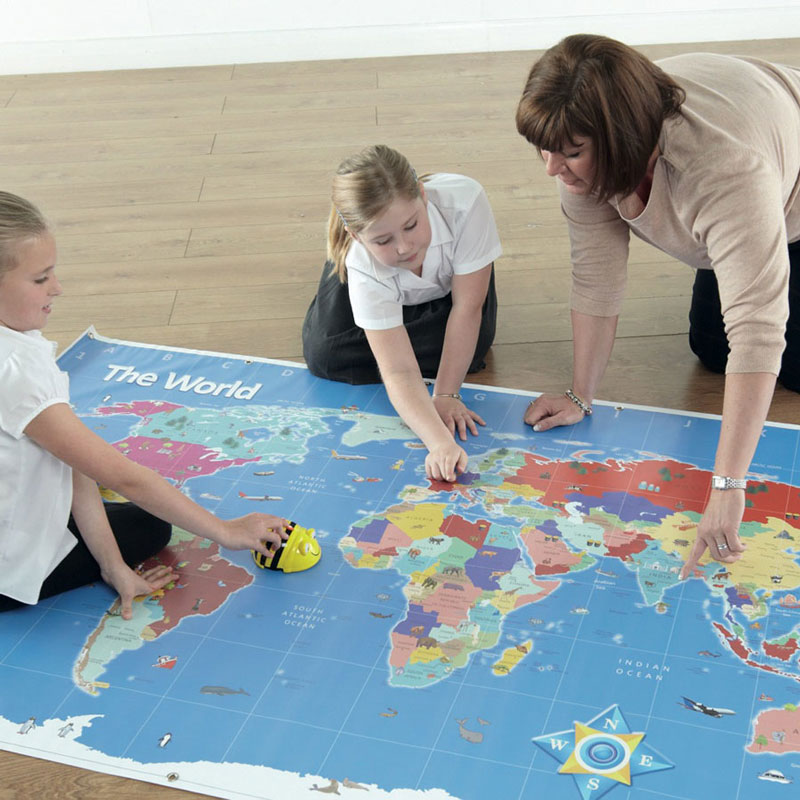
Travel the world and go on a voyage of discovery with Bee-Bot and the Bee-Bot world map! Contains information about the world, including the oceans, continents, countries and capital cities. Bee-Bot not included.
Enhance children’s knowledge of the world by combining map reading, directional learning and co-ordinate geometry and much more. The detail and colour makes these maps visually stunning and exciting. Large and medium maps are printed on hard-wearing vinyl with eyelets for hanging.
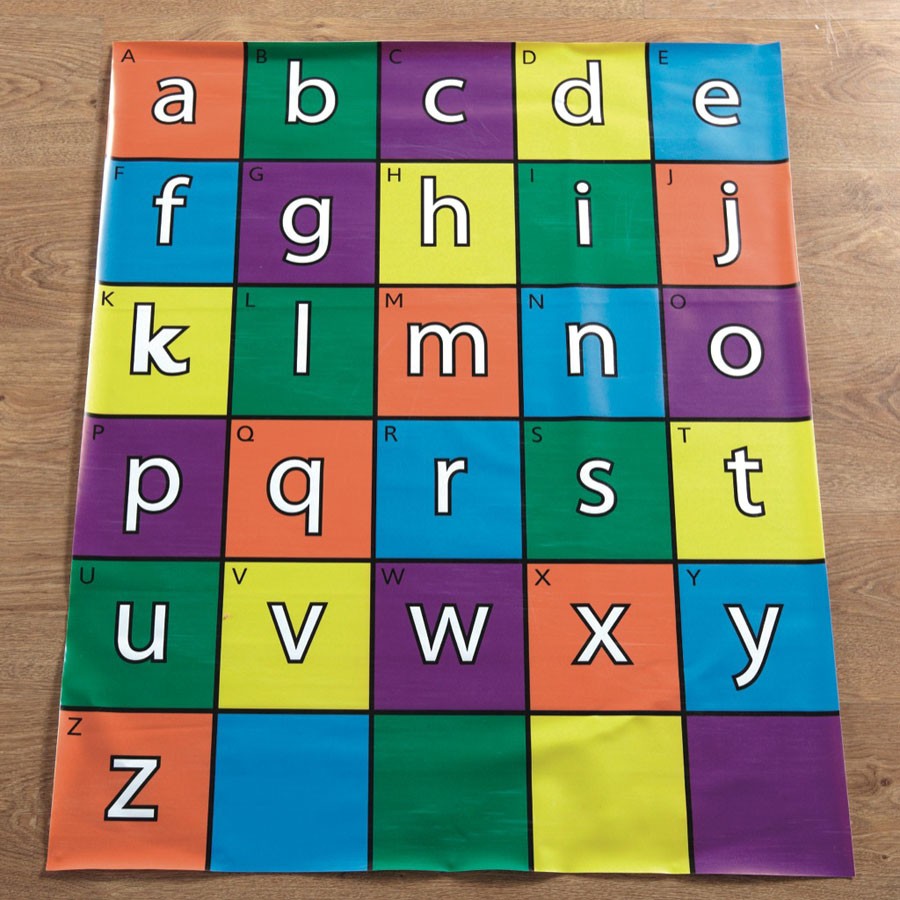
Bee-Bot/Blue-Bot Alphabet Mat
$53.64 ex GST
($59.00 inc GST)
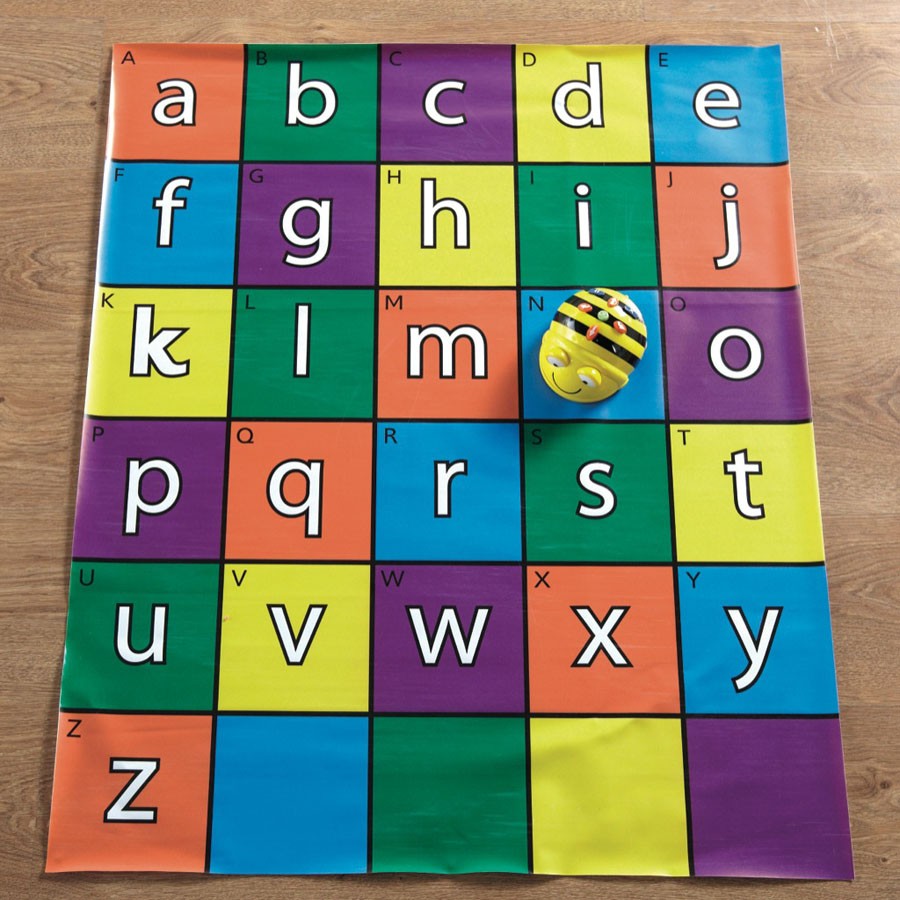
This Bee-Bot Alphabet Mat is an excellent way to learn literacy and ICT skills through play.
Brightly coloured upper and lower case letters.
Children can explore the alphabet whilst playing a range of literacy games.
Use this mat to help reinforce spellings and to help children to practice new words.
Size - 75 x 90cm
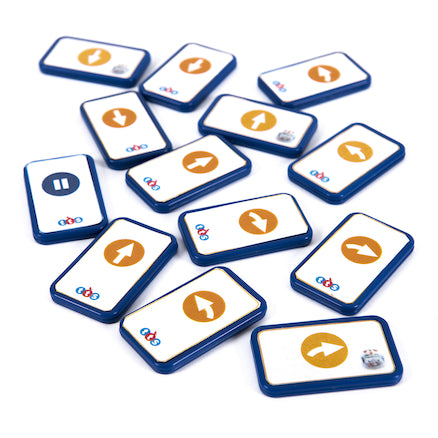
Blue-Bot/Rugged Robot TacTile Reader Standard Tile Pack
$99.09 ex GST
($109.00 inc GST)
Blue-Bot/Rugged Robot TacTile Reader Standard Tile Pack - If you need to replace some TacTiles for the Blue-Bot/Rugged Robot Programming TacTile Reader or you just want to have a larger selection, this pack is perfect!
Contents
Forwards x 8
Backwards x 8
Left (90°) x 4
Right (90°) x 4
Pause x 1
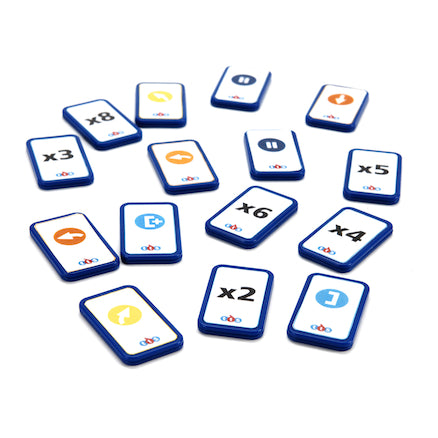
Blue-Bot TacTile Reader Tiles Extension Pack
$108.18 ex GST
($119.00 inc GST)
Blue-Bot/Rugged Robot TacTile Reader Tiles Extension Pack introduces extra functionality to the standard pack including 45° turns and repeats.
Using these, children can program Blue-Bot or Rugged Robot using the Blue-Bot/Rugged Robot Programming TacTile Reader to explore geometry and also create efficient algorithms.
Product Content
45° Left x 4
45° Right x 4
Repeat start x 3
2x Repeat x 2
2x Repeat x 1
4x Repeat x 2
6x Repeat x 2
8x Repeat x 2
Repeat end x 3
Pause x 2
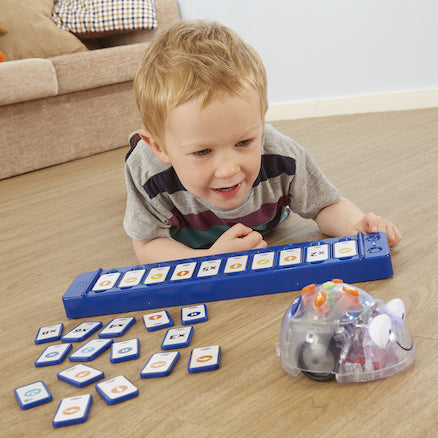

Blue-Bot/Rugged Robot Programming TacTile Reader
$253.64 ex GST
($279.00 inc GST)
Blue-Bot/Rugged Robot Programming TacTile Reader - A unique and extremely fun way to program Blue-Bot or Rugged Robot, place your instructions on the tile reader, press go and see Blue-Bot/Rugged Robot complete the program!
The tiles can be placed either portrait or landscape depending on how the child wants to lay out their program and if they want to debug their program, simply swap the tiles and press 'go' to try their program again. Connecting to a Blue-Bot/Rugged Robot couldn't be easier, turn Blue-Bot/Rugged Robot on, press connect on the Reader and wait for Blue-Bot's eyes to go blue to show it is connected!
Key features
Bluetooth connectivity
10 position slots
Rechargeable
Speaker for audible feedback
Connect up to three units together
25 TacTiles included
Compatible with both Standard and Extension tiles
Physically correct sequences and algorithms.
Blue-Bot
$253.64 ex GST
($279.00 inc GST)
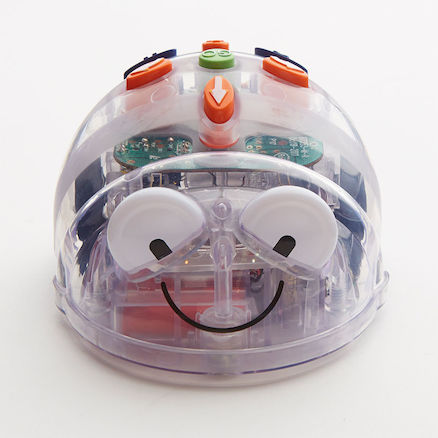
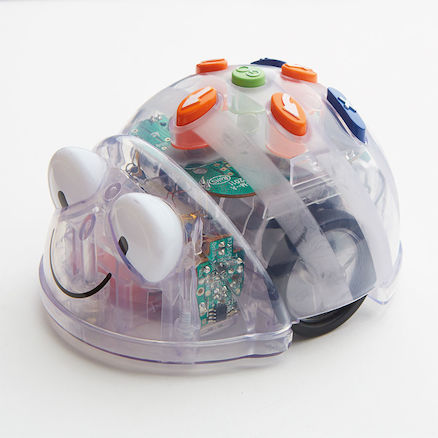
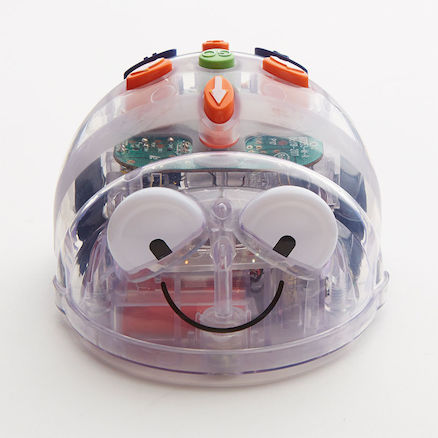
Blue-Bot is a perfect starting point for teaching control
And you can wirelessly control it with your tablet or PC.
Blue-Bot can now detect another Bee-Bot or Blue-Bot and say hello. They will play a default sound or the students can record their own. Students can also record audio to play back when each button is pressed, making it more accessible to all students, including those with auditory or visual processing needs.
Welcome to the future of programming in the classroom!
This innovative Bluetooth robot can be controlled using a tablet or PC/Mac whereby you create your program on screen, send it remotely and see Blue-Bot performs your program right before your very eyes! With a clear shell, children can see inside Blue-Bot and understand which components perform which duties, for example, where is the power stored? Using the app, BlueBot can now perform 45 degree turns alongside the traditional 90 degree turns which means children can program Blue-Bot to draw a variety of different shapes. The app has an explore mode which allows children to explore the wonders of programming whilst the challenges mode presents puzzles for the children to complete. You can still use BlueBot like your normal Bee-Bot, by programming on the robot itself. You can use your existing Bee-Bot mats with Blue-Bot and have an image of the mats on screen so you can replicate your program in real life. We have made classroom management as easy as possible by allowing you to rename each and every Blue-Bot to give it its own character. Blue-Bot’s Features:
Blue-Bot has a clear shell, which makes it possible to see the components inside Blue-Bot. Children can see its buzz!
Tablet or PC controlled floor robot
Program on the robot itself, or use the Blue-Bot app to program from a distance
Compatible with iOS and Android
Capable of performing 45 degree turns and you can also include repetitions in your algorithm
Rechargeable and fits on the standard Bee-Bot Docking Stations
USB cable provided for recharging
Compatible with your existing Bee-Bot mats
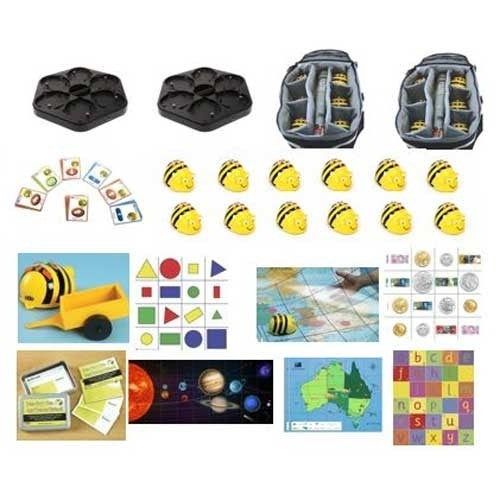
Blue-Bot Value Bundle
$3,635.45 ex GST
($3,999.00 inc GST)
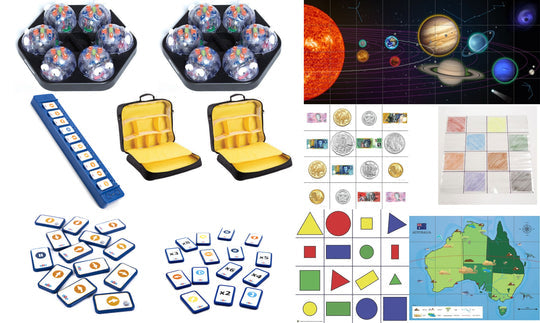
Boost learning and enthusiasm in a classroom with multiple Blue-Bots! The Value Bundle allows you to equip your classroom with Blue-Bots and accessories at a discounted cost over buying the items separately.
Take advantage of the volume discount offered by the Value Bundle to set up an exciting Bot environment in your classroom and boost the excitement and learning exponentially.
The Blue-Bot Value Bundle Includes
12 x Blue-Bot (new audio enabled and rechargeable model)
2 x Bee-Bot/Blue-Bot Charging Dock
2 x Bee-Bot/Blue-Bot Storage Hive Bag
2 x Blue-Bot TacTile Reader
1 x Blue-Bot TacTile Standard Pack
1 x Blue-Bot TacTile Extension Pack
1 x Bee-Bot/Blue-Bot Mat - Australia Map
1 x Bee-Bot/Blue-Bot Mat - Australian Currency
1 x Bee-Bot/Blue-Bot Mat - Shape, Colour & Size
1 x Bee-Bot/Blue-Bot Solar System Floor Mat
1 x Bee-Bot/Blue-Bot Mat - Transparent Grid
Bee-Bot Value Bundle
$2,362.73 ex GST
($2,599.00 inc GST)
The new and improved Bee-Bot is a perfect starting point for teaching control, directional language and programming.
Interact with other Bee-Bot's and Blue-Bot's Record audio to play back to confirm when commands are entered Audio playback when Bee-Bot follows commands Remembers up to 200 steps
This value bundle is a great way to bring Bee-bot into your classroom.
With bee-bots, accessories and mats... your Bee-bots will be buzzing in no time!
The Bee-Bot Value Bundle includes:
12 x Bee-Bot (new audio enabled and rechargeable model)
2 x Bee-Bot/Blue-Bot Charging Dock
2 x Bee-Bot/Blue-Bot Storage Hive Bag
1 x Bee-Bot/Blue-Bot Mini Sequence Cards
1 x Bee-Bot Mathematics Activities Box
1 x Bee-Bot Pusher
1 x Bee-Bot Pen Holder
1 x Bee-Bot/Blue-Bot Mat - Australia Map
1 x Bee-Bot/Blue-Bot Mat - Australian Currency
1 x Bee-Bot/Blue-Bot Mat - Shape, Colour & Size
1 x Bee-Bot/Blue-Bot Solar System Floor Mat
1 x Bee-Bot/Blue-Bot Mat - Transparent Grid
Bee-Bot Swarm
$953.64 ex GST
($1,049.00 inc GST)
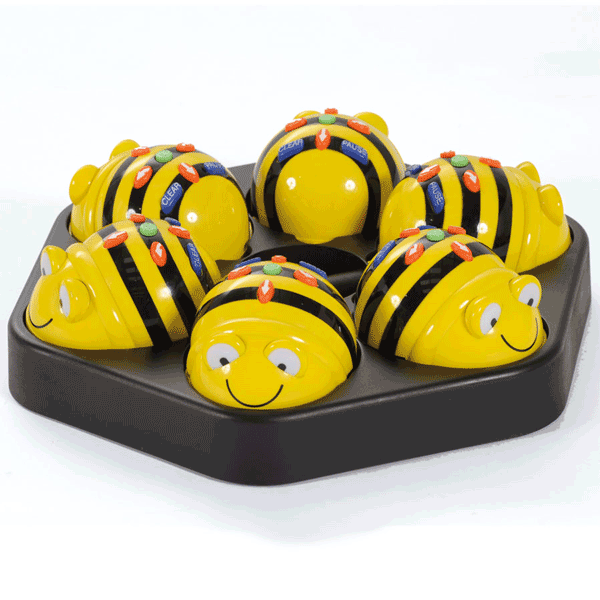
The Bee-Bot Swarm bundle includes 6 Bee-Bot's, the award winning programmable floor robot. The simple and child friendly layout is a perfect starting point for teaching control, directional language and programming to young children.
The new and improved Bee-Bot is a perfect starting point for teaching control, directional language and programming.
Bee-Bot can now detect another Bee-Bot or Blue-Bot and say hello. They will play a default sound or the students can record their own. Students can also record audio to play back when each button is pressed, making it more accessible to all students, including those with auditory or visual processing needs.
NO MORE batteries - NOW RECHARGEABLE!
The Bundle also includes the Bee-Bot Rechargeable Docking Station - an excellent storage device for a class set of Bee-Bots, it can be wall mounted with six docked Bee-Bots.
Features:
Great for young learners
Robust and small design
Clear and bright buttons
Ideal introduction to logic and thinking skills
Memory of up to 200 steps
No confusing degrees to program
Sounds and flashing eyes confirm your instructions
Moves accurately in 15cm steps at a time and turns in 90 degrees.
Swarm Bundle includes:
6 x Rechargeable Bee-Bots
1 x Rechargeable Docking Station
Lessons for Bee-Bot
$290.00 ex GST
($319.00 inc GST)
Bee-bot Lessons is a resource pack and CD of classroom tested Bee-bot activities and learning resources, licensed for use across the whole school.
Bee-Bot Lessons was developed by Cristy McBee, a kindergarten teacher in a technology rich laboratory classroom in Rock Springs, WY. Each of the lessons has been used and refined by both the author and her colleagues throughout the school district. Each is easy to implement and has been tested in the classroom. Bee-Bot Lessons comes with a license to copy the lessons and use them throughout a school site. They work well with students from pre-kindergarten through second grade.
Bee-Bot lesson cards
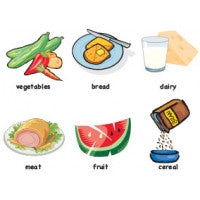
Bee-Bot Lessons comes complete with a CD containing nearly 1000 images carefully matched to the lessons, such as the ones to the left that support the lesson on food groups. These brightly-coloured images are especially appealing to young children.
Card MatThe images are organised into convenient PDF files. Each lesson specifies the file containing the images that support it, along with other suggested resources, most conveniently available at schools. Print the images, follow the lesson instructions, and set Bee-Bot off on a teaching adventure for your class! With lessons for math, science, social studies, reading, art, and more, Bee-Bot Lessons can be used throughout the day and throughout the year, incorporating technology across the curriculum.
Bee-Bot Card Mat
The Bee-Bot card mat is the perfect companion for Bee-Bot Lessons. The Bee-Bot card mat is a 6 by 6 grid with a clear plastic sheet on top. The grid is designed so that each square represents one Bee-Bot step. Lift the plastic sheet, place images from Bee-Bot Lessons or those you create on the grid, and lower the plastic sheet to lock them in place. With the grid as a guide, students use Bee-Bot to explore the subject or task represented by the images. The Bee-Bot card mat provides a durable and flexible learning station for Bee-Bot that can be used in all areas of the curriculum.
Problem Solving with Bee-Bot
$290.00 ex GST
($319.00 inc GST)
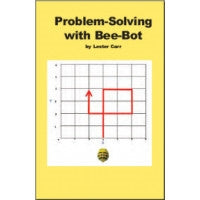
Problem-Solving with Bee-Bot includes a teacher manual with instructions and objectives and a CD with 150 student challenges, licensed for use across your whole school.
Problem-Solving with Bee-Bot is targeted at students in first through fifth grades. Challenges are based on a grid which takes advantage of Bee-Bot's 90 degree turns. Initial exercises challenge students to develop simple routes for Bee-Bot and can be used with younger students. Subsequent exercises have more complicated routes tied to cartesian coordinates on the grid, providing hands-on practice in understanding graphing and mapping. Additional challenges focus on prediction, logic, sequencing, and directions. Working together on challenges helps student develop communication and collaboration skills while testing their solutions with Bee-Bot provides a motivating experience in self-evaluation.
Problem-Solving with Bee-Bot includes a teacher manual with instructions and objectives and a CD with 150 student challenges. Challenges are self-contained on one page to be easily printed and distributed to students. Each challenge is self-contained with its goal and instructions. Students solve the challenge they are presented and then test their solution with Bee-Bot. Challenges are organized by type and level of difficulty, so teachers can match challenges to student experience and ability. Challenges that emphasize mapping, graphing, predicting, and sequencing are included along with a series of challenges that present increasingly complex Bee-Bot routes.
Problem-Solving with Bee-Bot was developed by Lester Carr, a 40-year public school veteran, who drew on broad experience introducing technology into the classroom to develop Problem-Solving with Bee-Bot. Bee-Bot's simplicity and ease and use were an inspiration to develop challenges that put the motivation, excitement, and learning potential of robot technology into the hands of elementary school students.
Bee-Bot Rechargeable Floor Robot
$162.73 ex GST
($179.00 inc GST)
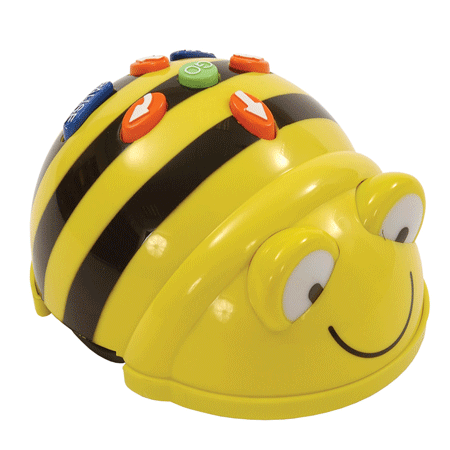
Introducing the BeeBot, The Award Winning Programmable Floor Robot
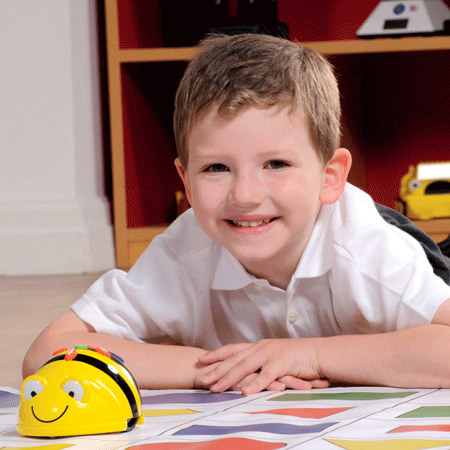
Designed for use by young children for the introduction of coding and considered communication skills, the Bee Bot is an entertaining, versatile, child- and classroom-friendly resource that is adaptable to both home and school environments. Suitable for kids of early learning, childcare and lower primary ages, the simple layout is a perfect starting point to teach control, directional language and programming too little ones. The playful nature of the Bee Bot encourages children to access the creative brain to enter more complex command sequences guiding them through each program of games and activities designed to improve skills in science, literacy and numeracy. Whether experimenting through trial and error or using their imagination to visualise the robot's movement prior to calibrating, this impressive programmable floor robot is the latest gadget to instigate innovation in today's young.
Bee-Bot is a perfect floor robots for teaching control & programming
Bee-Bot can now detect another Bee-Bot or Blue-Bot and say hello. They will play a default sound or the students can record their own. Students can also record audio to play back when each button is pressed, making it more accessible to all students, including those with auditory or visual processing needs.
The Ideal Classroom Pet
Do away with messy birds, stinky bunnies and pets that carry nasty germs! The Bee Bot can be an exciting, interactive and ultra-hygienic pet for your classroom. Obtain some of Bee Bot's separately sold, curriculum guides and accessories to make your Bee Bot an immersive and engaging teaching tool.
Fun, Versatile Shells
The vibrant design of the Bee Bot is interchangeable with a range of jackets available in Activity Tin Packs.
No More Batteries - NOW RECHARGEABLE!
Each Bee Bot device is now supplied with a USB lead and can either be recharged via your computer or a wall socket with a USB mains adapter (not supplied).
Features:
Great for young learners
Robust and small design
Clear and bright buttons
Ideal introduction to logic and thinking skills
Memory of up to 200 steps
No confusing degrees to program
Sounds and flashing eyes confirm your instructions
Moves accurately in 15cm steps at a time and turns in 90 degrees
Suitable for the home or classroom
Activities to improve numeracy and literacy
Improves children's communication skills
Bee Bot available to buy online in Australia

World Book Encyclopedia
from $25.42 ex GST
($27.96 inc GST)
CUSTOM LICENCES AVAILABLE ON THIS PRODUCT. PLEASE ADD TO QUOTE WITH YOUR REQUIREMENTS.
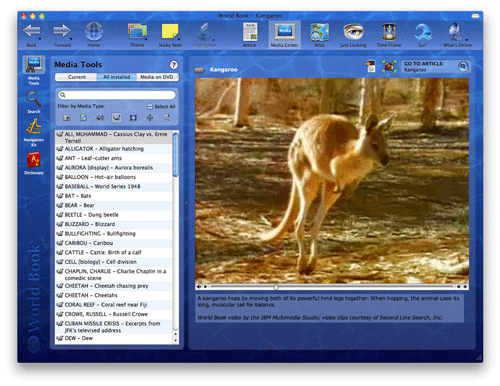
The wonders of our world are captured in this new edition of World Book. See how a killer tornado is formed. Witness the notorious Berlin Wall coming down. Watch cheetahs running seventy miles an hour. See how ancient Egyptians made mummies. The journey begins here.
Just Looking
The Just Looking area is where you'll find "the good stuff": Pictures of people and places that interest you - from Rock Stars to Explorers, Skyscrapers to Castles - all from the World Book Media Collection.
Just listening
You can experience true multimedia with coordinated sights and sounds from World Book's music and photo collections. Copenhagen provides an ideal backdrop for the Danish national anthem, as a farmer tending rice fields in Vietnam does for a Vietnamese folk dance.
Webcam
The next best thing to being half way across the world is to travel through the magic of Webcams. We have put together a collection of kid-safe Web cameras from around the world, which we update regularly. From the tranquil beauty of mountain panoramas to the bustle of urban jungles, watch life on our planet unfold before your eyes.
Articles
Every single article from the 22-volume print edition of the 2013 World Book Encyclopedia is included, plus eighty years of archived articles in World Book's online resources. And with automatic Article Updates you'll always be up to date!
Surf the Ages
In the simulated Web sites of Surf The Ages, even Joan of Arc has her own Web page. Century by Century from 3500 BC, see what the Web might have looked like, from the Black Plague Information Site, to the Leif Eriksen Fan Page.
Time Frame
Find all the media and articles related to a particular era such as the Renaissance or the American Revolution, or find out what happened the day you were born.
Trivia Challenge
Test and improve your knowledge with our Trivia Challenge game. It covers a wide variety of topics from history and literature to sports and space exploration, allowing you to match your wits against World Book and maybe discover something new along the way.
Movies
World Book offers hundreds of videos and animations, including historical footage and animal scenes. See and hear volcanoes erupting and bees making honey. Watch the Tacoma Bridge collapse. Witness the attack on Pearl Harbour.
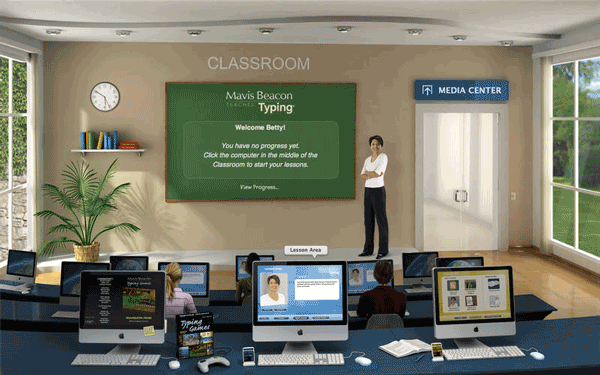
Mavis Beacon Teaches Typing International Edition
from $36.35 ex GST
($39.99 inc GST)
CUSTOM LICENCES AVAILABLE ON THIS PRODUCT. PLEASE ADD TO QUOTE WITH YOUR REQUIREMENTS.
SUPPLIED AS A DIGITAL DOWNLOAD
Mavis Beacon's avatar is so realistic that you'll think she's inside your computer, cheering you on. And there's plenty to cheer about in this new edition. User progress, scores, and settings can now be stored in iCloud for instant access from any computer with this version of Mavis Beacon installed, and Lion full-screen capability is completely supported.
Try out the optional Dvorak keyboard, used by the world's fastest typists. Type the lyrics of your favorite songs for practice while listening to your iTunes playlists. Get smarter while you practice typing up-to-the minute news feeds. Type an entire novel for practice, with the full text of dozens of classic novels, from Treasure Island to Les Miserables.
Take a break with 17 gorgeous high-resolution action typing games, the most games ever in a Mavis Beacon edition. Set up automatic iCal reminders to make sure you get in the practice time you need, up to three times a day. Also includes personalised progress reports, dictation practice, a custom lesson creator, ergonomic videos, posture exercises and much more.
Features
More RSS Feeds
Keep your finger on the pulse while you practice your typing with four times as many up-to-the minute news feeds as before. Type today's weather forecast from The Weather Channel, the latest science report from NASA, or the top news stories from BBC News — you'll be a smarter and wiser typist for it!
Even more games!
With seventeen gorgeous typing games, including the new Ragtime Rhythm, this Mavis Beacon has more games than ever before.
Mavis Avatar
The world's number one typing instructor comes alive in this new edition when she speaks to you as an avatar during your typing lessons.
Export Creature Movies!
Create an animal or a fantasy creature in the Creature Lab Game, then export it as a QuickTime® movie to post on the Web or send to a friend. Typing practice was never this much fun!
Track Your Progress. Chart Your Success!
Mavis Beacon tracks your progress step by step and points out the keys you need to concentrate on. And when you pass a major typing milestone you can print out a certificate from the Mavis Beacon Institute.
Twice as many classic novels
We've added the full text of even more classic novels to keep you engrossed as you type — from Around the World in Eighty Days to Moby Dick. Bookmarks are placed automatically as you pause or stop the lesson, so you can always find your place right away.
Song Lyrics Practice
Practice typing the lyrics from your favorite music while you listen to the same songs in your iTunes® playlists!
Dvorak Keyboard
We think August Dvorak would be mighty pleased that the keyboard he introduced in 1936 would be used by the world's fastest typists. Now you can try out the Dvorak keyboard too - as an option to the traditional QWERTY keyboard in this new edition.
iCal® Reminders
Now you can easily set up automatic reminders in iCal to make sure you get in the practice time you need - up to three times a day!
Floating Typing Gauge
Measure your typing speed in any application with this new floating menu bar utility.
System Requirements
Minimum System Requirements
System - Mac OS X 10.2.8 or later, including OS X 10.9 "Mavericks"
Processor - G3 350 MHz or faster, including all Intel Macs
Memory - 512 MB RAM
Display - 1024x768, Millions of Colors
Free hard disk space - 740 MB
CD-ROM drive - For installation only
Mavis Beacon Teaches Typing Ultimate Edition includes:
QWERTY and Dvorak keyboard layouts
Individually tailored lessons as skills grow
More than 1000 text passages for practice
Dictation and transcription exercises
Ergonomic videos and posture exercises
Curriculum map, reports, and certificates
17 typing games including 3 network games
Custom Lesson Designer using your own text
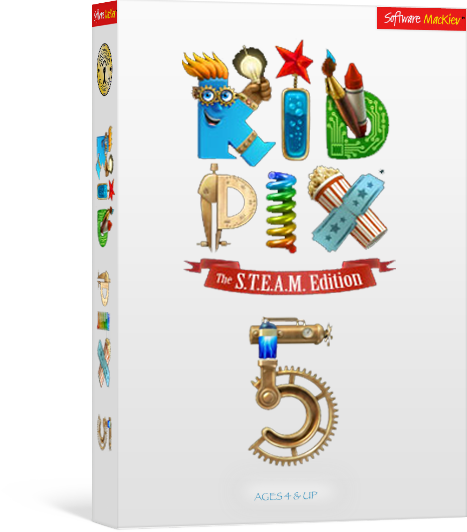
Kid Pix 5
from $45.45 ex GST
($50.00 inc GST)
CUSTOM LICENCES AVAILABLE ON THIS PRODUCT. PLEASE ADD TO QUOTE WITH YOUR REQUIREMENTS.
The new STEAM edition of KID PIX enters a world where art and science reunite and critical thinking meets creative making.
Young artists can now transform their digital stories and adventures into interactive digital art, science and math projects with the help of STEAM activities tailored to suit the needs of your ingenious young innovators.
New button actions enable students to design interactive quizzes or create a learning game. Using a variety of animated costumes and their own recorded videos, students can star in their documentaries or talk to an animated character who shares the screen.
Features
NEW! Interactivity
New button actions enable students to design interactive quizzes
NEW! Voiceovers for slide shows
Record a full narration for your entire slide show, or give voices to the characters in your animated story.
Path Gestures
Rotating and resizing stickers, animations, movies and text while moving along a path is as simple as pinching and dragging, making it easy for characters to hop, jump and fly around the screen.
Create Stickers
Students can use the new Sticker Maker tool to create their own stickers out of anything they see or draw on the screen. Stickers are not automatically flattened to the background so they can be resized, rotated, flipped and assigned a path.
Collaborative Video Narration
Two students using the iPad’s built-in dual-view camera can create a video narration for their story, and add animated costume frames that let them not only tell their stories on screen, but appear as characters in them as well.
Interactive Tappable Objects
No longer bound to a linear model, students can create interactive characters that tell their story when tapped, sing a song, play a musical note, make an odd noise, or just fly off the screen.
Layer Tools
Students will learn simple layering concepts (move to front, sent to back, etc.) with the new Layer Tools in the Grab Tools area. Combined with the 3D characters and 3D backgrounds, they can now begin to explore the relationship of scale and perspective.
Presentation Creator
Slide shows and stop-action flipbook movies can be assembled on the same screen as the paint canvas with the new Slide Tube, including setting transitions, slide duration, music tracks and how tot advance to the next slide.
Mac OSX Edition
System
OS® X 10.10.5 or later, including macOS 10.13 High Sierra
Hard drive space
4.2 GB
Display
1024 x 768 display resolution, millions of colors
Built-in or external video camera
For recording video and taking photos
Microphone
For Sound Art Tools and recording narration
Internet connection
For publishing to YouTube™
DVD drive
Only if installing from a DVD
Windows Edition
System
Microsoft® Windows 7 SP1 or later, including Microsoft Windows 10
Processor
2 GHz Intel™ 2 Duo processor or equivalent
Memory
2 GB RAM
Free hard disk space
4.2 GB
Display
1024×768, 32-bit color or higher
Built-in or external video camera
For recording video and taking photos
Sound card
For sound and video playback
Microphone
For Sound Art Tools and recording narration
Internet connection
For publishing to YouTube™
DVD drive
Only if installing from a DVD
Kai's Clan CREATE Activity Mat
$395.00 ex GST
($434.50 inc GST)
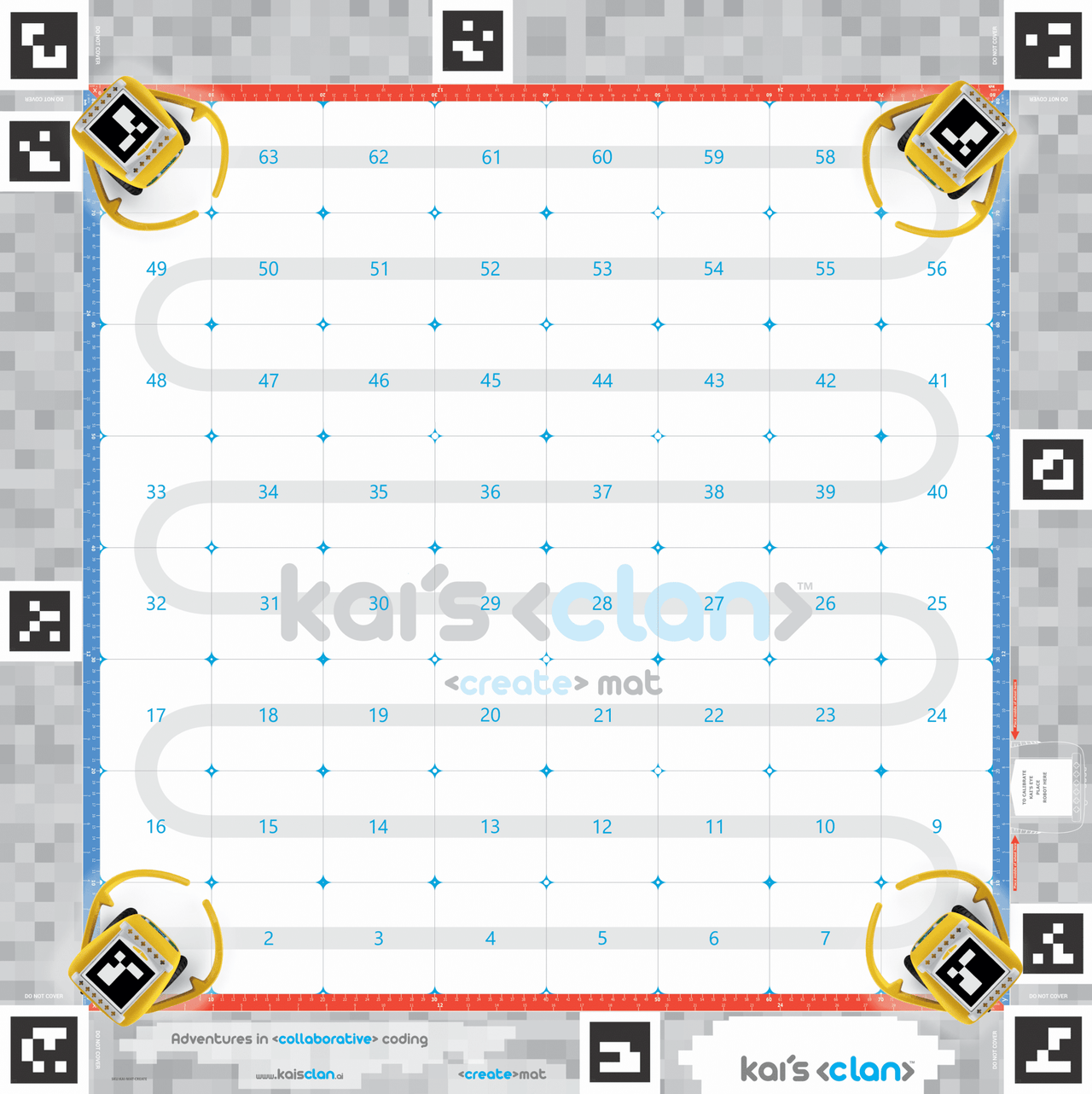
The Create Activity Mat gives students the freedom of creation in the classroom to solve problems associated with science, technology, engineering and mathematics (STEAM) teaching and learning. Overlay your own designs to incorporate into your own lessons. Includes premium 3D, AR, and VR content. Does not include AR VR content.
This high quality neoprene mat is designed for classroom use. It is easy to clean, durable and folds away neatly without creasing. Access a wider selection of coding lessons or even create your own!
Note: This mat does not include AR or VR content.
Material: Neoprene
Size: 980mm x 980mm
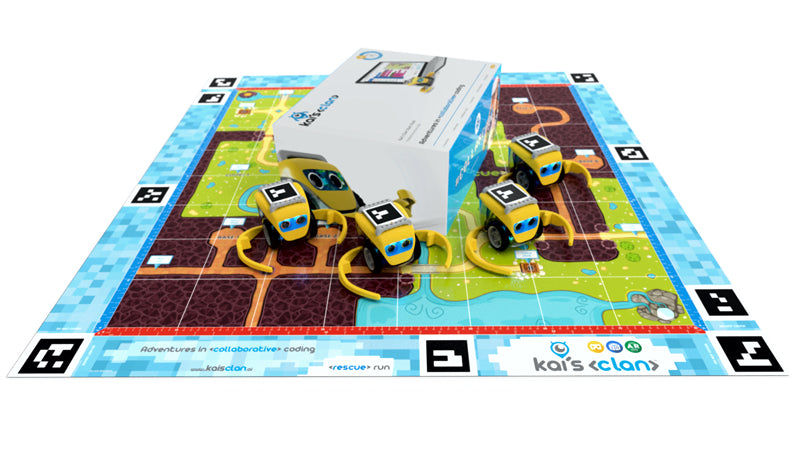
Kai's Clan 4 Robot Start Pack
$1,359.00 ex GST
($1,494.90 inc GST)
Rescue Run AR & VR Adventure Mat with dragons, knights and capture the flag battles!
Kai’s Clan is so much more than just a yellow robot! A place where the physical and the virtual worlds merge to become an interactive learning playground.
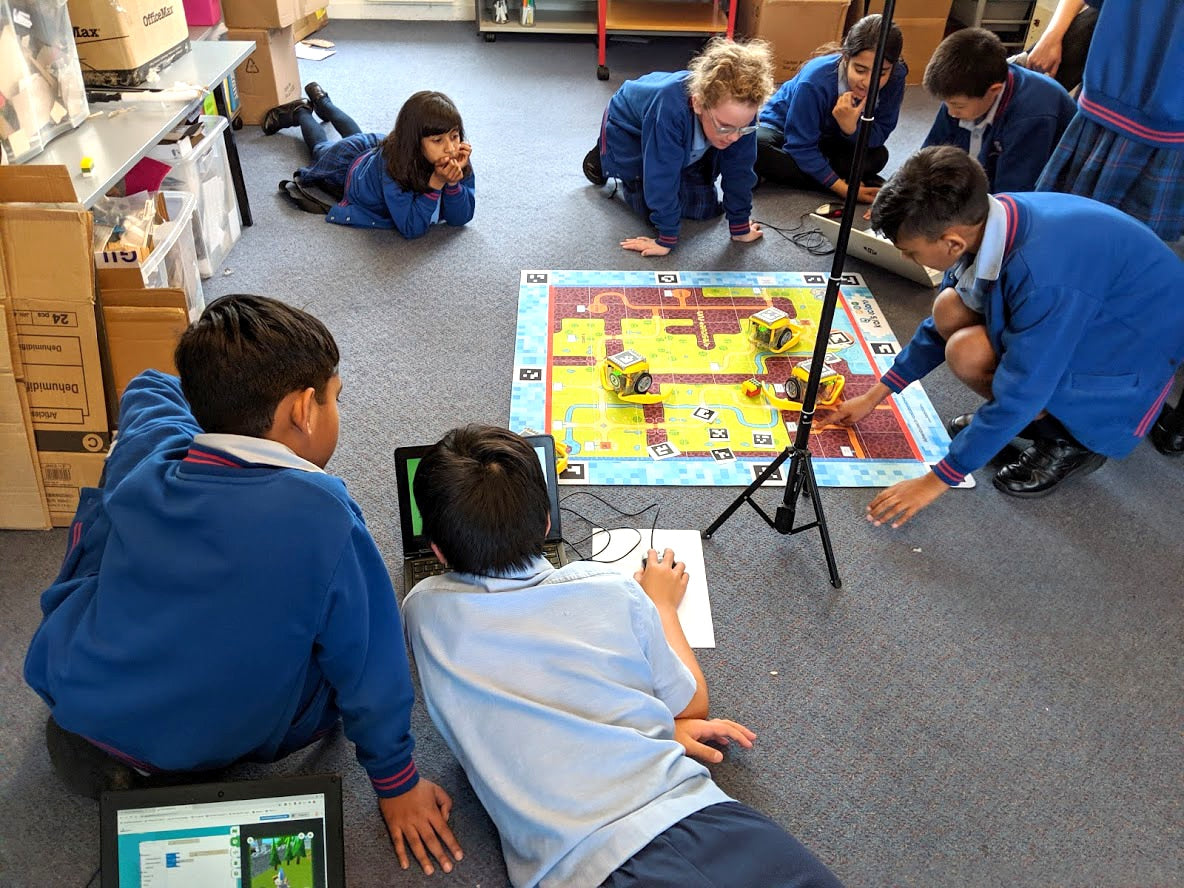
Students code their robots to navigate the mat in real life, in real-time, wherever they are in the world. At the same time their 3D characters collaborate in a virtual environment.
Kai’s Clan breaks the traditional geographical barriers to bring kids from around the world together and allow them to solve challenges in exciting new ways.
You can start this learning revolution today, with Kai's Clan.
Create your own AR / VR worlds
Build 3D environments using Minecraft or Tinkercad
Kai’s Clan’s newest feature allows students to create their own Robot avatars in Tinkercad or Minecraft. Used for storytelling, students create their own Minecraft hero and when they code their Kai robot to move around, the Robot 3D avatar also moves around the virtual world.
Create 3D environments that align with the lessons you teach and then view your lesson in AR or VR!
Multiplayer coding
Make coding a team sport
Students work together to solve real-world problems, whether within the same classroom or with someone on the other side of the world, using multiplayer Scratch/Blockly coding.
Virtual Reality
Create interactive virtual environments
Let your students create & jump into the driver’s seat of a rover on Mars, a forklift in a busy warehouse, or the pilot’s seat in a plane high over a thriving metropolis.
Augmented Reality
Expand what is possible in the classroom
Make, create and enrich your student’s learning with Kai’s Augmented Reality. See your code come to life in an interactive learning playground.
What's included
4x Kai Robots (rechargeable batteries included – 4 hrs play with 1 hr fast charge time)
1x Rescue Run AR VR Adventure Mat (1 x 1 meter tough & durable neoprene)
1x Smartphone Tripod (smartphone for tracking robots not included)
Kai Bit Sensor Pack Includes: Temperature, Humidity, Motion, LED, Button, Infrared receiver, Infrared remote,
LED Matrix, Potentiometer, LED Strip
4-way USB Charging Cable
Sticker Pack
Kai’s Coding Cards Packs
Quick Start Guide
Various spare parts
Kai’s Eye Robot Tracker app available for download in the Google Play or Apple App stores.
Kai’s AR VR Virtual Viewer app available for download in the Google Play or Apple App stores.
Plus includes over 35 education lesson plans
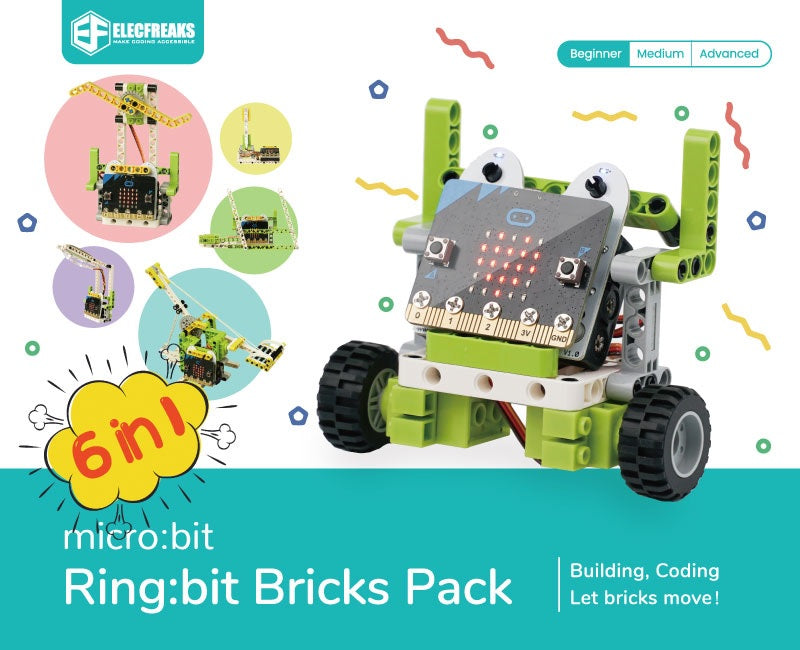
Ring:bit Bricks Pack
from $70.00 ex GST
($77.00 inc GST)
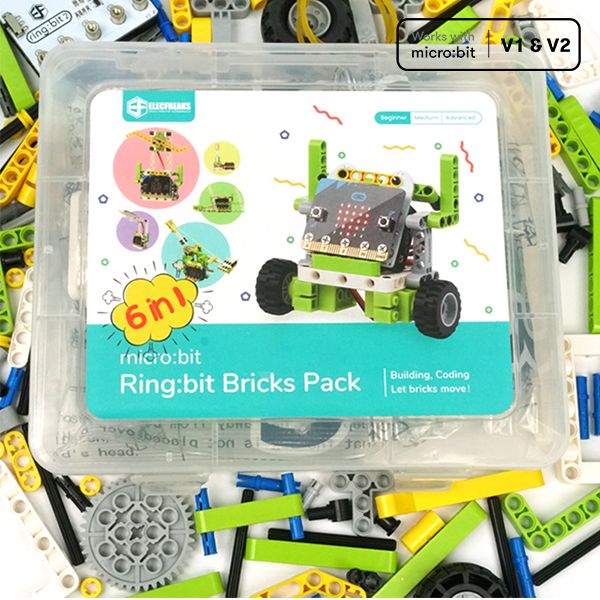
Based on the Ring:bit V2 from Elecfreaks, the micro:bit Ring:bit Bricks Pack contains 360 degrees servos, the LED strips and almost 200 brick pieces. Together with the well-designed assembly instructions and projects, it makes the students learn how to code as well as how to build blocks in an interesting way. Let’s start building our kits with the 6 included project ideas!
PLEASE NOTE A MICRO:BIT IS REQUIRED AND SOLD SEPARATELY. PLEASE CHOOSE CORRECT OPTION CAREFULLY WHEN ORDERING THE Ring:bit Bricks Pack IF YOU REQUIRE A MICRO:BIT
6 Projects to start you off include:
Traffic Lights
Bricks Car
Temperature-controlled Fans
Smart Desk Lamp
Wipers
Trebuchet
The Ring:bit expansion board is a simple PCB for the micro:bit. The Ring:bit extends the micro:bit’s 3 GPIO ports. We will use this module to convert the P0/P1/P2 port to the common GVS port. It can be loaded with 3 pieces AAA batteries to drive the car or other accessories.
micro:bit Smart Science IoT Kit
from $100.00 ex GST
($110.00 inc GST)
PLEASE ALLOW 21 DAYS FOR DELIVERY
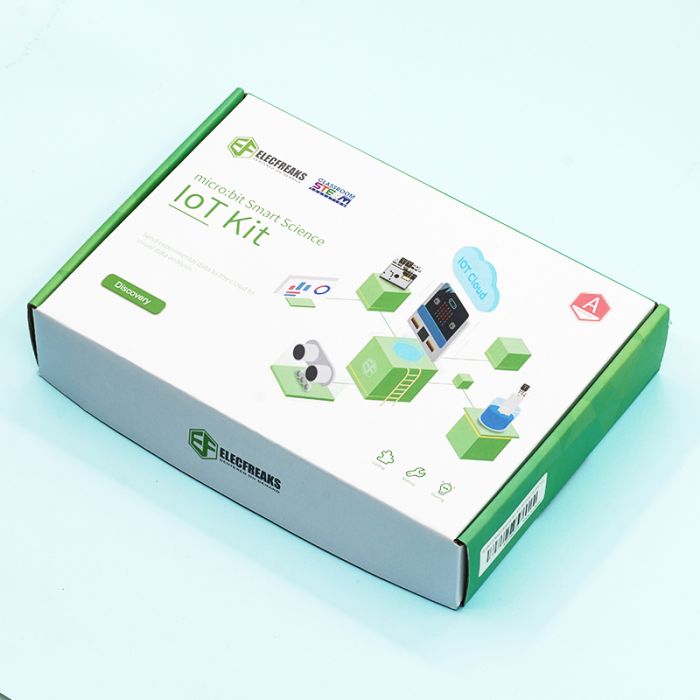
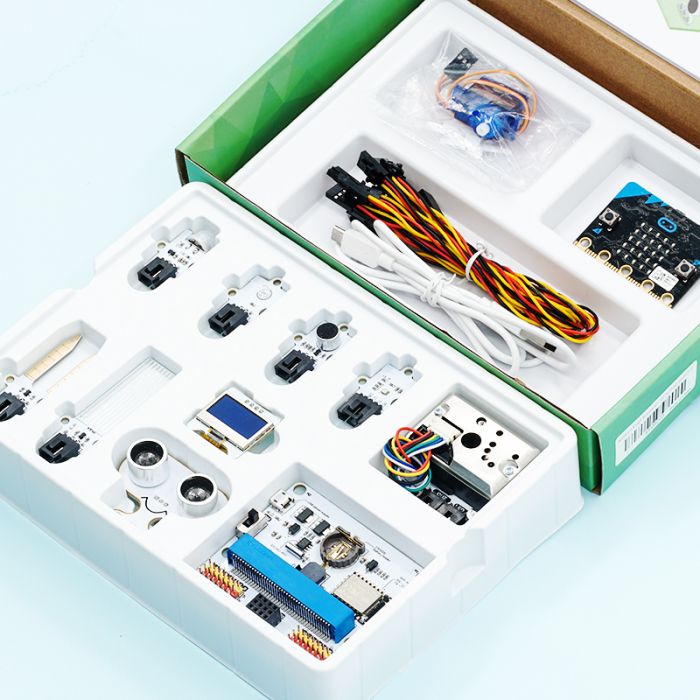
ELECFREAKS micro:bit Smart Science IoT Kit is developed based on loT:Bit, a new breakout board compatible with science sensors such as the ultrasonic sensor, dust sensor, light sensor and water level sensor, including RTC Timing and WIFI module. You can gather data via the sensors and send data to the cloud with more stable and accurate data analysis.
PLEASE NOTE A MICRO:BIT IS REQUIRED AND SOLD SEPARATELY. PLEASE CHOOSE CORRECT OPTION CAREFULLY WHEN ORDERING THE micro:bit Smart Science IoT Kit IF YOU REQUIRE A MICRO:BIT
What's in the box:
IoT:bit
OLED
BME 280
PIR sensor
Light sensor
Noise sensor
Water level sensor
soil moisture sensor
Sonar:bit
Dust sensor
180° servo
motor:bit Smart Car Kit
from $50.00 ex GST
$73.77 ex GST ($55.00 inc GST)
$73.77 ex GST ($55.00 inc GST)
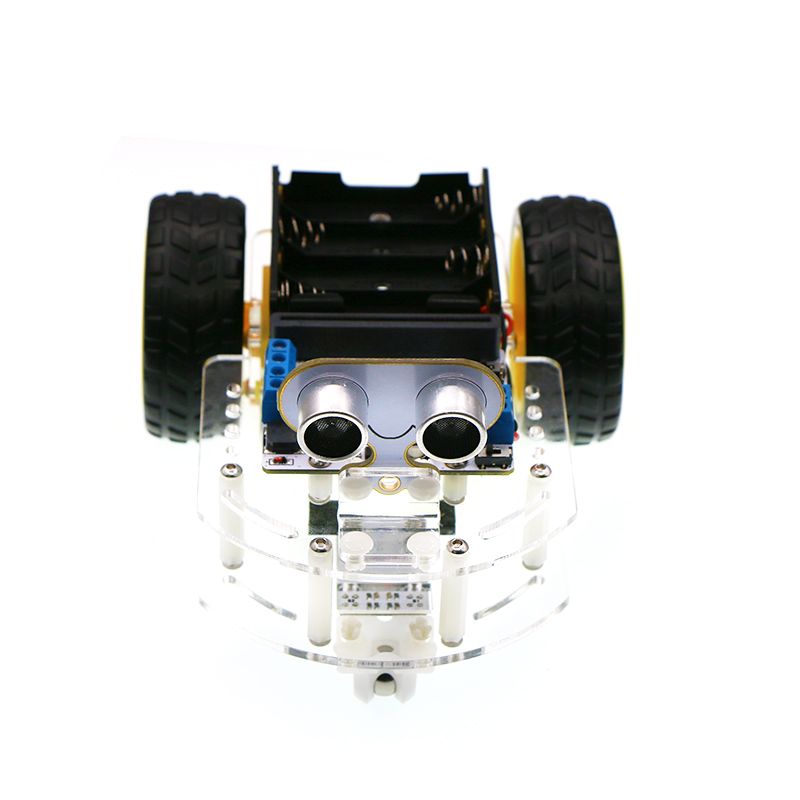
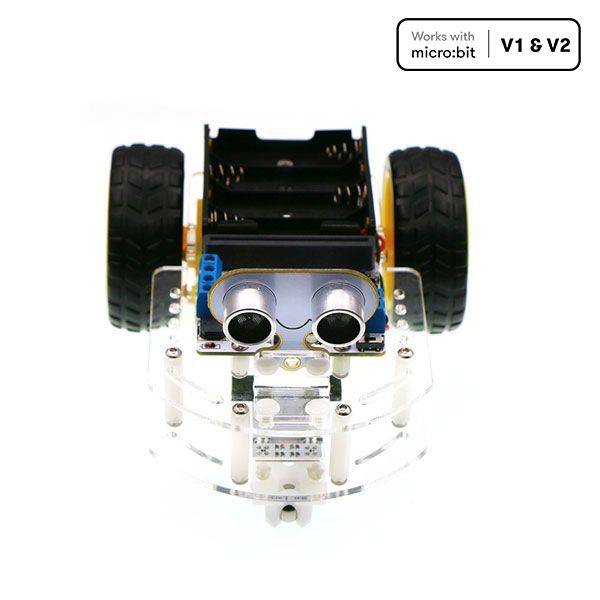
The motor:bit Smart Car Kit is a tailor-made smart car for micro:bit and motor:bit.
This kit includes a motor:bit, sonar:bit and 2 line tracking modules. You can use this kit to DIY a micro:bit two-wheel smart car.
PLEASE NOTE A MICRO:BIT IS REQUIRED AND SOLD SEPARATELY. PLEASE CHOOSE CORRECT OPTION CAREFULLY WHEN ORDERING THE motor:bit Smart Car Kit IF YOU REQUIRE A MICRO:BIT
Features
Small size with compact structure.
Reserve sensor connectors.
Projects
Fixed Parking
Keep Distance
Line Tracking
Avoid Barrier
Remote Control
Bluetooth Control
What's in the Box
1 x motor:bit
1 x Acrylic Smart Car Chassis Kit(include TT motor)
1 x Line Tracking Module
1 x Sonar:bit
Ring:bit Car v2 for micro:bit
from $23.64 ex GST
$33.86 ex GST ($26.00 inc GST)
$33.86 ex GST ($26.00 inc GST)
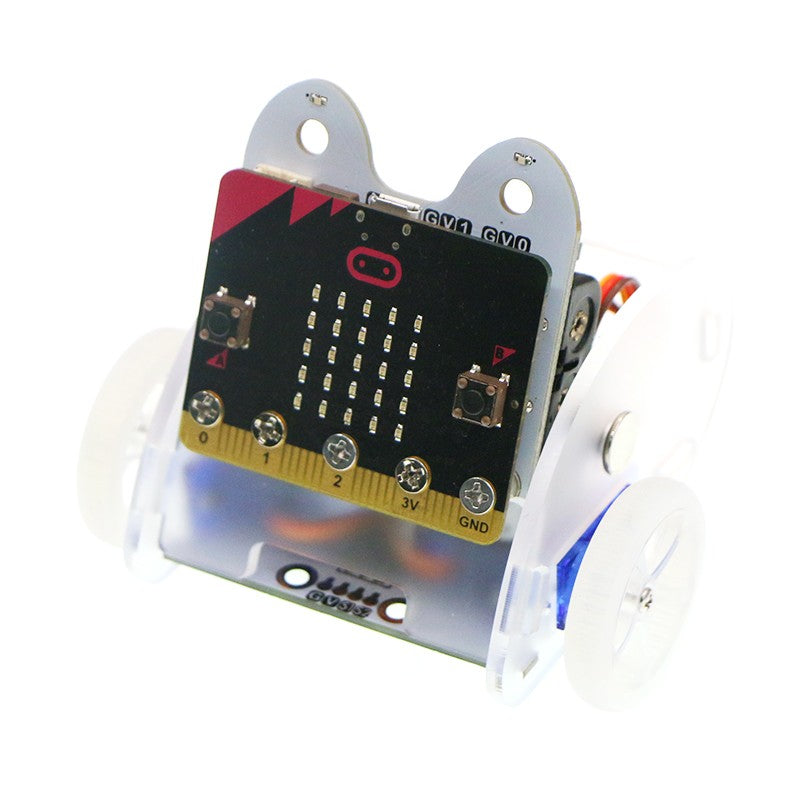
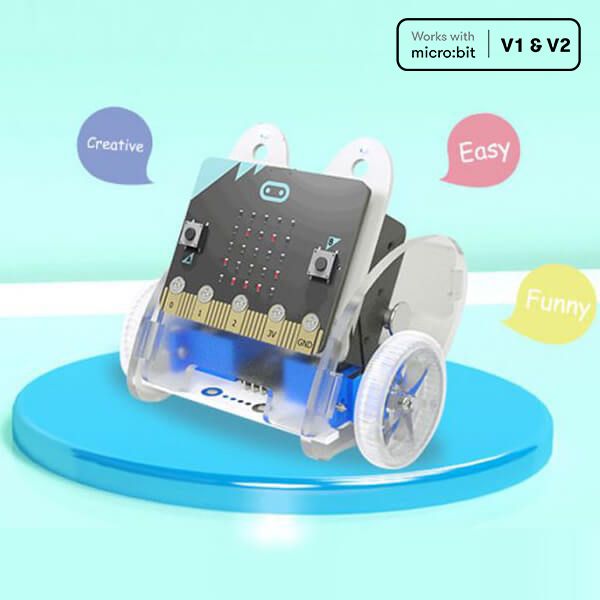
The Ring:bit Car Version 2 is a small DIY smart car driven by the BBC micro:bit and the ELECFREAKS Ring:bit. The Ring:bit extends the micro:bit's 3 GPIO ports and allows for different sensors and components to be easily attached to the micro:bit.
A basic Ring:bit Car can be easily programmed to run autonomously, with a remote control, and even create rainbow beacons of light. Just add one of the many extensions available and your Ring:bit Car can do even more things like line and light following, obstacle avoiding, drawing and more!
PLEASE NOTE A MICRO:BIT IS REQUIRED AND SOLD SEPARATELY. PLEASE CHOOSE CORRECT OPTION CAREFULLY WHEN ORDERING THE Ring:bit Car IF YOU REQUIRE A MICRO:BIT
What's in the Box
Ring:bit Expansion Board (Batteries required 3 x AAA)
Ring:bit Car Expansion Board
Ring:bit Car Front Board
Ring:bit Car Back Board
Ring:bit Car Base Board
Ring:bit Car Side Board x 2
Ring:bit Car Wheel x 2
Binding Post
360° Servo x 2
Castor Wheel
Screw x 5
Tapping Screw x 5
Rivet x 2
Screwdriver x 1
Rubber Band x 1
micro:bit Smart Home Kit
from $88.00 ex GST
($96.80 inc GST)
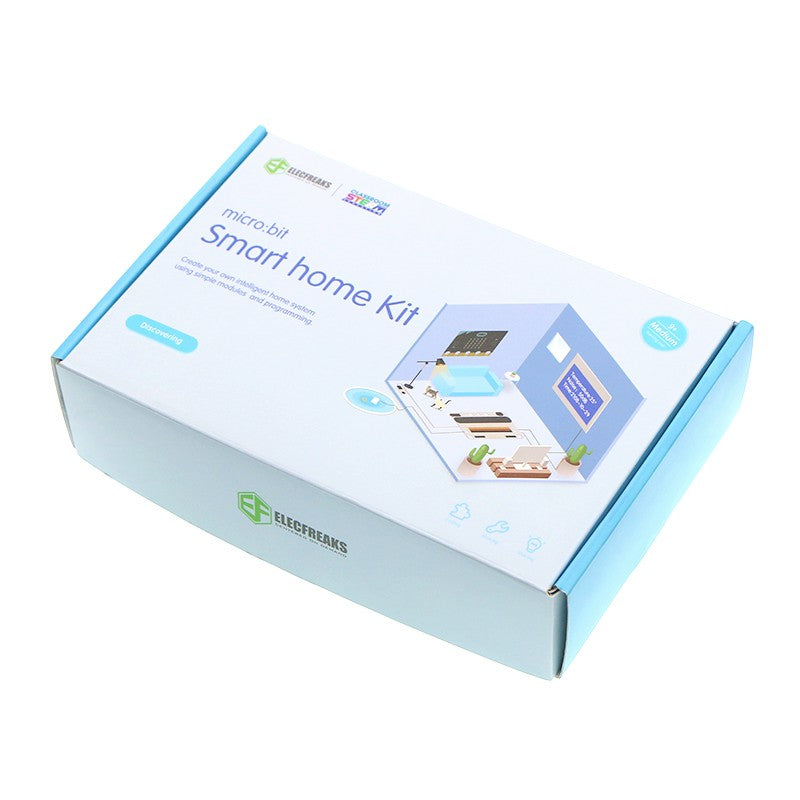
The micro:bit Smart Home Kit is designed to help you get started with exploring the world of electronics with a focus on home automation. Simply speaking a “Smart Home” is a home equipped with the lighting, heating, cooling, visual, sound appliances, miscellaneous electronic devices that can be controlled remotely (and automated) by a smartphone or a computer. A “Smart Home” usually allows for automation of simple tasks (e.g. turning lights on only when someone enters the room, checking if your plant needs watering and turning on the water supply for a brief instant, turning off all the lights in the house at a predefined time at night, etc.) with a view to increasing efficiency (reducing consumption, cost of energy, etc.) and allowing for easier access to controls (for the given appliance).
It’s this combination of software, smart hardware (e.g. lights that can sense humans and turn on) combined with automation capability and integration with other smart devices allows us to build such “Smart Homes”. These days “Smart Home” controls (e.g. switches, sensor readings, etc.) are made available over the internet increasing the accessibility to controls and allowing home owners to control their appliances sitting anywhere in the world. Get started with your own STEAM learning journey using the micro:bit Smart Home Kit.
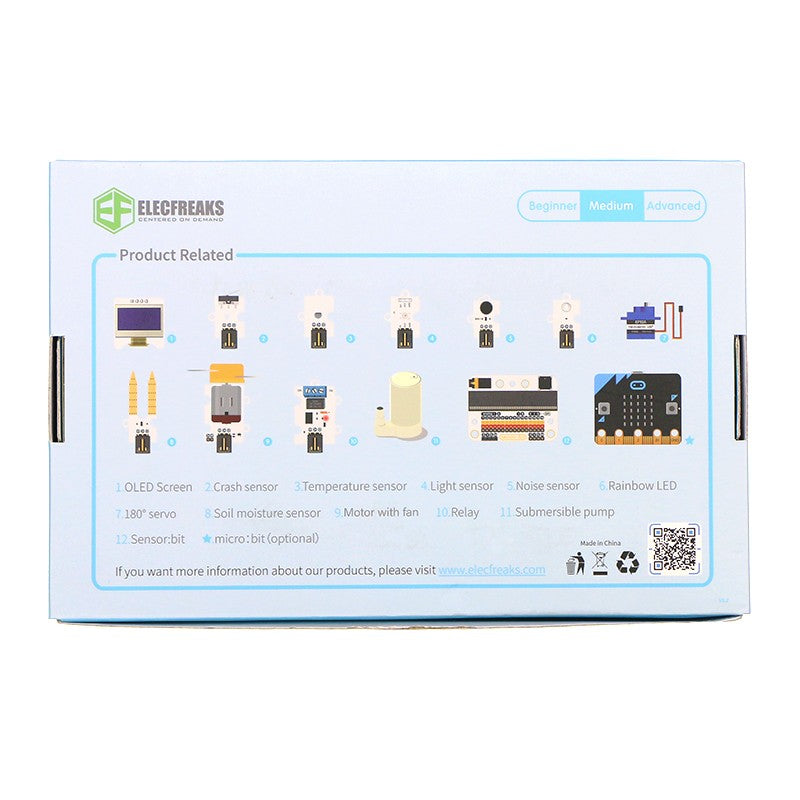
The micro:bit Smart Home Kit comes packed with 11 easy to use sensors (OLED screen, noise sensor, light sensor, relay sensor, soil moisture sensor, crash sensor, etc.) and includes the ElecFreaks sensor:bit. The Sensor:bit is a breakout board based on micro:bit. It has extended all available IO ports on micro:bit, and lead out them in the form of GVS. With this board, we can extend various 3V electric brick modules like LED light, photocell, etc. On the board, it has integrated a buzzer and an audio jack, which allows us to hear music from the buzzer or with a headphone.
With the micro:bit Smart Home Kit you will challenge yourself in many different ways, gain experience working with each of the electronic components and learn concepts around Smart Home, IoT (Internet Of Things) and Home Automation. The micro:bit Smart Home Kit is a great way to dive into the awesome world of electronics and get started with your own STEAM learning journey.
PLEASE NOTE A MICRO:BIT IS REQUIRED AND SOLD SEPARATELY. PLEASE CHOOSE CORRECT OPTION CAREFULLY WHEN ORDERING THE micro:bit Smart Home Kit IF YOU REQUIRE A MICRO:BIT
Projects
Voice activated lights
Smart fan
Auto windows
Smart wardrobe
Water level Alarming
Smart tele-control door opener
Smart decibel tester
Simple spirometer
Lie detector
Simple alarm box
Intruder detection system
What's in the Box
3V sensor:bit
OLED Screen
Crash E-Blocks
TMP36 temperature sensor E-Blocks
Rainbow LED E-Blocks
Simulation noise sensor E-Blocks
Light sensor E-Blocks
Soil moisture sensor E-Blocks
Relay E-Blocks
DC motor E-Blocks
180° servo E-Blocks
Submersible pump E-Blocks
Screw driver
USB Cable
Crystal Battery Box (Batteries required 2 x AAA)
Smart home kit manual book

Sphero Golf Mat
$218.17 ex GST
$227.26 ex GST ($239.99 inc GST)
$227.26 ex GST ($239.99 inc GST)
Sphero Golf Mat - Incredible Vinyl Floor Mat
Designed for Sphero SPRK+, Sphero Mini, Sphero BOLT and Sphero BOLT+.
An incredible vinyl floor mat (1220mm x 2010mm) with 6 reversible golf hole maze activities that links coding across the curriculum with the Sphero.
Sphero Golf Mat Features
Part of the amazing and extensive range of Sphero activities, the Sphero Golf Mat is a special edition mat with 6 reversible golf hole mazes which means that there are 12 challenging activities in total on the mat. Every child with their Sphero can connect to the Sphero Edu app, which is available to be downloaded from the Apple Store, Google play, and the Chrome Web store. Once downloaded, the Sphero will connect automatically via Bluetooth connection (so make sure you have your Bluetooth switched on). All angles, geometry, functions and designs have been carefully constructed to strengthen children’s coding and computational thinking ability through a reliable trial and error process.
For a handy, suggested algorithm to work along with in solving the first hole, check out the Sphero Golf Mat – Hole 1 program on the Sphero Edu app!
How to use your Sphero Golf Mat
The way you should use the Sphero Golf Mat is with 2 groups of 2 pupils, at any one time, each with a Sphero in their possession. Ensure that the Sphero Golf Mat is laid down on somewhere flat in the classroom or home for optimal usability. Students have to program their Sphero from one golf hole, along the carefully designed, complexly shaped fairways to the respective holes at the end of them.
For students who are aged between 8 to 16 , they should employ the use of a Blocks or Text project in the Sphero Edu app. This allows them to fully explore each reversible hole maze, promoting further learning about speed, distance, time, angles and bearings.
To get twice the challenge, try figuring out each of the courses backwards!

Sphero Activity Mat 2
$218.17 ex GST
$227.26 ex GST ($239.99 inc GST)
$227.26 ex GST ($239.99 inc GST)
Sphero Activity Mat 2 Features
Designed for: Sphero SPRK+, Sphero Mini, Sphero BOLT and Sphero BOLT+.
The Sphero Activity Mat 2 is aimed at students aged 8 to 16 and really pushes their ability and knowledge in problem solving, computational thinking and mathematical concepts. There are 4 complex mazes that are reversible which means that there are 8 activities on the mat. 4 groups of 2 pupils can work on the mat at any one time, each with a Sphero.
All children with the Sphero are able to connect to the Sphero Edu app, available for them to download on most devices from the Apple Store, Google Play, and Chrome Web Store. This will enable the Sphero to connect automatically via a Bluetooth connection, in which it can then be remotely controlled. Once in use, they will traverse pathways with geometric angles and problems that have been designed to build the child’s understanding of coding and computational thinking.
How to use Sphero Activity Mat 2
For proper usage, make sure the Sphero Activity Mat 2 is placed upon somewhere completely flat in the home or classroom, to ensure no bumpy variables that weren’t accounted for get in the way. Students should place the Sphero at ‘Start Here’ at the beginning of each maze and program it to move to the centre of the mat. Students can extend the challenges by programming the Sphero from the centre of the mat back to the beginning of each maze. Students should use a Blocks or Text project in the Sphero Edu app.
Once they get the hang of things, students can then lay down their Sphero devices together and race along the track.


Sphero Activity Mat 1
$218.17 ex GST
$227.26 ex GST ($239.99 inc GST)
$227.26 ex GST ($239.99 inc GST)
Sphero Activity Mat 1 with the Sphero SPRK+, Sphero BOLT and Sphero BOLT+
An incredible vinyl floor mat (1220mm x 2010mm) with five excellent activities that links coding across the curriculum with the Sphero SPRK+, Sphero Mini, Sphero BOLT and Sphero BOLT+.
The Sphero Activity Mat 1 has a number of excellent activities that links coding across the curriculum with the Sphero SPRK+, Sphero Mini, Sphero BOLT and Sphero BOLT+. Students aged between 4 and 16 can use the mat while using the Draw, Block or Text projects within the Sphero Edu app. 2 groups of 2 pupils should use the mat at any one time, each with a Sphero robot.
Sphero Activity Mat 1 activities
Racetrack Challenge
Students can work together to program the Sphero around the track on the outside of the mat. 2 teams of students can compete against each other to complete the reversible racetrack. Students aged between 7 and 16 can use the Block or Text projects to create their own code to power the Sphero. They will have to take account of headings, angles, speed, distance and time while programming the Sphero around the track.
Circles Challenge 1
Students will answer mathematics questions by programming the Sphero to move to one of the numbers. The teacher may ask ‘5 6’ or ‘square root of 81’ and students of any age can use a Draw, Blocks or Text project to program the SPRK to the correct number.
Circles Challenge 2
Each coloured circle on the Sphero Activity Mat 1 is a vertices of a 2D shape. The route between each same coloured circle is a side of a 2D shape.Yellow = Square.Red = Rectangle.Blue = Hexagon.Green = Scalene Triangle.Purple = Right Angle Triangle.
Students can use a Draw, Blocks or Text project to use code to explore the properties of the 2D shapes.
Gates Challenge
A really interactive challenge that develops problem solving skills, collaboration between students, computational thinking and knowledge of angles and shape and space. Beginning at ‘START HERE’ and finishing at ‘FINISH HERE’ students have to use a Blocks or Text project and follow the instructions at each gate. Students will really enjoy extending their mathematical knowledge while exploring sound, movement and light with the Sphero.
Number Line Challenge
Students will answer mathematics questions by programming the Sphero to move up and down the number rule. Students of any age can use a Draw, Blocks or Text project to program the Sphero to the correct number.


Sphero Mini Education 16 Pack (V2.0)
$2,272.72 ex GST
($2,499.99 inc GST)
FREE Shipping on this productThe Sphero Mini Education Pack is now individualised and has everything you need to get rolling and learning! This new and improved pack includes 16 clear Sphero Mini app-enabled robotic balls, bumper covers, mini traffic cones, bowling pins, construction sets, and activity cards that help expand playtime and imagination in STEAM learning. Now enough accessories for easier to send home with students for individualized or hybrid learning!
TEENY TINY TECH
Packed with teeny tiny tech, Sphero Mini has a little gyroscope, accelerometer, and LED lights. With almost an hour of play time, your students will have the room to stretch their imagination—all while having fun learning!
Step-by-Step Learning
Learn the fundamentals of STEM and coding with mini traffic cones, bowling pins, construction sets, and step-by-step activity cards with STEM-inspired challenges and games.
Program Your Robot
The Sphero Edu app empowers anyone to program their Mini. Draw paths, use Scratch blocks, or write your own JavaScript text programs. Use actions, controls, operators, and more to give your bot the orders.
Sphero Edu provides a toolset unbounded in its potential.
Sphero Edu uses app-enabled robots to foster creativity through discovery and play, all while laying the foundation for computer science. Our program goes beyond code with collaborative STEAM activities, nurturing students’ imaginations in ways no other education program can. Sphero Edu is a cross-platform app, and is approachable for all skill levels, allowing us to reach as many minds as possible. Jump into Draw and Drive, advance to Block-based programming, and graduate to using JavaScript.
What's in the box
16 Sphero
16 Robotic ball covers
16 sets of 6 pins and 3 cones
16 construction sets
16 splitter USB cables
16 sets of 15 activity cards
1:1 Robots/Accessories/Activity Cards packaged together
Free Sphero Edu app available for download on iOS, Android, Kindle, Mac, Windows, and Chrome
Free Sphero Play app available for download on iOS and Android


Sphero City & Golf Code Mat
$299.99 ex GST
($329.99 inc GST)
This two-sided mat offers a simple, accessible way to learn block-based coding, basic maths principles, and collaborative problem-solving with any round Sphero robot. Choose Sphero City and Golf Code Mat to tee up your Sphero robot and take a swing while exploring concepts like distance, speed, maths fundamentals, and basic coding or program your robot to navigate around Sphero City using draw, blocks, or text programming.
We recommend using the Sphero City and Golf Code Mat with the Sphero City & Golf Activity Cards which are available for download here.
What’s in the box:
1 Double-Sided Sphero Code Mat (220cm x 115 cm)

Swivl C Series USB Base Charging Cable
$27.23 ex GST
($29.95 inc GST)
Replacement for the USB Base charger cable included with the C-series Robot. Requires 4 Port USB Charger (SW3400PA).
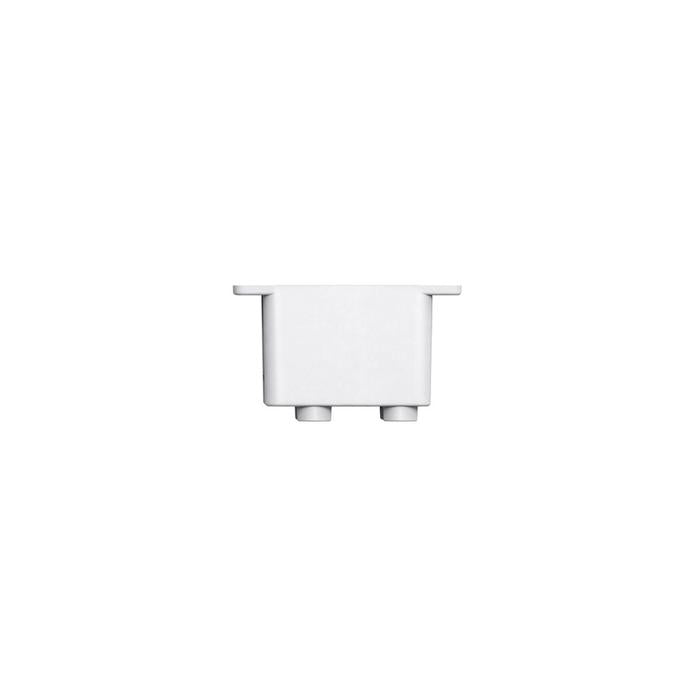
littleBits Servo Mount Bucket
$6.32 ex GST
($6.95 inc GST)
A mount for the littleBit servo motor to attach your motor to a littleBits mounting board.
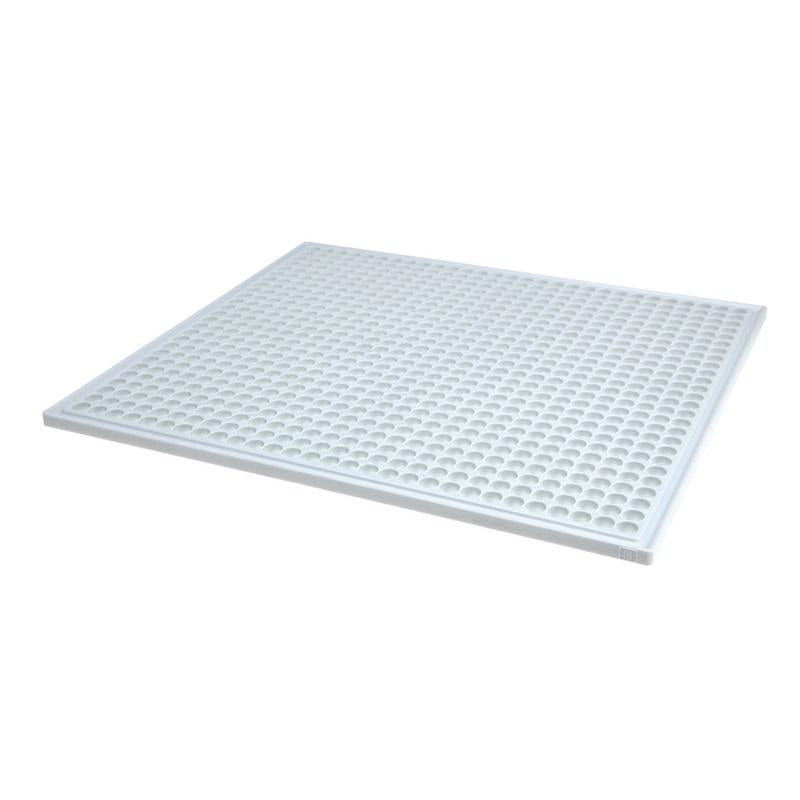
littleBits XL Mounting Board
$31.77 ex GST
($34.95 inc GST)
The mounting board (8" x 7") serves as the backbone of your inventions. It provides structure, and allows you to keep your circuit intact and move it around with ease. This mounting board can accommodate large circuits.
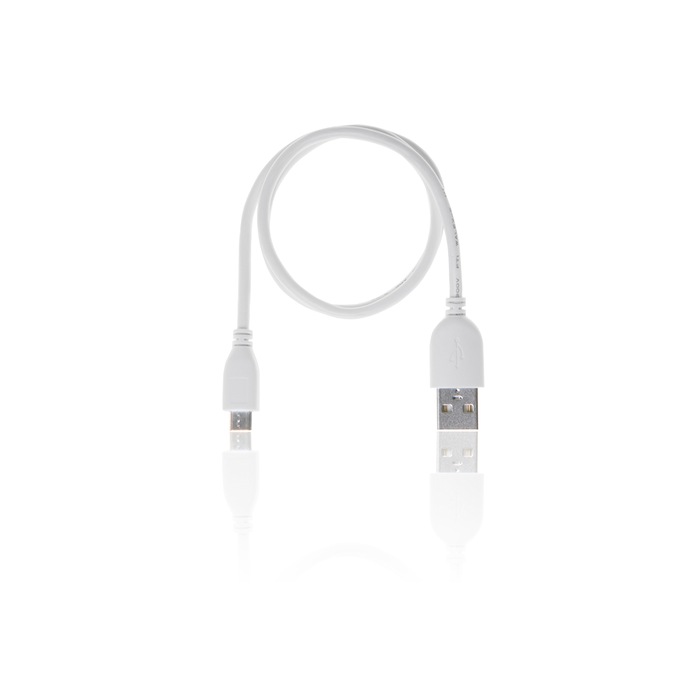
Sphero & littleBits USB Cable
$11.77 ex GST
($12.95 inc GST)
A micro USB cable for Sphero & littleBits products. Can be used for plugging into inductive chargers for Sphero SPRK+ and Sphero BOLT and is compatible with Sphero Mini.
Use with littleBits by connecting a PC to your codeBit or USB power bit or for recharging your Lipo battery. The cable is approximately 0.3 meters long and comes in littleBits white.
NOTE: Does not work with the Sphero RVR Battery.
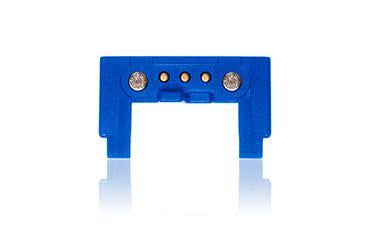
littleBits powerSnaps
$11.77 ex GST
($12.95 inc GST)
The powerSnap supplies power to an open input without extra forks, splits, or power supplies. Includes 3 powerSnaps.


