Finch USB Charging Hub — 5 Ports
$72.68 ex GST
($79.95 inc GST)
The Finch USB Charging Hub keeps a flock of Finch robots ready to go. This portable five-port charger tops up five Finch Robot 2.0 units at once, and its LCD display shows the charge status of each robot at a glance — so a class set is charged and sorted between lessons.
Key details:
Charges 5 Finch robots at once, with a per-robot LCD charge display
Built-in overcharge, overvoltage, overcurrent, short-circuit and over-temperature protection
Compact unit (roughly 10 × 7.5 × 5 cm) with a 1.5 m cable
A Finch Robot 2.0 runs for 7+ hours and recharges fully in about 7 hours, so one hub comfortably services a small group between sessions.
Works with the Finch Robot 2.0. Building a class set? A hub is included in the Finch Robot 2.0 Starter Flock. Explore all Finch robots and accessories.
FlashForge AD1 - Sign Lettering 3D Printer
$7,271.82 ex GST
($7,999.00 inc GST)
Part of the FlashForge Professional range, this 3D Printer is designed to be a complete solution for printing Light Channels for Signage
The special slicing & designing software, FlashAD, makes it easier to make complex designs, you can even create an amazing shadow effect with returned slant at some angles as you wish, eliminating the trouble of calculating the curving angle in CNC machining. Strongly helps you to fabricate complicated logos easily.NOTE: This machine is designed for commercial use only. It comes on an oversized pallet in a wooden crate. You will have to carefully turn it on its side to get it through a standard doorway. Thankfully the crate is sturdy and the machine is bolted inside.
Features- Resume printing after power outage- Filament detetion- Screensaver function- Printed file identification (turns green in file list)Printing- Single Nozzle, 2 filament colours (2in / 1 out)- Build Volume: 600 x 600 x 70mm- Layer Heights 0.2 - 0.4mm- Print Resolution: ± 0.5mm or 0.2%- Print Speed: 10-80mm/s- Nozzle Diameter: 0.6mm - Maximum Nozzle Temperature: 260°C- Heated Build Plate: to 100°C- Leveling: 8 point, manual- Material: A-PLA recommendedMachine- 4.5 Inch Touchscreen- 8Gb Onboard Memory- Power: 220VAC, 47-63Hz, 1500W- Machine Weight: 50.2kg- Machine Size: 1170x975x485mmCommunication- Software: FlashAD - Windows 32bit and 64bit- Data Transmission: USB Drive, Ethernet, FlashCloud. Note: No WiFi.- File Output: GFZ- File Input Types: FAD, STL, NC, CDRDimensions: 1070 x 975 x 485mm
Flashforge Adventurer 5M PRO 3D Printer
$899.00 ex GST
($988.90 inc GST)
The Flashforge Adventurer 5M PRO is the ultimate 3D printer for both professionals and enthusiasts. Its sleek, fully enclosed design and intermediate-level capabilities make it an ideal choice for those seeking to upgrade or start with a full-featured, cost-effective printer.
Key Features
High-Speed Printing: Achieve rapid results with a maximum printing speed of 600mm/s and a layer resolution of 0.1-0.4 mm for precise detail.
Advanced Filament Compatibility: Supports PLA, ABS, PETG, and more, with a heated bed and enclosed chamber for optimal adhesion and temperature control.
Smart Connectivity: Control your printing process via a 4.3-inch touchscreen or remotely with built-in WiFi using the FlashCloud app. Monitor prints in real-time with the built-in camera.
Efficient Air Filtration: Dual HEPA and carbon filters ensure a safer, cleaner environment by blocking 99% of particulates and VOCs, perfect for educational settings.
Seamless Purchasing
We accept purchase orders, catering to educational and government institutions. Enjoy fast shipping from our Australian warehouses and benefit from our exceptional customer support. As a proudly Australian-owned business, we are committed to delivering quality products with true Aussie spirit.
FlashForge Guider 2-S (v2 - 2020 Model)
$2,409.09 ex GST
($2,650.00 inc GST)
This 2020 update to a solid large printer adds a flexible bed, toughen filament drive gear, toughened nozzle (included in the spare parts pack and not fitted) and improved filter. It has a user friendly touchscreen and webcam, plus a generous 280 x 250 x 300mm build volume.
All machines come standard with high-temperature extruders (to 300deg).
2020 Upgrade includes unfitted items: Magnetic self-adhesive pad, flexible steel plate, 2 sheets of build tape. Nozzle and gear kit with the hardened filament drive gear and 0.4mm nozzle, Brass 0.3, 0.4, 0.6 and 0.8mm nozzles, allen key and nozzle spanner.
The Guider 2s follows the tradition of FlashForge printers in offering an affordable, easy-to-use printer. The building volume of 280 x 250 x 300 mm is one of the largest, while the closed chamber keeps the heat in improving performance with ABS, Nylon and other materials. The printer has filament run-out detection and power failure recovery. The Flashprint software offers advanced features including internal and external dimension adjustment allowing accurate part dimensions after printing.
Features
Innovative Extruder System – completely encased air supply system to elevate printing smoothness
Heated Build Plate – supports multiple mainstream filament types for diverse printing needs
Touch Screen – Guider IIs is equipped with a 5-inch full-colour touch screen and multilingual user interface.
Built-in Air Filter
HD Camera to monitor the print any time
Specifications
Nozzle Diameter (mm)
0.4 mm
Build Volume W x D x H (mm)
280 x 250 x 300 mm
Printing Technology
FFF
Proprietary filament
Yes, also compatible with others
Filament Diameter (mm)
1.75 mm
Material type
PLA / ABS / Flexible
Heated Bed
Yes
Build Plate
Glass with Buildtak
Layer Thickness (microns)
50 - 350 microns
Platform Levelling
Assisted
Connectivity
USB, WiFi, Ethernet
Slicing Software
Flashprint, Slic3r, Cura
File Input Format
STL, OBJ
Power Supply
100-240 V, 50-60 Hz, 500 W
Software Compatibility
Windows 7, Mac OS X
XY Positioning Accuracy
11 microns
Warranty
12 months
FlashForge Hunter - Resin Printer
$4,636.36 ex GST
($5,100.00 inc GST)
This high quality resin printer is designed for applications where very high resolution is essential, such as jewelry and dentistry.
Build size is 120 x 67.5 x 150mm
Print Technology: DLP
5 inch Touchscreen
Build Size: 120 x 67.5 x 150mm
Print Precision: ± 0.05mm
Pixel Size X, Y: 0.0625mm (62.5microns)
Light Source: 405nm LED, FHD 1080p resolution with 50,000 hours lifespan
Layer Thickness: 0.05 / 0.025 / 0.0125mm (50 / 25 / 12.5 microns)
Speed: 10mm/h (vertical)
Vat Type: Aluminium with replaceable FEP film
Processor Type: Dual-core 800MHz ARM
Machine Size: 360 x 310 x 565mm
Machine Weight: 17.8kg
Power Input: 100-240V, 50-60Hz, 1A
Connection: USB Flash Drive, USB Cable or WiFi
Software: FlashPrint. Free download for Win XP-10, Mac OS, Linux
File Input Format: .stl
Dimensions: 360 x 310 x 565mmFormat: 3D Printer
Green Screen Adventure Lab
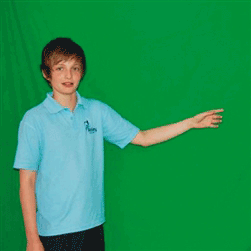
Engage your students with the Green Screen Adventure Lab! This 8-week workshop fosters creativity and digital skills, aligned with the Australian Curriculum. Book now for a seamless, enriching educational experience.
Green Screen Starter Kit
$599.00 ex GST
($658.90 inc GST)
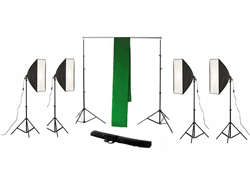
Our Green Screen Starter Kit includes a green screen muslin background, background stand and clips, and four (4) soft box studio lights... all you need to get started creating professional green screen results in your video and photography projects.
Technical Specifications and Kit Inclusions:
Muslin Background (1x in this kit)
3m (w) x 2m (H)
100% light absorbing cotton muslin.
150gsm thickness
3" rod pocket for easy fit with stand
Hemmed edges to prevent rips and machine wash and iron-able.
Background Stand (1x in this kit)
3m (w) x 2m (H)
Portable, easy to assemble and disassemble and made of aluminium for strength and lightness.
Height adjustable up to approx 2m and width adjustable in 4 sections to a total of approx 3m wide
Designed to hold canvas, paper or cotton muslin backdrops
Soft Box Studio Lighting (4x lights in this kit)
Premium 50cm x 70cm Soft Box Lights which eliminate glare and spots with even lighting.
125w Energy Saving large bright white studio lighting bulbs, equal to 525W normal light.
Aluminium light stand with adjustable height and 3 legs for solid support.
The kit also includes 4 background clips which help keep the muslin background taut when mounted to the sides of the background stand.
Gumdrop DropTech Clear — iPad Case
$72.68 ex GST
($79.95 inc GST)
A clear rugged case for iPad, built around the part of a rollout that usually goes wrong — fitting 300 of them. The updated design installs in seconds with far less handling per unit, which is the difference between a deployment that takes an afternoon and one that takes a week.
What it does:
Clear back panel, so the iPad's own design shows through and asset tags stay readable
Simplified installation built for large-scale rollouts
DropTech protection for daily student handling
Fits: iPad 11-inch (A16), iPad 10th generation and iPad 11th generation.
Choose DropTech Clear if you're deploying at scale and want asset tags visible through the back. Choose the Hideaway if students need a built-in stand, or FoamTech if you want a carry handle for younger classes. Class quantities available on a school purchase order.
Gumdrop DropTech Headphones
from $36.32 ex GST
($39.95 inc GST)
Listening-only headphones for classrooms that hand the same pair to a different student every period. The braided chew-proof cord and twistable headband target the two things that actually kill school headphones — chewed cables and snapped headbands — and every pair is drop tested 26 times from six feet.
What's included:
Over-ear headphones, no microphone
Braided chew-proof cord, roughly 1.2m
Twistable, break-resistant adjustable headband
Wipe-clean earpads for shared and lab use
Choice of 3.5mm or USB-C connector
Best suited to:
Listening stations and independent reading
Computer labs and library terminals
Device trolleys shared across year levels
No microphone, so choose the DropTech headset instead if students need to record or speak. Gumdrop describes the audio as volume limiting within a 75–110dB range; for a firm cap for younger students, ask us about an 85dB-limited option. Class quantities available on a school purchase order.
Gumdrop DropTech Headphones with Mic
from $40.86 ex GST
($44.95 inc GST)
School headsets built to survive shared use. Gumdrop drop-tests every pair 26 times from six feet under its TechShell standard, which is the closest thing this category has to a published durability benchmark — useful when you're the one signing off on replacements every term.
What's included:
Over-ear headset with flexible boom microphone
Braided chew-proof cord, roughly 1.2m
Twistable, break-resistant adjustable headband
Wipe-clean earpads suited to shared and lab use
Choice of 3.5mm or USB-C connector
Where they earn their keep:
Online testing and assessment sessions
Oral language tasks, recording and video calls
Trolleys and shared device fleets that see several classes a day
Plug and play, with no software to install. Gumdrop describes the audio as volume limiting within a 75–110dB range; if you need a firm cap for younger students, ask us about an 85dB-limited option instead. Class quantities available on a school purchase order.
Gumdrop FoamTech — Rugged iPad Case with Handle
$72.68 ex GST
($79.95 inc GST)
A lightweight foam iPad case made for primary classrooms, with a handle a child can actually hold. The handle folds flat to prop the iPad up for viewing or angle it for typing, so one case covers carrying, watching and working.
What it does:
Fold-out handle doubling as a viewing and typing stand
Window cut-out in the back for asset tagging
Full access to ports, buttons, camera and speakers
Third-party TechShell certification for drops up to four feet
Choose your iPad:
11-inch — iPad 10th and 11th generation
10.2-inch — earlier iPad generations
The lightest of the three Gumdrop iPad cases and the easiest for small hands. Class quantities available on a school purchase order.
Gumdrop Hideaway — Rugged iPad Case with Stand
$72.68 ex GST
($79.95 inc GST)
A rugged iPad case with a kickstand that disappears when it isn't needed. The magnetised stand folds flat into the silicone back and clips out with one movement, so there's no loose flap to snap off in a school bag — the usual failure point on a stand case.
What it does:
Built-in hide-away kickstand, magnetised and shockproof
Protective screen cover against liquids, dust and dirt
Rubberised bumpers with reinforced corners for shock absorption
Drop tested to four feet, exceeding military drop-test standards
Fits: iPad 10th and 11th generation.
Choose the Hideaway if students need to stand the iPad up for reading or video without a separate stand. Class quantities available on a school purchase order.
Gumdrop SlimTech — Dell Pro Laptop Case
$63.59 ex GST
($69.95 inc GST)
A slim two-piece case for Dell Pro laptops — light enough that students will actually keep it on, and cheap enough to fit a whole year level. Rubberised bumpers surround the screen to cushion the knocks that crack a lid.
What it does:
Two-piece full-coverage construction
Rubberised bumpers around the screen for drop protection
Transparent top and bottom panels for asset tagging
Quick install, designed for IT teams deploying at scale
Choose your model:
Dell Pro 13 Plus (Clamshell)
Dell Pro 13 Plus (2-in-1)
Dell Pro 14
Dell Pro 14 Plus (Clamshell)
Check the exact Dell model and whether it's a clamshell or 2-in-1 before ordering — the cases are moulded to fit and won't cross over. Class quantities available on a school purchase order.
Gumdrop Stylus Pen Holder — Adhesive Loop
$13.59 ex GST
($14.95 inc GST)
An adhesive stylus loop that sticks to a Gumdrop rugged case, so the stylus travels with the device instead of ending up in a drawer. Cheap enough to fit every case in a class set, and it removes the most common reason a stylus goes missing.
What's included:
Adhesive-backed pen holder
Elastic loop sized for a standard device stylus
Sticks to Gumdrop rugged cases. Worth adding to any iPad rollout where students are issued a stylus — replacing lost styluses costs far more over a year than fitting these once. Class quantities available on a school purchase order.
HoverCam Beamio Wireless Transceiver
$1,009.00 ex GST
$1,089.09 ex GST ($1,109.90 inc GST)
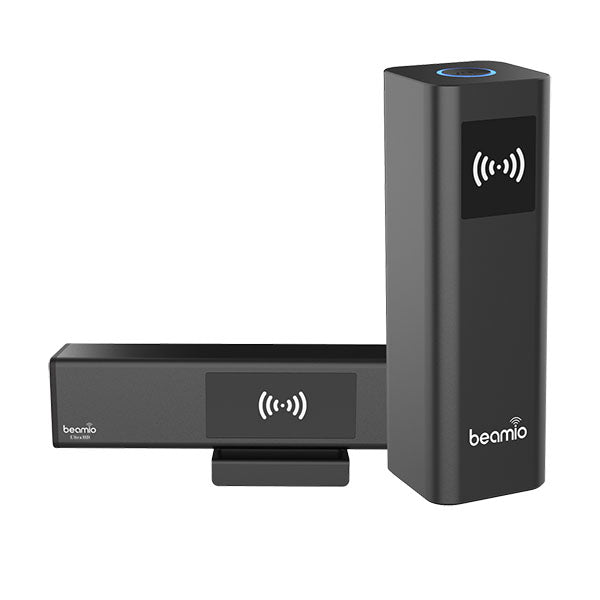
Discover the HoverCam Beamio Wireless Transceiver—a revolutionary solution for wireless casting that delivers seamless, crystal-clear 4K video from your computer to any interactive display. With cutting-edge gigabit radio technology, the Beamio ensures flawless video transmission and USB-touch connectivity without the need for WiFi, passwords, or complex setups. Experience effortless, lag-free casting to any HDMI-compatible display with true plug-and-play convenience.
Key Features
4K UHD MMwave Casting: Enjoy lag-free, high-definition video casting using HDMI technology without WiFi interference.
USB Touch Backchannel: Enables bi-directional USB-touch functionality for interactive displays, whiteboards, and touchscreen monitors.
True Plug-and-Play via USB-C: No software downloads or driver installations required, ensuring hassle-free setup and operation.
Versatile Compatibility: Works with any PC, Mac, or Chromebook, and supports next-gen USB-C displays, including Newline Q Series.
Secure and Efficient: Features AES128/256-bit encryption and a robust wireless transmission range of up to 30 meters.
HoverCam Duo Document Camera - Dual Output for Hybrid Learning
$720.00 ex GST
$772.73 ex GST ($792.00 inc GST)
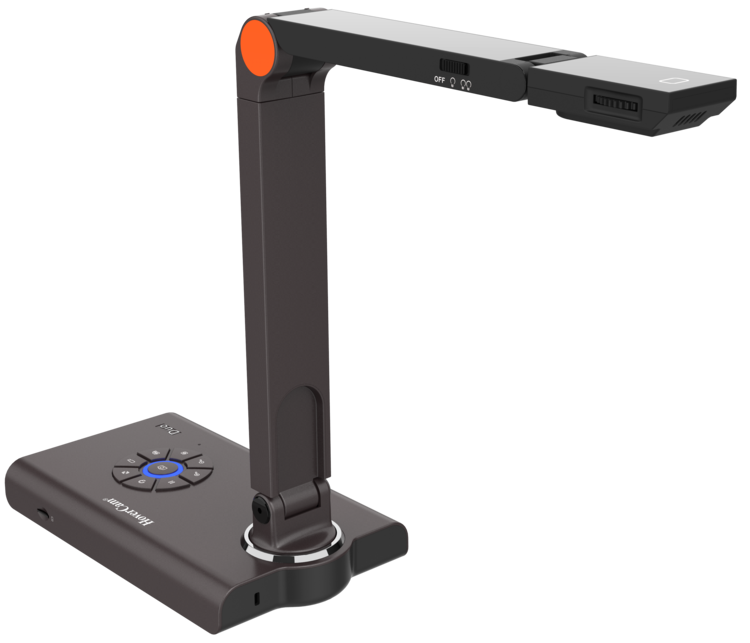
The HoverCam Duo is the ultimate dual output document camera designed for distance and hybrid learning environments. Experience the best of both worlds with lightning-fast 4K HDMI output, seamless integration for running Zoom meetings, and versatile functionality to enhance your educational experience. This state-of-the-art document camera is perfect for interactive flat panels, whiteboards, and more.
Key Features
Lightning Fast 4K HDMI Output
Capture stunning 4K image clarity with a 12-megapixel camera sensor. Compatible with any interactive flat panel, projector, TV, or monitor.
Feature-Packed Software
Schedule and run Zoom meetings directly from the software, with features like Picture-in-Picture to show your face alongside your content.
Intuitive Button Controls
Easily activate functions with 9 built-in button controls, including focus, zoom, snapshot, and local recording.
Versatile Capture Angles
The 3 pivot design allows you to capture any angle, making it ideal for both in-person and distance learning.
Local Media Storage
Includes a MicroSD card slot for local recording, providing a seamless recording experience.
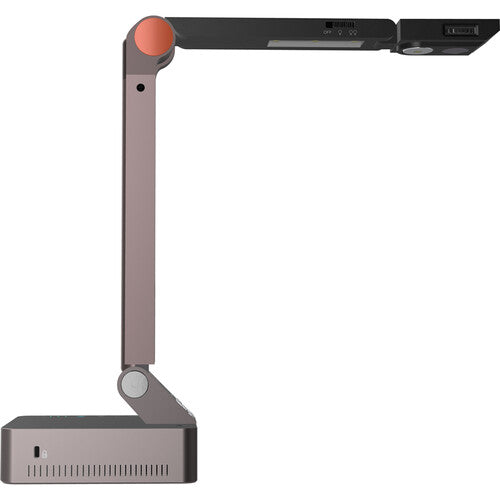
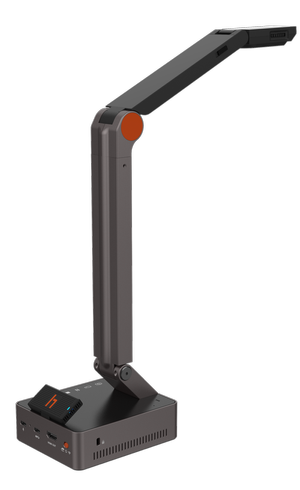
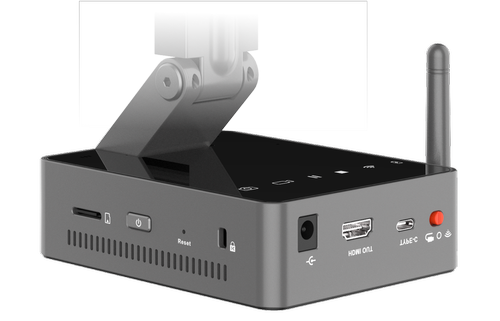
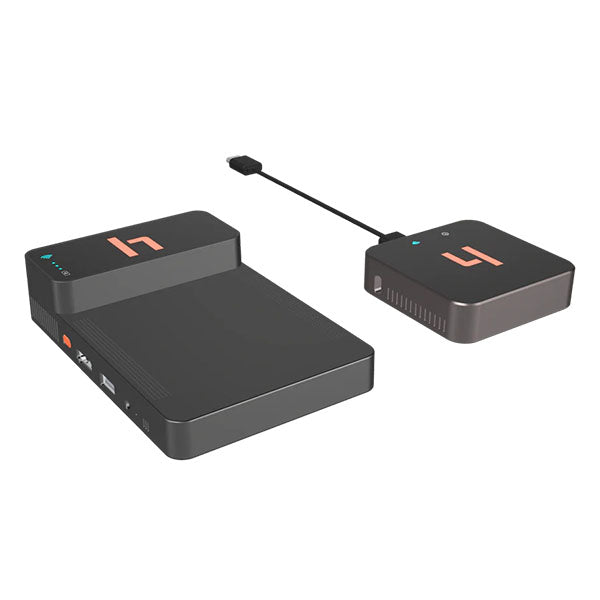
HoverCam Orbit AIR Document Camera - Wireless USB & HDMI
$995.00 ex GST
$1,062.73 ex GST ($1,094.50 inc GST)
Elevate your teaching and presentations with the HoverCam Orbit AIR Document Camera. This wireless USB and HDMI device offers an unmatched plug-and-play experience that allows you to connect effortlessly to any computer (PC, Mac, Chromebook), interactive flat panel, or display. Designed for educators, it empowers you to teach from anywhere in the classroom, making it easier to engage students by showcasing work on the big screen.
Key Features
1. Wireless Plug-and-Play: No software, drivers, or passwords needed. Just plug in the USB receiver, and you're ready to go.
2. Invisiwire Technology: Even though it's wireless, it appears as a wired USB camera on your device, ensuring compatibility with your favorite video software.
3. Purchase Order Option: Simplify your purchasing process with our seamless checkout option for schools and educational institutions.
4. Australian Warehouses: Enjoy efficient delivery from our Australia-based suppliers, ensuring timely arrival.
5. Exceptional Support: Benefit from our first-class customer support, backed by our experience as former teachers.
As a proud Australian-owned company, we are committed to providing quality products with a touch of authentic Aussie spirit. Our efficient delivery and first-class support ensure a seamless experience for all our customers.
HoverCam Orbit AIR Document Camera is your ideal solution for enhancing classroom engagement and connectivity, ensuring a smooth, wireless experience without the hassle.
HoverCam Orbit PRO Document Camera - Wireless USB & HDMI
$1,540.00 ex GST
$1,677.27 ex GST ($1,694.00 inc GST)
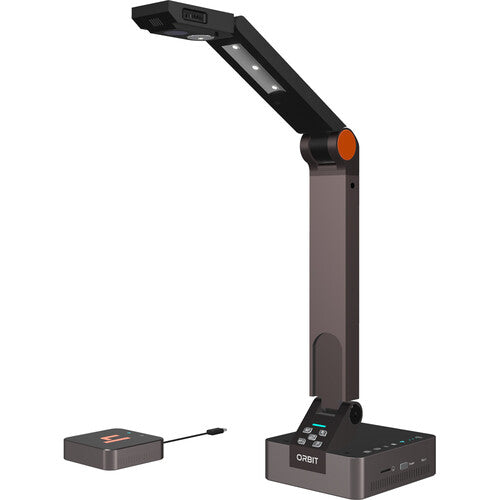
Meet the HoverCam Orbit, the world’s first and only wireless USB and HDMI document camera. Designed for educators and professionals alike, this powerful device combines cutting-edge wireless gigabit technology with unrivaled optical clarity. Experience a truly seamless setup experience with no special software required.
Key Features
Gigabit Wireless Transmission
Orbit offers 4K or 2K @60FPS over wireless gigabit, ensuring nearly lossless clarity and virtually lag-free casting up to 100 feet. Experience speeds 50x faster than the competition with absolutely zero WiFi interference.
InvisiWire Technology
This unique technology emulates a wired USB connection, making the Orbit accessible by any app on Windows, MacOS, ChromeOS, and Android without needing special software.
Megapixel Camera Sensor
Equipped with a 13-megapixel camera sensor and adaptive sensor resolution technology, the Orbit delivers stunning details and remarkable image clarity. With 800x total zoom, you can zoom in 4x before losing resolution.
Effortless Instant Setup
The Orbit requires zero network settings or driver installations. Simply plug in the wireless transmitter to your device's USB or HDMI port for an instant, plug-and-play setup.
Feature-Packed Software
Enhance your teaching or presentations with integrated features like Picture-in-Picture, digital whiteboard, annotation, and lesson recording. Seamlessly integrate with Zoom and other conferencing software.
Purchase Orders Welcome
We welcome purchase orders from schools and educational institutions, ensuring a seamless purchasing process. Our products are backed by exceptional support, drawing on our firsthand experience as former teachers.
Australian Owned & Operated
Enjoy efficient delivery as our store ships directly from Australian warehouses. Shop with confidence knowing that we are proudly Australian owned, delivering quality products with true Aussie spirit.
HoverCam Orbit TRIO Document Camera - Full Wireless Classroom Casting
$1,600.00 ex GST
$1,813.64 ex GST ($1,760.00 inc GST)
Show your class anything — your laptop screen alongside a live, close-up view of a worksheet, textbook or science experiment — from anywhere in the room, with no cables and no fiddling with the school network. The HoverCam Orbit Trio combines a wireless document camera with secure wireless screen casting, so teachers can present freely and keep the lesson moving.
What's included / key features:
A wireless Orbit document camera plus a plug-in wireless transmitter that connects to a PC, Mac, Chromebook or Android interactive panel via USB, or to a display via HDMI
Cast your laptop and the document camera to the display at the same time — side-by-side, picture-in-picture, or full-screen
Up to 4K casting (or 2K at 60fps) with near-lossless, low-lag video at up to 30 m (100 ft) across the classroom
Runs completely off your school's Wi-Fi network, with end-to-end encryption and no vendor drivers or apps to install
True plug-and-play: pre-paired at the factory, so setup is essentially plug in and go — no passwords, network settings or software
Works with Windows, macOS, ChromeOS and Android; any app sees the camera as a standard USB webcam
One-off purchase with no subscription or recurring licence fees
Why it helps in the classroom:
The Orbit Trio frees teachers from the front of the room. Move around while presenting, hold the camera over a student's work or a demonstration, and switch between your screen and the live camera view without unplugging anything. Because it stays off the school network and installs nothing on staff laptops, it's straightforward for IT to approve and simple to use day to day.
Practical note:
A tidy, cable-free way to bring documents, objects and demonstrations to the whole class — with no ongoing fees.
HoverCam Recast Wireless Camera Adapter - Make Any Camera Wireless
$599.00 ex GST
$676.36 ex GST ($658.90 inc GST)
The HoverCam Recast Wireless Camera Adapter is a revolutionary device designed to transform your wired USB camera into a fully wireless super camera. Experience the freedom to capture and stream without the restrictions of cables, making it perfect for classrooms, conference rooms, or any creative project.
Key Features:
Effortless Plug-n-Play:
Simply plug your USB camera into the Recast transmitter and the receiver into your computer via USB or display via HDMI. The Recast automatically connects and appears as a USB camera to your computer or an HDMI input to your display.
InvisiWire Technology:
This advanced technology wirelessly casts traditionally wired protocols like USB, UVC, UAC, and HDMI. Your camera will appear as a simple USB connection, compatible with any app on any device, including Zoom and interactive flat panels.
Universal Compatibility:
Works seamlessly with any operating system or device, including Windows, Mac OS, iPad OS, Android, and Chromebook. Supports all USB camera applications such as Zoom, Microsoft Teams, and Google Meet.
All-Day Battery Life:
The built-in battery powers the attached camera for up to 10 hours, ensuring uninterrupted wireless teaching and streaming sessions.
Universal Mounting Surface:
Magnetically dock your camera onto the Recast transmitter for sturdy and secure mobile teaching.
Purchase Orders Welcome:
Educational and government institutions can enjoy a seamless purchasing process with our Purchase Order option at checkout.
First-Class Support:
Benefit from exceptional support backed by our firsthand experience as former teachers.
Australian Warehouses:
Enjoy efficient delivery directly from our suppliers' warehouses in Australia. Proudly Australian owned.
Technical Specifications:
Supports resolutions up to 4K @60FPS.
Compatible with all major operating systems and applications.
Features advanced wireless display technology with WiFi 6.
HoverCam Solo 8 Plus Document Camera
$710.00 ex GST
$754.55 ex GST ($781.00 inc GST)
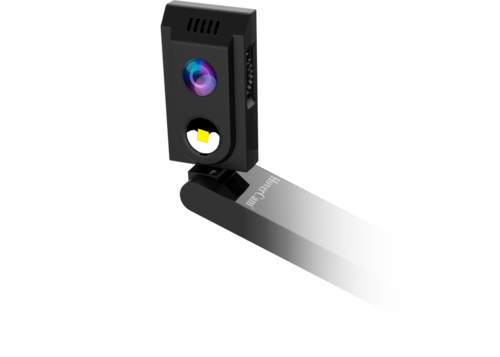
Elevate your teaching and presentations with the HoverCam Solo 8 Plus Document Camera, a revolutionary tool designed to enhance distance learning and in-class instruction. Experience True 4K Image Clarity with its 13 Megapixel Sensor, capturing every detail with ease. This document camera is equipped with a single USB cable connection—no power adapters required—making it incredibly easy to use and set up.
Key Features
True 4K Image Clarity: Capture stunning, high-resolution images and videos for flawless presentations and lectures.
ASR Zoom Technology: Enjoy lossless zoom with our Adaptive Sensor Resolution, providing 480x zoom without compromising image quality.
Flex 11 Software Integration: Leverage powerful features like annotation, lesson recording, and a built-in virtual whiteboard, enhancing interactivity and engagement.
Compatibility with Leading Platforms: Seamlessly works with Zoom, Skype, Google Hangouts, and more, offering better image quality and versatility than a standard webcam.
OCR Scanner & PDF Capability: Effortlessly scan documents into PDF format, saving time and preserving quality.
Additional Benefits
Built-in Microphone: Capture high-quality audio alongside your video recordings, perfect for complete lesson delivery.
Interactive Whiteboard Integration: Works with leading interactive whiteboard packages like SMART Notebook and Promethean.
Motion Sensor Photography: Includes innovative features like time-lapse and slow-motion video recording.
First-Class Support: Get exceptional support from our team of former educators who understand your needs.
Australian Owned and Operated: Enjoy efficient delivery from our Australian warehouses with true Aussie spirit.
Purchase Orders Welcome: Schools and educational institutions can take advantage of our seamless purchasing process with purchase order options at checkout.
HoverCam Solo Series Microscope Adapter
$40.86 ex GST
($44.95 inc GST)
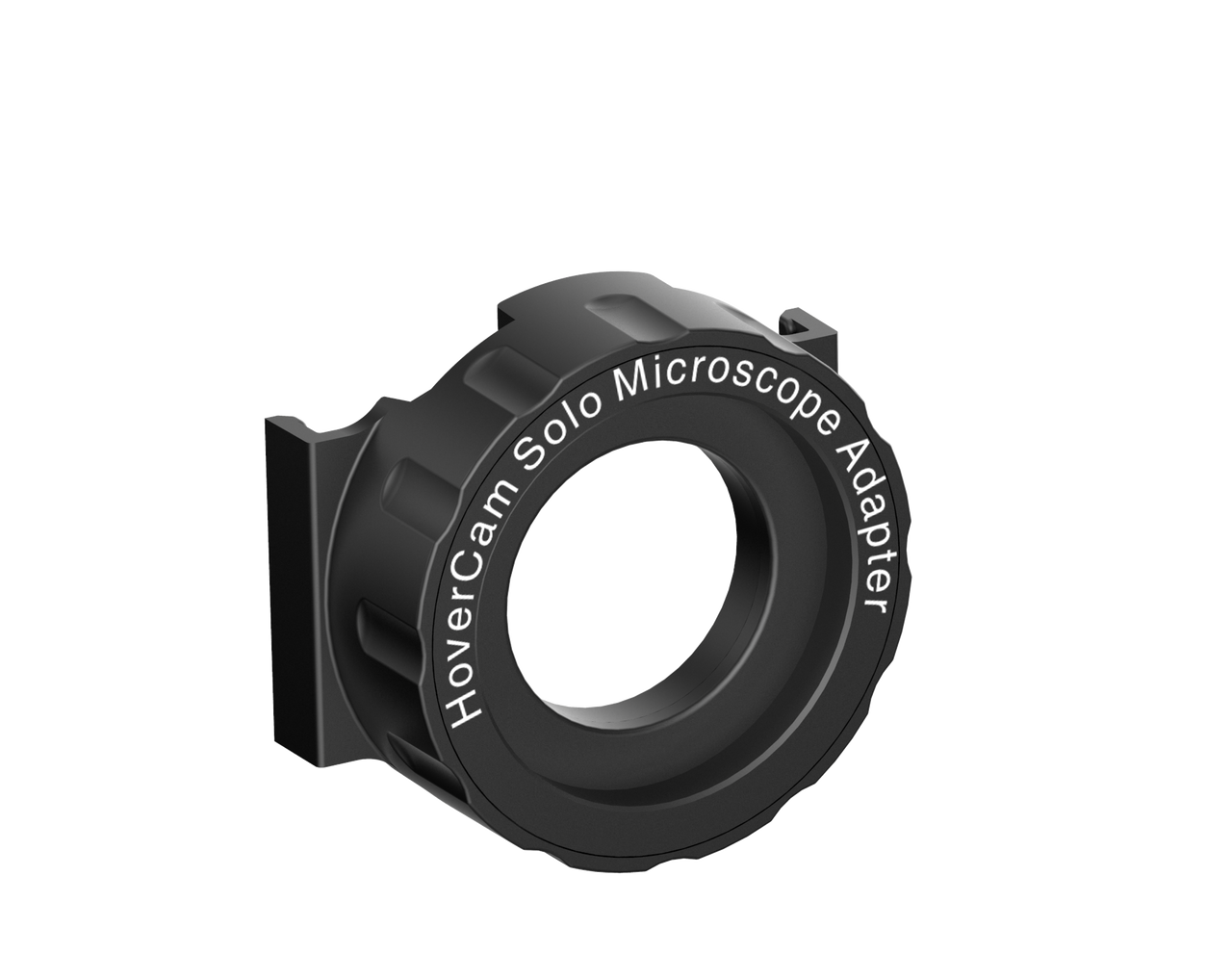
The HoverCam Solo Series Microscope Adapter allows you to utilize your Solo 5 or 8 HoverCam with any standard monocular microscope. Display minuscule objects to the entire class with the HoverCam you already use. Take advantage of HoverCam Flex software features, like video and audio recording, scanning to PDF, and interactive whiteboard integration. Exclusively for use with the HoverCam Solo 5 or 8 document camera.
HoverCam Solo Spark II Document Camera - Affordable 8MP Clarity
$560.00 ex GST
$640.91 ex GST ($616.00 inc GST)
Experience the power and versatility of the HoverCam Solo Spark II Document Camera, an ideal tool for teaching, presenting, and video conferencing. Designed for seamless integration in hybrid learning environments, this compact and portable document camera combines crystal-clear optics with robust software, making it more powerful and affordable than ever. Compatible with PC, Mac, and Chromebook, the Solo Spark II is the perfect solution for classrooms, businesses, and beyond.
Major Features:
Incredible Optics: Boasting an 8-megapixel sensor for 4K clarity and VividPixel™ technology for enhanced colors, the Solo Spark II ensures exceptional image capture for all your needs.
Powerful Software Integration: The free Flex software offers live annotation, picture-in-picture, and lesson recording capabilities, enhancing your presentations and recordings significantly.
User-Friendly Portability: With a 3-pivot design and single Type-A USB 3.0 cable connectivity, this document camera is both portable and easy to set up, making it ideal for on-the-go use.
Interactive Whiteboard Compatibility: Seamlessly integrates with interactive whiteboard software, allowing for collaborative learning and presentations with select region focus and more.
Built-In Microphone: Capture full HD video and audio with ease, making the Solo Spark II perfect for live camera software applications like Skype, Zoom, and Microsoft Teams.
Hue Animation Studio
from $180.91 ex GST
($199.00 inc GST)
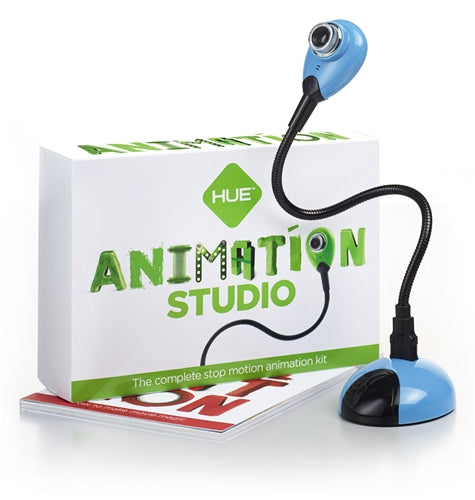
Hue Animation Studio contains everything that a budding animator needs to learn to create stop motion animation videos. The animation software has been specifically designed for educational use, with a user friendly, fully-featured interface.
Children of all ages can be creating their own stop motion films minutes after first installing Hue Animation Studio.
Hue Animation Studio comes with powerful tailor-made software, ideal for use by anyone from novice animators creating their very first film, through to experienced animators looking for a fully featured animation suite. Sounds can be imported either from your computer, or recorded directly in the software itself using the Hue HD Webcam's built-in microphone.
Another key feature is onion-skinning, which displays a transparent image of the last frame you took over the live camera feed. This is invaluable for creating error-free, smoothly animated sequences.
HUE HD Pro Webcam
$180.91 ex GST
($199.00 inc GST)
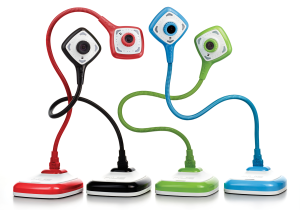
Introducing the HUE HD Pro Camera: a lightweight, portable document camera and visualiser.
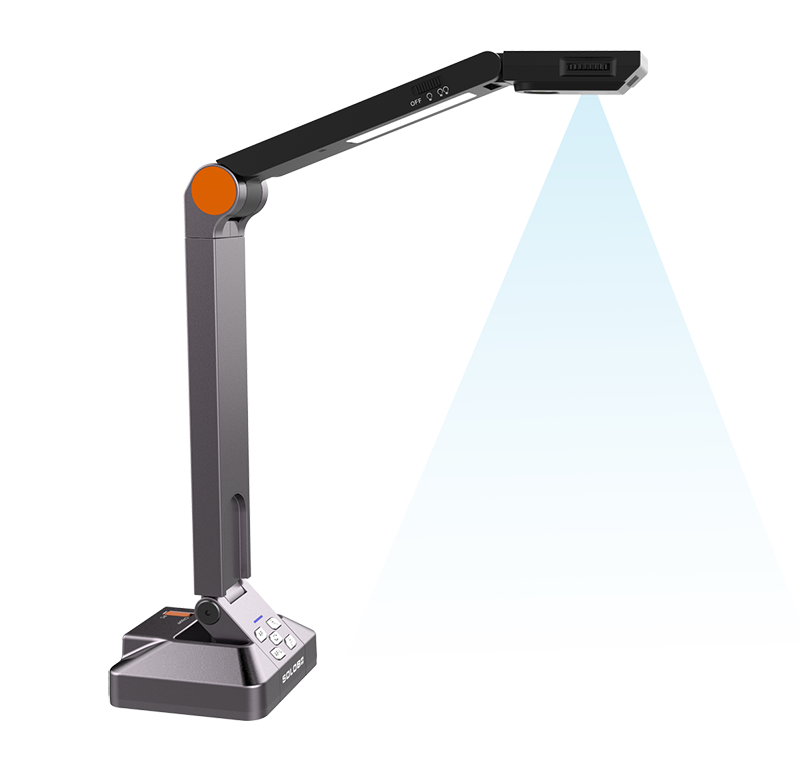
The HUE HD Pro classroom camera and visualiser is the latest addition to the HUE range of USB cameras. This camera can view a full A4 or US letter sheet and project it onto the whiteboard via your PC and projector.
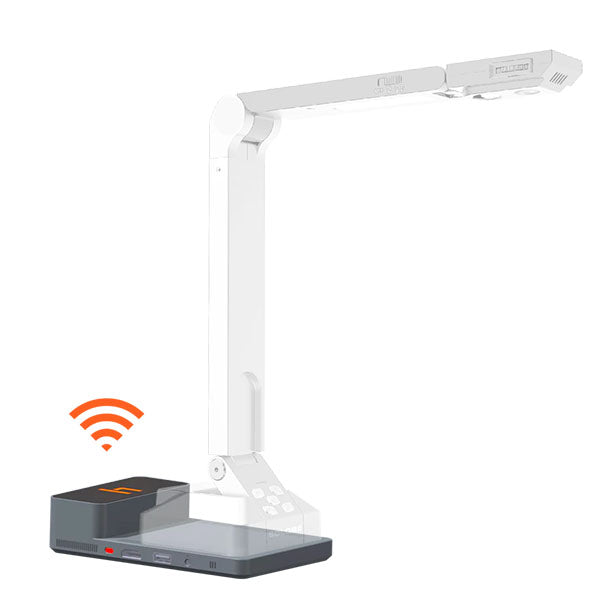
HUE PRO overhead
The length of the neck makes this camera perfect for viewing a full A4 or US letter page. The built-in LED lights will help illuminate your subject.
Available for Windows and Mac OS X.
It's full of character just like its older brother the HUE HD camera - but with a new design for the head and base. The HUE HD Pro also comes with specially designed software, HUE Intuition, to allow you to master the full functionality of the camera with ease.
HUE Intuition
HUE Intuition allows you to: Record video and sound and save movies locally, email or upload to YouTube Annotate images and save as JPG/BMP/PNG/GIF Take snapshots Take multiple images over time
Use the HUE HD Pro for:
Demonstrating a science project
Taking snapshots of student work
Recording a technique or experiment and replay it to the class
Chatting with remote schools in other countries with software such as Skype
Online Teaching
Package Contents:
HUE HD Pro camera
Camera base
USB to mini-USB cable
Installation instructions
Single user license for the HUE Intuition software
Hue HD Webcam
$126.36 ex GST
($139.00 inc GST)
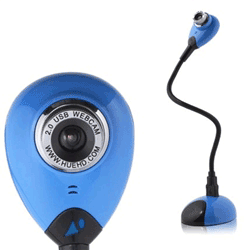
The Hue HD Webcam is a cost-effective alternative to a standard classroom document camera, and is perfect for stop-motion animation. Easy to use and portable, this camera is popular in classrooms and homes throughout the world.
The camera is "plug and play" on Windows PCs and Macs (see System Requirements) and favoured by most parents and teachers for kids using HUE Animation and other stop-motion animation software due to the flexible arm and integrated microphone.
Unique, innovative design with a built-in microphone.
Widely used as a portable classroom document camera / visualiser in conjunction with a whiteboard.
Perfect for creating animated films, live videos or time-lapse recordings.
Compatible with Microsoft Windows (8, 7, Vista, XP), Apple Mac OS X (10.4.3 or above) and Linux.
Plug and play: simply connect the HUE camera to your computer's USB port and it will be ready to use.
By connecting your HUE camera to your computer and a projector you can share students' work, books, experiments and pictures.
The built-in microphone allows you to record your presentation or a student speaking about a topic. With its weighted base and flexible neck, HUE can also be used to magnify very small items such as insects, circuit boards and more to share them with the whole classroom.
Package Contents
Hue HD Webcam
Camera Base
6 ft USB to Mini-USB cable
Software CD
Quick Start User Guide
Hummingbird 2-Wire Extension Cable
$12.68 ex GST
($13.95 inc GST)
This 2-wire extension cable adds reach to two-wire Hummingbird components — such as single-colour LEDs — so students can mount lights further from the controller for taller or wider builds. Buy spares for the classroom.
Pairs with the Hummingbird Single Colour LED. Browse all Hummingbird parts.
Hummingbird 3-Wire Extension Cable
$15.41 ex GST
($16.95 inc GST)
This 3-wire extension cable adds reach to three-wire Hummingbird components — such as servos and many sensors — so students can position motors and sensors further from the controller. A useful spare for bigger builds.
Handy with a Hummingbird Rotation Servo. Browse all Hummingbird parts.
Hummingbird 4-Wire Extension Cable
$18.14 ex GST
($19.95 inc GST)
This 4-wire extension cable adds reach to four-wire Hummingbird components — such as tri-colour LEDs — so students can mount them further from the controller. Handy for larger, more elaborate builds. Buy spares for the classroom.
Pairs with the Hummingbird Tri-colour LED. Browse all Hummingbird parts.
Hummingbird 4xAA Battery Holder
$13.59 ex GST
($14.95 inc GST)
This 4×AA battery holder powers a Hummingbird Bit robot when you're away from a USB connection. A useful spare or add-on for classrooms running several robots at once. Takes 4 × AA batteries (not included).
Restocking a set? Browse all Hummingbird kits and parts.
Hummingbird Bit Base Kit — micro:bit Robotics
$235.45 ex GST
($259.00 inc GST)
The Hummingbird Bit Base Kit is a hands-on introduction to robotics and coding for students. Combine the included lights, sensor and motors with everyday craft materials — cardboard, paper, recycled bits and pieces — to build a robot of your own design, then program it to move, glow and respond using the BBC micro:bit.
What's included (parts for one robot):
1 × Bit Controller (the robot's brain), 1 × terminal tool and 1 × 4×AA battery holder
1 × green, 1 × red and 1 × yellow single-colour LED, plus 2 × tri-colour LEDs
2 × FS90 micro servos and 2 × servo extension cables
1 × light sensor and 1 × dial sensor
User manual and a sturdy storage case
What students practise:
Building and wiring a working robot from scratch
Coding in block-based or text-based languages, including MakeCode, Python and Java
Using sensors so a robot can react to light and input
Creative problem-solving across STEM and design
Connectors are electrically protected, so students can add motors, sensors and LEDs without damaging parts through incorrect connections. Free, classroom-tested lesson plans and coding tutorials are included. A BBC micro:bit is required as the controller's brain — choose the option with a micro:bit and USB cable at checkout, or supply your own. AA batteries not included (4 needed).
Ready for more motors and sensors? Step up to the Hummingbird Bit Premium Kit, or browse all Hummingbird robotics kits.
Hummingbird Bit Controller — Robot Brain
$126.36 ex GST
($139.00 inc GST)
The Hummingbird Bit Controller is the "brain" that powers a Hummingbird robot. Buy one to build a second robot from parts you already own, or to assemble your own custom Hummingbird kit component by component. A BBC micro:bit and USB cable are required to run the controller — add them at checkout or supply your own.
Don't own a kit yet? Start with the complete Hummingbird Bit Premium Kit or browse all Hummingbird kits and parts.