




Finch Robot 2.0 — micro:bit Coding Robot
$317.27 ex GST
($349.00 inc GST)
The Finch Robot 2.0 takes coding off the screen and into the real world. This durable, ready-to-go classroom robot drives, senses and draws, giving students an engaging way to see their code come to life. Powered by the BBC micro:bit, it grows with learners from their first block-based programs right through to text-based languages like Python and Java.
Finch Robot 2.0 features:
Rechargeable built-in battery (7+ hours) and Bluetooth wireless connection
5 × tri-colour LEDs and a multi-tonal buzzer
Light, distance and line-tracking sensors, plus wheel encoders for precise movement
A central marker holder for drawing, and a writable surface for whiteboard markers
Compatible with plastic building bricks for adding your own creations
What students practise:
Sequencing, loops and logic through hands-on coding
Programming across icon-, block- and text-based languages, from FinchBlox to Python and Java
Using sensors and movement to solve mazes, draw shapes and complete challenges
The Finch works from the first years of primary school through to senior secondary, so one robot supports coding across year levels. Free, classroom-tested lessons and online teacher professional learning are included. A BBC micro:bit is required as the robot's processor — choose the option with a micro:bit, or supply your own. A USB-C charging cable is included.
Teaching a whole class? See the Finch Robot 2.0 Starter Flock. Add a Finch Drawing Mat for drawing activities, or explore all Finch robots.
Hummingbird Bit Base Kit — micro:bit Robotics
$235.45 ex GST
($259.00 inc GST)
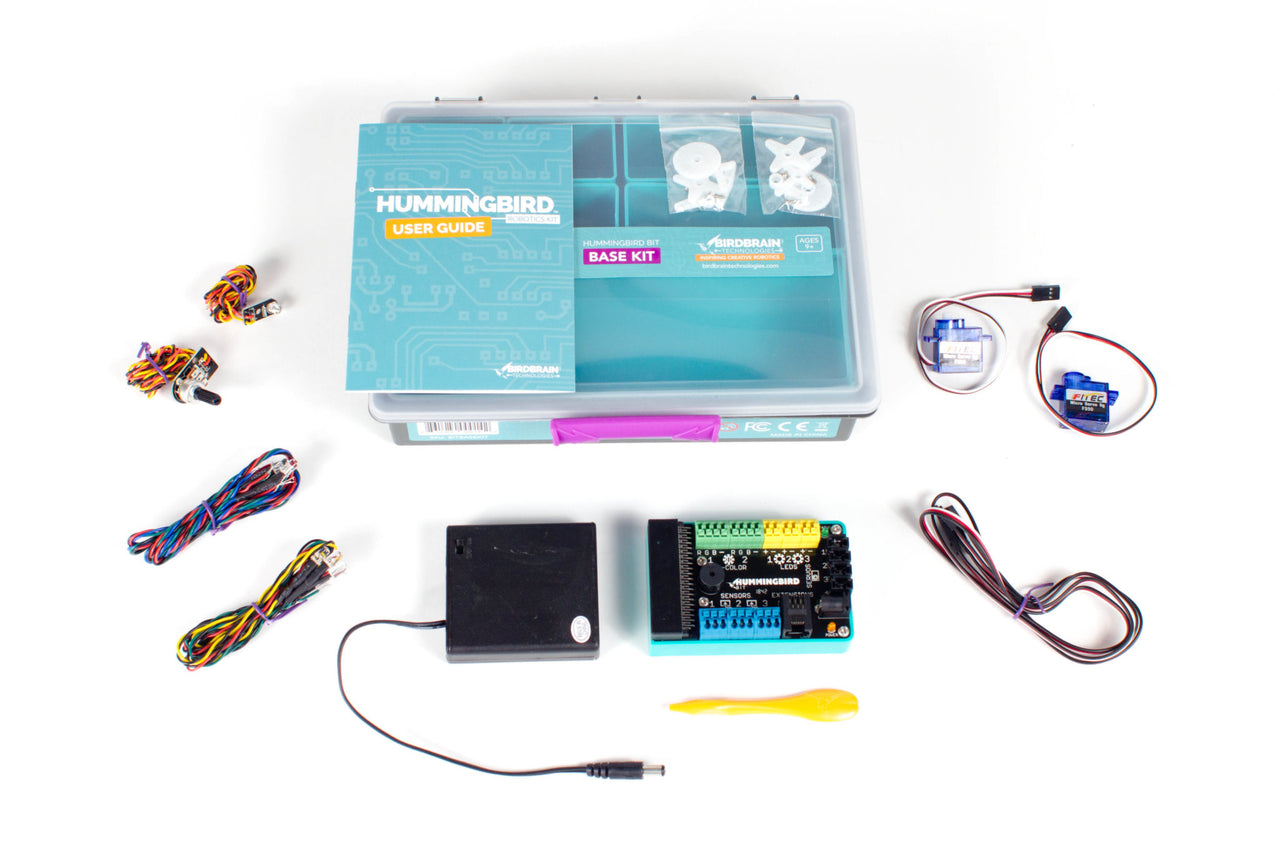
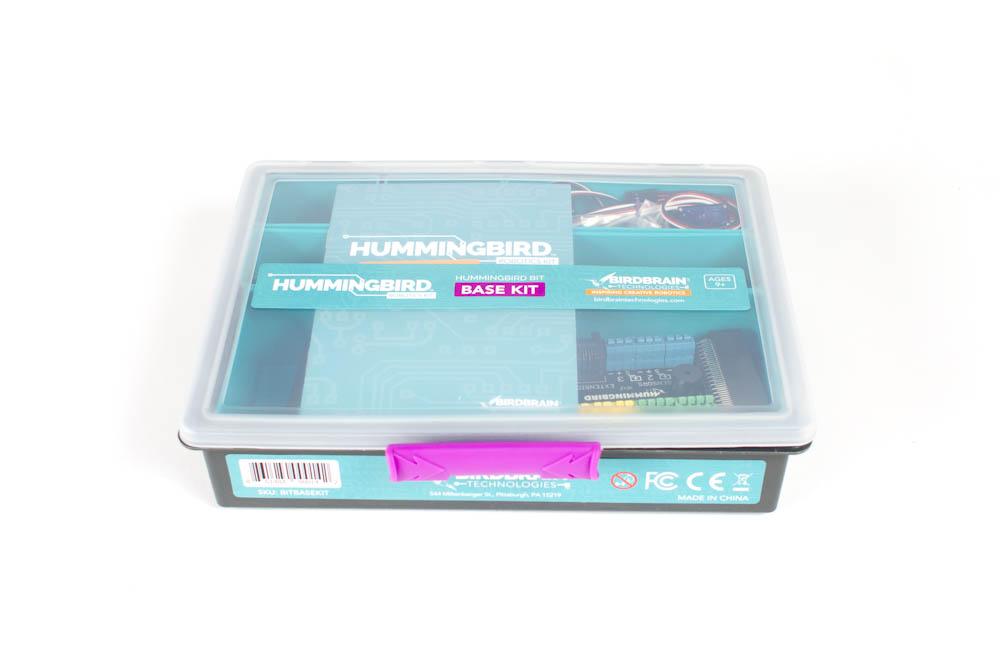
The Hummingbird Bit Base Kit is a hands-on introduction to robotics and coding for students. Combine the included lights, sensor and motors with everyday craft materials — cardboard, paper, recycled bits and pieces — to build a robot of your own design, then program it to move, glow and respond using the BBC micro:bit.
What's included (parts for one robot):
1 × Bit Controller (the robot's brain), 1 × terminal tool and 1 × 4×AA battery holder
1 × green, 1 × red and 1 × yellow single-colour LED, plus 2 × tri-colour LEDs
2 × FS90 micro servos and 2 × servo extension cables
1 × light sensor and 1 × dial sensor
User manual and a sturdy storage case
What students practise:
Building and wiring a working robot from scratch
Coding in block-based or text-based languages, including MakeCode, Python and Java
Using sensors so a robot can react to light and input
Creative problem-solving across STEM and design
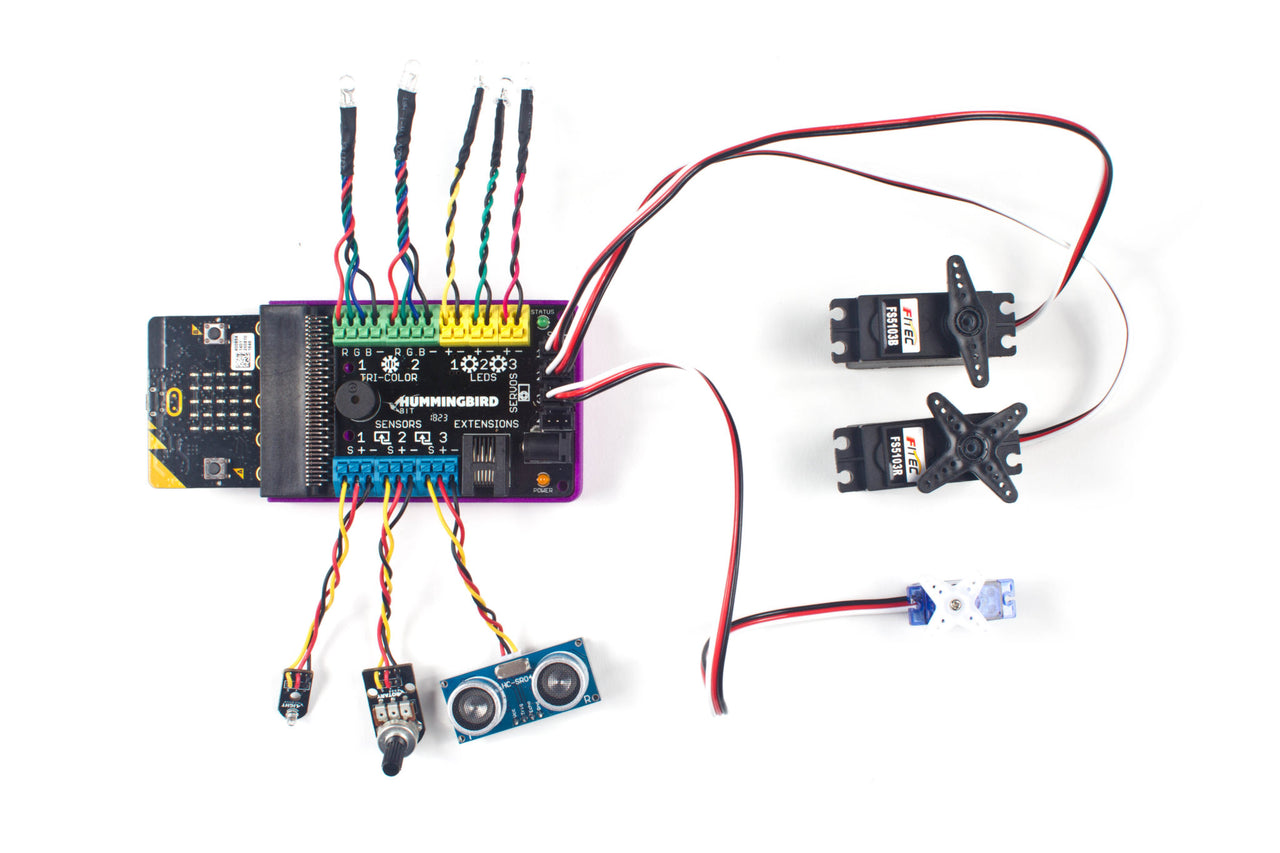
Connectors are electrically protected, so students can add motors, sensors and LEDs without damaging parts through incorrect connections. Free, classroom-tested lesson plans and coding tutorials are included. A BBC micro:bit is required as the controller's brain — choose the option with a micro:bit and USB cable at checkout, or supply your own. AA batteries not included (4 needed).
Ready for more motors and sensors? Step up to the Hummingbird Bit Premium Kit, or browse all Hummingbird robotics kits.
Hummingbird Bit Premium Kit — micro:bit Robotics
$453.64 ex GST
($499.00 inc GST)
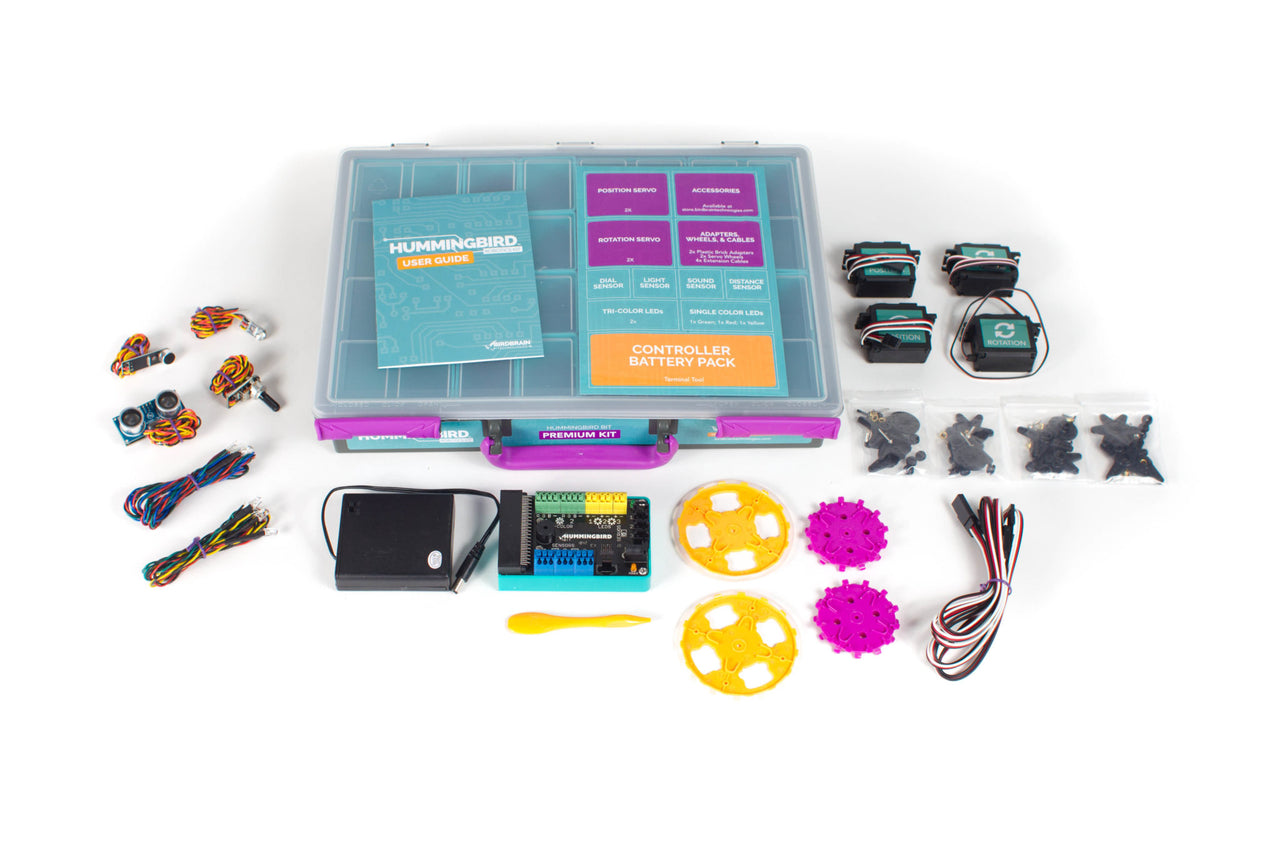
The Hummingbird Bit Premium Kit gives students everything in the Base Kit and more — extra motors, sensors and building parts to design bigger, more capable robots. Combine the electronics with everyday craft materials and code your creation to move, sense and respond using the BBC micro:bit.
What's included (parts for one robot):
1 × Bit Controller (the robot's brain), 1 × terminal tool and 1 × 4×AA battery holder
1 × green, 1 × red and 1 × yellow single-colour LED, plus 2 × tri-colour LEDs
2 × position servos and 2 × rotation servos, with 2 × servo wheels and 2 × plastic block (brick) adapters
4 × servo extension cables
1 × light sensor, 1 × dial sensor, 1 × distance sensor and 1 × sound sensor
User manual and a sturdy storage case
What students practise:
Designing and building more advanced robots and moving models
Coding in block-based or text-based languages, including MakeCode, Python and Java
Using distance and sound sensors so robots respond to their surroundings
Adding wheels and brick adapters to build driving and mechanical projects
Electrically protected connectors let students add parts freely without damaging them. Free, classroom-tested lesson plans and coding tutorials are included. A BBC micro:bit is required as the controller's brain — choose the option with a micro:bit and USB cable at checkout, or supply your own. AA batteries not included (4 needed).
New to Hummingbird? The Base Kit is a simpler starting point. Kitting out a class? The Hummingbird Starter Flock bundles four Premium Kits with classroom tools, or see the full Hummingbird range.


KaiBot Hybrid Coding Robot — Ages 5–15
$199.00 ex GST
($218.90 inc GST)
KaiBot is a hybrid coding robot for students aged 5 to 15 — one robot that works completely screen-free, or alongside a tablet or laptop when you're ready for it. Students lay out a sequence of tactile coding cards, KaiBot reads them with its downward-facing camera, and then drives the sequence out on the floor. The logic is visible on the desk before anyone opens an app.
What's included:
1 x KaiBot robot with built-in rechargeable lithium-ion battery
1 x USB charging cable
1 x set of basic coding cards (33 cards) with a durable, water-resistant finish
How it works:
A downward-facing camera reads the coding cards and senses which numbered KaiTile the robot is sitting on
A 1" LCD screen shows the recorded card, the battery level, and the student's emoji when paired with Kainundrum
Four RGB LEDs signal the robot's state and the student's profile colour
A built-in speaker gives audio feedback during activities
The roof is Lego-compatible, so students can build on top of the robot
Connects over Bluetooth and works with iPad, Chromebook, PC and Mac
What students practise:
Sequencing and debugging, before any syntax gets in the way
A clear progression from unplugged cards to Blockly, and then to Python
Cross-curricular work through Literacy Kitchen, Market Math and Kainundrum
The battery is sealed and the shell has no user-serviceable parts inside, so there is nothing loose for students to mislay. Add the optional Autonomous Charging Dock and, once paired with Kainundrum, KaiBot will drive over and charge itself between lessons.


KaiBot Intro Pack — Robot & KaiTiles
$292.60 ex GST
($321.86 inc GST)
The KaiBot Intro Pack pairs the KaiBot coding robot with its first set of magnetic KaiTiles — enough to build simple mazes and start coding on the first day. It suits a single student at home, one station in a classroom, or a teacher who wants to trial KaiBot before committing to a full class set.
What's included:
1 x KaiBot hybrid coding robot, with USB charging cable and 33 basic coding cards
1 x set of magnetic KaiTiles, numbered 1 to 10
Getting started:
Lay the KaiTiles out as a path or a maze — KaiBot senses which numbered tile it is sitting on
Build a program with the coding cards and let KaiBot scan and run it, with no screen involved
Pair with the free Kainundrum Lite app for tutorials, coding modes, projects and a 3D virtual maze
What students practise:
Sequencing, direction and simple debugging
Spatial reasoning through designing their own mazes
An entry point that leads on to Blockly and Python as confidence grows
You will need your own USB power adapter — the pack includes the charging cable but not a wall plug. Everything here works with the rest of the KaiBot range, so extra tiles, advanced card sets and classroom packs added later all fit together.
KaiLab Start Pack — 4 Robots
$1,532.30 ex GST
($1,685.53 inc GST)
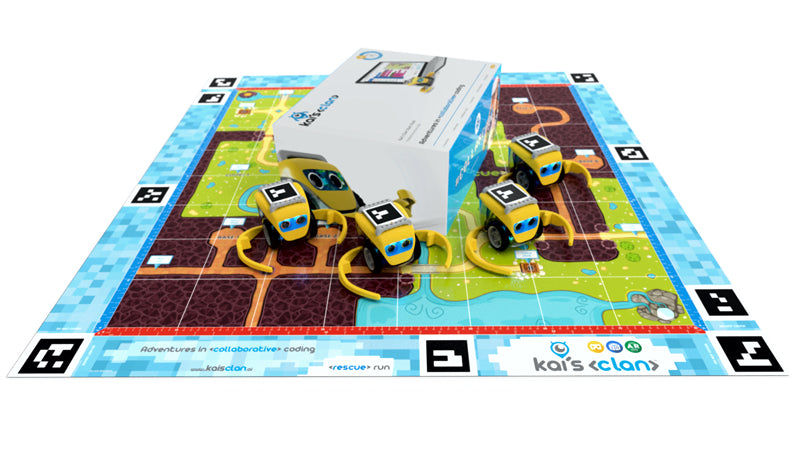
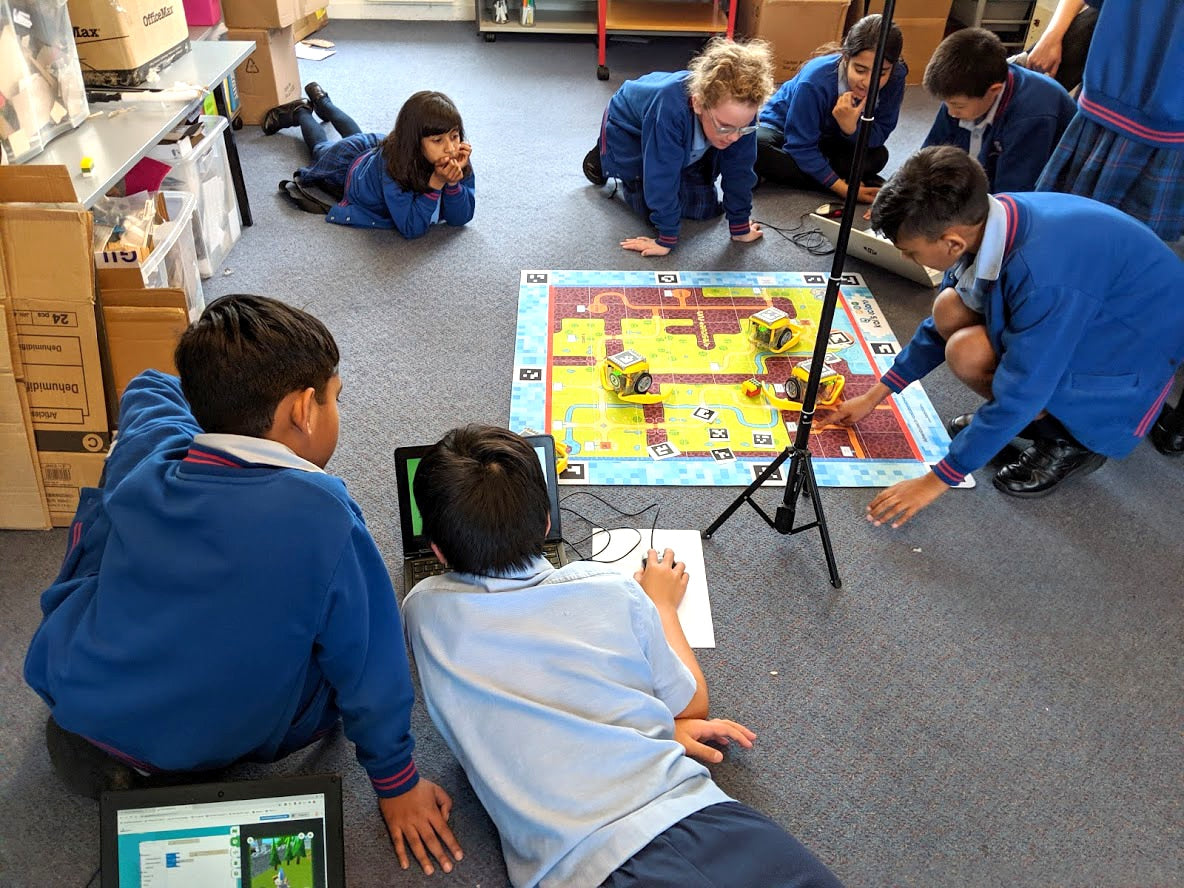
The KaiLab Start Pack is the entry point to the platform — four robots, an adventure mat and everything needed to run collaborative AR/VR coding lessons for Years 5 to 10. Students code physical robots in a browser and watch their work mirrored in a 3D virtual world at the same time.
What's included:
4 x KaiLab robots
1 x Rescue Run AR/VR adventure mat
1 x tripod with phone holder
1 x sensor box of IoT KaiBits
Coding cards and spare parts boxes
1 x Kai's Eye app licence
Education lesson plans
How it works:
Coding happens in a browser using Blockly or Python — no software to install
A phone or tablet mounted on the tripod tracks each robot's QR code and position on the mat
Robot positions and sensor readings sync to the cloud about once a second, so everyone sees live updates
The same scenario can be viewed in 3D, in augmented reality, or in VR on a headset
What students practise:
Collaborative problem-solving — several students working in one shared environment at once
Reading and acting on live IoT sensor data
Blockly first, then Python, without changing platforms
Suits a small group, a club, or a class working in rotation. Purchase orders welcome from Australian schools.


MakeKit Wheel:bit – micro:bit Robot Car
$90.00 ex GST
($99.00 inc GST)
The MakeKit Wheel:bit is a three-wheeled micro:bit robot car students build from scratch and code themselves. Clip a pen to the front and it becomes a drawing machine — turning geometry and angles into art the class can see.
What's included and how it works:
A build-your-own micro:bit robot car with laser-cut, sustainable parts, designed and made in Norway
An open, customisable design — rebuild the body with cardboard, 3D printing or a laser cutter
Code in MakeCode blocks, JavaScript or Python, or load a ready-made program
Suitable from around age 11
Please note: a BBC micro:bit is required (not included) and can be reused across other builds
What your students practise:
Coding and computational thinking
Maths — geometry, distance and angles through the drawing robot
Physics and design — motors, acceleration and building a car that works
Unlike closed, pre-built robot cars, Wheel:bit is made to be changed and rebuilt — repairable, sustainable and truly the student's own.


micro:bit Cutebot Pro — ElecFreaks Robot Car
$88.00 ex GST
($96.80 inc GST)
Cutebot Pro is the version for students who have outgrown approximate. Its encoder motors are closed-loop, so the car can be told to travel a set distance or turn a set angle and actually do it — which changes the kind of problem you can set. Four line-tracking sensors instead of two mean it can read crossroads and T-junctions rather than a single line.
What's included:
Cutebot Pro car with closed-loop encoder motors and wide-grip tyres
Four-way infrared line-following sensor array
Ultrasonic distance sensor
Two rainbow lights, two headlights, a buzzer and an infrared receiver
Integrated 18650 lithium battery box
micro:bit board is not included — add a micro:bit V2 at checkout
What students practise:
Controlling distance and turning angle precisely, then measuring the error
PID line following, using four sensor readings fused into one value
Block coding in MakeCode, progressing to Python or JavaScript
Competition-style problem solving where accuracy decides the outcome
Please note: the 18650 battery is not included and cannot be shipped with the car under air freight rules. You will need a flat-top 18650 cell (3.7–4.2V) — a button-top cell will not fit. Bluetooth, infrared remote and Joystick:bit control are all supported.
micro:bit motor:bit Smart Car Kit
$50.00 ex GST
$73.77 ex GST ($55.00 inc GST)
$73.77 ex GST ($55.00 inc GST)
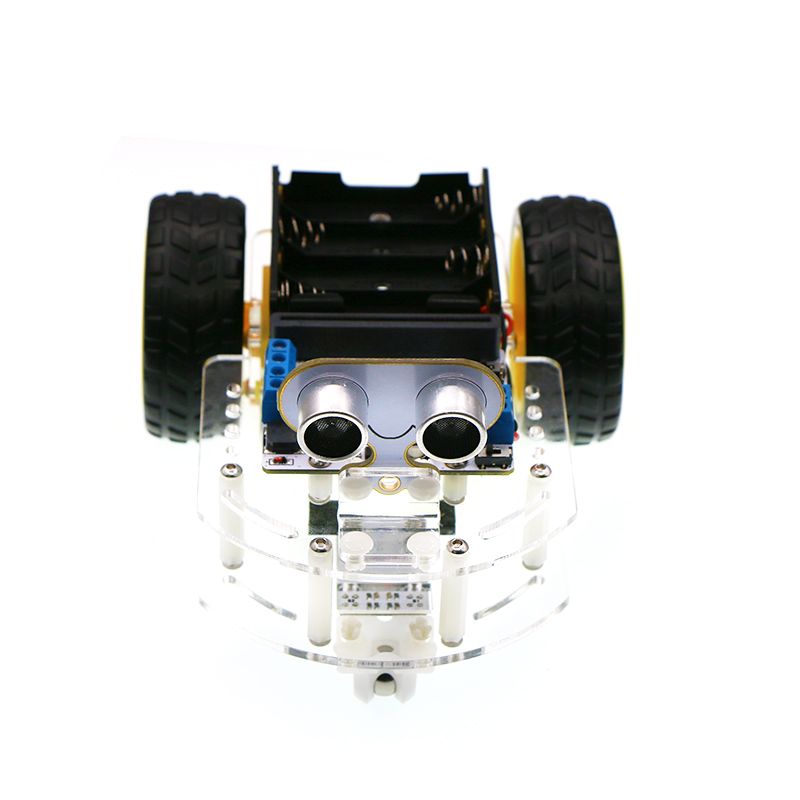
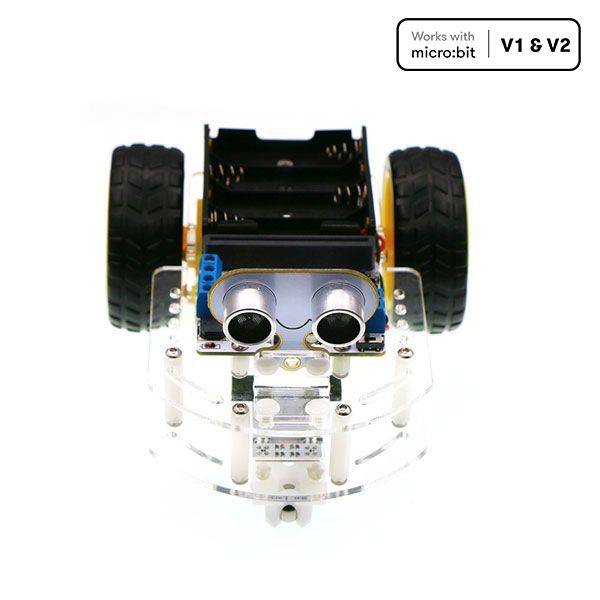
The motor:bit Smart Car Kit is a two-wheel robot students build themselves, then teach to see. With an ultrasonic sensor at the front and two line-tracking modules underneath, it can park at a fixed distance, hold its position behind a moving obstacle, or follow a taped line around the classroom floor.
What's included:
motor:bit driver board with a TB6612 chip, 12 GVS ports and an I2C port
sonar:bit ultrasonic distance sensor
Two line-tracking modules
Acrylic chassis and assembly hardware
micro:bit board and batteries are not included — add a micro:bit V2 at checkout
What students practise:
Using sensor input to make a decision, rather than just running a fixed sequence
Threshold thinking — deciding what counts as "too close" or "off the line"
Building and wiring a working machine from parts
Debugging behaviour they can watch happen
Six documented projects on the ElecFreaks wiki take a class from fixed parking through line tracking to Bluetooth remote control, so the same car supports several lessons rather than one.


micro:bit Nezha 48-in-1 Inventor's Kit
$209.00 ex GST
($229.90 inc GST)
The Nezha 48-in-1 Inventor's Kit has the longest project list of any micro:bit kit we stock. Forty-eight documented builds — a mechanical shrimp, an automatic gate, a flower-watering prompt, a robot dog — each made from bricks and driven by sensors the student wires themselves. Enough for a child to work through alone for a very long time.
What's included:
Nezha expansion board with colour-coded ports
Planet X sensors: ultrasonic, crash, line-tracking, soil moisture and trimpot
LED modules, a 360° servo and a motor
Over 400 building bricks, compatible with the common brick standard
RJ11 connecting leads and a storage case with dividers
micro:bit board is not included — add a micro:bit V2 at checkout
What students practise:
Building a machine to a plan, then modifying it when the plan doesn't survive contact
Choosing the right sensor for a problem from a box with several options
Block coding in Microsoft MakeCode, with Python and JavaScript as students progress
Working independently — there are enough projects here for a term, not a lesson
Choosing between this and the V2: this kit has 48 documented projects against the V2's 32, and costs less. The V2 adds a rechargeable battery, more motor and sensor ports, Fischertechnik compatibility and a fitted storage case. For one child at home, this one gives more to build. For a class of thirty, the V2's rechargeable battery and storage usually win.


micro:bit Nezha Inventor's Kit V2 — 32 Builds
$229.00 ex GST
($251.90 inc GST)
The Nezha Inventor's Kit V2 is the classroom version of the kit. It charges over USB instead of eating AAA batteries, the case has fitted compartments so thirty kits survive a term, and the board carries fifteen ports — enough for builds that would run out of connections on anything smaller.
What's included:
Nezha V2 expansion board with a built-in rechargeable battery, charged over USB
Four TT motor ports, four servo ports, four Fischertechnik motor ports and seven RJ11 sensor ports
Planet X sensors: ultrasonic, crash, line-tracking, soil moisture and trimpot
Red, green and yellow LED modules, a 360° Geekservo and a fast motor
Over 400 building bricks, six RJ11 leads, a pin puller, rubber bands and a line-following map
Storage box with fitted compartments
micro:bit board is not included — add a micro:bit V2 at checkout
What students practise:
Building a machine to a plan, then modifying it when the plan doesn't survive contact
Choosing the right sensor for a problem from a box with several options
Block coding in Microsoft MakeCode, with Python and JavaScript as students progress
Sustained project work across weeks rather than a single lesson
Thirty-two thematic projects are documented on the ElecFreaks wiki. Bricks work with both LEGO and Fischertechnik. If you want the longest project list rather than the rechargeable battery, the Nezha 48-in-1 Inventor's Kit covers 48 builds at a lower price.
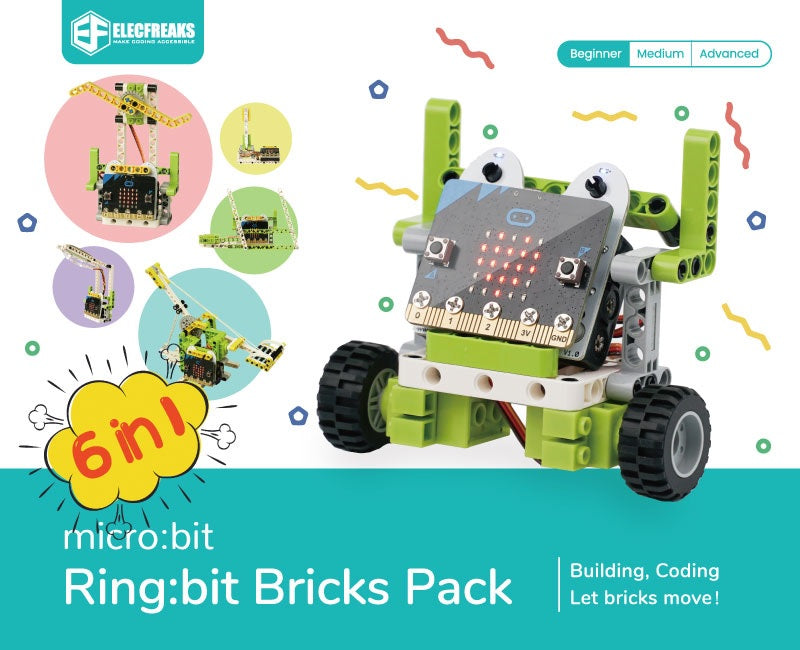
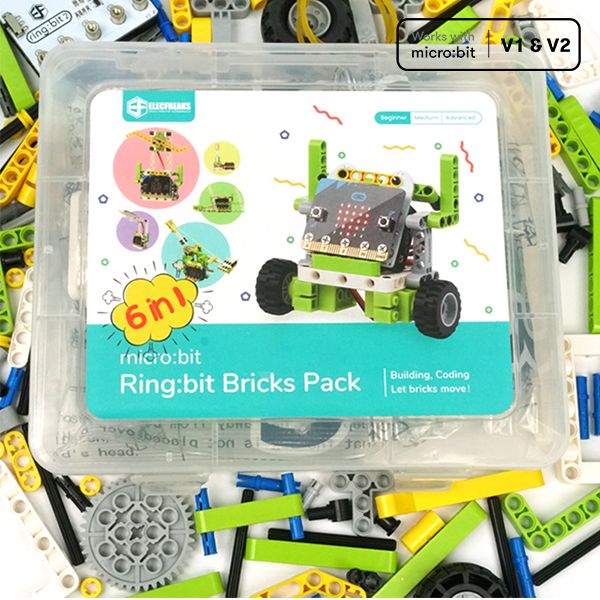
micro:bit Ring:bit Bricks Pack — 6 Builds
$70.00 ex GST
($77.00 inc GST)
The Ring:bit Bricks Pack pairs a micro:bit with roughly 200 building bricks, so students design the thing before they code it. Six guided projects take a class from a set of traffic lights through a brick car, a temperature-controlled fan, a desk lamp, windscreen wipers and a working trebuchet.
What's included:
Ring:bit v2 expansion board for the micro:bit
Two 360° continuous rotation servos
Rainbow LED strip
Close to 200 building bricks, compatible with the common brick standard
Printed assembly instructions, with six guided lessons in the Sammat Online Academy
micro:bit board and 3 x AAA batteries are not included — add a micro:bit V2 at checkout
What students practise:
Designing a mechanism, then writing the code that drives it
Iterating — rebuilding when the first structure won't hold or won't move
Controlling servos and LEDs from block code in MakeCode
Working from an instruction set, then departing from it
Six self-paced lessons for this kit sit in Sammat's Online Academy — traffic lights, a bricks car, a temperature-controlled fan, a smart desk lamp, wipers and a trebuchet. Access is sold as an add-on to the kit, and is included in the classroom pack. Because the bricks are a standard size, a class can keep building well past the last lesson.
micro:bit Ring:bit Car v2 — Beginner Robot Kit
$40.00 ex GST
($44.00 inc GST)
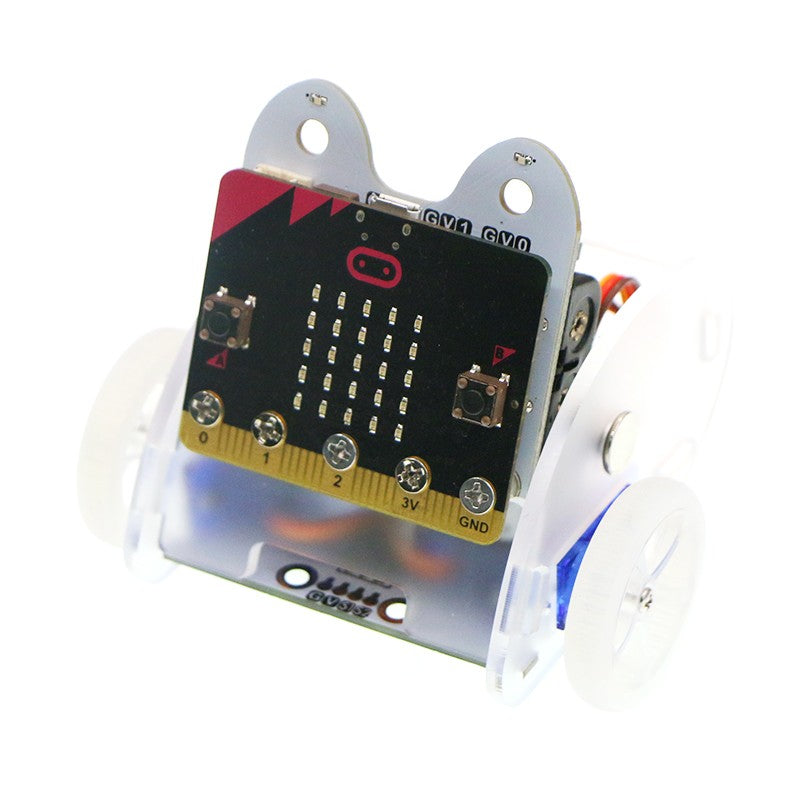
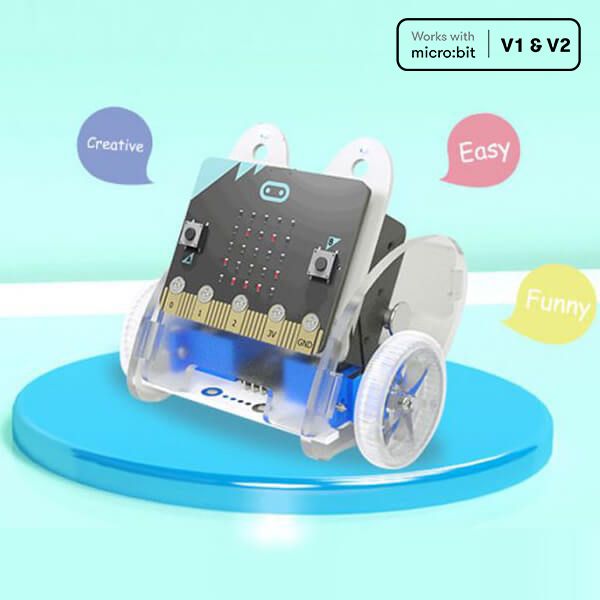
The Ring:bit Car v2 is the gentlest way into micro:bit robotics, and the only car in our range that students build themselves from parts rather than unboxing ready to drive. That assembly is the point — a child who has bolted on their own servos understands the machine differently from one handed a finished robot.
What's included:
Ring:bit v2 expansion board, which breaks out three of the micro:bit's GPIO ports
Two 360° continuous rotation servos and a car chassis
Rainbow LED module with eight full-colour LEDs
Assembly guide, with build and code walkthroughs on the ElecFreaks wiki
micro:bit board and batteries are not included — add a micro:bit V2 at checkout
What students practise:
Building a working machine from components, then finding the fault when it won't move
Sequencing: getting a robot to do the right things in the right order
Measuring and adjusting — a square that doesn't close teaches more than one that does
Block coding in MakeCode, with Python sample code available for older students
Expansion modules for line following, obstacle avoidance and drawing are sold separately, so the same car can carry a class from first program to independent project work. If you would rather start with a robot that arrives assembled and driving, look at the Smart Cutebot instead.


micro:bit Smart Cutebot — ElecFreaks Robot
$57.00 ex GST
($62.70 inc GST)
Cutebot is the micro:bit robot car most people picture when they think of one. It is small, quick and almost entirely pre-assembled — only the batteries and the ultrasonic sensor need fitting, so a class can be driving within minutes of opening the box rather than at the end of the lesson.
What's included:
Cutebot rear-drive car with dual N20 high-speed motors
HC-SR04+ ultrasonic distance sensor
Large line-following map and user guide
Two RGB LED headlights, two NeoPixel rainbow lights and underbody clearance lamps
Two line-tracking probes, a buzzer horn and an infrared receiver
Runs on 3 x AAA batteries, not included
micro:bit board is not included — add a micro:bit V2 at checkout
What students practise:
Sequencing and speed control — the difference between full speed and gradual
Line following and obstacle avoidance using sensor thresholds
Block coding in MakeCode, progressing to Python, JavaScript or C++
Measuring, adjusting and testing rather than guessing
The arc-shaped shell takes knocks well and the motors are fully enclosed against dust, which matters for a robot that spends its life on classroom floors. A 3-pin port allows sensor expansion, and the body accepts standard building bricks. Measures 85 x 85 x 38 mm.


micro:bit TPBot Smart Car — ElecFreaks
$79.00 ex GST
($86.90 inc GST)
The TPBot works straight out of the box without a micro:bit — it will follow a line and avoid obstacles on its preset modes alone. That matters in a classroom, because a child who is stuck can still see the thing work, then slot in a micro:bit and start changing what it does.
What's included:
TPBot smart car with an ABS shell
Line-tracking map
Sticker sheet and user manual
Runs on 4 x 1.5V dry cell batteries, not included
micro:bit board is not included — add a micro:bit V2 at checkout
What students practise:
Sequencing and steering — getting a robot to follow a planned route
Using sensor input to make a decision instead of running a fixed program
Block coding in Microsoft MakeCode, with Python available for older students
Designing a body for the robot, then testing whether it still drives properly
Lock joints on both sides and studs on the roof take standard building bricks, so the same car becomes a police car, a delivery truck or a football player. Four sensor connections and four servo connections allow expansion, and it works with our Interactive Coding Accessories Pack. Winner of a bronze IDEA Design Award. Measures 113 x 128 x 90 mm.
Ozobot Ari Classroom Kit - 12 Bots
$3,908.18 ex GST
$4,544.54 ex GST ($4,299.00 inc GST)
$4,544.54 ex GST ($4,299.00 inc GST)
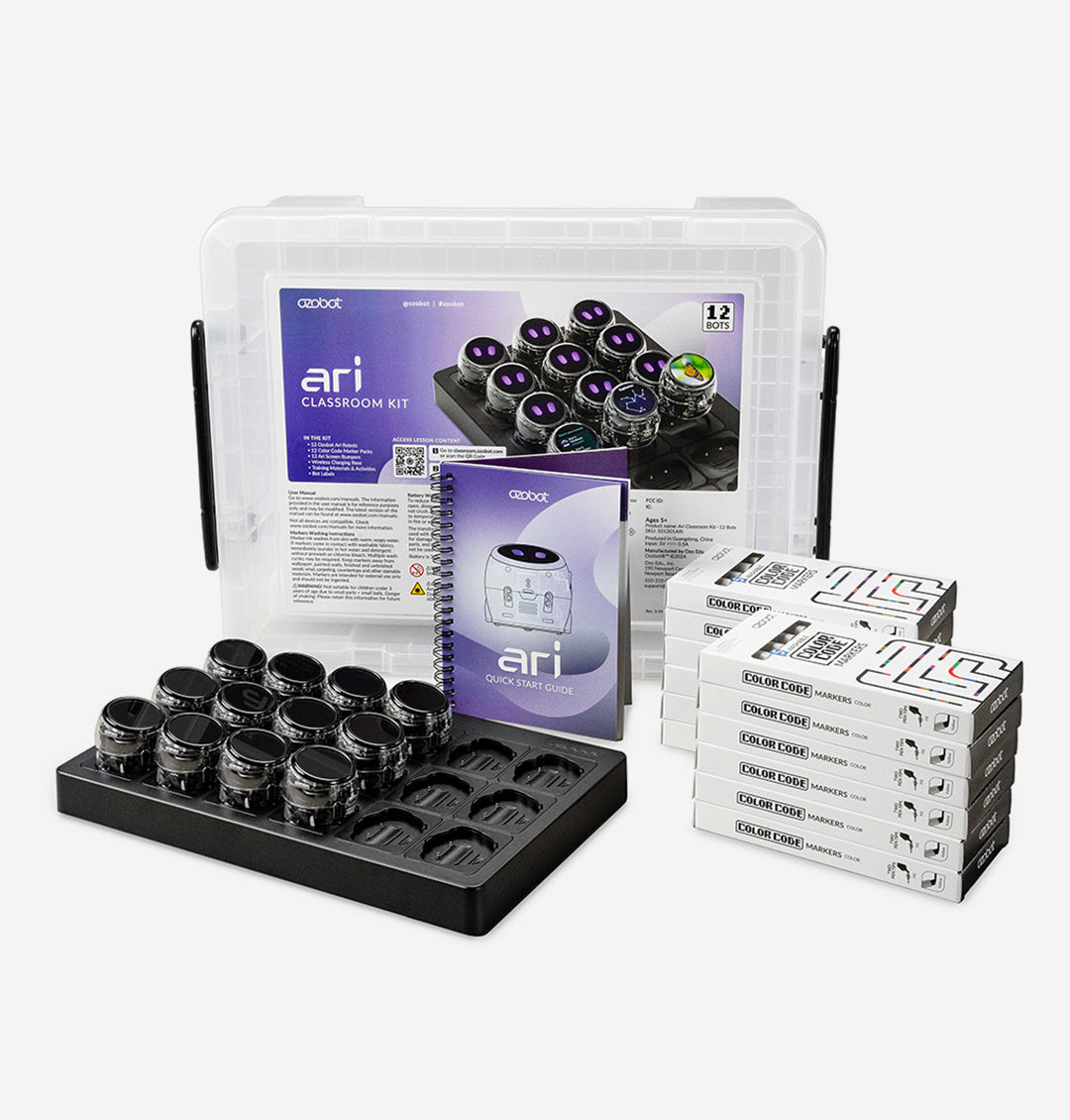
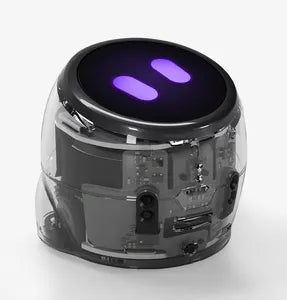
The Ozobot Ari Classroom Kit is a complete, ready-to-teach set of twelve Ari robots — Ozobot's newest and most capable coding robot, with an interactive touchscreen and AI built in. Students code in pairs, around 24 at once, and no coding experience is needed to get started. Ari grows with your class, taking students from screen-free coding all the way to Python, while its sensors and display bring coding, engineering, physics and core subjects to life.
Ari offers three ways to code, so every student has an entry point and a clear path forward. They begin screen-free with Colour Codes — coloured marker patterns Ari reads and follows — then move to block-based coding, and on to Python in Ozobot Editor.
What's included:
12 Ozobot Ari robots, each with a high-resolution 390 × 390 touchscreen
Wireless charging cradle and power supply
12 dual-tip Colour Code marker packs and 12 screen bumpers
Get Started activities and a storage bin
Free Ozobot Classroom account — standards-aligned lessons across coding, maths, science and more
What your students practise:
Coding from Colour Codes to block coding to Python
Engineering — measuring distances, detecting obstacles and navigating with the time-of-flight sensor
Physics — exploring motion, acceleration and velocity with the accelerometer and gyroscope
AI and core subjects — students can even build AI into their own programs, and learn through Ari's touchscreen apps
Ari is built for daily classroom use, with a strong polycarbonate shell and a screen bumper on every robot, and the wireless cradle charges and stores all twelve between lessons. Ari connects over Wi-Fi to Ozobot's own servers for a safe, secure environment. Teaching a bigger class? See the 18-bot Ozobot Ari Classroom Kit.
New to OzoBlockly? Read our OzoBlockly guide to see how the five skill levels work and which editor suits your robot.
Ozobot Ari Classroom Kit - 18 Bots
$5,908.18 ex GST
$6,817.27 ex GST ($6,499.00 inc GST)
$6,817.27 ex GST ($6,499.00 inc GST)
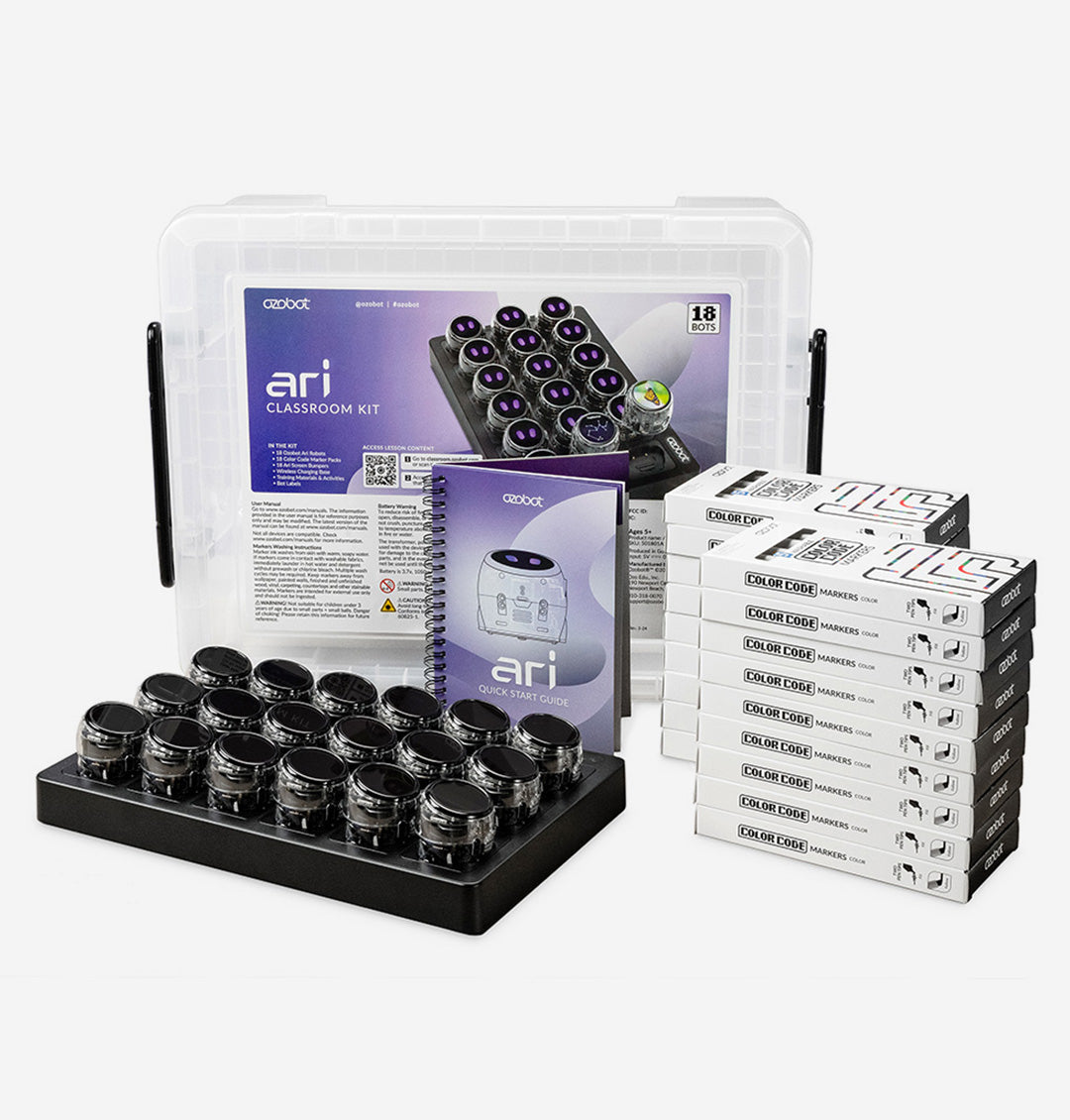
The Ozobot Ari Classroom Kit with 18 robots is a complete, ready-to-teach set for a full class — built around Ozobot's newest and most capable coding robot, with an interactive touchscreen and AI built in. With eighteen Ari robots, students can work in pairs across a full class, or closer to one robot each in a smaller group, and no coding experience is needed to get started. Ari grows with your students, taking them from screen-free coding all the way to Python, while its sensors and display bring coding, engineering, physics and core subjects to life.
Ari offers three ways to code, so every student has an entry point and a clear path forward. They begin screen-free with Colour Codes — coloured marker patterns Ari reads and follows — then move to block-based coding, and on to Python in Ozobot Editor.
What's included:
18 Ozobot Ari robots, each with a high-resolution 390 × 390 touchscreen
Wireless charging cradle and power supply
18 dual-tip Colour Code marker packs and 18 screen bumpers
Get Started activities and a storage bin
Free Ozobot Classroom account — standards-aligned lessons across coding, maths, science and more
What your students practise:
Coding from Colour Codes to block coding to Python
Engineering — measuring distances, detecting obstacles and navigating with the time-of-flight sensor
Physics — exploring motion, acceleration and velocity with the accelerometer and gyroscope
AI and core subjects — students can even build AI into their own programs, and learn through Ari's touchscreen apps
Ari is built for daily classroom use, with a strong polycarbonate shell and a screen bumper on every robot, and the wireless cradle charges and stores your robots between lessons. Ari connects over Wi-Fi to Ozobot's own servers for a safe, secure environment. Teaching a smaller group? See the 12-bot Ozobot Ari Classroom Kit, or the single-robot Ari Entry Kit.
New to OzoBlockly? Read our OzoBlockly guide to see how the five skill levels work and which editor suits your robot.
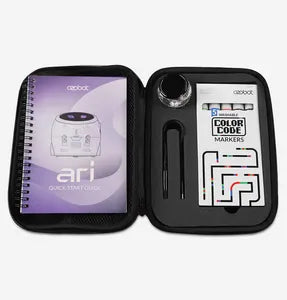
Ozobot Ari Entry Kit
$362.73 ex GST
($399.00 inc GST)
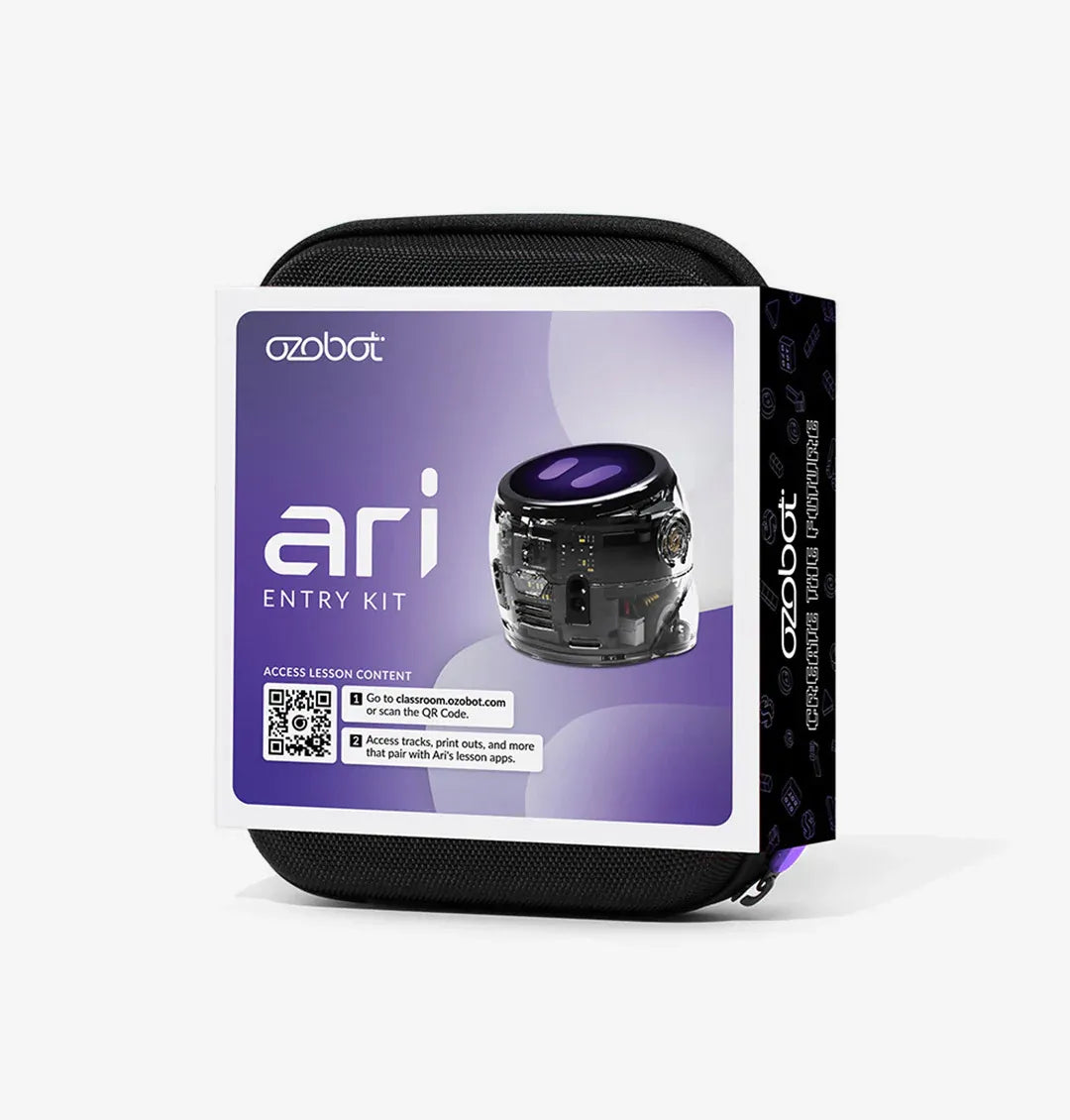
The Ozobot Ari Entry Kit is the newest and most capable Ozobot — an AI-ready coding robot with its own interactive touchscreen. This single-robot kit is ready to use at home or in the classroom, and it grows with your students: they can start screen-free and progress all the way to real text-based programming. Ari brings coding, engineering, physics and core subjects to life for learners from primary through secondary.
Ari offers three ways to code, so every student has a starting point and room to grow. They begin screen-free with Colour Codes — drawing coloured marker patterns Ari reads and follows — then move to Ozobot Blockly block coding, and on to Python for advanced, text-based programming.
What's included:
1 Ozobot Ari robot with a high-resolution 390 × 390 touchscreen
5 dual-tip Colour Code markers
Charging cable, screen bumper and a protective zip case
Get Started activities
Free access to standards-aligned lessons in Ozobot Classroom
What your students practise:
Coding from Colour Codes to block coding to Python
Engineering — using the time-of-flight sensor to measure distances, detect obstacles and navigate
Physics — exploring motion, acceleration and velocity with the built-in accelerometer and gyroscope
Core subjects and problem-solving through Ari's touchscreen apps and lessons
Ari is built for the classroom, with a strong polycarbonate shell, a screen bumper, LED lights, a built-in speaker and a rechargeable battery. It's AI-enabled for adaptive, personalised learning, and uses Wi-Fi to update and load programs, connecting only to Ozobot's own servers for a safe, secure environment. Ready to equip a whole class? See the Ozobot Ari Classroom Kit for 12-robot and 18-robot options.
New to OzoBlockly? Read our OzoBlockly guide to see how the five skill levels work and which editor suits your robot.


Ozobot Bit+ Bulk Pack (12 robots)
$1,362.73 ex GST
$1,540.91 ex GST ($1,499.00 inc GST)
$1,540.91 ex GST ($1,499.00 inc GST)
The Ozobot Bit+ Bulk Pack is a 12-pack of Bit+ coding robots — the most affordable way to put a class set of Ozobot robots in students' hands. This bulk pack is robots and charging cables only, with no cradle, markers or stickers, so it's ideal if you're expanding an existing set, already have Colour Code markers, or simply want the lowest price per robot for a whole class. No app or Bluetooth needed, and no coding experience required to get started.
Like every Bit+, these robots code two ways. Students work screen-free with Colour Codes — drawing coloured marker patterns that Bit+ reads with its optical sensors to speed up, slow down, spin and follow paths — then progress to OzoBlockly block coding in any web browser, across five skill levels from pre-reader to master. You'll need Colour Code markers to draw codes, so grab a set separately if you don't already have them.
What's included:
12 Ozobot Bit+ coding robots
12 USB charging cables
Not included — choose the Ozobot Bit+ Classroom Kit if you need these: charging cradle, Colour Code markers, correction stickers and Get Started activities.
What your students practise:
Sequencing, loops and debugging through hands-on challenges
Problem-solving and computational thinking
Collaboration while working in pairs and groups
Each Bit+ is built for daily classroom use, with a reinforced polycarbonate shell, bright LED lights and a rechargeable battery, and it's Arduino-compatible for older students. Recommended for ages 5 and up, right through primary and secondary. Want the markers, cradle and stickers as well? The Ozobot Bit+ Classroom Kit has the same 12 robots with everything set up to teach.
New to OzoBlockly? Read our OzoBlockly guide to see how the five skill levels work and which editor suits your robot.


Ozobot Challenge Mat: Basketball
$199.09 ex GST
($219.00 inc GST)
The Ozobot Challenge Mat: Basketball takes coding to the court. Evo is playing in an All-Star Basketball Showcase, and students code it to pass, dribble, shoot and weave around defenders through a series of skill-based drills. Every play takes precise programming, so students build real coding logic and problem-solving while they compete. It's a durable, reusable mat that blends coding with the excitement of basketball, sized to fit most classroom desks.
What your students do:
Work through basketball drills on the challenge cards
Code Evo to dribble, pass, shoot and navigate around defenders
Learn the fundamentals of Ozobot Blockly with the Blockly Basics cards
Build programming logic, spatial awareness, teamwork and sportsmanship
What's included:
A premium 61 × 84 cm (24″ × 33″) coding mat that fits most desks
15 challenge cards and 17 Blockly Basics cards
Evo accessories: 3 robot arms, 6 defenders, 3 basketballs and 2 backboards
Access to standards-aligned lessons in Ozobot Classroom
Students can code screen-free with Colour Codes or dive into Ozobot Blockly. The mat is designed for use with an Ozobot Evo robot and a compatible device (both sold separately), and its durable, reusable design stands up to game after game. Using Ari? Ozobot provides 3D CAD files so you can print Ari-compatible accessories.


Ozobot Challenge Mat: Mission to Mars
$199.09 ex GST
($219.00 inc GST)
The Ozobot Challenge Mat: Mission to Mars turns coding into a space mission. Students become mission commanders, coding their Evo robot across a rocky Martian landscape to locate supply crates and fuel barrels and set up a base camp. Every move takes strategic planning, so students build real programming logic and problem-solving as they play. It's a durable, reusable mat that combines coding with an exciting space-exploration theme, sized to fit most classroom desks.
What your students do:
Take on step-by-step mission objectives from the challenge cards
Code Evo to navigate Martian terrain and gather vital resources
Plan safe, efficient paths through canyons and volcanoes
Build critical thinking, spatial awareness, programming logic and teamwork
What's included:
A premium 61 × 84 cm (24″ × 33″) coding mat that fits most desks
Challenge cards with step-by-step mission objectives
Accessories made for Evo
Student instructions
Access to standards-aligned lessons in Ozobot Classroom
Students can code screen-free with Colour Codes or dive into Ozobot Blockly. The mat is designed for use with an Ozobot Evo robot and a compatible device (both sold separately), and its durable, reusable design stands up to repeated classroom missions. Using Ari? Ozobot provides 3D CAD files so you can print Ari-compatible accessories.


Ozobot Challenge Mat: Ocean Explorer
$199.09 ex GST
($219.00 inc GST)
The Ozobot Challenge Mat: Ocean Explorer takes coding under the sea. Students code their Evo robot on a journey through four ocean zones — from sunlit shallows to the darkest depths — combining real coding skills with marine science, archaeology and ecology. They start with the Exploration Basics cards to master the fundamentals of Ozobot Blockly, then take on tougher missions with the Deep Exploration cards. It's a durable, reusable mat sized to fit most classroom desks.
Explore four ocean zones:
Intertidal — code Evo to highlight the plants and animals where land meets the sea
Sunlight — take part in an underwater archaeological dig for ancient treasures
Twilight — code Evo to "photograph" the strange creatures of the deep
Midnight — dive to the ocean floor to study and navigate coral reefs
What's included:
A premium 61 × 84 cm (24″ × 33″) coding mat that fits most desks
Exploration Basics and Deep Exploration challenge cards
Accessories made for Evo
Access to standards-aligned lessons in Ozobot Classroom
Along the way, students build programming logic, problem-solving and spatial awareness — plus a real curiosity about marine science and ecology. They can code screen-free with Colour Codes or dive into Ozobot Blockly. The mat is designed for use with an Ozobot Evo robot and a compatible device (both sold separately), and its durable, reusable design stands up to repeated expeditions. Using Ari? Ozobot provides 3D CAD files so you can print Ari-compatible accessories.


Ozobot Challenge Mat: Ultimate Soccer
$199.09 ex GST
($219.00 inc GST)
The Ozobot Challenge Mat: Ultimate Soccer turns coding into game day. FC Ozobot is scouting for talent, and students step onto the field to code their Evo robot through soccer drills — dribbling, passing, avoiding defenders and scoring game-winning goals. Every play takes precise programming, so students build real coding logic and spatial awareness while they compete. It's a durable, reusable mat that pairs coding with the excitement of soccer, sized to fit most classroom desks.
What your students do:
Draw challenge cards and work through soccer drills
Code Evo to dribble, pass, avoid defenders and shoot goals
Plan and perfect plays to navigate the field
Build programming logic, spatial awareness, teamwork and collaboration
What's included:
A premium 61 × 84 cm (24″ × 33″) coding mat that fits most desks
Challenge cards to guide each drill
Buildable soccer-themed accessories for Evo
Student instructions
Access to standards-aligned lessons in Ozobot Classroom
Students can code screen-free with Colour Codes or dive into Ozobot Blockly. The mat is designed for use with an Ozobot Evo robot and a compatible device (both sold separately), and its durable, reusable design stands up to repeated matches. Using Ari? Ozobot provides 3D CAD files so you can print Ari-compatible accessories.


Ozobot Colour Code Magnets - Base Kit
$54.50 ex GST
($59.95 inc GST)
The Ozobot Colour Code Magnets Base Kit is a hands-on, screen-free way to introduce coding to your youngest learners. Instead of a screen or markers, students build coding paths by arranging magnetic tiles on the board — straight lines, turns and intersections — then place an Evo robot at the start and watch it follow the route they've programmed. It's tactile, reusable and made for early learners, from Pre-K up.
What's in the box:
Magnetic board (about 64 × 30 cm)
36 durable magnetic tiles — straight lines and turns to lay the path, plus intersection, direction and start/finish tiles that give the robot its commands
Wet-erase marker for adding your own colour codes
What your students practise:
Sequencing — arranging tiles in order to build a working path
Logic and decisions — choosing which way the robot turns at each intersection
Problem-solving — planning, testing and fixing their route
Early coding concepts, all screen-free and hands-on
The tiles are built to withstand daily classroom use, and the wet-erase board wipes clean for the next lesson. Your free Ozobot Classroom account adds hundreds of standards-aligned lessons, and you can extend the kit with the Speed and Special Moves add-on kits. Please note: this kit pairs with an Evo robot, which is required but not included.


Ozobot Colour Code Magnets - Special Moves Kit
$18.14 ex GST
$19.95 ex GST ($19.95 inc GST)
$19.95 ex GST ($19.95 inc GST)
The Ozobot Colour Code Magnets Special Moves Kit adds 18 new tiles to your Colour Code Magnets Base Kit, expanding what young coders can make their Evo robot do. Where the Base Kit builds the path, these Special Moves tiles introduce new commands — so students can program more playful, expressive behaviours into their routes. It's the same screen-free, hands-on approach, made for early learners from Pre-K up.
What's included:
18 durable magnetic Special Moves tiles
New special-move colour codes to add to your paths
What your students practise:
Sequencing — placing the new codes at the right point in a route
Cause and effect — seeing how each special-move tile changes what the robot does
Creativity and problem-solving as they design more expressive paths
The tiles are built to withstand daily classroom use and pair seamlessly with the Base Kit, and your free Ozobot Classroom account adds more screen-free coding lessons.
Please note: this is an add-on set. It requires the Ozobot Colour Code Magnets Base Kit and an Evo robot, which are not included.


Ozobot Colour Code Magnets - Speed Kit
$18.14 ex GST
$19.95 ex GST ($19.95 inc GST)
$19.95 ex GST ($19.95 inc GST)
The Ozobot Colour Code Magnets Speed Kit adds 18 new tiles to your Colour Code Magnets Base Kit, letting young coders control how fast their Evo robot travels. Where the Base Kit builds the path, these Speed tiles introduce speed commands — so students can program their robot to slow down, speed up and change pace along a route. It's the same screen-free, hands-on approach, made for early learners from Pre-K up.
What's included:
18 durable magnetic Speed tiles
New speed colour codes to add to your paths
What your students practise:
Sequencing — placing speed codes at the right point in a route
Cause and effect — seeing how each tile changes how fast the robot moves
Prediction and problem-solving as they plan and adjust a robot's pace
The tiles are built to withstand daily classroom use and pair seamlessly with the Base Kit, and your free Ozobot Classroom account adds more screen-free coding lessons.
Please note: this is an add-on set. It requires the Ozobot Colour Code Magnets Base Kit and an Evo robot, which are not included.


Ozobot Crawler - Dynamic Coding Experience for Students
from $13.59 ex GST
$63.59 ex GST ($14.95 inc GST)
$63.59 ex GST ($14.95 inc GST)
The Ozobot Crawler adds a new dimension to coding with Evo. Students build the Crawler and clip in their Evo robot, transforming it from a wheeled bot into a bug-like walker — then code how it moves. It's a hands-on way to explore mechanisms and engineering alongside coding, and it's designed for students in Years 3 to 8.
What your students do:
Build the Crawler and attach an Evo to bring it to life
Code its movements with Ozobot Blockly, or drive it with the Evo app
Explore mechanical processes — how a robot's motion becomes a crawling walk
Develop problem-solving and critical thinking through open-ended challenges
Every kit arrives in a surprise colour, so each build is a little different, and exclusive Crawler lessons are ready to go in your free Ozobot Classroom account. Buy a single Crawler, or a class pack for group builds. The assembled Crawler is compact at roughly 8 × 4 × 7 cm — desk-friendly for classroom use.
Please note: an Evo robot is required and is not included with the Crawler.


Ozobot Dual-Tip Colour Code Markers (5 pack)
$11.77 ex GST
$12.68 ex GST ($12.95 inc GST)
$12.68 ex GST ($12.95 inc GST)
The Ozobot Dual-Tip Colour Code Markers are the washable pens made for screen-free coding with your Ozobot robot. Students draw Colour Codes — short sequences of red, green, blue and black — on white paper, and the robot reads them with its optical sensors to speed up, slow down, turn and more. Because the colours are calibrated for Ozobot, your robots read the codes reliably, which everyday markers can't guarantee.
What's included:
5 markers — 1 blue, 1 green, 1 red and 2 black (the extra black is for drawing lines)
Dual-tip design: a chisel tip for bold lines and Colour Codes, and a fine tip for detail
Washable and non-toxic
What your students do:
Draw coding paths, roads, mazes and maps for their robot to follow
Program movement with Colour Codes — direction, speed, cool moves and more
Build sequencing, problem-solving and creativity, all screen-free
These markers work with every Ozobot that reads Colour Codes — Evo, Bit+ and Ari — and are recommended for ages 5 and up. A handy spare set or refill to keep a classroom coding with clean, reliable colours. (Tip: draw Colour Codes on white paper for the best results.)


Ozobot Evo Classroom Kit (12 Bots)
$2,908.18 ex GST
$3,631.82 ex GST ($3,199.00 inc GST)
$3,631.82 ex GST ($3,199.00 inc GST)
FREE SHIPPING ON THIS PRODUCT!
The Ozobot Evo Classroom Kit (12 Bots) is a complete, ready-to-teach coding set for a single class. Twelve palm-sized Evo robots let students code in pairs — around 24 children at once — with no coding experience needed, for you or them. It's a portable, affordable way to bring coding, problem-solving and STEM thinking into the primary classroom, with everything you need in one box.
Evo offers two ways to code, so every student has a starting point. Beginners code screen-free with Colour Codes — drawing coloured marker patterns on paper that Evo reads and follows. From there they progress to OzoBlockly drag-and-drop block coding, and on towards text-based coding as their confidence grows.
What's included:
12 Ozobot Evo robots and 12 dual-tip Colour Code marker sets
Wireless charging cradle and power cable
Bot label stickers and an Ozobot sticker pack
Get Started activities for educators
Free Ozobot Classroom account — teacher training plus 700+ tandards-aligned lessons
What your students practise:
Sequencing, loops and debugging through hands-on challenges
Problem-solving and computational thinking
Maths, science and literacy through cross-curriculum lessons
Collaboration and communication while working in pairs
Each Evo is built for daily classroom use, with a tough polycarbonate shell, proximity and optical sensors, LED lights and a built-in speaker, plus a rechargeable battery that lasts a full lesson and recharges in about an hour. The wireless cradle charges and stores all twelve together between lessons. Teaching a bigger class? See the 18-bot Ozobot Evo Classroom Kit.
New to OzoBlockly? Read our OzoBlockly guide to see how the five skill levels work and which editor suits your robot.
Ozobot Evo Classroom Kit (18 Bots)
$4,362.73 ex GST
$5,450.00 ex GST ($4,799.00 inc GST)
$5,450.00 ex GST ($4,799.00 inc GST)
FREE SHIPPING ON THIS PRODUCT!
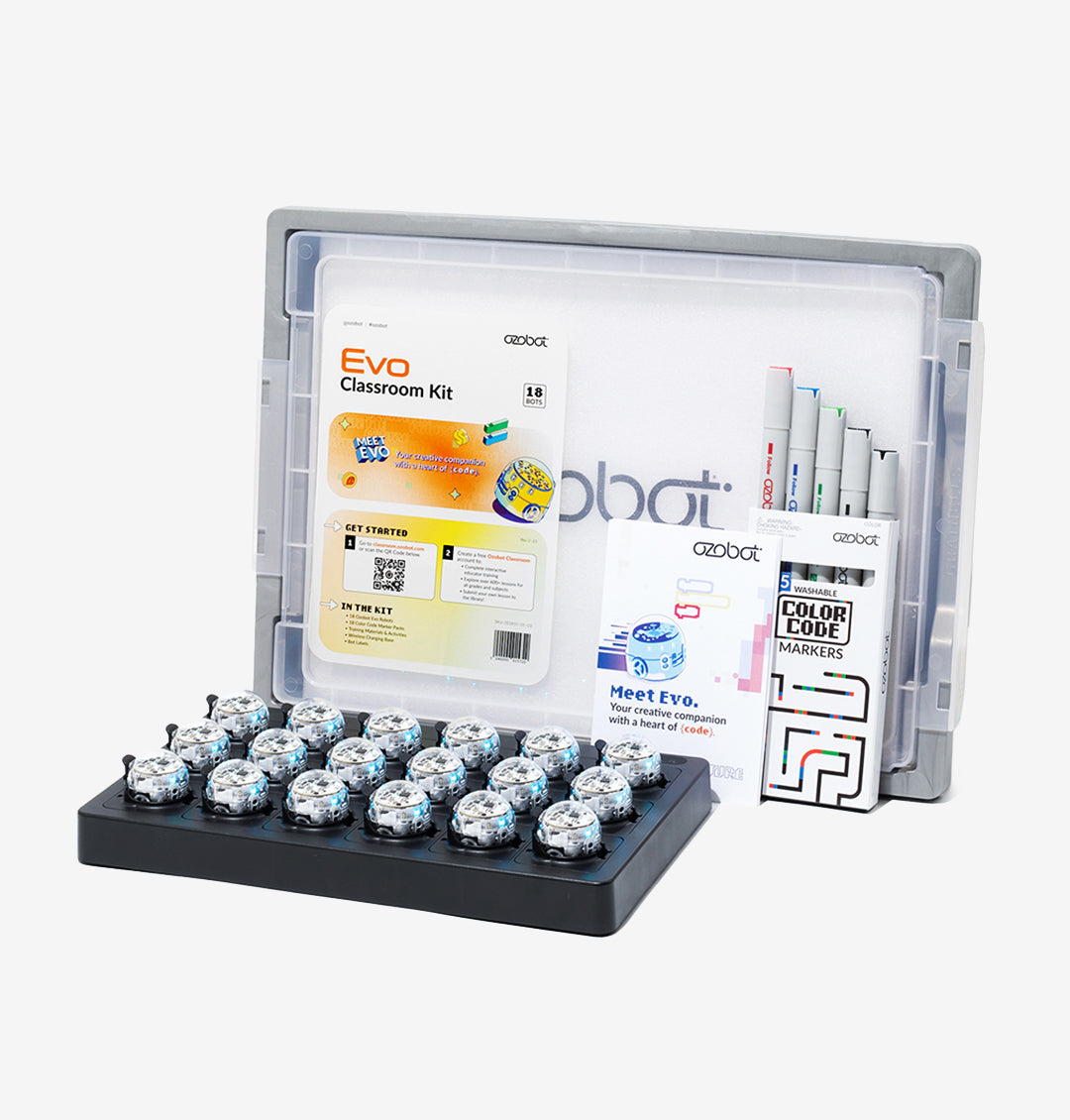
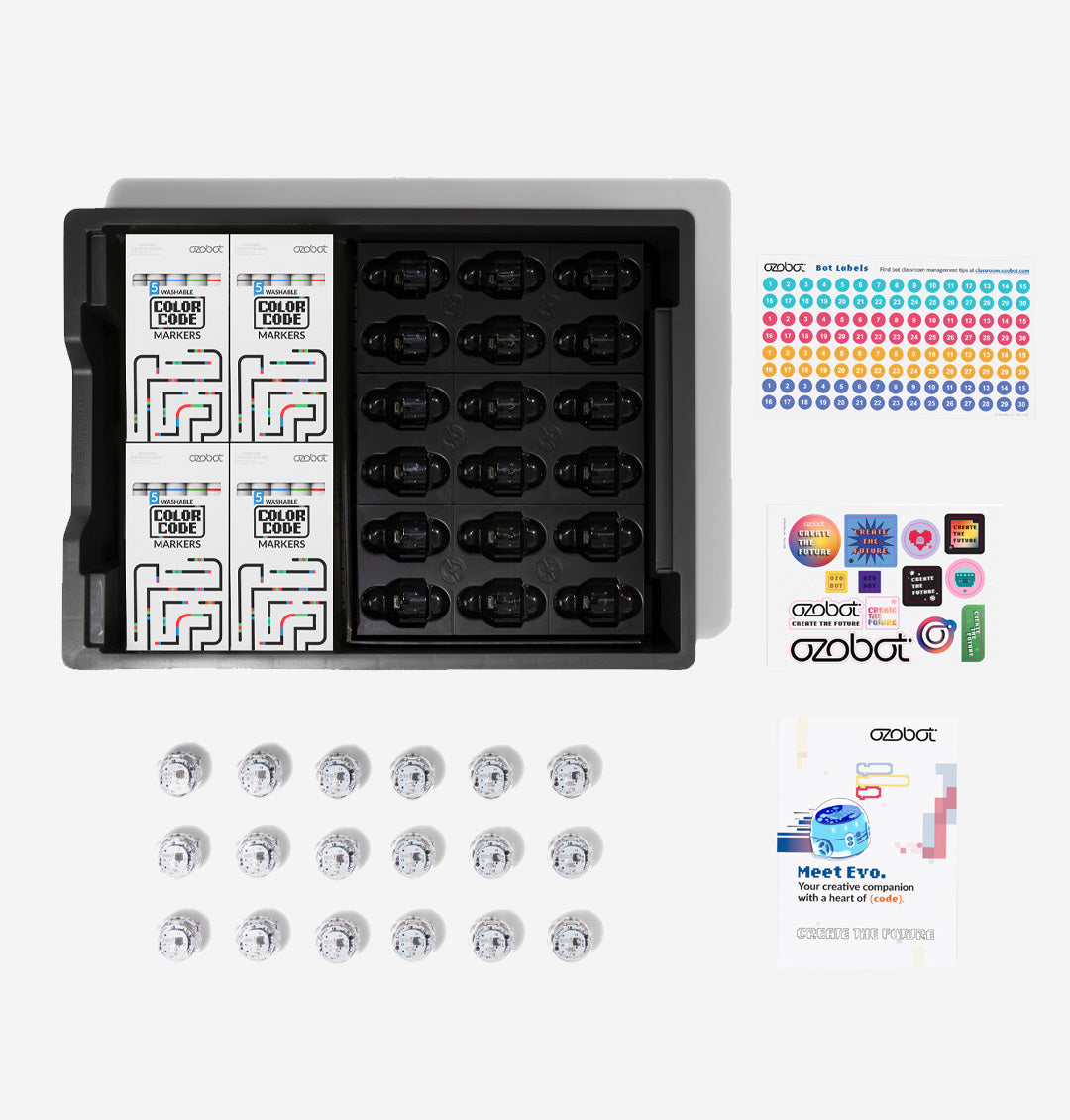
The Ozobot Evo coding robot gives a whole class a hands-on way into coding — with no prior experience needed, for you or your students. This classroom kit puts 18 palm-sized Evo robots in students' hands, so a full class can code in pairs and watch their ideas come to life on the desk in front of them. It's a practical way to bring coding, problem-solving and STEM thinking into primary classrooms across Australia.
Evo offers two ways to code, so every student has a starting point. Beginners code screen-free with Colour Codes — drawing coloured marker patterns on paper that Evo reads and follows. From there, students progress to OzoBlockly drag-and-drop block coding, and on towards text-based coding as their confidence grows.
What's included:
18 Ozobot Evo robots and 18 dual-tip Colour Code marker sets
Wireless charging cradle and power cable
Bot label stickers and an Ozobot sticker pack
Get Started activities for educators
Free Ozobot Classroom account — teacher training plus hundreds of standards-aligned lessons
What your students practise:
Sequencing, loops and debugging through hands-on challenges
Problem-solving and computational thinking
Maths, science and literacy through cross-curriculum lessons
Collaboration and communication while working in pairs
Each Evo is built for daily classroom use, with a tough polycarbonate shell and a rechargeable battery that lasts a full lesson and recharges in about an hour. With enough robots for the whole class and ready-to-teach lessons included, it's a coding tool you can pick up and use from day one.
New to OzoBlockly? Read our OzoBlockly guide to see how the five skill levels work and which editor suits your robot.


Ozobot Evo Entry Kit
$299.09 ex GST
$317.27 ex GST ($329.00 inc GST)
$317.27 ex GST ($329.00 inc GST)
The Ozobot Evo Entry Kit is the easiest way to bring a coding robot into your home or classroom — one palm-sized Evo, ready to code straight out of the box, with no coding experience needed for you or your child. It's the single-robot version of the Evo used in schools — sometimes called an Evo starter kit or starter pack — so an individual student or a small group can learn to code and keep growing with the same robot.
Evo gives beginners two ways in. Students start screen-free with Colour Codes — drawing coloured marker patterns that Evo reads and follows to speed up, spin, change direction and more. From there they move to OzoBlockly, dragging and dropping blocks of code through five skill levels, from pre-reader to master.
What's included:
1 Ozobot Evo coding robot
5 dual-tip Colour Code markers
1 charging cable and a zip carry case
Get Started activities
Free access to Ozobot Classroom — 700+ standards-aligned lessons across coding, maths, science and more
What your child practises:
Sequencing, loops and debugging through hands-on challenges
Problem-solving and computational thinking
Creativity — drawing their own colour-code tracks, mazes and racetracks
Built for real use, Evo has a tough polycarbonate shell, proximity and optical sensors, LED lights and a built-in speaker, plus a rechargeable battery. Recommended for primary age and up. Looking for a class set? See the Ozobot Evo Classroom Kit for 12-robot and 18-robot options.
New to OzoBlockly? Read our OzoBlockly guide to see how the five skill levels work and which editor suits your robot.


Ozobot STEAM Kit: OzoGoes Around a Sundial
from $47.27 ex GST
($52.00 inc GST)
OzoGoes Around a Sundial turns telling time into a hands-on science project. In this Ozobot STEAM kit, students build their own sundial, then use it to tell the time by the position of the sun — discovering first-hand how shadows and angles mark the hours of the day. A flashlight stands in for the sun, so the activity works indoors, any time. Pair it with an Evo or Bit+ robot to add coding, or run it screen-free without a bot. Designed for ages 8 and up.
What your students explore:
How to build and read a sundial
How the sun's position casts shadows that mark the time of day
Angles, shadows and the science of timekeeping
Problem-solving, critical thinking and teamwork in a real-world context
What's included:
Sundial, sun stand, shade, centre pin and axle to build and use
Flashlight (to act as the sun) and a compass
Activity board and fact cards
Printed lesson plans and assembly instructions
QR code to free digital lessons in Ozobot Classroom
The activities are standards-aligned, and one kit suits an individual or a small group of up to four students. To code along, you'll need an Ozobot Evo or Bit+ robot (sold separately) and a device to run Ozobot Blockly — though the sundial activities also work screen-free without a bot.


