




PC Locs iQ 10 — USB-C iPad Charging Station
$1,315.00 ex GST
$1,399.00 ex GST ($1,446.50 inc GST)
$1,399.00 ex GST ($1,446.50 inc GST)
A compact USB-C charging station for 10 iPads or tablets, delivering 30W to every port. Where an older station trickle-charges overnight, USB-C Power Delivery gets a class set back to usable during a single lesson — which matters when the same iPads are shared across four periods a day.
What's included:
USB-C power delivery hub charging 10 iPads or tablets
30W per port
Two small carry baskets
Device racks
Wall mount kit
Where it fits:
iPad and tablet programs in primary classrooms
Libraries and specialist rooms with limited space
Any room where devices turn over between periods
Cables are sold separately so you can match the connector to your fleet — USB-C to USB-C or USB-C to Lightning. Purchase orders accepted on school accounts.


Ozobot Bit+ Kit of 10 with 2 Chargers
$1,226.36 ex GST
$1,299.86 ex GST ($1,349.00 inc GST)
$1,299.86 ex GST ($1,349.00 inc GST)
The Ozobot Bit+ Kit of 10 with 2 Chargers gives you ten Bit+ coding robots and two charging stations in one box — enough to run several coding stations at once, or to teach a small class working in pairs, with no app and no Bluetooth to manage. The two stations charge and store all ten robots together between lessons, so a flat battery never holds up your session, and no coding experience is needed to get started.
Bit+ gives every learner two ways to code. They begin screen-free with Colour Codes — drawing coloured marker patterns that Bit+ reads with its optical sensors to speed up, slow down, spin and follow paths. From there they move to OzoBlockly block coding in any web browser, loaded straight from the screen, across five skill levels from pre-reader to master.
What's included:
10 Ozobot Bit+ coding robots
2 charging stations that power all ten together
Colour Code markers (a set per robot) and colour code stickers
Get Started activities
Free access to Ozobot Classroom lessons across coding, maths, science and more
What your students practise:
Sequencing, loops and debugging through hands-on challenges
Problem-solving and computational thinking
Collaboration and turn-taking while working in pairs and groups
Creativity — drawing their own colour-code tracks, mazes and racetracks
Each Bit+ is built for everyday classroom use, with a reinforced polycarbonate shell, bright LED lights and a rechargeable battery. It's also Arduino-compatible, so older students can extend it further. Recommended for ages 5 and up, right through primary and secondary. Ready to equip a whole class? See the Ozobot Bit+ Classroom Kit and Bulk Pack.
New to OzoBlockly? Read our OzoBlockly guide to see how the five skill levels work and which editor suits your robot.


PC Locs Carrier 10 — 10-Device Charging Station
$1,208.18 ex GST
$1,299.00 ex GST ($1,329.00 inc GST)
$1,299.00 ex GST ($1,329.00 inc GST)
A wall or desk mounted charging station for 10 devices, for rooms where a full trolley is more than you need and more than you have space for. It stays put and charges a shared set of laptops, Chromebooks or iPads ready for the next lesson.
What's included:
Universal charging station for 10 laptops, Chromebooks, tablets or iPads
Two large carry baskets, each holding five devices
Device racks for larger units
Wall mount kit
Two 5-way powerboards with staged power management
Where it fits:
Libraries, specialist rooms and small group spaces
Shared device pools that don't need to travel far
Rooms where floor space is already spoken for
The baskets are the same ones used across the Carrier trolleys, so a school running both can move devices between units without rehandling. Purchase orders accepted on school accounts.
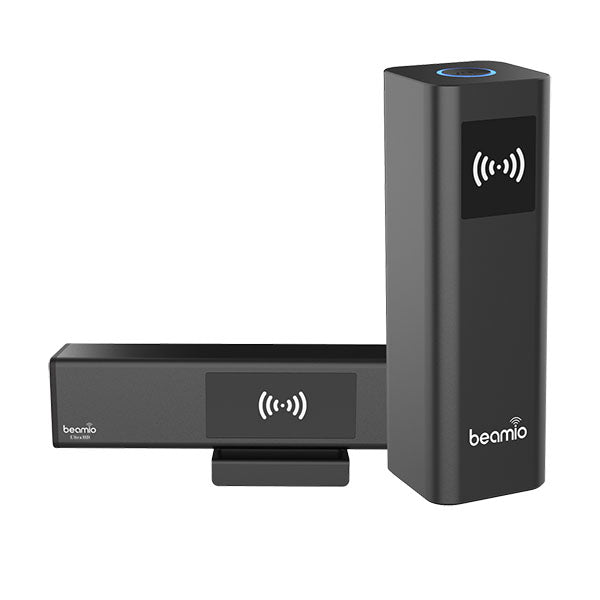
HoverCam Beamio — Wireless 4K Transceiver
$1,045.00 ex GST
$1,089.09 ex GST ($1,149.50 inc GST)
$1,089.09 ex GST ($1,149.50 inc GST)
Beamio puts your laptop screen on the classroom display without cables and without going anywhere near the school Wi-Fi. Plug the small transmitter into your USB-C port, plug the receiver into the panel, and it casts — no app, no driver, no password.
Key features
4K UHD casting over a dedicated gigabit radio link, not Wi-Fi — so no network congestion or interference
USB touch backchannel: touch the panel and it controls your laptop
True plug-and-play over USB-C, with nothing to install
Works with any PC, Mac or Chromebook, and any HDMI display
AES 128/256-bit encryption
Range up to 30 metres
Why it helps in the classroom
Wireless casting usually means an app, an account and a network the IT team has to open up. Beamio avoids all of it by not using the network at all, which makes it far simpler to approve and far less likely to fail mid-lesson. The touch-back channel is the useful part day to day: annotate on the panel and it lands in the document on your laptop.
Purchase orders are welcome from schools and government institutions.
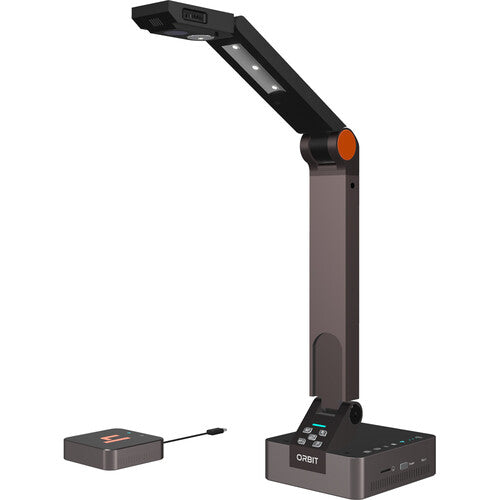
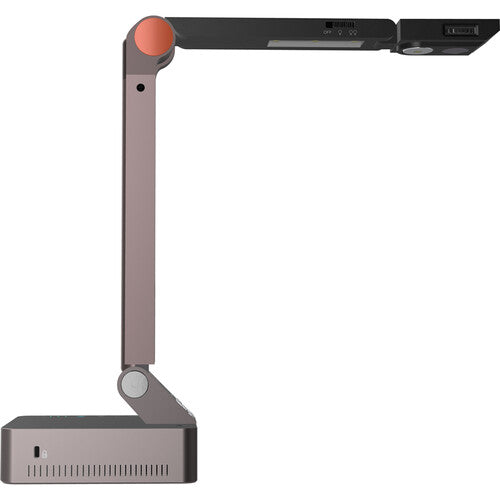
HoverCam Orbit AIR — Wireless Visualiser
$990.00 ex GST
$1,062.73 ex GST ($1,089.00 inc GST)
$1,062.73 ex GST ($1,089.00 inc GST)
The Orbit AIR is the more affordable of the two wireless Orbit visualisers. Same idea as the PRO — carry the camera to the work rather than the work to the camera — with no software to install and nothing to configure on the school network.
Key features
13 megapixel sensor, 4224 x 3156, with 4K at 60fps
800x total zoom, combining 4x ASR, 20x digital and 10x mechanical
Wireless, with USB-C and HDMI connection to the receiver
InvisiWire technology: appears as a standard wired USB camera to any app
Works with Windows, macOS, ChromeOS and Android
Rechargeable 9800 mAh battery
No drivers, passwords or network settings — plug in the receiver and go
Why it helps in the classroom
A wireless visualiser changes how a lesson runs. Instead of calling students up to the front, you take the camera to them, and their work goes on the screen from where they are sitting. Nothing installs on staff laptops, which makes it far easier to get through IT approval.
Purchase orders are welcome from schools and government institutions.
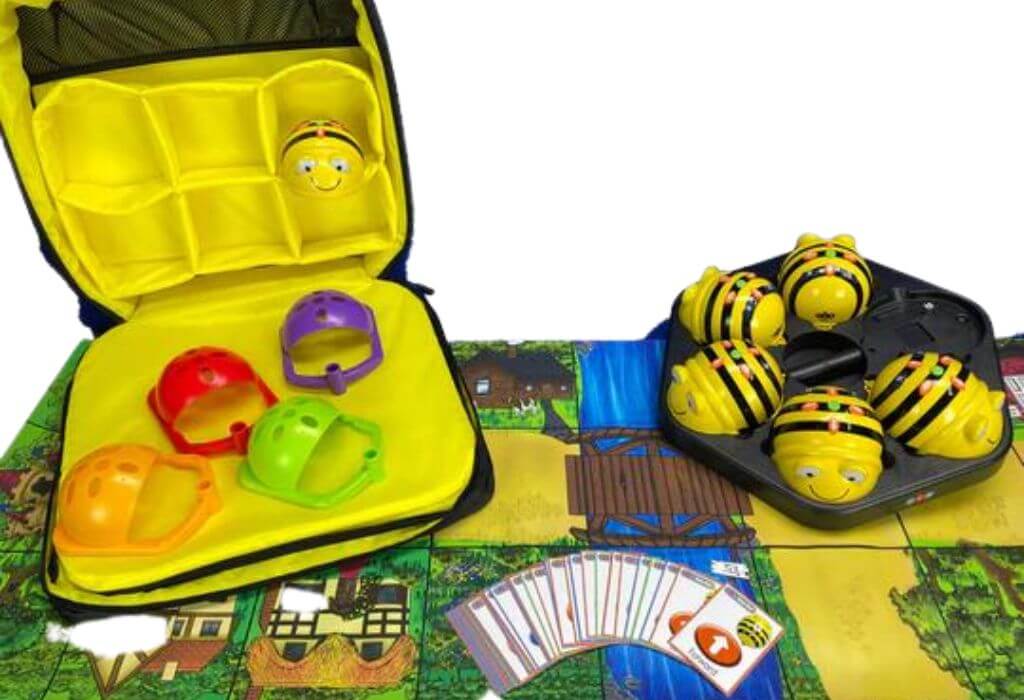
Bee-Bot Bundle - Mobile Learning Kit
$944.55 ex GST
$1,005.41 ex GST ($1,039.01 inc GST)
$1,005.41 ex GST ($1,039.01 inc GST)
Free shipping on this product!
Give young learners their first steps in coding — no screens required. This mobile set brings together six rechargeable Bee-Bot floor robots in a single carry case, so a whole class can plan, program and problem-solve, then pack everything away and move the learning to the next room.
What's included:
6 × rechargeable Bee-Bot programmable floor robots
Bee-Bot Hive storage and carry case
Charging dock (works with Bee-Bot and Blue-Bot)
Mini sequence cards
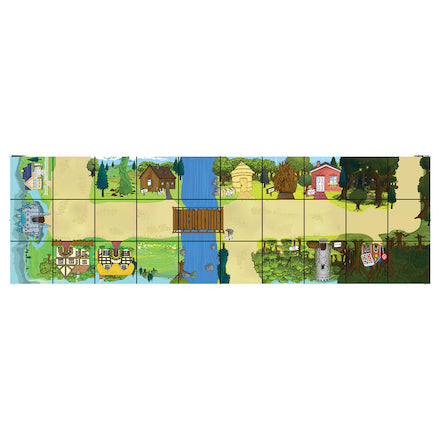
Fairytale floor mat
Bee-Bot pen holders (6-pack)
What your students practise:
Sequencing and early algorithmic thinking — planning a route step by step
Directional language and spatial awareness — forward, back, left and right
Problem-solving and debugging — predicting a path, testing it and correcting mistakes
Counting, distance and early maths through hands-on movement
Speaking, listening and teamwork, especially when children record and play back their own audio commands
Because every robot is rechargeable and stores neatly in one case, the set is quick to set up and easy to share between classrooms — a practical choice for schools introducing coding across more than one room.


Sphero Blueprint Engineering Kit
$862.73 ex GST
$909.08 ex GST ($949.00 inc GST)
$909.08 ex GST ($949.00 inc GST)
Transform hands-on STEM education with the Sphero Blueprint Engineering Kit.
This innovative kit, curated by the visionary team at Sphero, is designed to elevate the learning experience for students and educators alike by immersing them in the world of engineering. The Blueprint Engineering Kit is your gateway to solving real-world engineering challenges, fostering skills crucial for future career paths and supporting Career and Technical Education (CTE).
Major Features:
Versatile Builds: Easily assemble and disassemble both simple and complex structures within a single class period, making it perfect for dynamic learning environments.
Standards-Aligned Curriculum: Engage with content that connects directly to real-world experiences and career paths, ensuring that learning is always relevant and impactful.
Hands-On Engineering: Get foundational engineering experience with over 355 mechanical parts and 17 electrical Bits, designed for rapid prototyping and intuitive learning.
Ideal Student-to-Kit Ratio: Designed for a 2:1 student-to-kit ratio, with Class Pack options available with 5 units, complete with teacher guides and easy storage solutions.
Comprehensive Support: Benefit from exceptional product support, CAD curriculum integration with SolidWorks, OnShape, and STEP files, and a seamless purchase order process for educational institutions.
What's in the box:
355 mechanical parts
17 electrical Bits
A large storage bin
A small storage bin
10x Challenge Cards
For more online resources - including Downloadable guides, lessons & unit plans visit https://edu.sphero.com/blueprint
HoverCam Duo — USB & HDMI Visualiser
$717.27 ex GST
$772.73 ex GST ($789.00 inc GST)
$772.73 ex GST ($789.00 inc GST)
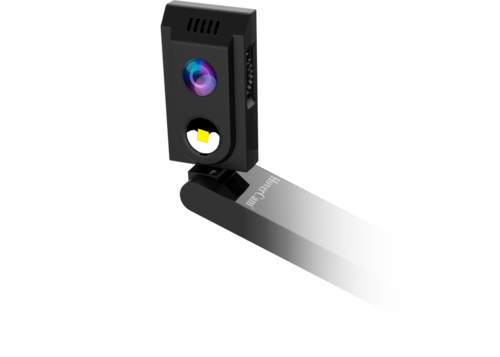
The Duo sends the same image two ways at once — 4K over HDMI straight to the panel at the front of the room, and USB to your laptop for the class joining online. You do not have to choose between the students in front of you and the ones at home, or unplug anything to switch.
Key features
12 megapixel sensor, 4056 x 3040, with 4K at 30fps and 1080p at 60fps
Simultaneous HDMI and USB-C output
25x total zoom, combining 5x digital and 5x mechanical
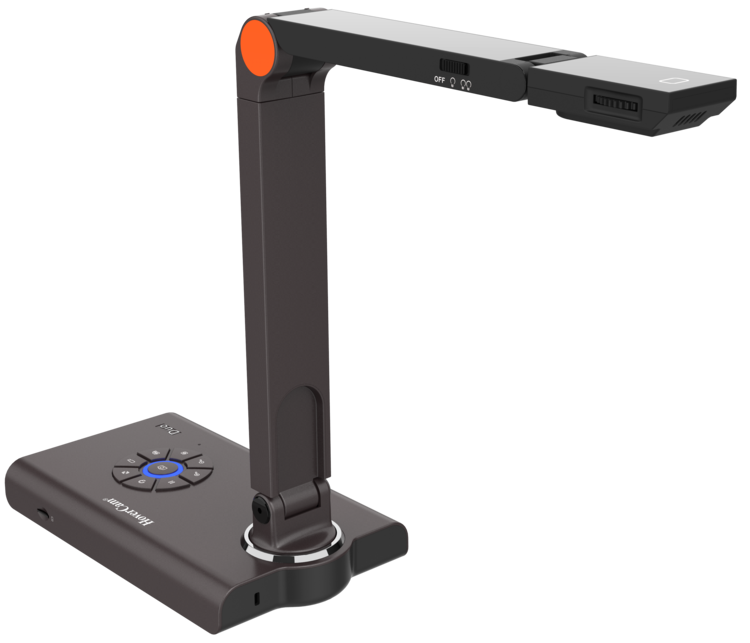
Nine button controls on the base for focus, zoom, snapshot and recording
Three-pivot arm for capturing from any angle
MicroSD slot for recording without a computer
A3 scan area; runs from a 5V DC adapter
Why it helps in the classroom
HDMI output means the Duo works with no computer at all — plug it into the panel and it just shows. That matters for relief teachers, for rooms where the laptop is unreliable, and for anyone who would rather not troubleshoot software with thirty students waiting. The physical buttons help for the same reason: freeze, zoom or snapshot without hunting through a menu.
Purchase orders are welcome from schools and government institutions.
HoverCam Solo 8 Plus — 4K Visualiser
$695.45 ex GST
$754.55 ex GST ($765.00 inc GST)
$754.55 ex GST ($765.00 inc GST)
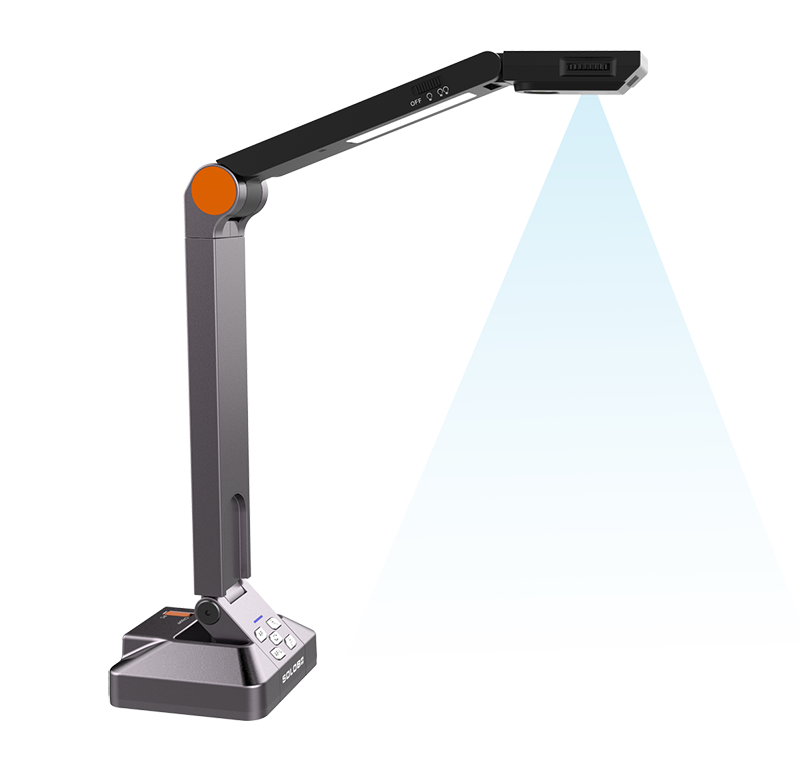
Put a worksheet, a textbook page or a student's work on the big screen without leaving your desk. The Solo 8 Plus is a wired visualiser that runs on a single USB cable — no power adapter, no second lead — and it is sharp enough that handwriting and fine print stay readable from the back of the room.
Key features
13 megapixel sensor with true 4K video at 30fps, 1080p at 60fps, and 720p at 120fps for slow motion
480x total zoom, combining 6x ASR, 8x digital and 10x mechanical
Scan area up to 13 x 21 inches — larger than A3
Powered by one USB 3.0 cable, with a built-in microphone
Free Flex software: annotation, lesson recording, picture-in-picture and a virtual whiteboard
Scan straight to PDF with text recognition
Works with Zoom, Teams and Google Meet, and with SMART Notebook and Promethean
Why it helps in the classroom
Most of what a teacher wants to show is on paper or on a desk. A visualiser puts it on the screen in a second, and the slow motion mode turns a science demonstration into something a class can actually watch happen. Because it draws power over the same USB cable that carries the video, there is one thing to plug in and nothing to lose.
Purchase orders are welcome from schools and government institutions.

Ozobot Bit+ Kit of 5 with Charger
$635.45 ex GST
$759.95 ex GST ($699.00 inc GST)
$759.95 ex GST ($699.00 inc GST)
The Ozobot Bit+ Kit of 5 with Charger puts five Bit+ coding robots and a charging station in one box — an affordable way to set up a small-group coding station at school or home, with no app and no Bluetooth to manage. Charge and store all five robots together between lessons, so they're ready when your students are, and no coding experience is needed to get started.
Bit+ gives every learner two ways to code. They begin screen-free with Colour Codes — drawing coloured marker patterns that Bit+ reads with its optical sensors to speed up, slow down, spin and follow paths. From there they move to OzoBlockly block coding in any web browser, loaded straight from the screen, across five skill levels from pre-reader to master.
What's included:
5 Ozobot Bit+ coding robots
A charging station that powers all five together
Colour Code markers (a set per robot) and colour code stickers
Get Started activities
Free access to Ozobot Classroom lessons across coding, maths, science and more
What your students practise:
Sequencing, loops and debugging through hands-on challenges
Problem-solving and computational thinking
Collaboration and turn-taking while sharing robots in a group
Creativity — drawing their own colour-code tracks, mazes and racetracks
Each Bit+ is built for everyday use, with a reinforced polycarbonate shell, bright LED lights and a rechargeable battery. It's also Arduino-compatible, so older students can extend it further. Recommended for ages 5 and up, right through primary and secondary. Ready to equip a whole class? See the Ozobot Bit+ Classroom Kit and Bulk Pack.
New to OzoBlockly? Read our OzoBlockly guide to see how the five skill levels work and which editor suits your robot.
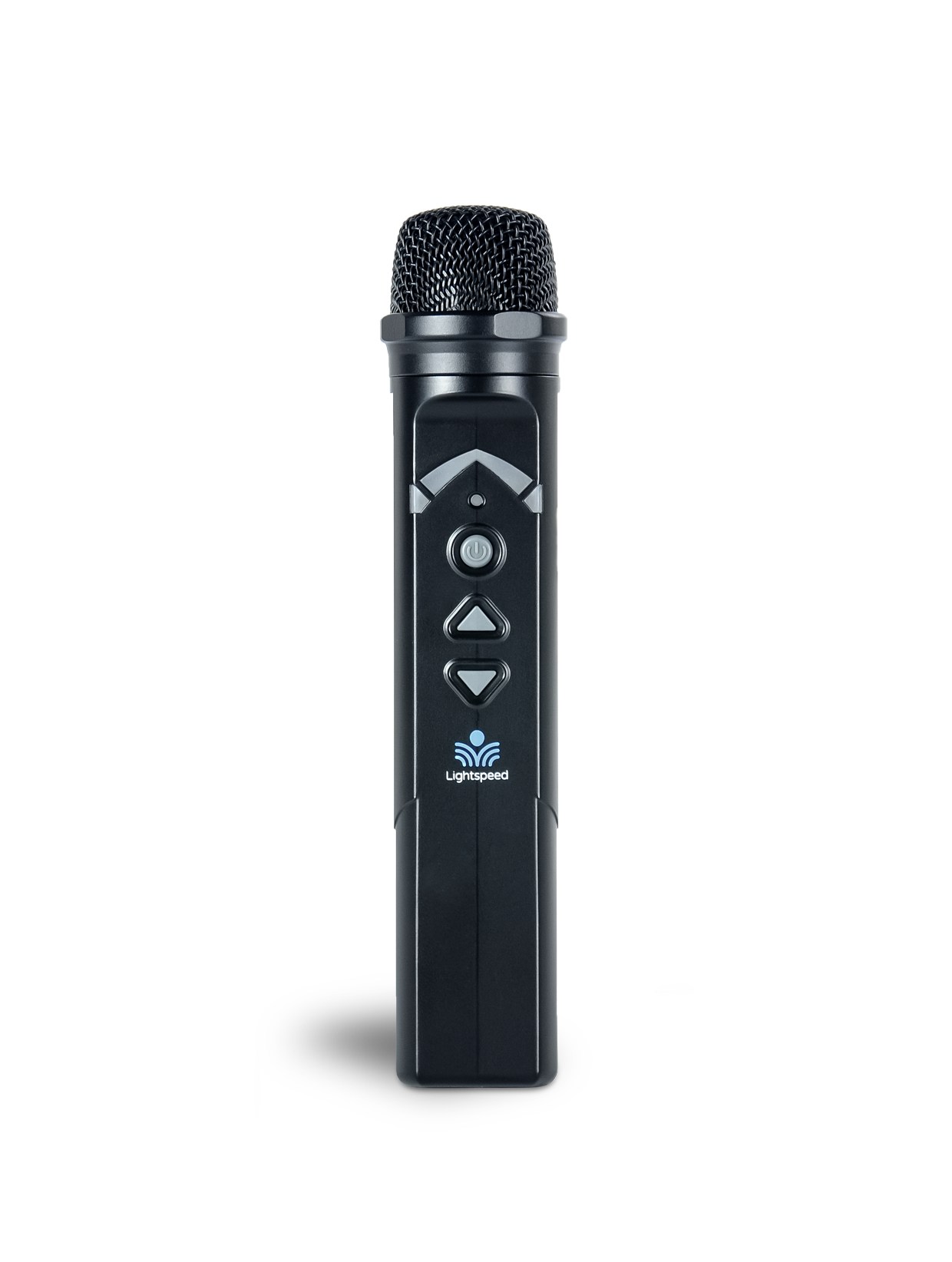
Lightspeed Sharemike Student Microphone (SMN, Point-to-Pair)
$630.00 ex GST
($693.00 inc GST)
The Lightspeed Sharemike is a handheld student microphone made for pass-around use, so every student can be heard clearly — across the room and by classmates learning remotely. Pass it around during discussion, group work or presentations, and quieter voices carry just as clearly as the teacher's. Students simply switch it on and speak.
Why add a Sharemike
Every student is heard — not just the confident ones at the front; the whole class hears each contribution clearly.
Builds confidence and participation — when students know they'll be heard, they're more willing to share.
Simple pass-around design — a robust handheld with a single on/off button; nothing for students to fiddle with.
Includes remote peers — the USB-C 2-way audio interface carries student voices to classmates learning from home.
All-day battery — up to 8 hours on a charge.
Point-to-pair, and compatible across the range
The Sharemike runs on Lightspeed's Access Technology (1.9 GHz) for a long wireless range with no Wi-Fi interference. It pairs with the Point-to-Pair Lightspeed systems — including the Redcat, Topcat and T25 (and the 975), the Mobile PA and Access Link — so you can add student voice to any classroom.
What's included
Sharemike (SMN) handheld student microphone
Rechargeable lithium-ion battery (L3.7V)
The cradle charger (FSC) and spare L3.7V batteries are available separately.
Specifications
Model / SKU: SMN
Type: handheld student microphone (transceiver)
Microphone: uni-directional electret
Wireless: Access Technology (1.9 GHz), point-to-pair
Audio distortion: <1%
USB: USB-C 2-way digital audio interface
Battery: 3.7 V lithium-ion (L3.7V), up to 8 hours
Charging: cradle charger (2 contacts)
Power: on/off button
Dimensions: 153 × 28 × 28 mm (6.0" × 1.1" × 1.1")
Weight: 73 g (2.6 oz)
HoverCam Solo Spark II — 8MP Visualiser
$609.00 ex GST
$640.91 ex GST ($669.90 inc GST)
$640.91 ex GST ($669.90 inc GST)
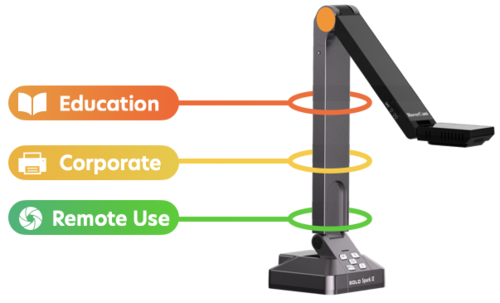
The Solo Spark II is the sensible choice when you want a visualiser on every teacher's desk rather than one shared between a floor. It does the core job well — put the page on the screen, zoom in, record the lesson — at a price that makes buying several realistic.
Key features
8 megapixel sensor with autofocus, 3264 x 2448 resolution
4K at 20fps, 1080p at 45fps
80x total zoom, combining 8x digital and 10x mechanical
A3 scan area, three-pivot arm, desktop design
Powered by a single USB 3.0 cable, with a built-in microphone
Compatible with PC, Mac and Chromebook
Free Flex software: live annotation, picture-in-picture and lesson recording
Five-year warranty
Why it helps in the classroom
Chromebook compatibility matters more than it sounds — plenty of visualisers assume a Windows laptop, and a lot of Australian classrooms no longer have one. The Spark II works either way, needs no power point, and the five-year warranty is longer than most document cameras at any price.
Purchase orders are welcome from schools and government institutions.


PC Locs CarryOn 5 — Portable iPad Charger
$561.73 ex GST
$599.00 ex GST ($617.90 inc GST)
$599.00 ex GST ($617.90 inc GST)
A portable USB-C charging station for five iPads or tablets, small enough to carry to wherever the lesson is happening. It works as a wall-mounted charge point between uses and as a carry case when a small group needs devices outdoors, in a hall or on an excursion.
What's included:
USB-C power delivery hub charging 5 iPads or tablets
30W per port
Wall mount kit
Carry handle for ultra-mobile use
Where it earns its place:
Small group and intervention work
Excursions, sports carnivals and outdoor lessons
Specialist rooms needing only a handful of devices
Early learning settings with a small tablet set
The lowest-cost entry point into the PC Locs range, and useful alongside a larger trolley when a teacher only needs five devices rather than thirty. Cables sold separately to match your fleet. Purchase orders accepted on school accounts.


Play and Learn Kit for Bee-Bot and Blue-Bot
$471.82 ex GST
$521.82 ex GST ($519.00 inc GST)
$521.82 ex GST ($519.00 inc GST)
Bring early coding to life with hands-on play. The Play and Learn Kit adds five themed activity mats and a set of pushers to your Bee-Bot or Blue-Bot, so young learners practise programming, sequencing and directional language while they explore counting, shapes, space and storytelling.
What's included:
Snakes and Ladders Mat
Obstacle Course for Bee-Bot and Blue-Bot
Shape, Colour & Size Mat
Treasure Island Mat
Solar System Mat
Bee-Bot Pushers (6 pack)
Designed for Early Years and Kindergarten classrooms and for use with a Bee-Bot or Blue-Bot robot (sold separately) — a ready-made way to bring the Digital Technologies curriculum into everyday play.
What children practise:
Programming and control — building simple step-by-step routes for the robot to follow
Directional language — forwards, backwards, and left/right turns
Early maths — counting, shapes, colour and size
Science and discovery — a first look at the planets of the solar system
Problem-solving — planning and testing routes through the obstacle course and island map
Little learners program each route with simple button presses, so there's no screen or complicated setup to get in the way — children can start exploring straight away.
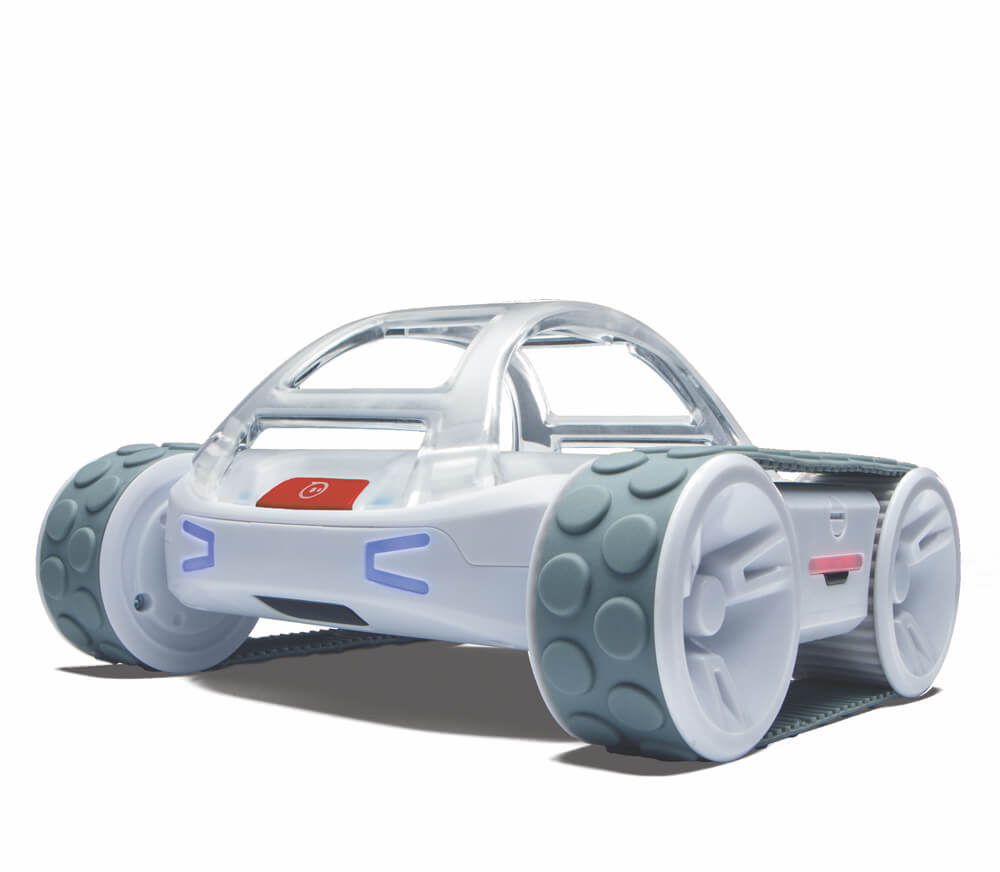
Sphero RVR+ Programmable Robot
$435.45 ex GST
$454.54 ex GST ($479.00 inc GST)
$454.54 ex GST ($479.00 inc GST)
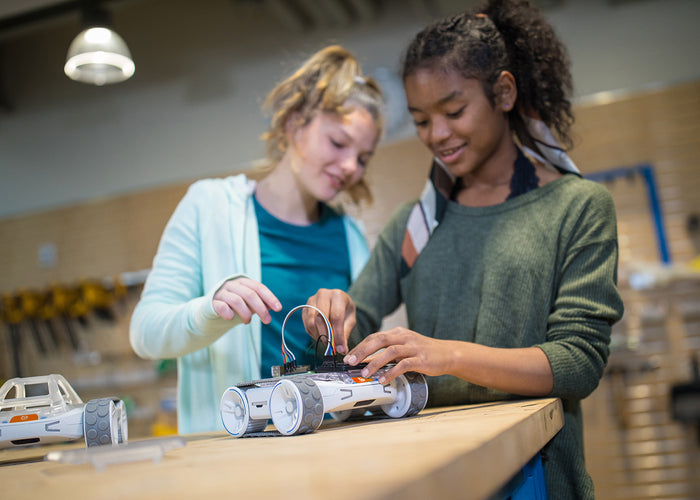
The Sphero RVR+ is a rugged, all-terrain coding robot that students can drive straight out of the box, then program as their skills grow. It's the latest version of the Sphero RVR, built for upper-primary and secondary classrooms and makerspaces where students are ready to move from block coding into real text-based programming. Because it's expandable and hackable, one robot can carry a class from their very first program all the way to building autonomous vehicles and sensor-driven inventions.
Students code the RVR+ three ways in the free Sphero Edu app — Draw & Drive, Scratch blocks, then JavaScript — and advanced students can go further with the Sphero Public SDK to program in Python. The app works across iPad, Android, Chromebook, Windows, Mac and the web, so it fits whatever devices your school already has.
What's included:
RVR+ all-terrain robot with removable cover plate and developer plate (quick-release)
Removable, protective roll cage
Removable, rechargeable and swappable battery
4-pin UART expansion port and onboard 5V 2.1A USB-A power
Free Sphero Edu app with community activities and lessons
What your students practise:
Progressing from block coding to text-based coding and Python
Using real sensor data — colour, light, infrared and a 9-axis motion sensor
Robotics and engineering design by connecting a Raspberry Pi, micro:bit or Arduino
Problem-solving and applied maths and science through hands-on challenges
Built for the demands of a classroom, the RVR+ has an enhanced gearbox with more torque and durability, carries payloads up to 1 kg, and drives straight over bumps and uneven surfaces thanks to its precise control system. The swappable battery keeps projects moving — drop in a charged one and students are straight back to coding.


Explore and Discover Kit for Bee-Bot and Blue-Bot
$408.18 ex GST
$449.09 ex GST ($449.00 inc GST)
$449.09 ex GST ($449.00 inc GST)
Turn early coding lessons into a journey across the world and out into space. This cross-curricular kit gives Kindergarten and Early Years students a hands-on way to practise programming and control while they explore geography and the solar system, connecting Digital Technologies with Humanities and Social Sciences in one resource. It's designed to be used with the Bee-Bot and Blue-Bot floor robots (not included).
What's included:
6 × Bee-Bot Pushers
1 × World Map Mat (large)
1 × Australia Map Mat
1 × Solar System Mat
2 × Transparent Grid Mats (4×4), to overlay on maps you already use
What your students practise:
Sequencing and algorithmic thinking — planning and programming a route step by step
Directional language — using forward, back and turning to control the robot's path
Problem-solving — testing a route, spotting what went wrong and trying again
Geography — locating continents, countries and Australian places on the map mats
Early space knowledge — travelling through the planets of the solar system
The transparent grid mats overlay almost any existing map to create a new coding challenge, so one kit stretches across a full year of lessons and suits a whole group of students working together.


Literacy and Numeracy Kit for Bee-Bot and Blue-Bot
$408.18 ex GST
$444.50 ex GST ($449.00 inc GST)
$444.50 ex GST ($449.00 inc GST)
Turn a Bee-Bot or Blue-Bot floor robot into a hands-on literacy and numeracy centre for the early years classroom. This cross-curricular kit lets Kindergarten and early years children practise letters, sounds, numbers and Australian money while taking their first steps in coding and directional language.
Please note: this kit contains the mats and activity cards only. Bee-Bot and Blue-Bot robots are sold separately.
What's included:
1 × Alphabet Mat
1 × CVC Mat, for building simple three-letter words like cat and dog
1 × Number Line Mat
1 × Australian Currency Mat
1 × Transparent Pocket Mat (6 × 4 pockets) for slotting in your own cards or worksheets
1 × Alphabet Cards Set
1 × Maths Activity Cards Set
Designed for Kindergarten and early years learners
What your child practises:
Early coding and control — planning and programming a sequence of moves to reach a target
Directional language — forwards, backwards, left, right and turning
Letter recognition and phonics — matching letters and sounding out simple words
Number sense — counting and ordering along a number line
Everyday maths — recognising and counting Australian coins and notes
The transparent pocket mat lets you drop in your own worksheets, so the kit stretches across the year and suits whole-class lessons, small groups or homeschooling.


CoDrone EDU
$362.73 ex GST
$371.82 ex GST ($399.00 inc GST)
$371.82 ex GST ($399.00 inc GST)
CoDrone EDU: The Ultimate Educational Drone for Coding and Engineering
Unlock a world of coding and engineering possibilities with the CoDrone EDU, tailored for both classroom learning and competitive fun. Designed for all skill levels, the CoDrone EDU provides an engaging, hands-on experience that brings coding to life. Whether you're a beginner taking your first steps in block-based coding or an advanced coder diving into Python, the CoDrone EDU is the perfect tool for inspiring creativity, innovation, and a passion for STEAM education.
Major Features:
Versatile Coding Options: Programmable in both Python and block-based coding, offering a scalable challenge for students of all levels.
Advanced Sensory Interaction: Comes equipped with colour sensors, front and bottom range sensors, among others, for immersive learning through real-world programming.
Durable and Safe Design: Engineered with a durable frame and safety in mind, ensuring resilience against classroom wear and tear.
Customisable with Programmable Lights: Enhance your coding projects with programmable lights, adding a personalised touch to your learning experience.
Rich Sensor Access: With access to seven different sensors, students can explore and innovate, pushing the boundaries of sensor-based coding.


Blueprint Snap (Single Kit)
$345.00 ex GST
$363.63 ex GST ($379.50 inc GST)
$363.63 ex GST ($379.50 inc GST)
Welcome to a world where engineering fundamentals come alive through interactive learning! The Blueprint Snap (Single Kit) empowers students with an engaging, hands-on experience that introduces them to the basics of structure, motion, and simple machines. With over 280 colourful, easy-to-connect parts, this kit is perfect for up to two students to build, design, and complete working models in under an hour. This intuitive building system fosters design thinking and problem-solving, making engineering accessible and fun for students in grades 3-5.
Major Features:
Comprehensive Learning Tools: Includes 1x Storage Bin for organization and 1x set of 15 Challenge Cards to guide students through engineering challenges.
Hands-On Exploration: Students can creatively connect trusses, gears, and pulleys to construct everything from bridges to obstacle courses.
No-Tech Assembly: With frustration-free parts, students can prototype ideas quickly without glue, screens, or batteries.
Educational Alignment: Supports STEL and NGSS standards with cross-curricular lessons and educator resources.
Australian Owned and Operated: Experience efficient delivery from Australian warehouses with exceptional support from former teachers.
Purchase Orders Welcome! We offer a seamless purchasing process for schools and educational institutions with a Purchase Order option at checkout. Enjoy first-class support backed by our firsthand experience as educators and shop with confidence knowing we are proudly Australian owned.

Sphero BOLT+ — Coding Robot
$326.36 ex GST
$381.81 ex GST ($359.00 inc GST)
$381.81 ex GST ($359.00 inc GST)
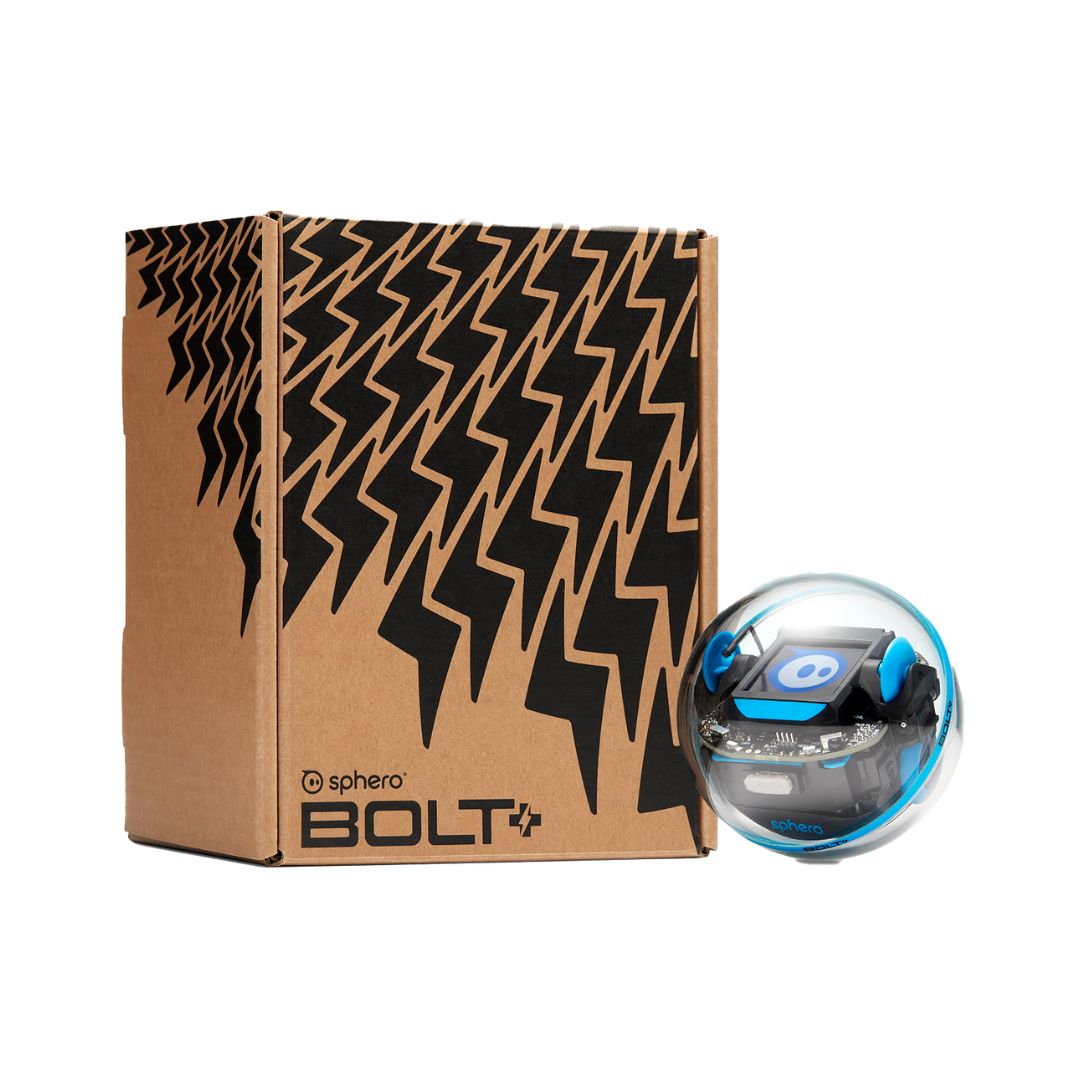
The Sphero BOLT+ is a programmable coding robot — a clear, app-controlled ball that helps students learn to code while they explore science, maths and problem-solving hands-on. As the next generation of the popular Sphero BOLT, it grows with your learners: from simple drag-and-drop blocks right through to written JavaScript and Python, so the same robot suits a curious beginner and a confident coder.
What's included:
1 × Sphero BOLT+ robot (approx. 73 mm ball) with inductive charging base
360° protractor, sticker sheet and quick start guide
Free Sphero Edu app (Chrome, Mac, PC, iOS, Android, Kindle), plus a browser web app for Chromebooks
Free, standards-aligned lessons and teacher guides in Sphero Central
Designed for students in Years 3–10
What your child or class practises:
Coding three ways — Draw, Blocks and Text (JavaScript and Python)
Computational thinking, debugging and problem-solving
Reading real-time sensor data on the 128×128 LCD screen to test and refine code
Collaboration and pair programming — one robot supports up to two learners
Built for busy classrooms and living rooms alike: a durable, waterproof shell stands up to drops and spills, "Shake to Wake" and wireless charging keep set-up quick, and all-day battery life means less waiting and more learning.


PC Locs Large Device Baskets — Pack of 4
$324.45 ex GST
$339.00 ex GST ($356.90 inc GST)
$339.00 ex GST ($356.90 inc GST)
Large carry baskets for the PC Locs Carrier range and the Revolution and GIGA cabinets. Each basket holds five devices, which is the point of them — a teacher or a student carries ten devices in two hands straight to the desks instead of ferrying them one at a time from an open trolley.
What's included:
Four large plastic device baskets in red, blue, green and yellow
Five device slots per basket
Fits devices up to 13 inches
Slot dimensions: 370 (H) x 234.2 (L) x 24.5 (W) mm
The colours matter more than they sound — assigning a colour per group makes it obvious at a glance which basket hasn't come back. Baskets are interchangeable across the Carrier trolleys and stations, so a school running several units can move a full basket between them. Purchase orders accepted on school accounts.


Ozobot Evo Entry Kit
$299.09 ex GST
$317.27 ex GST ($329.00 inc GST)
$317.27 ex GST ($329.00 inc GST)
The Ozobot Evo Entry Kit is the easiest way to bring a coding robot into your home or classroom — one palm-sized Evo, ready to code straight out of the box, with no coding experience needed for you or your child. It's the single-robot version of the Evo used in schools — sometimes called an Evo starter kit or starter pack — so an individual student or a small group can learn to code and keep growing with the same robot.
Evo gives beginners two ways in. Students start screen-free with Colour Codes — drawing coloured marker patterns that Evo reads and follows to speed up, spin, change direction and more. From there they move to OzoBlockly, dragging and dropping blocks of code through five skill levels, from pre-reader to master.
What's included:
1 Ozobot Evo coding robot
5 dual-tip Colour Code markers
1 charging cable and a zip carry case
Get Started activities
Free access to Ozobot Classroom — 700+ standards-aligned lessons across coding, maths, science and more
What your child practises:
Sequencing, loops and debugging through hands-on challenges
Problem-solving and computational thinking
Creativity — drawing their own colour-code tracks, mazes and racetracks
Built for real use, Evo has a tough polycarbonate shell, proximity and optical sensors, LED lights and a built-in speaker, plus a rechargeable battery. Recommended for primary age and up. Looking for a class set? See the Ozobot Evo Classroom Kit for 12-robot and 18-robot options.
New to OzoBlockly? Read our OzoBlockly guide to see how the five skill levels work and which editor suits your robot.


Sphero Upgrade Program
from $272.72 ex GST
$381.81 ex GST ($299.99 inc GST)
$381.81 ex GST ($299.99 inc GST)
SAVE with the Sphero Upgrade Program!
Through the enhanced Sphero Upgrade Program, schools can trade in their existing SPRK+ or BOLT robots (working or not) and move to the newest BOLT+ or RVR+, helping refresh robotics programs while saving up to $120 per robot or $1,600 per Power Pack (BOLT+)/set of 12 (RVR+).
When to Upgrade?
Your school’s Sphero robot batteries no longer last through a full lesson
You may experience frequent connection issues with the Sphero Edu app
You would like to offer students a wider range of programming options
You want to access the broader Sphero coding features and classroom resources
Why Schools upgrade to BOLT+
Improved battery life over previous models
LCD Programmable display
Easy connection with ‘shake to wake’
Expanded sensors and learning activities
Why Schools upgrade to RVR+
More advanced robotics learning
Real-world robotics experiences
Supports advanced programming
Expandable with third-party hardware
Upgrade Packages
Educator FAQs
Who is the Sphero Upgrade Program for?Schools with older SPRK+ or BOLT robots (working or not) looking to upgrade to BOLT+ or RVR+ at a discounted price. A minimum of 3 pre-loved robots is required.
Returning your pre-loved robots for e-waste recycling. What must my school return?SPRK+ or BOLT robots + charging bases (working or not). Schools can keep Power Pack cases, maze tape, turbo covers and cables
Who pays shipping?School: return shipping of pre-loved robots to Melbourne. We will send you an RMA label with shipping address. We will then ship out the new upgrade order directly to the school once old robots have been received.
How many robots can be upgraded, and what are the package options?Package A - Upgrade to BOLT+SPRK+/BOLT robots → BOLT+ (minimum of 3 pre-loved robots required)Package B - Upgrade to BOLT+ Power Pack12x SPRK+/15x BOLT robots → 1x BOLT+ Edu Power Pack (15 robots) (Package B: SKU: 920-0903-UGBOLTSPRK+)Package C - Upgrade to RVR+SPRK+/BOLT robots → RVR+(minimum of 3 pre-loved robots required) Package D - Upgrade to RVR+Mulitpacks12x SPRK+/15x BOLT robots → 1x RVR+ MultiPack (12 robots total) (Package D: SKU: 940-0605-UGBOLTSPRK+)
Can BOLT+ charge in old cases? No — requires a BOLT+ Power Pack case.
Is there a wall charger included in the RVR+ Multipacks (12 robots)?No — only 12 cables will be supplied. Schools can use their own chargers.
When does the program start? Already active; expanded in March 2026 to include RVR+.


micro:bit Space Science Kit — ElecFreaks
$250.00 ex GST
$305.00 ex GST ($275.00 inc GST)
$305.00 ex GST ($275.00 inc GST)
The Space Science Kit sets students a mission on the surface of the moon. A printed landing map gives the terrain, the Nezha V2 board and smart motor give the vehicle, and eight guided projects give the problems — navigate, sample, measure, report. It is the most ambitious micro:bit kit we carry, and the one that best suits a project running over several weeks.
What's included:
Nezha breakout board V2, with eight sensor ports and four motor ports
Planet X smart motor
Ten electronic modules, including UV, soil moisture and temperature sensors
Over 400 ABS building bricks
Scenario-based moon landing map
Recommended for ages 10 and over. micro:bit board is not included — add a micro:bit V2 at checkout
What students practise:
Planning a sequence of actions to complete a mission, not just a single task
Combining sensing, movement and reporting in one build
Block coding in MakeCode, with Python available for older students
Working in a team over an extended project rather than a single lesson
Four self-paced lessons for this kit sit in Sammat's Online Academy, written for Australian classrooms and sold as an add-on to the kit. The board also carries a four-LED battery indicator, colour-coded sensor ports and keyed RJ11 connectors that cannot be inserted backwards — details that matter when thirty students are building at once.


Nature and Environments Kit for Bee-Bot and Blue-Bot
$244.55 ex GST
$269.05 ex GST ($269.01 inc GST)
$269.05 ex GST ($269.01 inc GST)
Introduce early years learners to programming while they explore the natural world. The Nature and Environments Kit gives your Bee-Bot or Blue-Bot four themed floor mats and a set of pushers, turning directional coding into hands-on, cross-curricular play.
What's included:
6 × Bee-Bot Pushers
1 × Countryside Mat
1 × Australia Mat
1 × Farmyard Mat
1 × Zoo Mat
Compatible with Bee-Bot and Blue-Bot floor robots (robots sold separately)
Designed for Kindergarten and early years learners
Learning benefits:
As children plan a route across each mat, they practise the building blocks of computational thinking — breaking a journey into ordered steps, predicting where the robot will stop, and debugging when it doesn't go to plan. The nature and environment themes spark cross-curricular talk about Australian animals, farm life, habitats and the world around us, linking Digital Technologies with science and geography. Working in pairs or small groups, learners also build directional language, turn-taking and collaboration.
With four reusable mats and six pushers, it's a flexible, share-friendly resource that slots straight into an early years classroom or homeschool setup — and works with the Bee-Bot or Blue-Bot you already own.


Sphero indi Educational Robot Student Kit
$244.55 ex GST
$254.54 ex GST ($269.01 inc GST)
$254.54 ex GST ($269.01 inc GST)
Rev up STEAM learning with the indi Student Kit— designed to engage 1-3 students at a time or to supplement additional indi learning robots and colour tiles for your indi Class Pack.
The indi learning robot is designed to introduce early learners to the fundamentals of computational thinking, STEAM, and computer science principles while encouraging open-ended, imaginative play-based learning with real-life scenarios as students build custom mazes and solve puzzles. indi offers an unplugged programming experience with an on-board colour sensor or students can kick their skills into high gear with more coding options in the free Sphero Edu Jr app.
What's in the box
1 indi robot
20 durable silicone colour tiles
1 student case
15 Beginner’s Programming Challenge Cards
1 quick start guide
2 decorative sticker sheets to customise indi
1 charging cable

Ozobot Bit+ Solar System STEAM Kit
$227.27 ex GST
$237.95 ex GST ($250.00 inc GST)
$237.95 ex GST ($250.00 inc GST)
The Ozobot Bit+ Solar System STEAM Kit pairs a Bit+ coding robot with two hands-on space activity sets, so students learn to code and explore astronomy at the same time. They program their robot to travel between the planets, model the solar system and investigate how the Sun, Earth and Moon move — a screen-free, tactile way into both coding and science that suits schools, homeschool and after-school programs.
The kit brings together three Ozobot products in one: a single-robot Bit+ Entry Kit plus the OzoGoes to the Solar System and OzoGoes to the Sun, Earth & Moon activity sets. Students code the Bit+ with screen-free Colour Codes — coloured marker patterns the robot reads and follows — then can progress to OzoBlockly block coding as their skills grow.
What's included:
1 Ozobot Bit+ Entry Kit — one Bit+ coding robot, dual-tip Colour Code markers, charging cable and Get Started activities
OzoGoes to the Solar System activity set — build the planets and code your robot's orbits
OzoGoes to the Sun, Earth & Moon activity set — model day and night, the seasons and the Moon's phases
Free access to standards-aligned STEAM lessons in Ozobot Classroom
What your students practise:
Space science — planetary order and attributes, rotation versus revolution, and how the Sun and Moon shape life on Earth
Coding fundamentals — sequencing, loops and debugging with Colour Codes
Problem-solving, critical thinking and teamwork through hands-on projects
The activities are ready to teach and aligned to curriculum standards, and each set suits an individual or a small group of up to four students. Recommended for ages 8 and up. Kitting out a whole class? See the Ozobot Bit+ Classroom Kit, or add more OzoGoes STEAM kits from our curriculum range.


Sphero indi At-Home Learning Kit
$172.72 ex GST
$181.81 ex GST ($189.99 inc GST)
$181.81 ex GST ($189.99 inc GST)
The Sphero indi At-Home Learning Kit is a screen-free way for children from age 4 to start coding at home — no tablet, no phone, and no reading needed. indi is driven by colour: your child lays out colour cards to build a path, and indi's on-board colour sensor turns each colour into an action. Watching indi speed up, turn or spin in response to their cards, kids pick up cause and effect, sequencing and problem-solving without realising they're learning to code.
What's included:
1 indi robot and charging cable
30 colour cards, plus 500+ adhesive tabs to build paths on any surface
Beginner's Guide to Programming booklet and quick start guide
2 sticker sheets to customise indi
What your child practises:
Cause and effect — learning indi's "colour language" through play
Sequencing and problem-solving by designing their own mazes
Colours, directions and pattern recognition
Block coding later on, with the free Sphero Edu Jr app when they're ready
Durable enough for excited hands and simple enough to start the moment you open the box — a screen-free first step into coding that grows with your child. Designed for ages 4 and up.


PC Locs Small Device Baskets — Pack of 2
$153.64 ex GST
$159.00 ex GST ($169.00 inc GST)
$159.00 ex GST ($169.00 inc GST)
Small carry baskets for the PC Locs iQ 10 charging station, sized for iPads and 11-inch tablets. Each basket takes five devices, so a teacher can lift a group set out of the station in one movement rather than unplugging them one by one.
What's included:
Two small plastic device baskets
Five device slots per basket
Fits devices up to 11 inches
Slot dimensions: 284 (H) x 219 (L) x 24.5 (W) mm
These are the smaller sibling of the large baskets used across the Carrier range — check the device size before ordering, as an 11-inch slot won't take a 13-inch laptop. Purchase orders accepted on school accounts.


Sphero Mini Activity Kit
$148.14 ex GST
$163.63 ex GST ($162.95 inc GST)
$163.63 ex GST ($162.95 inc GST)
The Sphero Mini Activity Kit is the coding robot ball plus everything a child needs to start building, driving and coding straight out of the box. The clear-shelled Sphero Mini lets curious learners see the tech inside, while the construction set and guided cards turn coding into hands-on play. A great STEM starter for ages 8 and up, at home or in the classroom.
What's included:
1 × clear-shelled Sphero Mini robot with a protective ball cover
28-piece construction set — rails, arches and connector pieces
15 STEM-inspired activity cards (mazes, obstacle courses, towers and more)
3 mini traffic cones and 6 mini bowling pins
Micro USB charging cable; free Sphero Play and Sphero Edu apps
What your child practises:
Coding step by step — from Blocks to written JavaScript in the Sphero Edu app
Following and adapting the 15 guided challenges, then designing their own
Problem-solving, spatial reasoning and building with the construction set
How sensors work, via the gyroscope, accelerometer and colour-changing LED
One kit supports up to three students, so it works just as well on the kitchen table as in a group activity. Designed for ages 8+, with adult supervision for younger children, as the shell opens to reveal small parts.


Edison Robot Getting Started Bundle
$117.27 ex GST
$137.95 ex GST ($129.00 inc GST)
$137.95 ex GST ($129.00 inc GST)
The Edison Robot Getting Started Bundle is the easiest way to begin coding and robotics at home or in a first classroom — one Edison robot plus the extras that make it fun from day one. It suits ages 4 to 16, growing from screen-free barcode coding through to text-based Python.
What's included:
1 × Edison Robot V3 with built-in rechargeable battery and tethered USB cable
1 × EdCreate creator's kit (115 LEGO-compatible pieces for five builds)
1 × EdMat A1 activity mat for line-tracking and border games
1 × EdSketch marker pens (10-pack) and 2 × EdSketch pen holders for drawing
What your child practises:
Computational thinking through sequencing, loops and debugging
Coding across four stages — barcodes, EdBlocks, EdScratch and Python (EdPy)
Engineering and design when building with the EdCreate parts
Creativity, programming the robot to draw shapes and patterns
Every programming language is free, with free lesson plans and teacher guides for each. Backed by our team of former teachers, shipped from Australia, with purchase orders welcome for schools.

Ozobot Bit+ Entry Kit
$117.27 ex GST
$126.36 ex GST ($129.00 inc GST)
$126.36 ex GST ($129.00 inc GST)
The Ozobot Bit+ Entry Kit is the most affordable way to start coding with a real robot — one Bit+ that works straight out of the box, at home or in the classroom, with no app, no Bluetooth and no coding experience needed. Often sold as a Bit+ starter kit or starter pack, it's the single-robot version of the Bit+ used in schools, so one student or a small group can learn to code and keep building their skills over years.
Bit+ gives beginners two ways to code. They start screen-free with Colour Codes — drawing coloured marker patterns that Bit+ reads with its optical sensors to speed up, slow down, spin and follow paths. From there they move to OzoBlockly block coding in any web browser, loaded straight from the screen with no Bluetooth or app pairing, across five skill levels from pre-reader to master.
What's included:
1 Ozobot Bit+ coding robot
1 USB charging cable
A set of dual-tip Colour Code markers
Get Started activities
Free access to Ozobot Classroom lessons across coding, maths, science and more
What your child practises:
Sequencing, loops and debugging through hands-on challenges
Problem-solving and computational thinking
Creativity — drawing their own colour-code tracks, mazes and racetracks
Bit+ is built to last, with a reinforced polycarbonate shell, bright LED lights and a rechargeable battery. It's also Arduino-compatible, so older students can extend it further. Recommended for ages 5 and up, right through primary and secondary. Need a set for the whole class? See the Ozobot Bit+ Classroom Kit and Bulk Pack.
New to OzoBlockly? Read our OzoBlockly guide to see how the five skill levels work and which editor suits your robot.


