



Metallic Elephant Number and Counting Set 1-10
$153.64 ex GST
($169.00 inc GST)
A beautiful, jewel-like collection of metallic numbered elephants that can be used in maths for number recognition, counting, prepositions, etc.
Finished in metallic effect, each elephant features a numeral on one side and an amount on the other.
They can be used in a more open-ended manner as they have a treasure like appeal. They will really engage children whose schematic interests are lining up, enveloping, transferring etc. A collection with a luxurious wow appeal that will delight and engage.
micro:bit Smart Science IoT Classroom Pack
$1,200.00 ex GST
($1,320.00 inc GST)
This Classroom Pack includes:
10 x Smart Science IoT Kits10 x micro:bit GO Ver 2 Packs30 x Student Licenses to our Online Learning Academy for project tutorials1 x Teacher Licenses to our Online Learning Academy for project tutorials
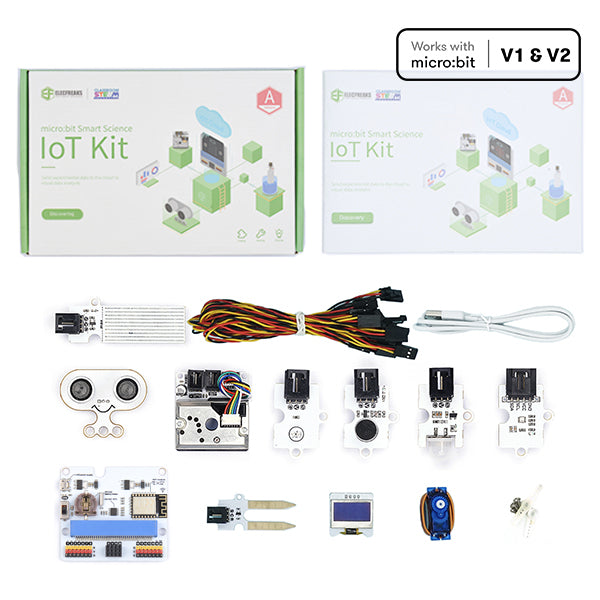
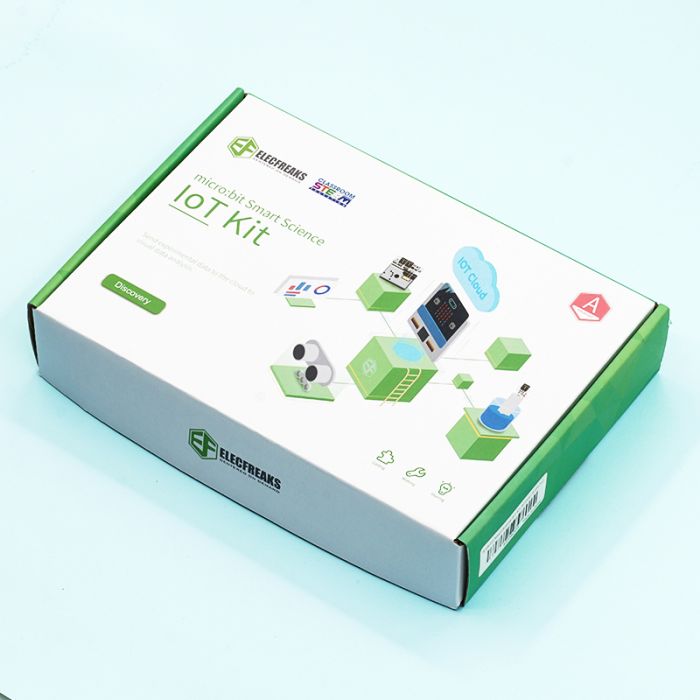
ELECFREAKS micro:bit Smart Science IoT Kit is developed based on loT:Bit, a new breakout board compatible with science sensors such as the ultrasonic sensor, dust sensor, light sensor and water level sensor, including RTC Timing and WIFI module. You can gather data via the sensors and send data to the cloud with more stable and accurate data analysis.
Learn how to build and code these inventions with our Online Academy Lessons - subscription included in this package!
What's in each box:
IoT:bit
OLED
BME 280
PIR sensor
Light sensor
Noise sensor
Water level sensor
soil moisture sensor
Sonar:bit
Dust sensor
180° servo
Online Academy Lessons
Tutorial 1 - Upload the data collected by IoT kit to the Thingspeak IoT platform.
Tutorial 2 - Use the IoT kit to male a temperature alarm through Thingspeak and IFTTT.
Tutorial 3 -Use IoT and Excel to visualise data.
Tutorial 4 -KidsIoT.
Project 1 - Air quality monitoring.
Project 2 - Environmental noise detection.
Project 3 - An environmental quality monitoring station.
Project 4 - An automatic irrigation detection.
Project 5 - Self defense monitoring station.
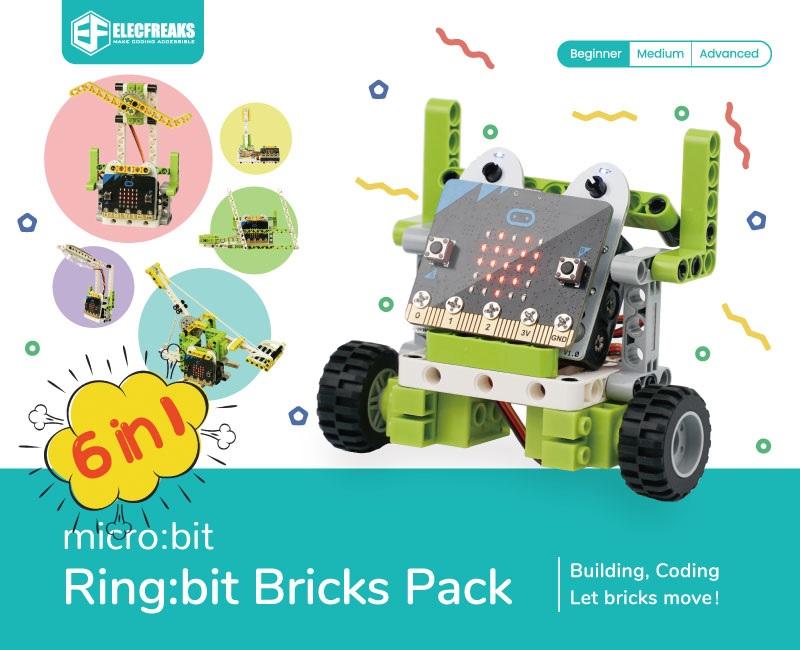
micro:bit Ring:bit Bricks Classroom Pack
$935.00 ex GST
($1,028.50 inc GST)
This Classroom Pack includes:
10 x Ring:bit Bricks Packs10 x micro:bit GO Ver 2 Packs30 x Student Licenses to our Online Learning Academy for project tutorials1 x Teacher Licenses to our Online Learning Academy for project tutorials
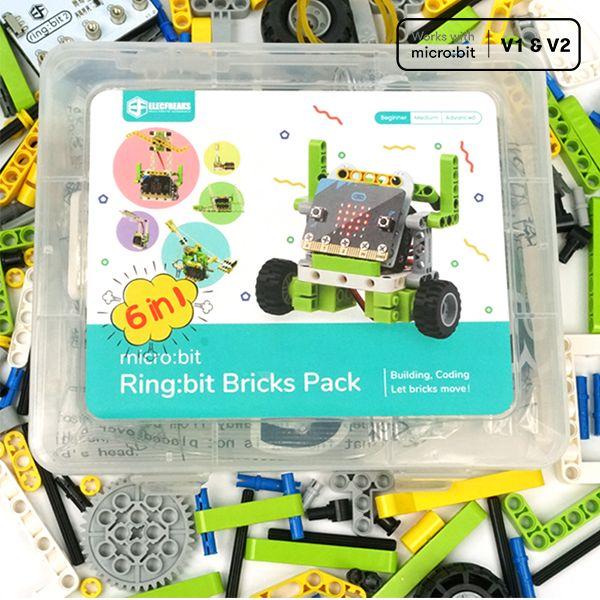
The Ring:bit Bricks Classroom Pack is the perfect starter package for STEM classrooms - six fun projects that teach students how to program while still assembling. The included set of 360 Degree Servos, LED Strips and 2000 Brick Pieces can be used with your own other bricks or sensors. And to help you in the classroom it comes with a classroom license to our Online Learning Academy. Filled with instructions and videos to get your projects up and running!
Lesson Summary
Project 1 – Traffic Lights
Make your micro:bit turn into a traffic light system.
Project 2 – Bricks Car
Build a car with the bricks from the kit.
Project 3 – Temperature-controlled Fans
Build a fan that is controlled by the temperature.
Project 4 – Smart Desk Lamp
Build a lamp that turns on when it automatically gets too dark.
Project 5 – Wipers
Make your own set of windscreen wipers.
Project 6 – Trebuchet
Build your own catapult.
Learn how to build and code these inventions with our Online Academy Lessons - subscription included in this package!
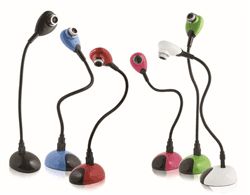
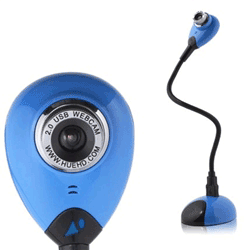
Hue HD Webcam
$126.36 ex GST
($139.00 inc GST)
The Hue HD Webcam is a cost-effective alternative to a standard classroom document camera, and is perfect for stop-motion animation. Easy to use and portable, this camera is popular in classrooms and homes throughout the world.
The camera is "plug and play" on Windows PCs and Macs (see System Requirements) and favoured by most parents and teachers for kids using HUE Animation and other stop-motion animation software due to the flexible arm and integrated microphone.
Unique, innovative design with a built-in microphone.
Widely used as a portable classroom document camera / visualiser in conjunction with a whiteboard.
Perfect for creating animated films, live videos or time-lapse recordings.
Compatible with Microsoft Windows (8, 7, Vista, XP), Apple Mac OS X (10.4.3 or above) and Linux.
Plug and play: simply connect the HUE camera to your computer's USB port and it will be ready to use.
By connecting your HUE camera to your computer and a projector you can share students' work, books, experiments and pictures.
The built-in microphone allows you to record your presentation or a student speaking about a topic. With its weighted base and flexible neck, HUE can also be used to magnify very small items such as insects, circuit boards and more to share them with the whole classroom.
Package Contents
Hue HD Webcam
Camera Base
6 ft USB to Mini-USB cable
Software CD
Quick Start User Guide
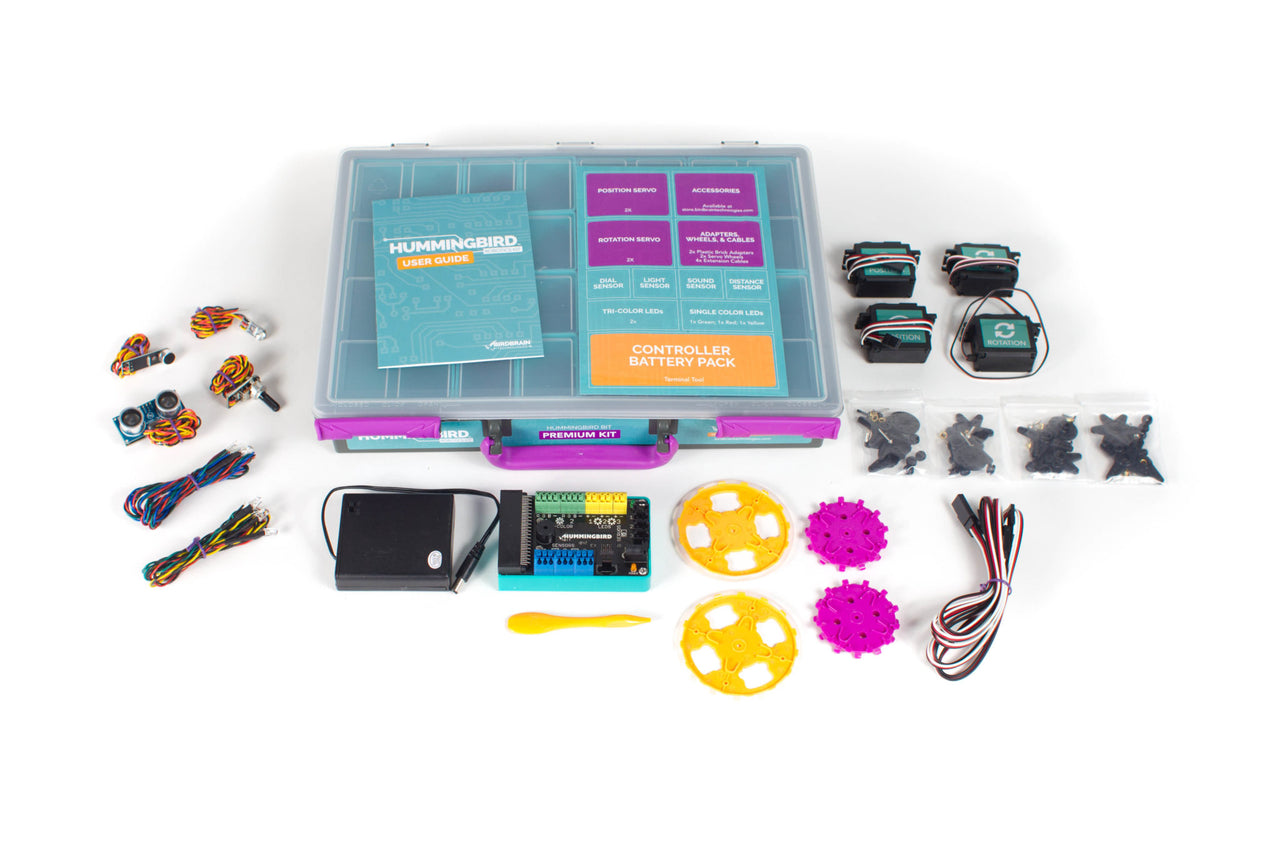
Hummingbird Bit Premium Kit
from $453.64 ex GST
($499.00 inc GST)
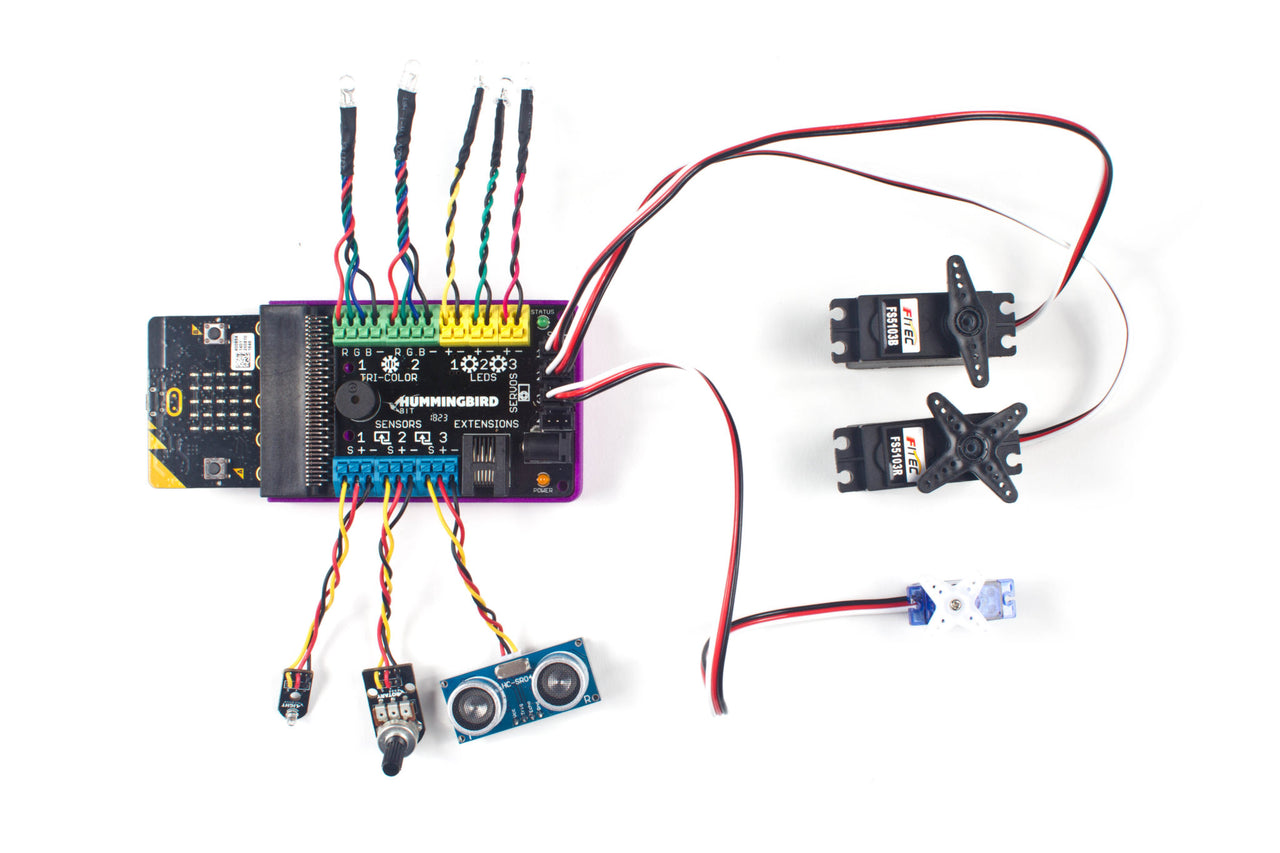
Inspire deep and joyful learning with the micro:bit-powered Hummingbird Bit Premium Kit! The Hummingbird Robotics Kit is comprised of lights, sensors, and motors which allow students to build a robot out of any materials. The power of Hummingbird is in its flexibility - the same reusable kit can animate a poem, model the human arm, build an autonomous rover, or create a pinball machine.
Hummingbird epitomises a low-floor, high-ceiling approach: absolute beginners can build & program a robot in minutes, but continue learning advanced engineering & programming for years.
PLEASE NOTE A MICRO:BIT IS REQUIRED AND SOLD SEPARATELY. PLEASE CHOOSE CORRECT OPTION CAREFULLY WHEN ORDERING IF YOU REQUIRE A MICRO:BIT
All Hummingbird Bit Robotics Kits include:
Free classroom-tested and standards-aligned learning materials, such as programming tutorials, lesson plans, and printable student activities.
Out-of-the-box compatibility with all laptops and most tablets.
Free software that is tested to work with school IT environments.
Support for 4 blocks-based and 3 text-based programming environments, including Makecode, Python, and Java.
Electrically protected connectors that allow students to easily add multiple motors, sensors, and LEDs without risk of harm due to incorrect connections.
Options for online and in-person professional development, including classroom and school district curriculum integration planning.
Classroom-ready packaging, including sturdy cases, sorting compartments, and stackable containers.
Hummingbird Bit Premium Kit Contents:
1 - Bit Controller
1 - Terminal Tool
1 - 4xAA Battery Holder
1 - Green LED
1 - Red LED
1 - Yellow LED
2 - Tri-colour LED
2 - FS5103B servo
2 - FS5103R servo
2 - Servo wheels
2 - Lego adapters
4 - 50 cm servo Extension cables
1 - Light sensor
1 - Sound Sensor
1 - Distance Sensor
1 - Rotary Sensor
1 - User Manual
1 - Premium Kit Case


Edison Robot Small Classroom Bundle
$1,817.27 ex GST
$1,992.00 ex GST ($1,999.00 inc GST)
$1,992.00 ex GST ($1,999.00 inc GST)
The Edison Robot Small Classroom Bundle is a comprehensive kit designed to bring the excitement of programming and robotics to your classroom. The bundle includes an Edison V3 robot, equipped with an internal rechargeable battery and a USB cable for programming and charging. This versatile teaching tool features more built-in sensors than any other robot in its class. It has infrared obstacle detectors, light sensors, variable speed motors and red LED lights. Your students will love navigating their robot around obstacles, controlling it with a standard TV/DVD remote, and even creating their own robot swarm using infrared light.
The bundle also includes the EdSketch Marker Pens and Pen Holders, which will add an extra layer of fun and creativity to your lessons. The easy-to-use programming languages, all free to use, range from intuitive drag-and-drop interfaces perfect for beginners to text-based platforms for more advanced learners. With these resources, your students will not only learn to code but also develop problem-solving and creative thinking skills.
The Edison Robot Small Classroom Bundle is a fantastic way to kick-start robotics education in your classroom. It's not just about learning how to code, it's about empowering students to become inventors, problem solvers, and creative thinkers.
Our bundle includes:
15 x Edison V3 Robots: These robots come with an internal rechargeable battery along with an attached USB cable for programming and charging. Equipped with more built-in sensors than any robot in its class, Edison V3 Robots can detect and navigate around obstacles, respond to sound, communicate with each other using infrared light, and even play tunes!
15x Edison EdRemotes: This remote control offers a dynamic way to interact with Edison V3 robots, opening new possibilities for creative exploration and experimentation. With EdRemote, students can take their robotics projects to new heights, fostering a deeper understanding of programming and robotics.
Programming Capabilities: The robots can be programmed using four different methods, suitable for various age groups (from 4+) and skill levels.
5 x EdCreate Expansion Packs: Our bundle includes expansion packs that allow students to build complex robots using LEGO compatible parts.
5 x Marker Pen Packs and 3 x Pen Holder Packs: Each pack comes with 10 pens and 10 pen holders.
3 x EdChargers: Each charger can hold and charge up to 5 Edison robots simultaneously making it perfect for classroom use
5 x Edison EdMat Activity Mats: The EdMat is an A1 size (59cm x 84cm) robot activity mat designed for the classroom and home.
5 x Edison Spare Parts Kits: Lost a part of your Edison? Don’t sweat it! The spare parts pack includes replacements for all of Edison’s removable parts.

CoDrone EDU Power Pack
$58.18 ex GST
($64.00 inc GST)
CoDrone EDU Power Pack - Extend Your Classroom Drone Flight Experiences
Keep your CoDrone EDU flying longer with the essential CoDrone EDU Power Pack. Designed specifically for classroom use, this power pack ensures your CoDrone EDU is always ready for the next learning adventure. Ideal for coding and robotics lessons, the CoDrone EDU Power Pack is a must-have accessory for educators and students alike.
Major Features:
Dual Charging Capability: Includes a dual-charger that can charge 2 batteries simultaneously, maximizing classroom efficiency.
Extended Flight Time: Comes with 2 batteries, each offering up to 8 minutes of flight time, allowing for prolonged coding and flight sessions.
Quick Recharge Time: Each battery recharges fully in about 60 minutes, ensuring minimal downtime between flights.
Micro USB to USB-A Cable Included: For easy charging with standard USB ports, note that it comes with a Micro USB cable, not USB-C.
Seamless Classroom Integration: Recommended to always have a battery charging during use, allowing for continuous drone operation in educational settings.
Easi-Speak BlueTooth - Rainbow 6 Pack
$680.91 ex GST
($749.00 inc GST)
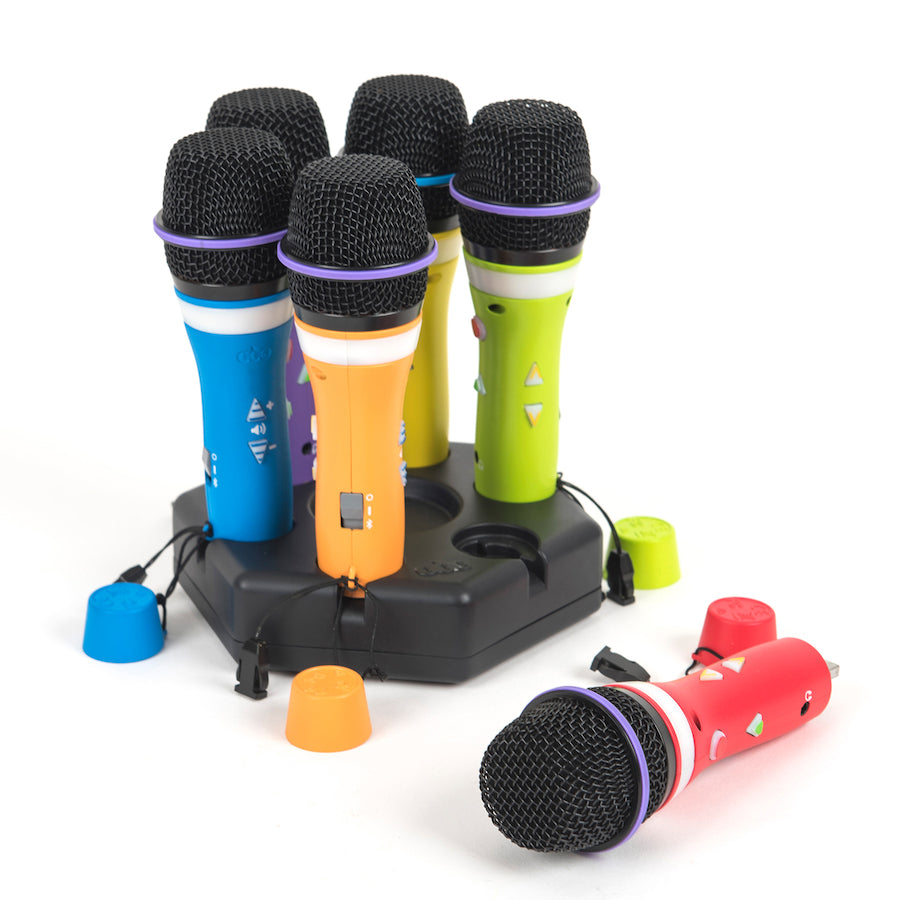
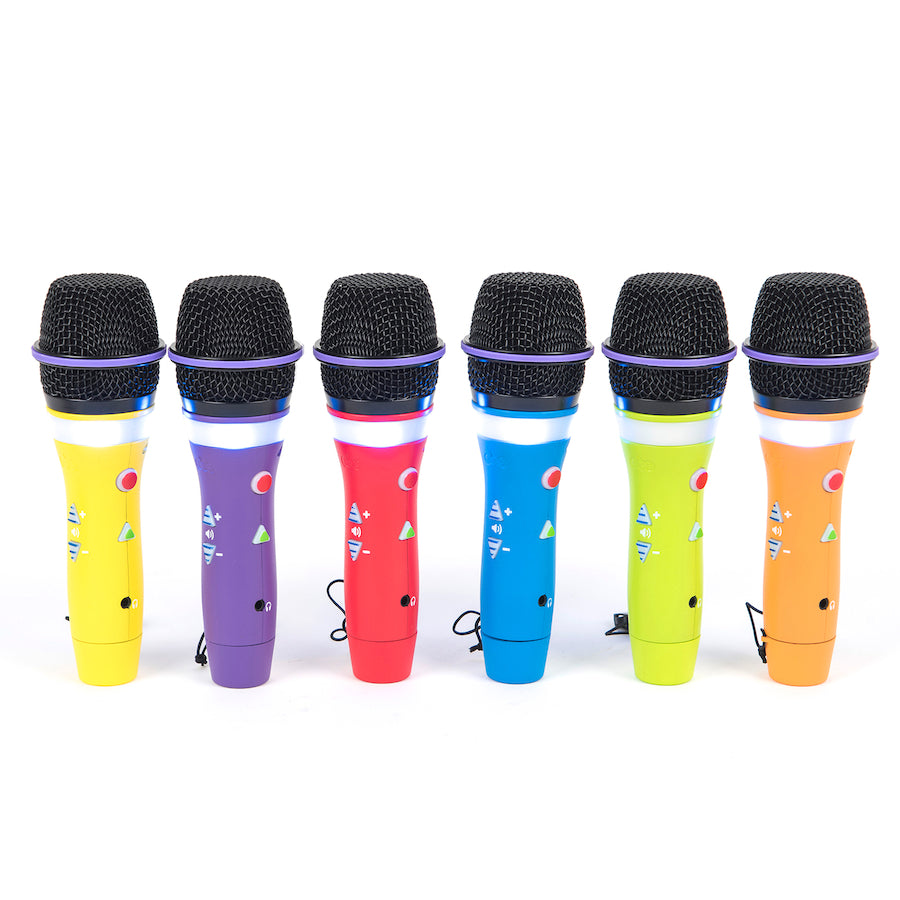
Elevate your classroom activities with the Easi-Speak Bluetooth - Rainbow 6 Pack, a vibrant set of Bluetooth microphones perfect for encouraging speaking and listening skills. Designed for easy classroom management, these colourful microphones allow children to become roving reporters or singing stars, all without being tethered to a PC. With Bluetooth connectivity, students can engage in various speaking activities anywhere in the classroom. The microphones can be easily paired with a wireless speaker, creating an affordable PA system for group discussions or presentations.
Ideal for reluctant speakers, these microphones come with 4 hours of built-in memory, which can be expanded via a micro SD card, allowing for extended recording sessions. Supplied with a convenient Docking Station, they ensure your devices are always ready for the next adventure. Perfect for supporting the English curriculum, the Easi-Speak microphones foster fluency and collaborative conversations, making them an essential tool for explicit literacy teaching in classrooms.
Experience seamless purchasing with our Purchase Order option available at checkout for schools and educational institutions. Proudly Australian owned, we offer first-class support, backed by our firsthand experience as former teachers, and efficient delivery from our Australian warehouses.
Key Features
Bluetooth Connectivity: Easily connect to tablets or Bluetooth speakers for flexible use in any classroom setting.
Expandable Memory: Comes with 4 hours of built-in memory, expandable via a micro SD card, ensuring you capture every moment.
Docking Station Included: Conveniently recharge your microphones, keeping them ready for continuous use.
Classroom Management: Rainbow colours aid in distributing microphones easily, enhancing classroom order and engagement.
Supports English Curriculum: Fosters development in speaking, listening, phonemic awareness, and explicit literacy teaching.


CoDrone EDU
$362.73 ex GST
$371.82 ex GST ($399.00 inc GST)
$371.82 ex GST ($399.00 inc GST)
CoDrone EDU: The Ultimate Educational Drone for Coding and Engineering
Unlock a world of coding and engineering possibilities with the CoDrone EDU, tailored for both classroom learning and competitive fun. Designed for all skill levels, the CoDrone EDU provides an engaging, hands-on experience that brings coding to life. Whether you're a beginner taking your first steps in block-based coding or an advanced coder diving into Python, the CoDrone EDU is the perfect tool for inspiring creativity, innovation, and a passion for STEAM education.
Major Features:
Versatile Coding Options: Programmable in both Python and block-based coding, offering a scalable challenge for students of all levels.
Advanced Sensory Interaction: Comes equipped with colour sensors, front and bottom range sensors, among others, for immersive learning through real-world programming.
Durable and Safe Design: Engineered with a durable frame and safety in mind, ensuring resilience against classroom wear and tear.
Customisable with Programmable Lights: Enhance your coding projects with programmable lights, adding a personalised touch to your learning experience.
Rich Sensor Access: With access to seven different sensors, students can explore and innovate, pushing the boundaries of sensor-based coding.
Blue-Bot Bundle - Nature and Environments Kit
$1,544.55 ex GST
($1,699.01 inc GST)
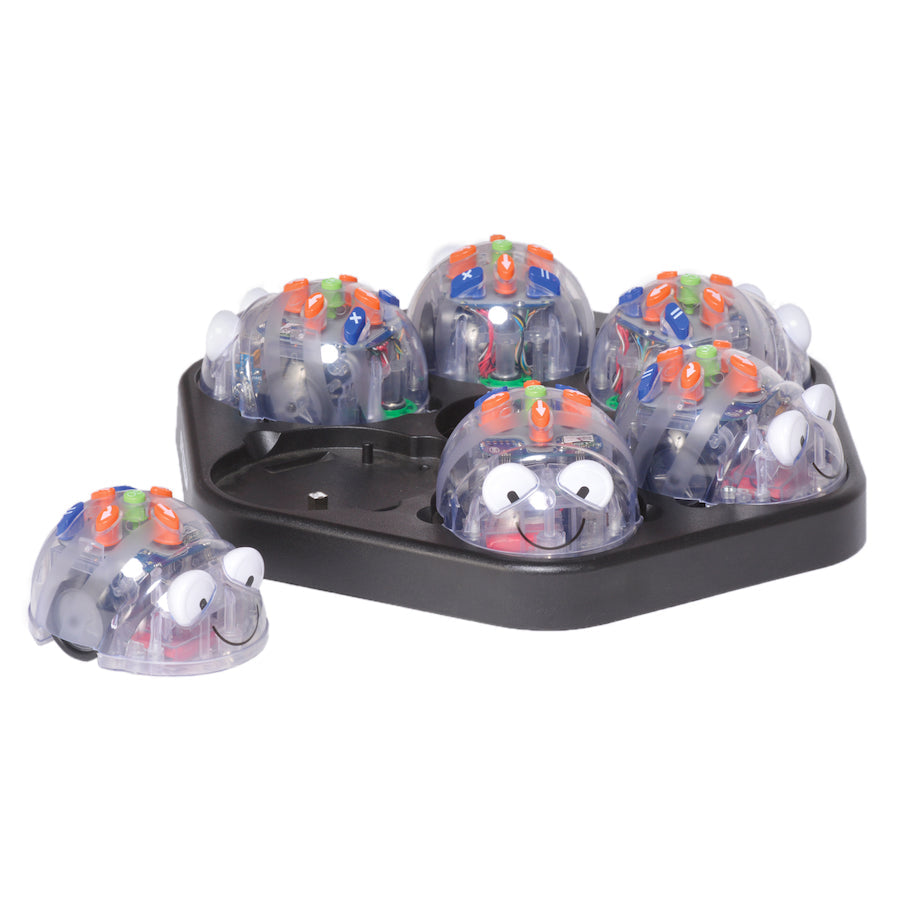
This class pack is a great cross-curricular resource to integrate Digital Technologies with learning around nature and environments, and teach program and control to Kindergarten to Middle Primary students.
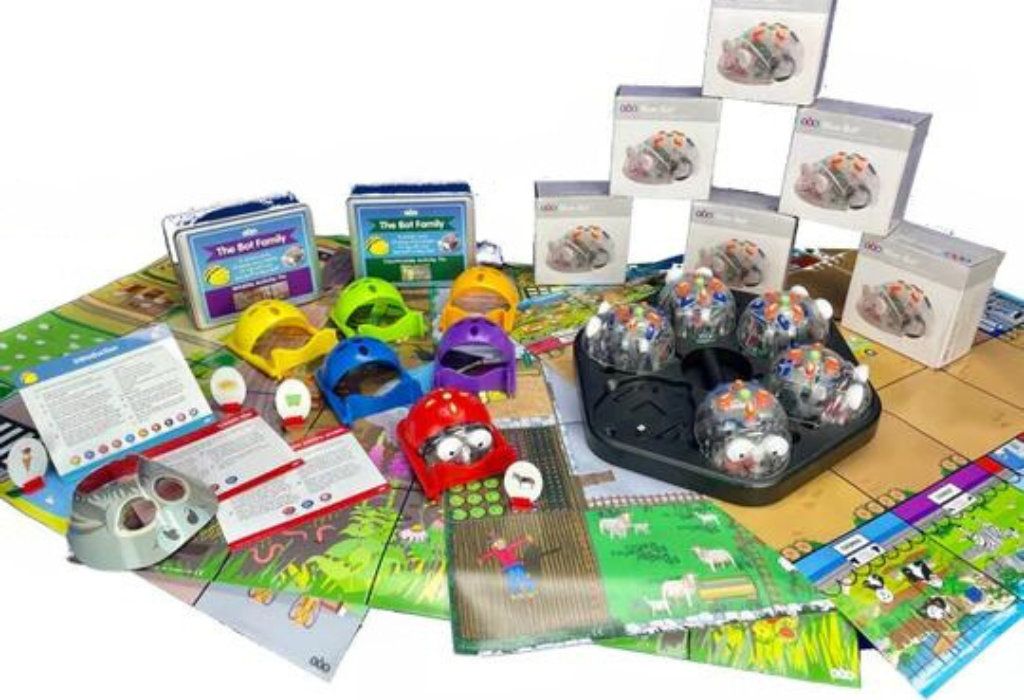
The Blue-Bot Bundle - Nature and Environments Kit Includes
6 x Blue-Bot (new audio enabled and rechargeable model)
1 x Bee-Bot/Blue-Bot Charging Dock
6 x Bee-Bot Pushers
1 x Countryside Mat
1 x Wildlife Garden Mat
1 x Zoo Mat
1 x Farmyard Mat
The new and improved Blue-Bot is perfect for teaching control, directional language and programming. because you can code and control Blue-Bot in four ways;
Use Blue-Bots on-board buttons for basic controls, which will enable Blue-Bot to act the same as a Bee-Bot.
Use Blue-Bots TacTiles to create more complex screen free programming, then use the Blue-Bot TacTile Reader to upload the algorithms for Blue-Bot to actuate.
Use Blue-Bots App to utilize more complex coding opportunities whereby you create your program on screen and send it remotely for Blue-Bot to perform the program.
Control Blue-Bot remotely using the App on a Android, iOS, Mac, or Windows device.
Key Features of the New Blue-Bot
Blue-Bot (and Bee-Bot) now have sensors and can detect other Bots.
Blue-Bot (and Bee-Bot) now have the capability to record and play back audio. The recording is played back to confirm when commands are entered and when Blue-bot follows the command.
Blue-bots has a clear shell, which means children can see inside Blue-Bot and understand which components perform which duties, for example, where is the power stored?
Using the app, Blue Bot can now perform 45 degree turns alongside the traditional 90 degree turns which means children can program Blue-Bot to draw a variety of different shapes.
You can still use Blue Bot like your normal Bee-Bot, by programming on the robot itself.
The Blue-Bot App
The Blue-Bot app enables you to write an algorithm, send it to your Blue-Bot, and then Blue-Bot will follow your instructions. The Blue-Bot App has two modes;
Explore Mode allows children to explore the wonders of programming through an open ended coding environment.
Challenge Mode presents puzzles for the children to complete.
The Blue-Bot App also makes classroom management as easy as possible too - by allowing you to rename each and every Blue-Bot to give it its own character. The Blue-Bot App includes numerous activities which make writing algorithms both fun and educational, including:
Use explore mode to develop algorithms: Step by step programming. Drag and drop programming. Include repeats to add efficiency.
Challenge mode will add complexity into the algorithm: Blue-Bot will add random obstacles, adding complexity to the algorithm needed One or even two directional buttons can be removed
Children can also record themselves saying a command and can assign it to a button on Blue-Bot. As the algorithm progresses, they will hear themselves giving the instructions.
Other Useful Features of Blue-Bot Include:
Rechargeable and fits on the Bee-Bot Docking Stations
USB cable provided for recharging
Compatible with your existing Bee-Bot Mats and accessories (such as shells, pushers, pen holders etc
Warranty and Support
All items in the Blue-Bot Rechargeable Swarm have a 1 year warranty.
Bee-Bot/Blue-Bot Wildlife Garden Mat
$71.82 ex GST
($79.00 inc GST)
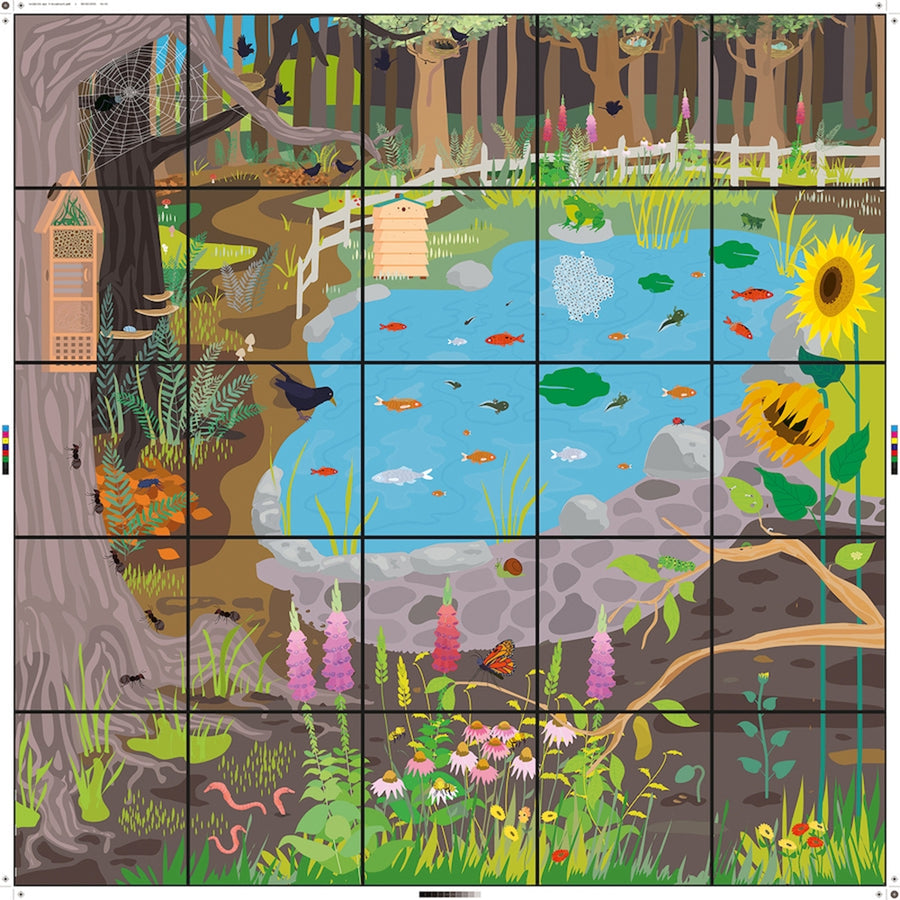
Let the children's imagination run wild with this wildlife garden mat.
Can they get the Bee-Bot/Blue-Bot to follow the life cycle of the Butterfly, or the frog? With several different life cycles to follow, student's can combine understanding of different animals and species with the early stages of programming.
Highlights
Contains several life cycles to follow
Engaging resource for the whole class
For the associated activity tin, please see Wildlife Garden Activity Tin
Bee-Bot/Blue-Bot Trailer
$71.82 ex GST
($79.00 inc GST)
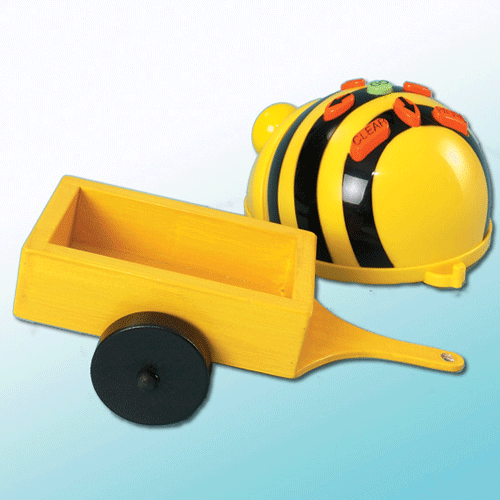
This easy to use Bee-Bot Trailer is great for incorporating role play and retrieval exercises into your lessons.
Although limited to 90 degree turns at a time, due to the Bee-Bot's turning circle, the trailer still enables the Bee-Bot to tow objects with ease.

Bee-Bot/Blue-Bot Mini Sequence Cards
$27.23 ex GST
($29.95 inc GST)
Help pupils to organise the route sequence with this pack of durable sequence cards.
This pack of durable, laminated sequence cards is ideal for assisting in program planning and recording.
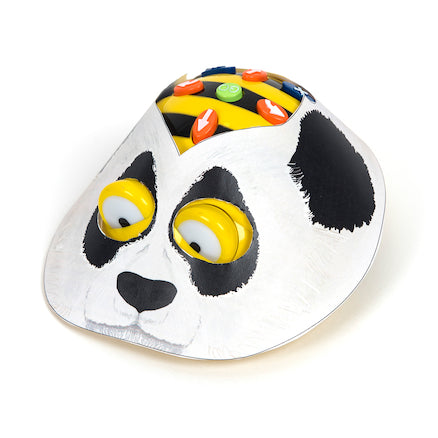
Bee-Bot/Blue-Bot Zoo Activity Tin
$45.41 ex GST
($49.95 inc GST)
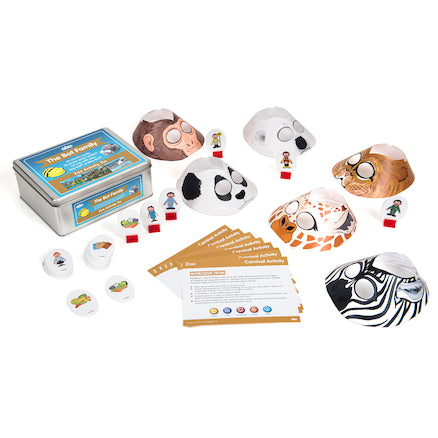
The Zoo Activity Tin contains a number of accessories to use with the Zoo Bee-Bot mat, including Jackets, Activity cards and Prop pieces.
Includes 10 cross curricular activity cards, 6 character jackets to transport Bee-Bot/Blue-Bot into different animals and 20 prop pieces to place on the mat.
Mat sold separately.
Quick and easy to get started with when planing time is limited.
Highlights
Offers planned, intentional teaching of vocabulary
A progressive, considered method to narrow the word gap
Includes subject knowledge support for teachers
Bee-Bot/Blue-Bot CVC Mat
$90.00 ex GST
($99.00 inc GST)
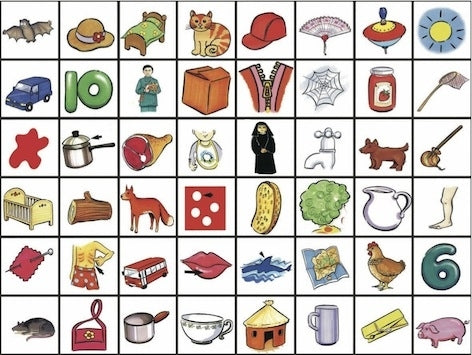
CVC Words Mat.
The CVC Words Mat presents 42 colourful images of easily recognisable consonant-vowel-consonant words.
Use Bee-Bot or Blue-Bot and the CVC Words Mat to develop and build language, reading, and matching skills.
The CVC Words mat measures 90cm x 120cm ( 6x8 Bee-Bot Squares) hence is suitable for a number of Bee-bots or Blue-bots to used simultaneously.
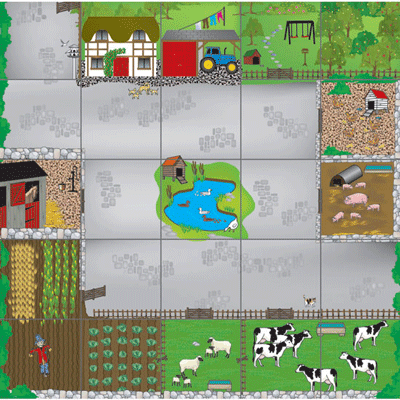
Bee-Bot/Blue-Bot Farmyard Mat
$53.64 ex GST
($59.00 inc GST)
Down on the farm on the Bee-Bot Farmyard Mat. Children will enjoy learning about life on this farm and acting out rural adventures with this colourful mat.
Introduce children to different animals, crops and how they are grown etc. A useful link between Science, Literacy and ICT.
Size - 75cm x 75cm
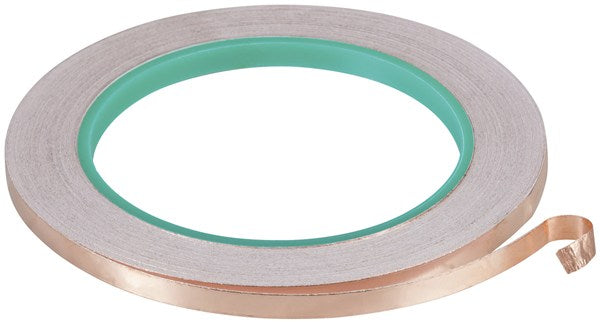
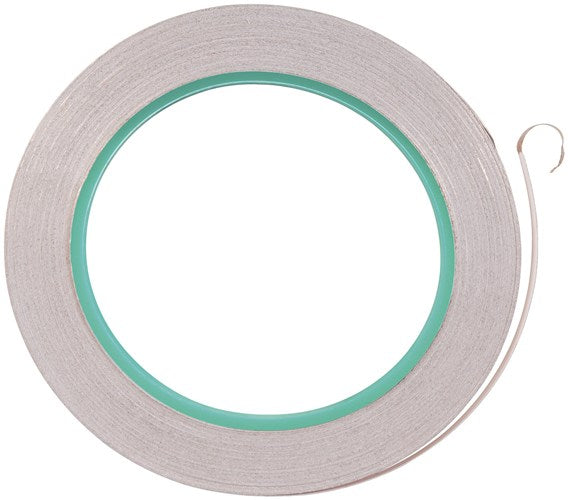
Adhesive Copper Tape 5mm x 10m
$6.95 ex GST
($7.65 inc GST)
Copper Tape with Adhesive Backing
Solderable
Repair printed circuit boards
Create antennas and shielding
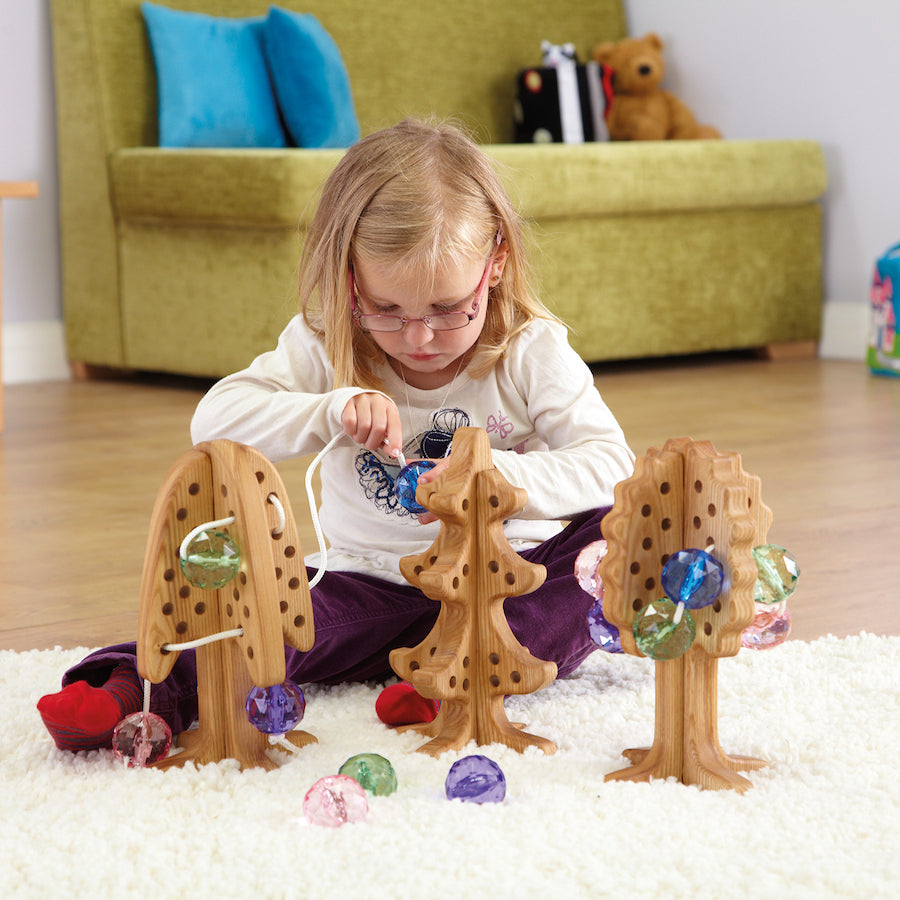
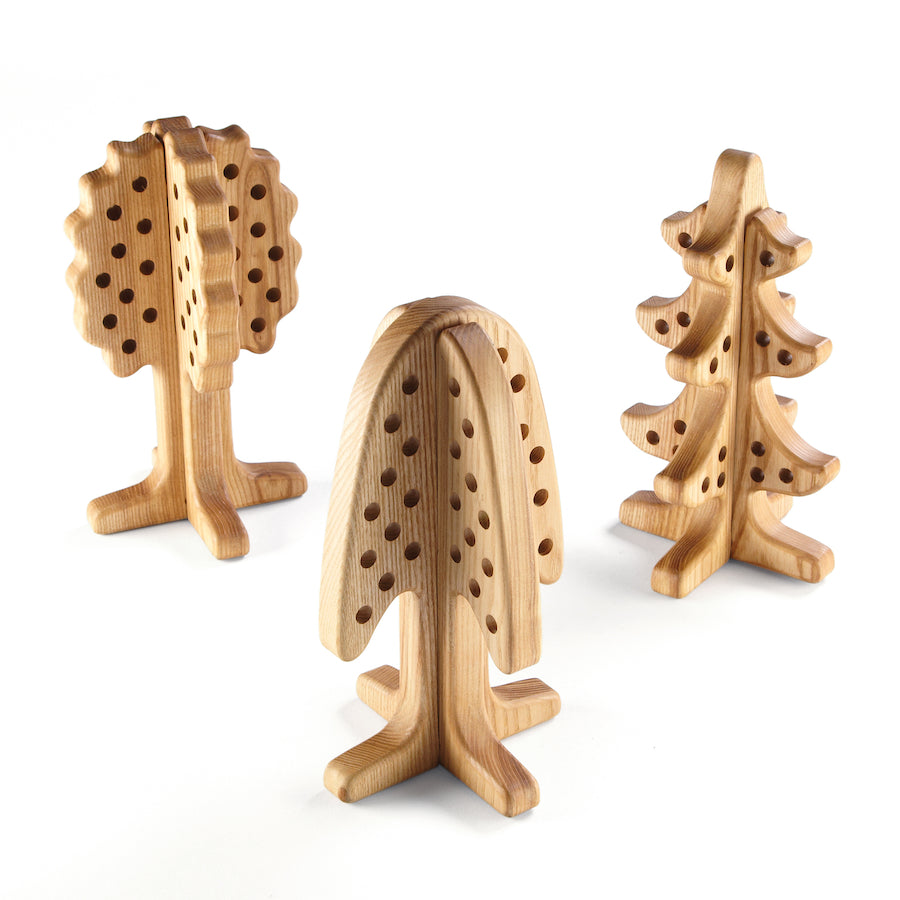
Wooden 3D Threading and Lacing Trees 3pk
$153.64 ex GST
($169.00 inc GST)
Beautiful chunky trees for threading and lacing. Great for fine motor development!
Made from Ash and Birch wood and treated with natural linseed oil and beeswax. Set includes three trees and six laces.
They are a quality resource with a beautiful finish. Use them in small world play as well as threading and lacing activities. Use them on table tops, displays for attaching words, wishes and feelings etc. Use with ribbons, laces and natural materials. A really versatile resource set.
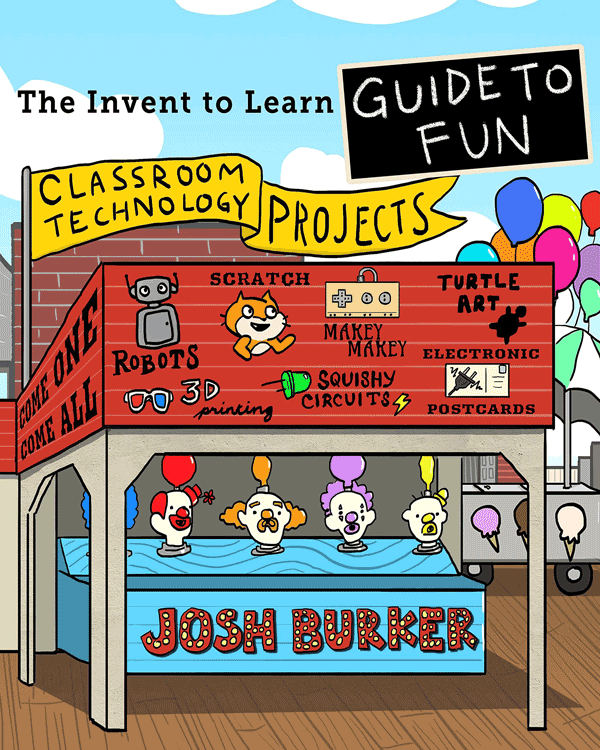
The Invent To Learn Guide To Fun
$25.00 ex GST
($27.50 inc GST)
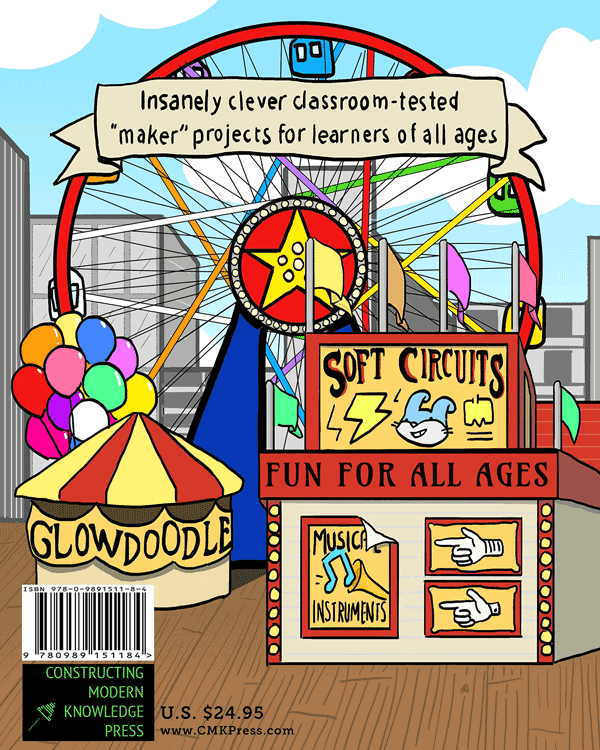
The Invent To Learn Guide to Fun Classroom Technology Projects features an assortment of insanely clever classroom-tested "maker" projects for learners of all ages.
Josh Burker kicks classroom learning-by-making up a notch with step-by-step instructions, full-colour photos, open-ended challenges, and sample code. Learn to paint with light, make your own "Operation Game," sew interactive stuffed creatures, build "Rube Goldberg" machines, design artbots, produce mathematically generated mosaic tiles, program adventure games, and more!
Your MaKey MaKey, LEGO, old computer, recycled junk, and 3D printer will be put to good use in these fun and educational projects. With The Invent To Learn Guide to Fun in hand, kids, parents, and teachers are invited to embark on an exciting and fun learning adventure!


Swivl CX5 Starter Kit
$2,681.80 ex GST
($2,949.98 inc GST)
The Swivl CX5 Starter Kit includes five microphones to provide clear audio of the teacher and of a larger group with the focus on the teacher driven interactions.
Our robot follows you with great audio. That much you know. But now it does so with professional quality audio, twice the speed of response, a simpler to use Lightning interface and the ability to connect and use up to four markers at once to expand your experience to students.
Kit includes: Swivl CX-5 Robot, Swivl Floor Stand and 1 Year 1 User Swivl Pro Team Subscription

Swivl CX1 Robot
$1,697.27 ex GST
($1,867.00 inc GST)
The Swivl CX robot rotates to follow the teacher automatically. It connects to multiple Markers for audio throughout the room and uses the tethered iPad (or mobile device) for recording video or streaming (Zoom, MS Teams, Google Meet). It's easy for teachers to set up and operate as a daily part of class.
Swivl is the most advanced, easy-to-use video capture and conferencing solution for education and businesses.
Includes 1 marker.
Swivl robot follows you with professional quality audio.
Self Reflection
Teachers can focus the video recording on their students or on themselves. Then they can review the video, add personal notes at specific moments, switch audio channels to listen to different students, and summarise the main points to improve the next day.
Peer feedback
The next step after self reflection is peer feedback, either from a trusted colleague or within a PLC. Other teachers can provide contextual help and support using a custom Rubric based specific to the teacher who shared the video.
Coaching
By collaborating over teacher recorded video, coaches can spend more time focused on coaching and less time traveling between classrooms.
Team Improvement
The unique combination of hardware and software in the classroom has proven essential for effective and sustainable video observation programs. Teachers own the recording process and get the support they need, coaches are much more efficient with their time, and Administrators get the access and oversight they need.
View and Collaborate
With Swivl Teams, you can securely view the video for self-reflection, share with a colleague for peer feedback using time-stamped comments, or share with a coach for Rubric evaluation. It’s easy to use and completely secure inside the Swivl platform.
NOTE: CX1 can only be upgraded to CX3 with 2 additional markers.

Sphero Golf Mat
$218.17 ex GST
$227.26 ex GST ($239.99 inc GST)
$227.26 ex GST ($239.99 inc GST)
Sphero Golf Mat - Incredible Vinyl Floor Mat
Designed for Sphero SPRK+, Sphero Mini, Sphero BOLT and Sphero BOLT+.
An incredible vinyl floor mat (1220mm x 2010mm) with 6 reversible golf hole maze activities that links coding across the curriculum with the Sphero.
Sphero Golf Mat Features
Part of the amazing and extensive range of Sphero activities, the Sphero Golf Mat is a special edition mat with 6 reversible golf hole mazes which means that there are 12 challenging activities in total on the mat. Every child with their Sphero can connect to the Sphero Edu app, which is available to be downloaded from the Apple Store, Google play, and the Chrome Web store. Once downloaded, the Sphero will connect automatically via Bluetooth connection (so make sure you have your Bluetooth switched on). All angles, geometry, functions and designs have been carefully constructed to strengthen children’s coding and computational thinking ability through a reliable trial and error process.
For a handy, suggested algorithm to work along with in solving the first hole, check out the Sphero Golf Mat – Hole 1 program on the Sphero Edu app!
How to use your Sphero Golf Mat
The way you should use the Sphero Golf Mat is with 2 groups of 2 pupils, at any one time, each with a Sphero in their possession. Ensure that the Sphero Golf Mat is laid down on somewhere flat in the classroom or home for optimal usability. Students have to program their Sphero from one golf hole, along the carefully designed, complexly shaped fairways to the respective holes at the end of them.
For students who are aged between 8 to 16 , they should employ the use of a Blocks or Text project in the Sphero Edu app. This allows them to fully explore each reversible hole maze, promoting further learning about speed, distance, time, angles and bearings.
To get twice the challenge, try figuring out each of the courses backwards!


Sphero City & Golf Code Mat
$299.99 ex GST
($329.99 inc GST)
This two-sided mat offers a simple, accessible way to learn block-based coding, basic maths principles, and collaborative problem-solving with any round Sphero robot. Choose Sphero City and Golf Code Mat to tee up your Sphero robot and take a swing while exploring concepts like distance, speed, maths fundamentals, and basic coding or program your robot to navigate around Sphero City using draw, blocks, or text programming.
We recommend using the Sphero City and Golf Code Mat with the Sphero City & Golf Activity Cards which are available for download here.
What’s in the box:
1 Double-Sided Sphero Code Mat (220cm x 115 cm)
Sphero & littleBits USB Cable
$11.77 ex GST
($12.95 inc GST)
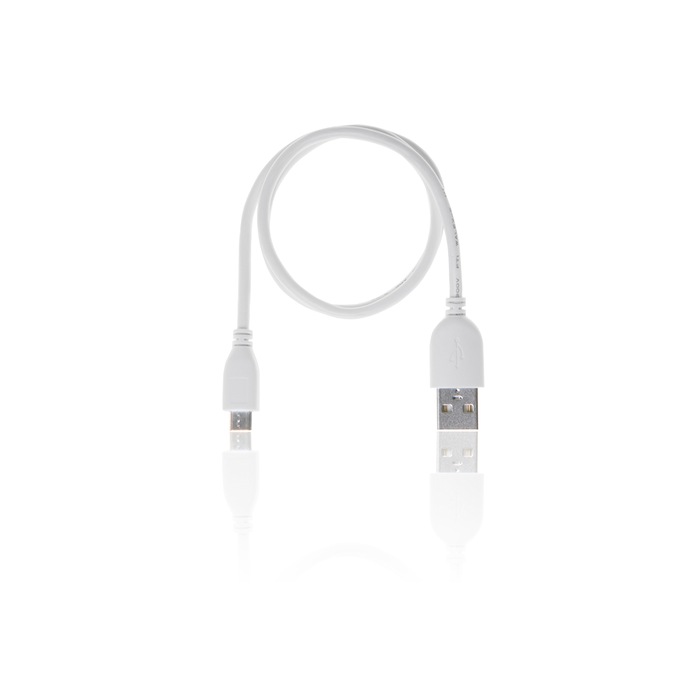
A micro USB cable for Sphero & littleBits products. Can be used for plugging into inductive chargers for Sphero SPRK+ and Sphero BOLT and is compatible with Sphero Mini.
Use with littleBits by connecting a PC to your codeBit or USB power bit or for recharging your Lipo battery. The cable is approximately 0.3 meters long and comes in littleBits white.
NOTE: Does not work with the Sphero RVR Battery.


Sphero Computer Science Foundations - Course 1
$319.00 ex GST
$336.35 ex GST ($350.90 inc GST)
$336.35 ex GST ($350.90 inc GST)
Computer Science Foundations (CSF) by Sphero is a supplemental, standards -aligned curriculum designed to be taught in the classroom with Sphero robots. CSF features three courses, each with their own spiral-bound Educator Guide. Using CSF, teachers and students will explore STEAM principles through creative coding.
CSF features student-facing instructions and pre-loaded blocks for every activity. Teachers can access every lesson in the Sphero Edu app by scanning the QR code or by navigating to the CS Foundations tab under "Activities" in the app. Teachers can then assign individual lessons to each student's Workbook. Many lessons have pre-loaded blocks so students can start coding right away.
Course 1 features three themes, each theme comprising eight lessons. By the end of Course 1, students will demonstrate proficiency with the Draw Canvas and know how to use block programs to manipulate lights and sounds and create loops and conditionals.
Course 1 Content: Arts - using Sphero robots, students will use the Draw and Block Canvas to paint, write poetry, compose music, and dance.
Shapes & Numbers - as students progress to programming with blocks, they'll learn how to connect numbers in equations, play dice games, design guessing games, and create their own figure skating routines.
Nature - students will use their polycarbonate robotic ball to understand the natural world by mimicking the movement of animals, programming a school of fish, and modelling sleep patterns.
By the end of Course 1 students will be able to:
Create their own Draw programs‚ including movement (direction and speed) and lights
Manipulate and sequence movement, lights and sound Blocks.
Create and animate their own designs on the BOLT LED matrix.
Create Block programs with 1 to 2 simple controls, including loop forever and loop x times.
Display a basic understanding of how 1-2 more complex controls, including loop until, if/then, and if/else affect programs.
Explain how conditionals use sensors, comparators, and operators to make decisions.
Read and interpret sensor data from all Draw and basic Block programs.
What's included:
A spiral-bound Course Educator Guide book containing 24 lessons
A unique access code that grants a perpetual license to all digital student-facing materials and content
ACARA and NSW Curriculum Curriculum links for ACARA and NSW are available here.
CS Foundation Course 1 Sample Activities Click here for CS Foundation Course 1 sample activities. CS Foundation Course 1 Sample Pages
Sammat Education Online Academy - micro:bit Level 1
$80.00 ex GST
($88.00 inc GST)
Creative Kids Voucher not valid for this program
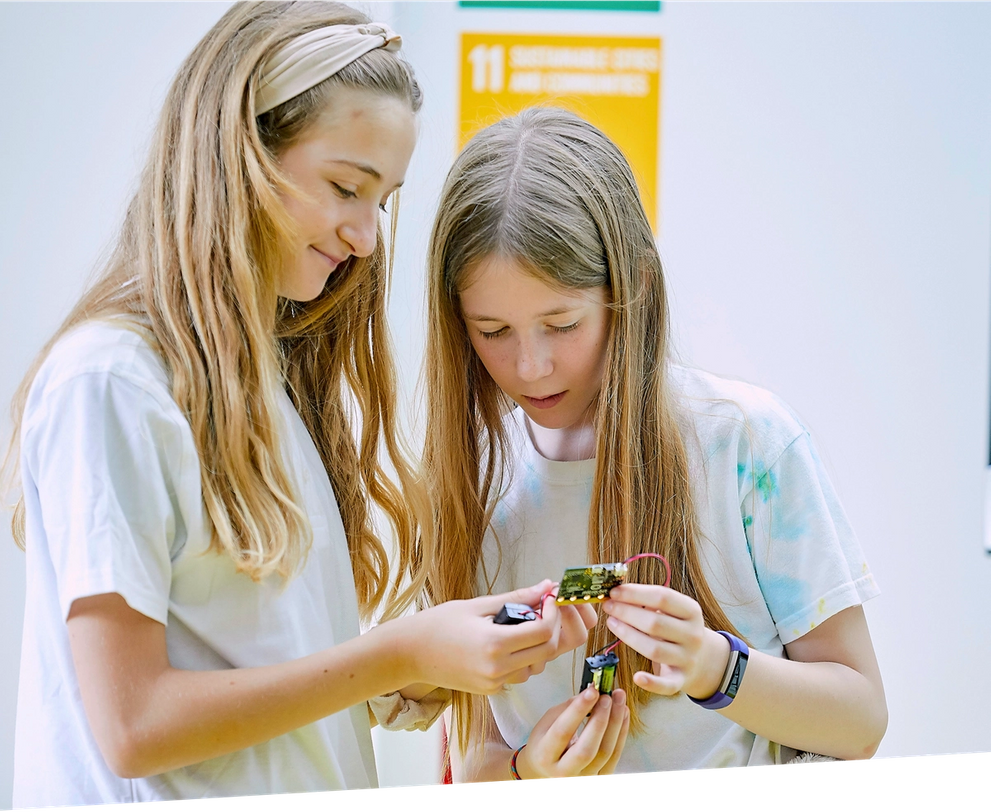
Our 10-Lesson self-paced ONLINE workshop for children to learn how to use the micro:bit! Our Online Academy includes guides and videos to take you from first use to confident coder, creating your own micro:bit magic.
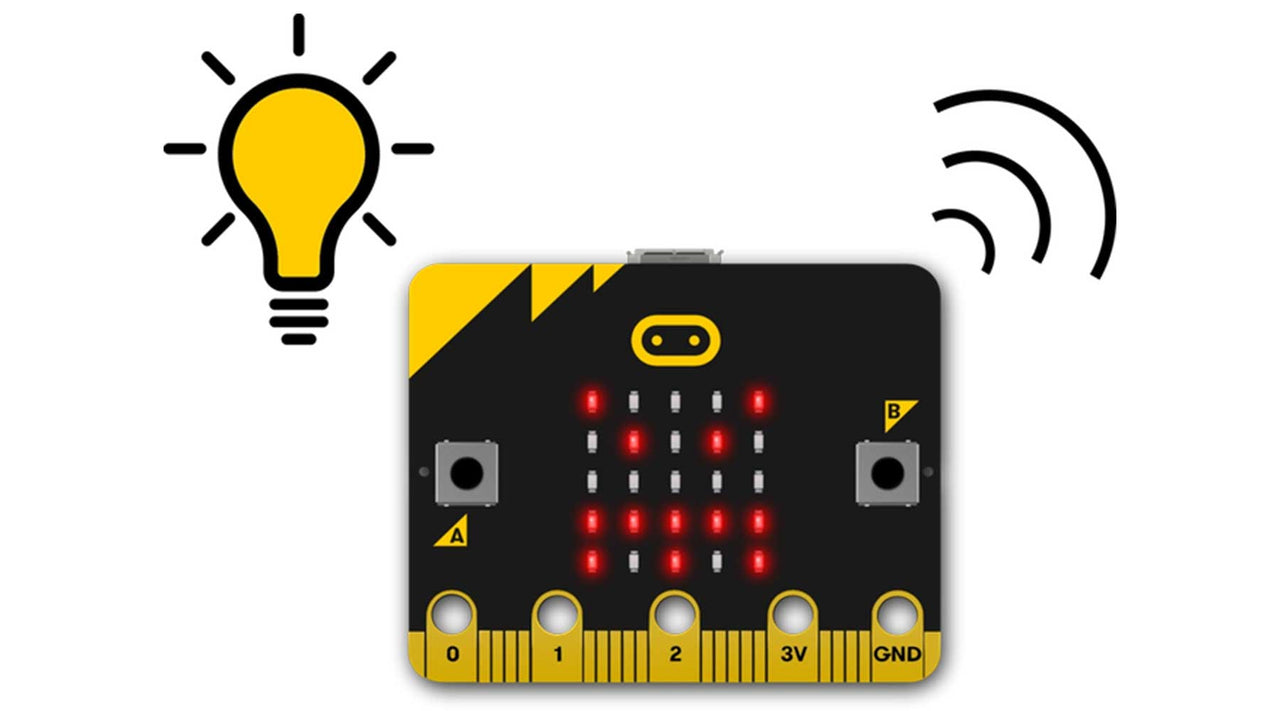
The BBC micro:bit is a pocket-sized computer that introduces you to how software and hardware work together. It has an LED light display, buttons, sensors and many input/output features that, when programmed, let it interact with you and your world.
The new micro:bit with sound adds a built-in microphone and speaker, as well as an extra touch input button and a power button.
What you Get:
A micro:bit GO pack (Ver 2) including battery pack with 2 AAA batteries and a USB cable will be shipped out to you.
10 Online lessons/projects on our Online Academy with guides and videos to help you get the most out of the micro:bit's features - and have fun!
What you Need:
A computer, phone or tablet with internet access to load the Microsoft MakeCode code editors.
For building and making projects with your micro:bit, some extra items that are great to have include headphones, crocodile clip leads and conductive materials such as aluminium foil and paper clips.
Lesson Summary
1. LEDs and timing blocks
Make your micro:bit’s heart beat using loops to create an animation.
2. Text blocks
Turn your micro:bit into a scrolling name badge with just a few instructions.
3. A & B buttons
Make your feelings really stand out with flashing happy and sad faces.
4. Sound and logo button
Make an emotion badge that expresses how you feel in sounds as well as pictures.
5. Shake and Tilt
This program uses the micro:bit’s accelerometer input to measure forces and sense when it’s shaken.
6. Light sensor
Turn the LED display into a sensor to make your micro:bit react to light.
7. Sensors and chance - Dice
Shake your micro:bit to make random numbers.
8. Sensors and chance - Rock, paper, scissors
Rock, paper, scissors is a classic game of chance for two people. Code a game with the micro:bit
9. Step counter
Turn your micro:bit into a step counter (or pedometer) to help you track how active you are - and learn some coding at the same time!
10. Thermometer
Show how hot or cold your micro:bit is using the built-in temperature sensor.
Nanoleaf Shapes Mounting Plate + Tape (9 Pack)
$15.45 ex GST
($17.00 inc GST)
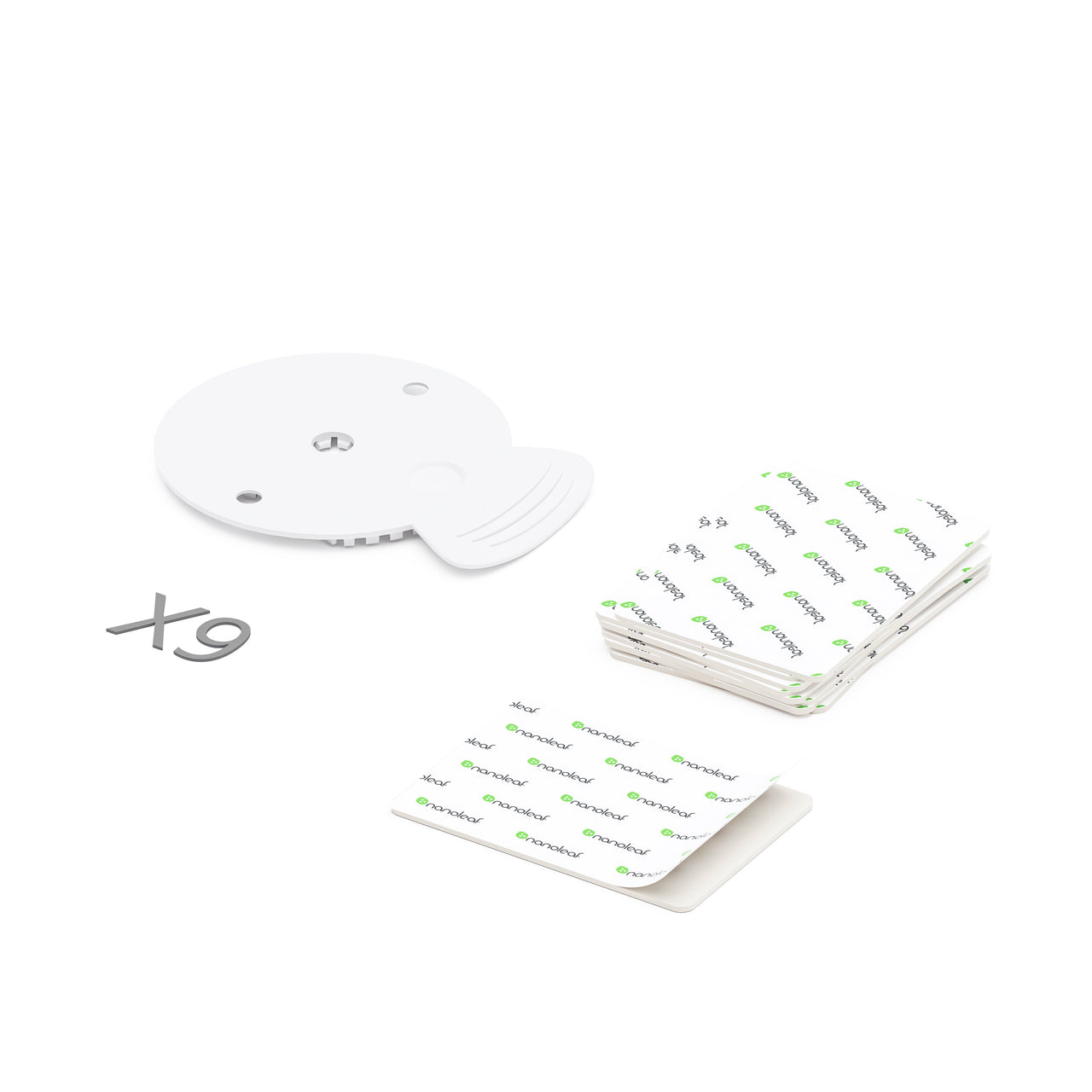
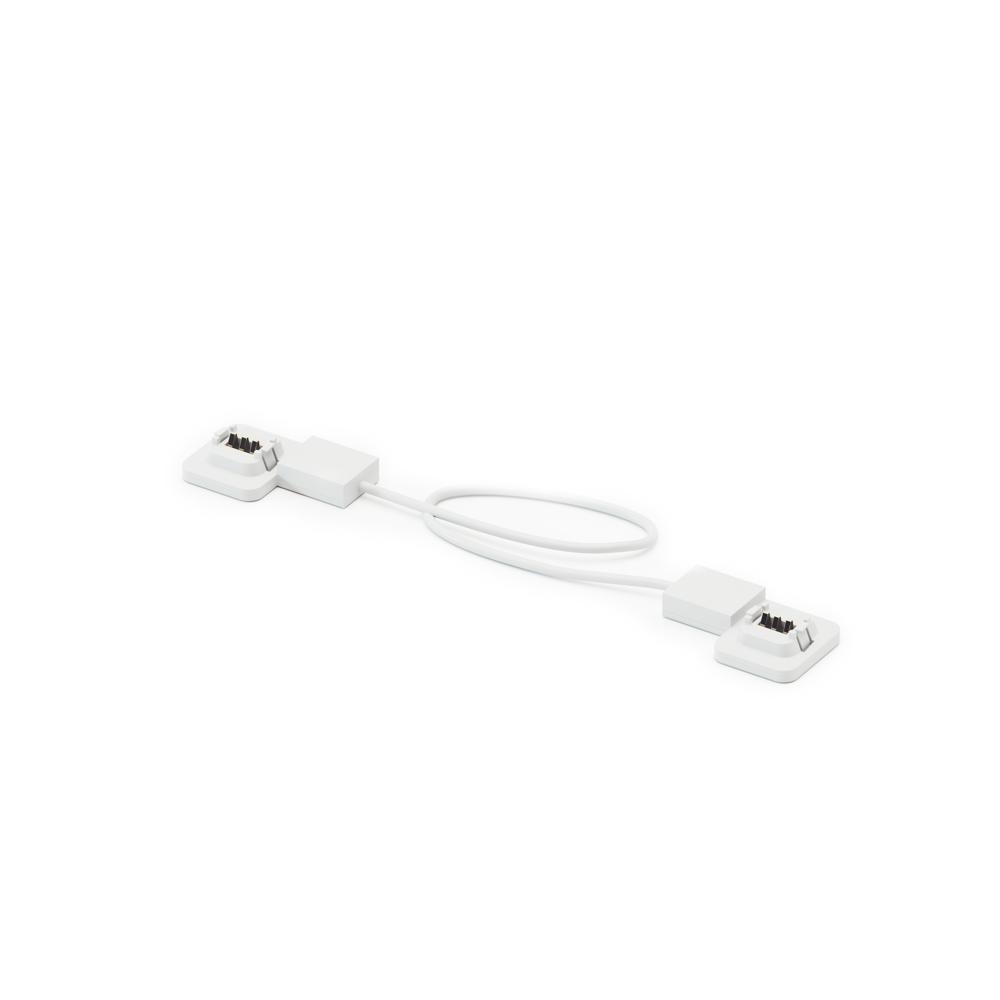
Moving, want to change your design to something new or perhaps you want to create a bigger installation? Get this replacement pack of 9 Mounting Plates paired with 9 double-sided Mounting Tape.
Mounts to install Shapes and expand your design, or keep as spare
Quick & easy 'no hassle' installation
Available in 9 Pack only (non-retail envelope packaged)
Compatible with Shapes Hexagons and Shapes Triangles
Note, not compatible with Shapes Mini Triangles, Light Panels or Canvas
Nezha Inventor Kit for micro:bit
from $195.00 ex GST
($214.50 inc GST)
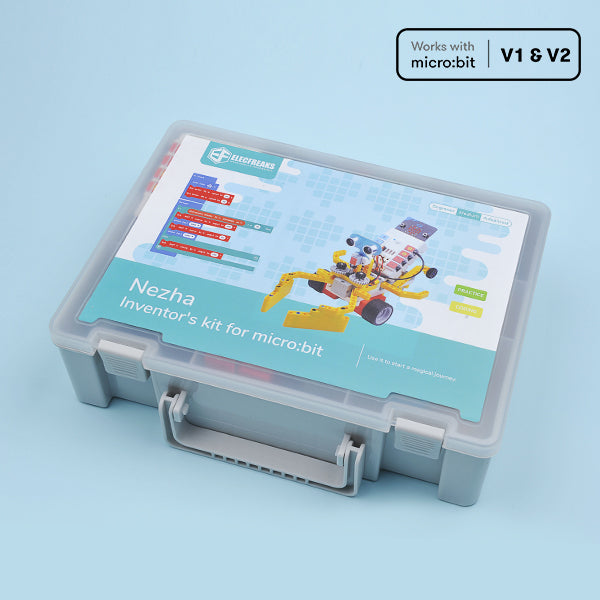
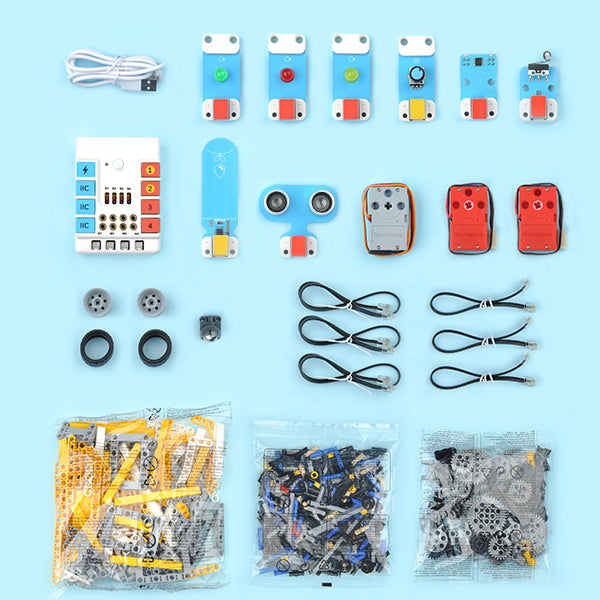
Based on Planet X sensors, Nezha Inventor's Kit is designed for BBC micro:bit. It contains multiple sensors, ultrasonic sensor, crash sensor, line-tracking sensor, etc., and also with over 400 pieces of bricks. We plan to write 36 cases for this kit in our wiki aiming to cultivate and inspire kids' creativity and imagination.
PLEASE NOTE A MICRO:BIT IS REQUIRED AND SOLD SEPARATELY. PLEASE CHOOSE CORRECT OPTION CAREFULLY WHEN ORDERING THE Nezha Inventor Kit for micro:bit IF YOU REQUIRE A MICRO:BIT
Highlights
Planet X Sensors: contains multiple sensors and modules including LED, trimpot, soil moisture sensor, ultrasonic sensor, crash sensor, line-tracking sensor, etc.
18 Programming Fun Projects(continuously updated) and Over 400+ Bricks Kit: Not limited to default projects, children can create what they want. The purpose is to cultivate and inspire kid's creativity and imagination.
microbit NeZha Expansion Board: Rich expansion equiped with 4 servo connections, 4 motor connections and 7 sensor connections.
Simple connection: NeZha Expansion Board can be connected to Planet X sensors with the RJ11 cable, and it is compatible with building blocks.
Built-in 900 mAh Lithium Battery: it can be used normally for 2 hours after charging. Protects from over-current, short-circuit and electrostatic.
motor:bit Smart Car Kit
from $50.00 ex GST
$73.77 ex GST ($55.00 inc GST)
$73.77 ex GST ($55.00 inc GST)
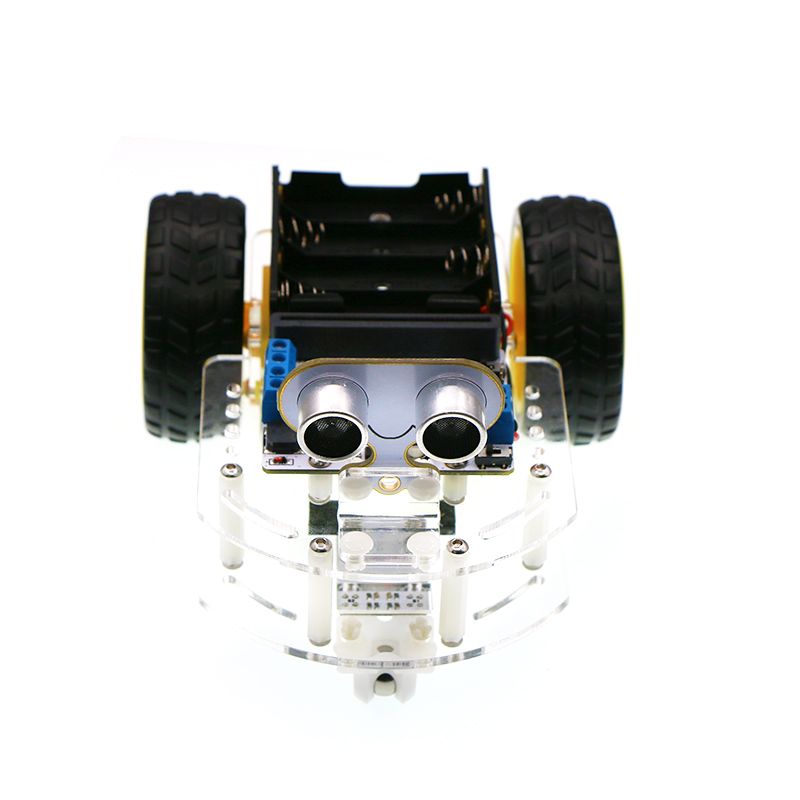
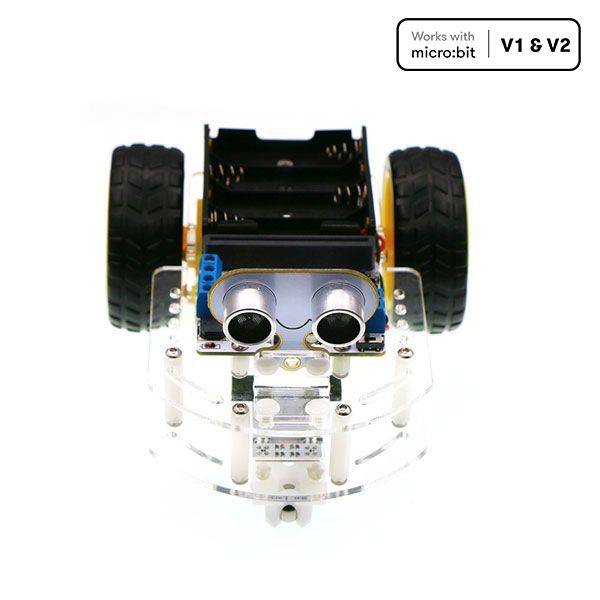
The motor:bit Smart Car Kit is a tailor-made smart car for micro:bit and motor:bit.
This kit includes a motor:bit, sonar:bit and 2 line tracking modules. You can use this kit to DIY a micro:bit two-wheel smart car.
PLEASE NOTE A MICRO:BIT IS REQUIRED AND SOLD SEPARATELY. PLEASE CHOOSE CORRECT OPTION CAREFULLY WHEN ORDERING THE motor:bit Smart Car Kit IF YOU REQUIRE A MICRO:BIT
Features
Small size with compact structure.
Reserve sensor connectors.
Projects
Fixed Parking
Keep Distance
Line Tracking
Avoid Barrier
Remote Control
Bluetooth Control
What's in the Box
1 x motor:bit
1 x Acrylic Smart Car Chassis Kit(include TT motor)
1 x Line Tracking Module
1 x Sonar:bit
Mavis Beacon Teaches Typing International Edition
from $36.35 ex GST
($39.99 inc GST)
CUSTOM LICENCES AVAILABLE ON THIS PRODUCT. PLEASE ADD TO QUOTE WITH YOUR REQUIREMENTS.
SUPPLIED AS A DIGITAL DOWNLOAD
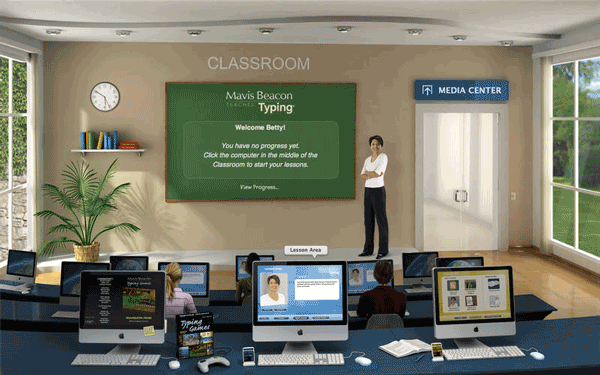
Mavis Beacon's avatar is so realistic that you'll think she's inside your computer, cheering you on. And there's plenty to cheer about in this new edition. User progress, scores, and settings can now be stored in iCloud for instant access from any computer with this version of Mavis Beacon installed, and Lion full-screen capability is completely supported.
Try out the optional Dvorak keyboard, used by the world's fastest typists. Type the lyrics of your favorite songs for practice while listening to your iTunes playlists. Get smarter while you practice typing up-to-the minute news feeds. Type an entire novel for practice, with the full text of dozens of classic novels, from Treasure Island to Les Miserables.
Take a break with 17 gorgeous high-resolution action typing games, the most games ever in a Mavis Beacon edition. Set up automatic iCal reminders to make sure you get in the practice time you need, up to three times a day. Also includes personalised progress reports, dictation practice, a custom lesson creator, ergonomic videos, posture exercises and much more.
Features
More RSS Feeds
Keep your finger on the pulse while you practice your typing with four times as many up-to-the minute news feeds as before. Type today's weather forecast from The Weather Channel, the latest science report from NASA, or the top news stories from BBC News — you'll be a smarter and wiser typist for it!
Even more games!
With seventeen gorgeous typing games, including the new Ragtime Rhythm, this Mavis Beacon has more games than ever before.
Mavis Avatar
The world's number one typing instructor comes alive in this new edition when she speaks to you as an avatar during your typing lessons.
Export Creature Movies!
Create an animal or a fantasy creature in the Creature Lab Game, then export it as a QuickTime® movie to post on the Web or send to a friend. Typing practice was never this much fun!
Track Your Progress. Chart Your Success!
Mavis Beacon tracks your progress step by step and points out the keys you need to concentrate on. And when you pass a major typing milestone you can print out a certificate from the Mavis Beacon Institute.
Twice as many classic novels
We've added the full text of even more classic novels to keep you engrossed as you type — from Around the World in Eighty Days to Moby Dick. Bookmarks are placed automatically as you pause or stop the lesson, so you can always find your place right away.
Song Lyrics Practice
Practice typing the lyrics from your favorite music while you listen to the same songs in your iTunes® playlists!
Dvorak Keyboard
We think August Dvorak would be mighty pleased that the keyboard he introduced in 1936 would be used by the world's fastest typists. Now you can try out the Dvorak keyboard too - as an option to the traditional QWERTY keyboard in this new edition.
iCal® Reminders
Now you can easily set up automatic reminders in iCal to make sure you get in the practice time you need - up to three times a day!
Floating Typing Gauge
Measure your typing speed in any application with this new floating menu bar utility.
System Requirements
Minimum System Requirements
System - Mac OS X 10.2.8 or later, including OS X 10.9 "Mavericks"
Processor - G3 350 MHz or faster, including all Intel Macs
Memory - 512 MB RAM
Display - 1024x768, Millions of Colors
Free hard disk space - 740 MB
CD-ROM drive - For installation only
Mavis Beacon Teaches Typing Ultimate Edition includes:
QWERTY and Dvorak keyboard layouts
Individually tailored lessons as skills grow
More than 1000 text passages for practice
Dictation and transcription exercises
Ergonomic videos and posture exercises
Curriculum map, reports, and certificates
17 typing games including 3 network games
Custom Lesson Designer using your own text


Jolly Phonics Chatter Board
$54.50 ex GST
($59.95 inc GST)
Unlock the magic of phonics for your child with the Jolly Phonics Chatter Board, an innovative pre-recorded sound board designed to make learning to read fun and interactive. Created for children aged 3 to 11 years, this educational tool brings the 42 sounds taught in Jolly Phonics to life. Each sound is housed in an individual pre-recorded tile, offering a clear and accurate pronunciation at the push of a button. By pressing the tiles in sequence, children can blend sounds, a crucial step in mastering reading and spelling.
Product Features:
42 Pre-Recorded Sound Tiles: Each tile plays a specific phonics sound, ensuring correct pronunciation and aiding in phonemic awareness.
Interactive Sound Blending: Press tiles in sequence to teach sound blending, fostering early reading skills.
Designed for Ages 3 to 11: A versatile educational tool that grows with your child, offering value from preschool to elementary.
First-Class Support for Educators: With options for purchase orders, schools and educational institutions can easily incorporate this tool into their curriculum.
Proudly Australian Owned: Fast and reliable shipping from local warehouses, backed by a company with a passion for quality education.
HoverCam Orbit PRO Document Camera - Wireless USB & HDMI
$1,590.00 ex GST
$1,677.27 ex GST ($1,749.00 inc GST)
$1,677.27 ex GST ($1,749.00 inc GST)
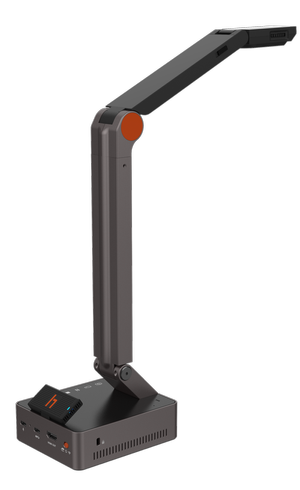
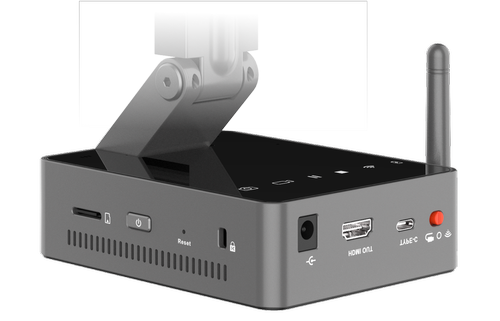
Meet the HoverCam Orbit, the world’s first and only wireless USB and HDMI document camera. Designed for educators and professionals alike, this powerful device combines cutting-edge wireless gigabit technology with unrivaled optical clarity. Experience a truly seamless setup experience with no special software required.
Key Features
Gigabit Wireless Transmission
Orbit offers 4K or 2K @60FPS over wireless gigabit, ensuring nearly lossless clarity and virtually lag-free casting up to 100 feet. Experience speeds 50x faster than the competition with absolutely zero WiFi interference.
InvisiWire Technology
This unique technology emulates a wired USB connection, making the Orbit accessible by any app on Windows, MacOS, ChromeOS, and Android without needing special software.
Megapixel Camera Sensor
Equipped with a 13-megapixel camera sensor and adaptive sensor resolution technology, the Orbit delivers stunning details and remarkable image clarity. With 800x total zoom, you can zoom in 4x before losing resolution.
Effortless Instant Setup
The Orbit requires zero network settings or driver installations. Simply plug in the wireless transmitter to your device's USB or HDMI port for an instant, plug-and-play setup.
Feature-Packed Software
Enhance your teaching or presentations with integrated features like Picture-in-Picture, digital whiteboard, annotation, and lesson recording. Seamlessly integrate with Zoom and other conferencing software.
Purchase Orders Welcome
We welcome purchase orders from schools and educational institutions, ensuring a seamless purchasing process. Our products are backed by exceptional support, drawing on our firsthand experience as former teachers.
Australian Owned & Operated
Enjoy efficient delivery as our store ships directly from Australian warehouses. Shop with confidence knowing that we are proudly Australian owned, delivering quality products with true Aussie spirit.


