KaiBot Intro Pack — Robot & KaiTiles
$292.60 ex GST
($321.86 inc GST)
The KaiBot Intro Pack pairs the KaiBot coding robot with its first set of magnetic KaiTiles — enough to build simple mazes and start coding on the first day. It suits a single student at home, one station in a classroom, or a teacher who wants to trial KaiBot before committing to a full class set.
What's included:
1 x KaiBot hybrid coding robot, with USB charging cable and 33 basic coding cards
1 x set of magnetic KaiTiles, numbered 1 to 10
Getting started:
Lay the KaiTiles out as a path or a maze — KaiBot senses which numbered tile it is sitting on
Build a program with the coding cards and let KaiBot scan and run it, with no screen involved
Pair with the free Kainundrum Lite app for tutorials, coding modes, projects and a 3D virtual maze
What students practise:
Sequencing, direction and simple debugging
Spatial reasoning through designing their own mazes
An entry point that leads on to Blockly and Python as confidence grows
You will need your own USB power adapter — the pack includes the charging cable but not a wall plug. Everything here works with the rest of the KaiBot range, so extra tiles, advanced card sets and classroom packs added later all fit together.
KaiBot Large Classroom Pack — 15 Robots
$4,795.92 ex GST
($5,275.51 inc GST)
The KaiBot Large Classroom Pack is the full-class option — fifteen robots, sixty numbered KaiTiles and a student eBook for every child, sized for around 30 students working in pairs. It is the pack for a school committing to coding across a whole year level rather than trialling it in one room.
What's included:
15 x KaiBot robots with charging cables
7 x Advanced Coding Card sets (100 cards each)
1 x Charging Station and 1 x Charging Dock
2 x sets of Magnetic KaiTiles 1–30, plus 1 x set of KaiTiles 31–60
1 x Teacher Guide eBook
15 x Student Activity eBooks
Why the tile count matters:
Sixty uniquely numbered tiles let several groups build separate mazes at once, or one very large shared layout
Duplicate 1–30 sets mean two groups can run identical challenges side by side and compare solutions
Advanced cards cover movement, logic, functions, repeats, conditionals and variables
What students practise:
Collaborative problem-solving across parallel groups
Progression from screen-free cards through Blockly to Python
Independent work, with an activity eBook each rather than a shared handout
Sixty-plus CSTA-aligned lesson plans are available free from Kai's Education with an account. Purchase orders welcome from Australian schools.
KaiBot Literacy Kitchen — Grades K–3
$229.00 ex GST
($251.90 inc GST)
Literacy Kitchen puts early readers in a restaurant, taking orders from a queue of animal customers. Students program KaiBot with coding cards to fetch, cook and deliver — and the literacy work happens inside the game rather than beside it.
What's included:
9 x magnetic Literacy Kitchen tiles that snap together into the game board
Activity cards
1 x illustrated storybook following Marshie the Marshmallow
What students practise:
Phonics, vocabulary and word recognition, prompted by the activity cards
Sequencing and logic — the coding is the vehicle, not the subject
Following multi-step instructions and checking their own work when the robot gets it wrong
How you can run it:
Entirely screen-free with the board, cards and storybook
Or paired with the free companion app for guided phonics lessons and rewards
Built on Universal Design for Learning principles, so one box works across a mixed-ability group rather than needing a separate activity for students who read at different levels. No coding experience needed to teach it. Requires a KaiBot robot and coding cards, sold separately.
KaiBot Magnetic KaiTiles — 10 Tile Pack
$95.00 ex GST
($104.50 inc GST)
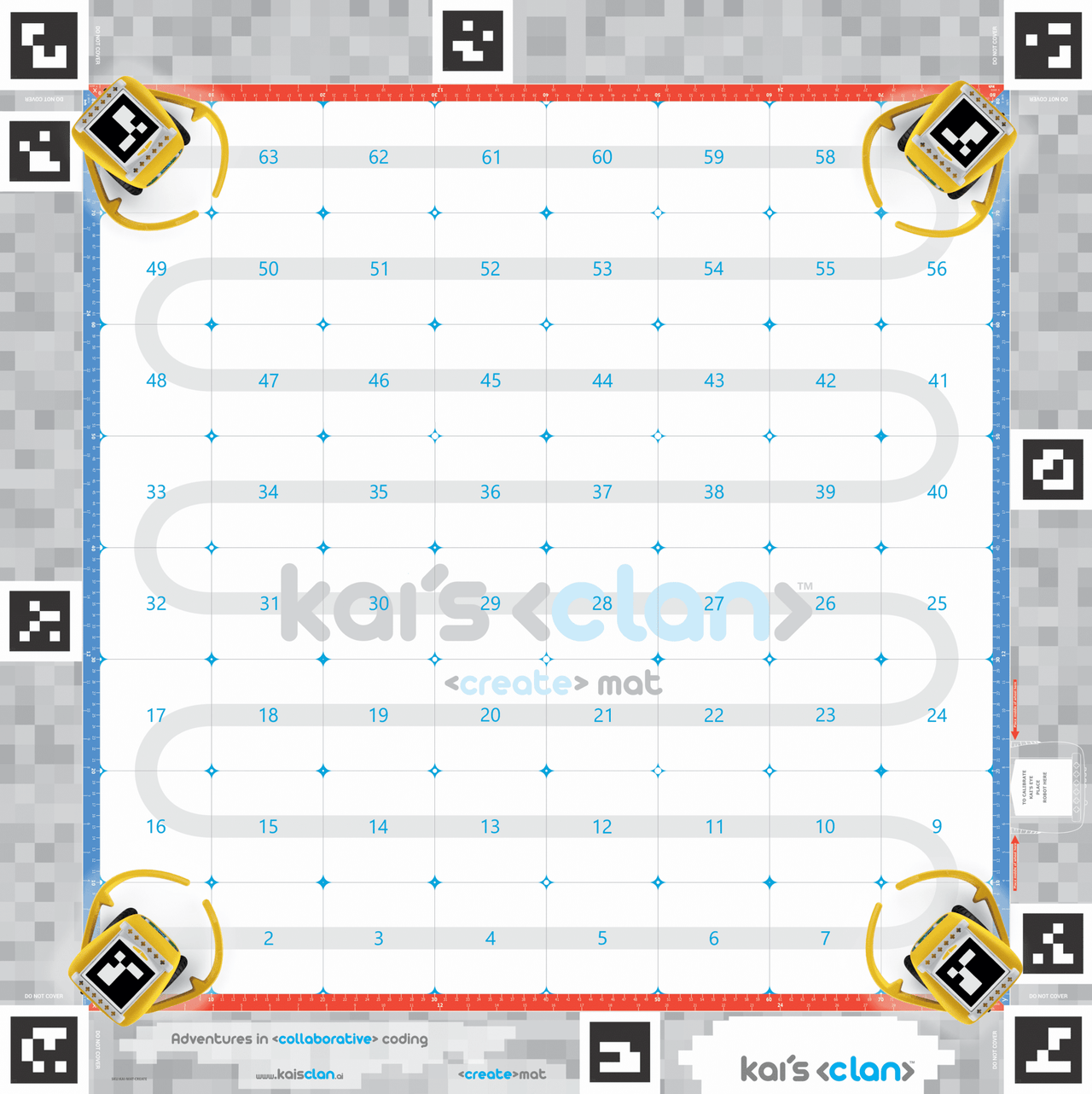
KaiTiles are the floor KaiBot codes on. Each magnetic tile carries a unique number, and the robot's downward-facing camera senses exactly which tile it is standing on — so a maze becomes something the robot understands rather than just something it drives across.
Available in packs of ten:
Tiles 1–10, 11–20, 21–30, 31–40, 41–50 and 51–60
Every tile number is unique, so packs combine into one continuous layout rather than repeating
Tiles snap together magnetically and come apart just as easily at pack-up time
How many do you need?
One pack of ten builds a simple path or a small maze for one group
Thirty tiles suit a small class working in several groups at once
Sixty tiles allow parallel challenges across a full class, or one large shared course
What students practise:
Spatial reasoning and planning — designing the maze is half the lesson
Sequencing and debugging against a layout they built themselves
Working with the Autonomous Charging Dock, whose charge tile sits in the maze alongside standard tiles
Requires a KaiBot robot, sold separately. Select your number range above — if you already own a set, choose the next range up so the numbers keep running rather than duplicating.
KaiBot Market Math — Grades K–3
$229.00 ex GST
($251.90 inc GST)
Market Math turns a supermarket into a maths lesson. Students take on Marshie the Marshmallow's shopping run, programming KaiBot with coding cards to collect items for each customer while working through the numeracy challenges on the activity cards.
What's included:
9 x magnetic Market Math tiles that snap together into the game board
Activity cards
1 x illustrated storybook
What students practise:
Counting, addition and number recognition in a real-world shopping context
Budgeting and decision-making — choosing what fits the money available
Sequencing, logic and pattern recognition through the screen-free coding
How you can run it:
Entirely screen-free using the board, activity cards and storybook
Or paired with the free companion app, which adds guided maths levels and a karaoke mode for younger classes
Designed on Universal Design for Learning principles, so a single box suits a mixed-ability group. No coding expertise required to run it — the maths leads and the coding follows. Requires a KaiBot robot and coding cards, sold separately.
KaiBot Medium Classroom Pack — 10 Robots
$3,114.34 ex GST
($3,425.77 inc GST)
The KaiBot Medium Classroom Pack carries ten robots and fifty numbered KaiTiles — enough for a class of around 20 students working in pairs, with tiles to spare for larger maze layouts. It adds a charging station, so a full set can be powered up overnight from one point rather than ten separate cables.
What's included:
10 x KaiBot robots with charging cables
1 x Charging Station and 1 x Charging Dock
5 x Advanced Coding Card sets (100 cards each)
1 x set of Magnetic KaiTiles, numbered 1 to 50
1 x Teacher Guide eBook
Running it in class:
Five card sets means five groups can code independently rather than queueing for one deck
Fifty uniquely numbered tiles can form one large maze or several smaller ones at once
Robots can run screen-free, or paired with Kainundrum on iPad, Chromebook, PC or Mac
What students practise:
Movement, logic, functions, repeats, conditionals and variables through the advanced cards
Collaboration and turn-taking in group rotations
A progression from unplugged cards through Blockly to Python
Over sixty CSTA-aligned lesson plans are available free from Kai's Education with an account. Purchase orders welcome from Australian schools.
KaiBot Small Classroom Pack — 5 Robots
$1,432.40 ex GST
($1,575.64 inc GST)
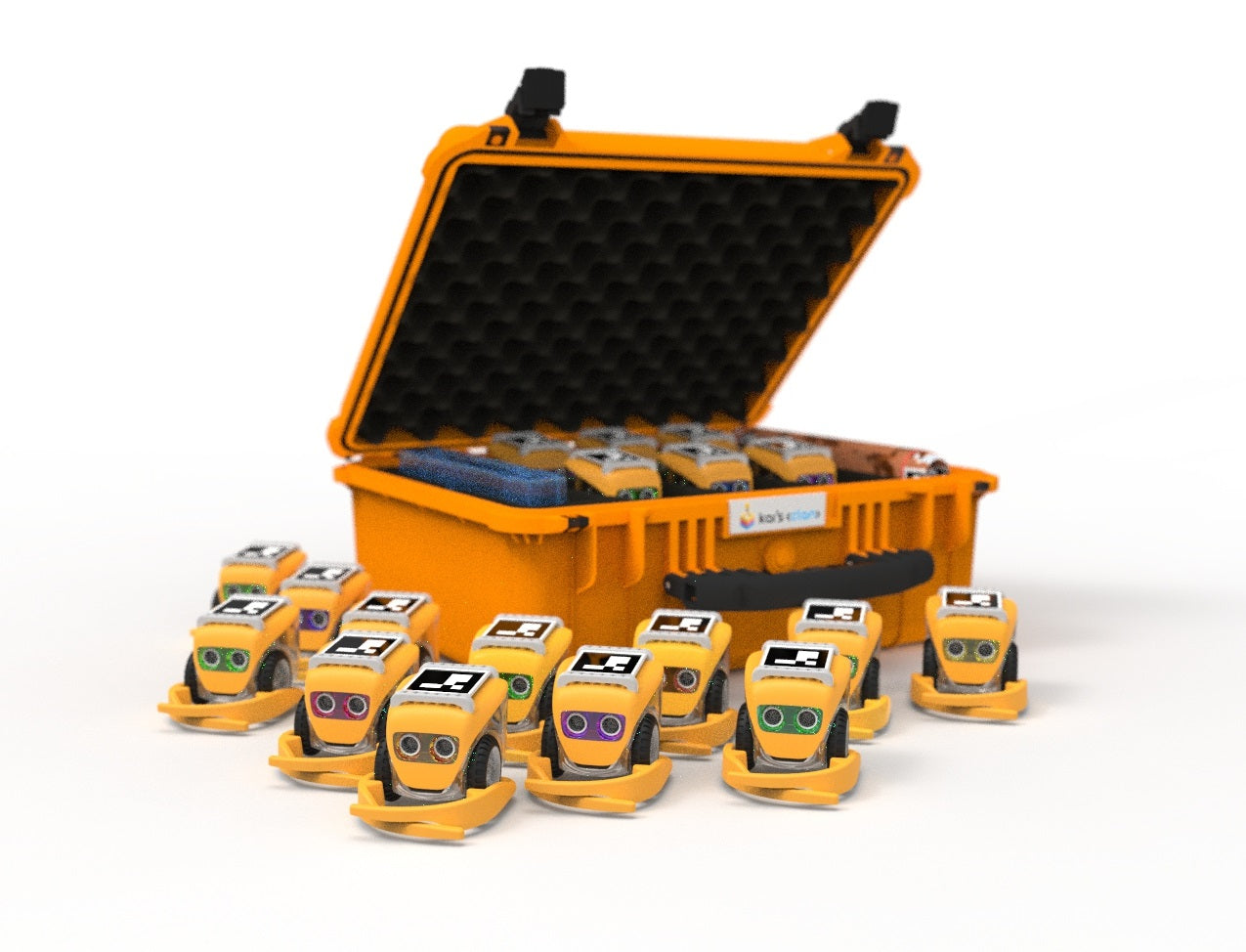
The KaiBot Small Classroom Pack puts five robots and thirty numbered KaiTiles into a room — enough for around 10 students working in small-group rotation. Kai's Education suggests roughly one robot per three students, so this pack also stretches to a larger class if groups take turns at a station.
What's included:
5 x KaiBot robots with charging cables
2 x Advanced Coding Card sets (100 cards each)
1 x Charging Dock
1 x set of Magnetic KaiTiles, numbered 1 to 30
1 x Teacher Guide eBook
Running it in class:
Uniquely numbered tiles can all sit on the same maze layout, so groups can build one large course or several small ones
Advanced cards go well beyond basic movement, covering logic, functions, repeats, conditionals and variables
Robots work screen-free, or paired with Kainundrum on iPad, Chromebook, PC or Mac
What students practise:
Sequencing and debugging as a group, with the code laid out on the desk
Reading and following each other's algorithms
A path from unplugged cards through Blockly to Python
Over sixty CSTA-aligned lesson plans are available free from Kai's Education with an account. Purchase orders welcome from Australian schools.
KaiLab Automated Warehouse AR/VR Mat
$762.30 ex GST
($838.53 inc GST)
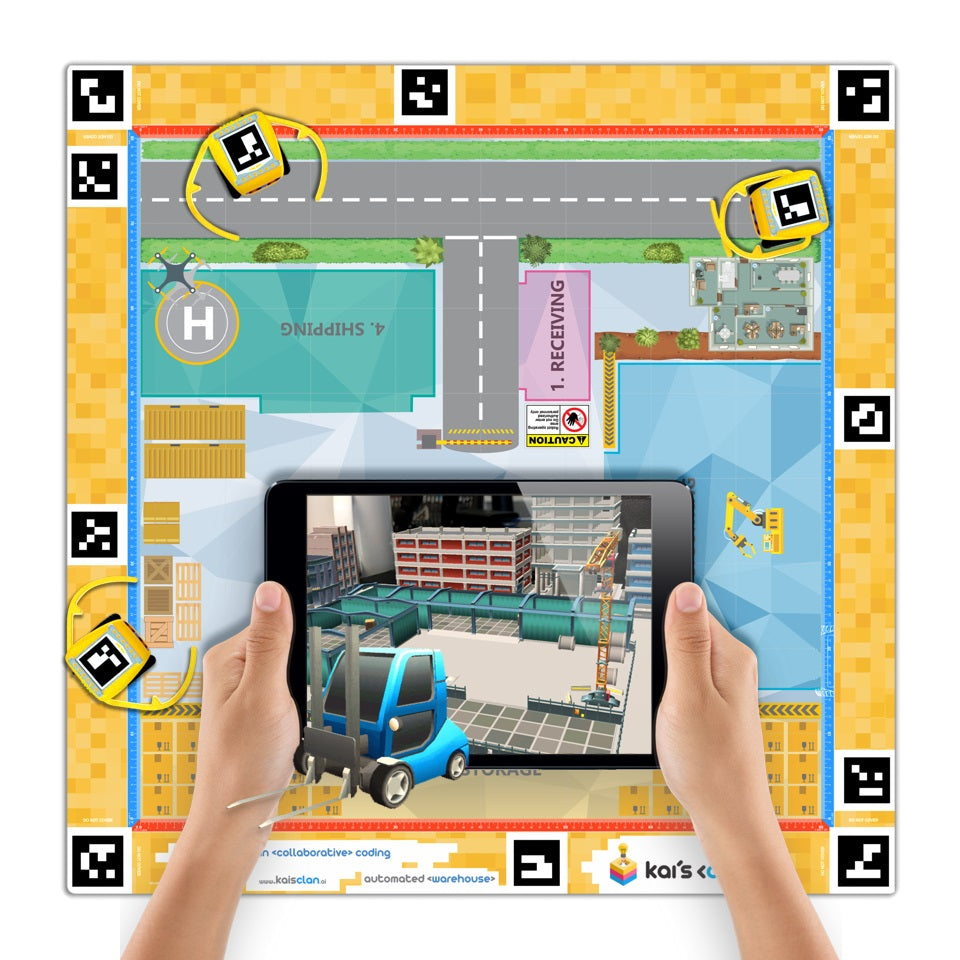
Is buying something really as simple as one click? The Automated Warehouse mat takes students behind the scenes of logistics and warehousing — the part of the supply chain that turns an order into a parcel on a doorstep.
What's included:
1 x neoprene AR/VR adventure mat, 1 m x 1 m
Premium 3D, AR and VR content with education lesson plans
What students work on:
Routing and picking problems, where an inefficient algorithm has a visible cost
How automation actually operates in a working warehouse
Supply chain decisions, and the trade-offs behind fast delivery
How you can view it:
In 3D through Chrome, Safari or Edge
In augmented reality on a compatible Android or iOS device
In virtual reality on a compatible headset
Built for classroom use — durable, easy to clean, and folds away without creasing. This mat is also included in the KaiLab Classroom Pack. Requires KaiLab robots and the Kai's Eye tracking app, sold separately.
KaiLab Classroom Pack — 12 Robots
$3,773.00 ex GST
($4,150.30 inc GST)
The KaiLab Classroom Pack is the full-class option — twelve robots, two adventure mats and a large sensor set, built so an entire Year 5 to 10 class can code together on a shared problem rather than rotating through one station.
What's included:
12 x KaiLab robots
2 x tripods with phone holders
1 x Mars Discovery AR/VR adventure mat and 1 x Automated Warehouse AR/VR adventure mat
1 x large sensor box containing 28 IoT KaiBits
Coding cards and spare parts boxes
1 x IP67 waterproof protective case with wheels
2 x Kai's Eye app licences
Education lesson plans
How it works in a classroom:
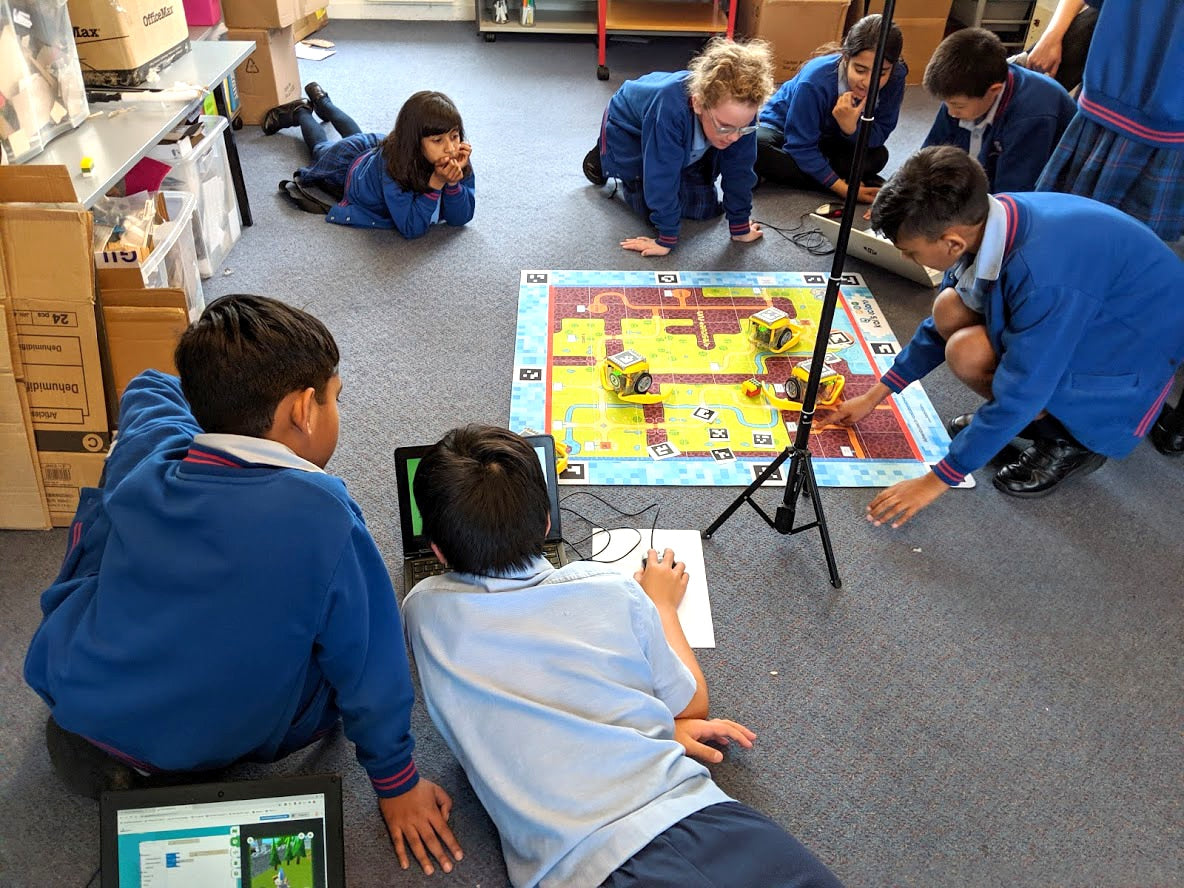
Students code in Blockly or Python through a browser — laptops, Chromebooks and tablets all work
A phone or tablet on the tripod tracks each robot's position and syncs it to the virtual environment
Everything the class codes appears in a 3D digital twin, viewable in augmented and virtual reality
Two mats mean two scenarios can run at once, or one large combined project
What students practise:
Real-time collaboration — several students working in one shared environment
Collecting and interpreting live IoT sensor data
Progression from Blockly to Python within the same platform
The wheeled IP67 case matters more than it sounds: twelve robots, two mats and a sensor box is a lot to move between rooms. Purchase orders welcome from Australian schools.
KaiLab CREATE Activity Mat
$454.30 ex GST
($499.73 inc GST)
The CREATE Activity Mat is deliberately blank. It is a 1 m neoprene mat with no theme printed on it, so you can overlay your own designs and build lessons around whatever your class is studying rather than around a scenario someone else chose.
What's included:
1 x neoprene activity mat, 1 m x 1 m
What teachers use it for:
Mapping a maze or course to a topic already running in class
Science, technology, engineering and maths problems set in your own context
Assessment tasks where students design the challenge as well as solve it
What students practise:
Problem definition, not just problem solving — they decide what the mat represents
Sequencing and debugging against a layout of their own making
Applying coding to a subject area rather than treating it as separate
Please note this mat does not include AR or VR content — it is the blank canvas of the range, priced accordingly. If you want the immersive virtual environments, choose one of the themed adventure mats instead. Requires KaiLab robots, sold separately.
KaiLab Mars Discovery AR/VR Mat
$762.30 ex GST
($838.53 inc GST)

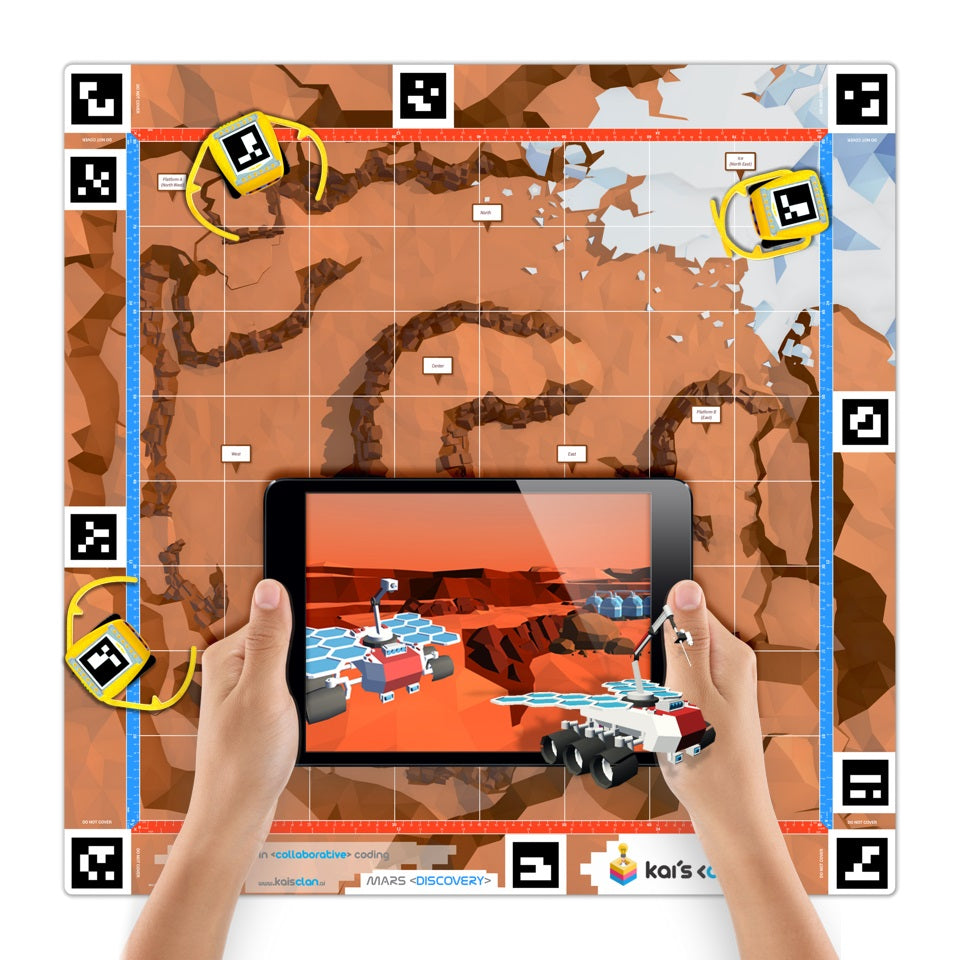
The Mars Discovery mat turns a classroom floor into the surface of Mars. Students plan missions together, simulate the Martian environment and send their rovers across the virtual red planet — with real sensor data driving what they find.
What's included:
1 x neoprene AR/VR adventure mat, 1 m x 1 m
Premium 3D, AR and VR content with education lesson plans
What students work on:
Mission planning as a team, with roles rather than a single coder
Graphing live IoT sensor data collected by their rovers
Risk factor role play — deciding what a mission can afford to attempt
How you can view it:
In 3D through Chrome, Safari or Edge
In augmented reality on a compatible Android or iOS device
In virtual reality on a compatible headset
Built for classroom use — durable, easy to clean, and folds away without creasing. This mat is also included in the KaiLab Classroom Pack, and comes in a 1.6 m super-size version for whole-class work. Requires KaiLab robots and the Kai's Eye tracking app, sold separately.
KaiLab Rescue Run AR/VR Mat
$762.30 ex GST
($838.53 inc GST)
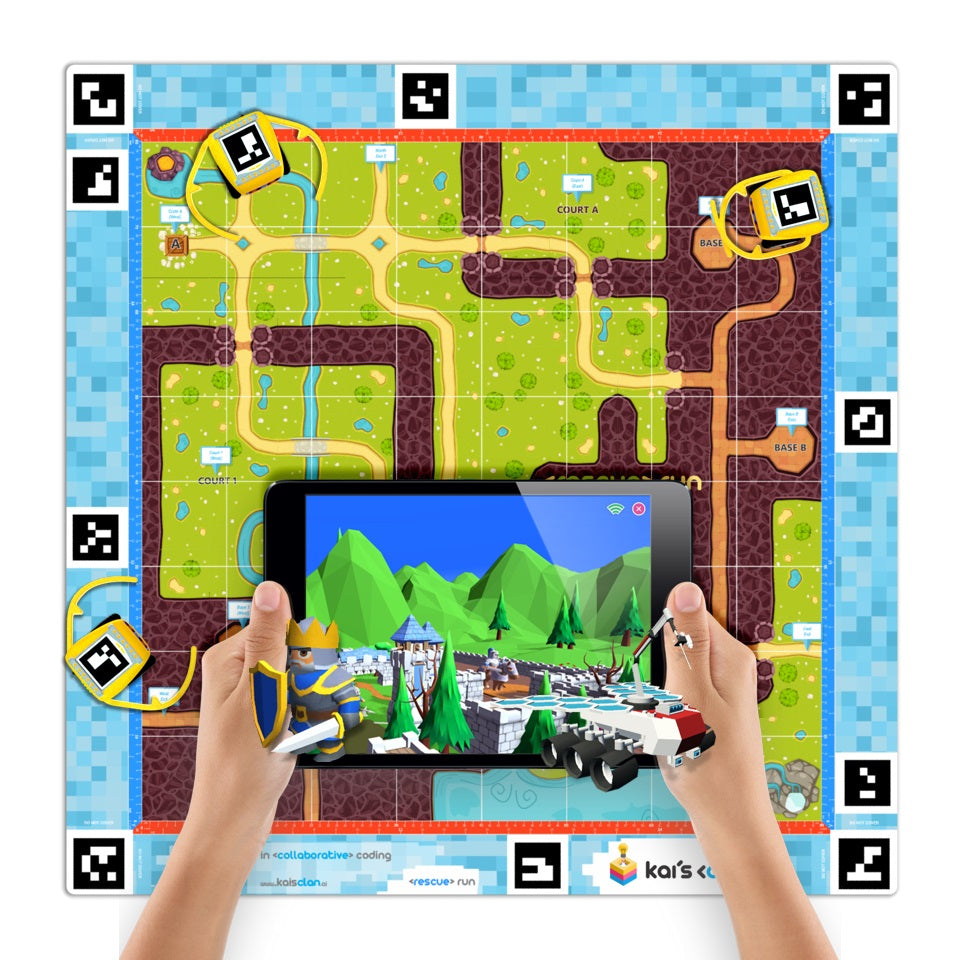
Rescue Run is the tower-defence styled mat in the KaiLab range — game-based learning that rewards computational and scientific thinking under pressure. Students code their robots to hold a position while the challenge escalates around them.
What's included:
1 x neoprene AR/VR adventure mat, 1 m x 1 m
Rescue Run lesson plans and activities, with 3D, AR and VR content
What students work on:
Planning and timing — a sequence that works slowly still fails
Computational and scientific thinking framed as a game rather than a worksheet
A wide selection of ready-made coding lessons, or challenges teachers build themselves
How you can view it:
In 3D through Chrome, Safari or Edge
In augmented reality on a compatible Android or iOS device
In virtual reality on a compatible headset
Built for classroom use — durable, easy to clean, and folds away without creasing. This mat is also included in the KaiLab Start Pack, and comes in a 1.6 m super-size version. Requires KaiLab robots and the Kai's Eye tracking app, sold separately.
KaiLab Smart City AR/VR Mat
$762.30 ex GST
($838.53 inc GST)
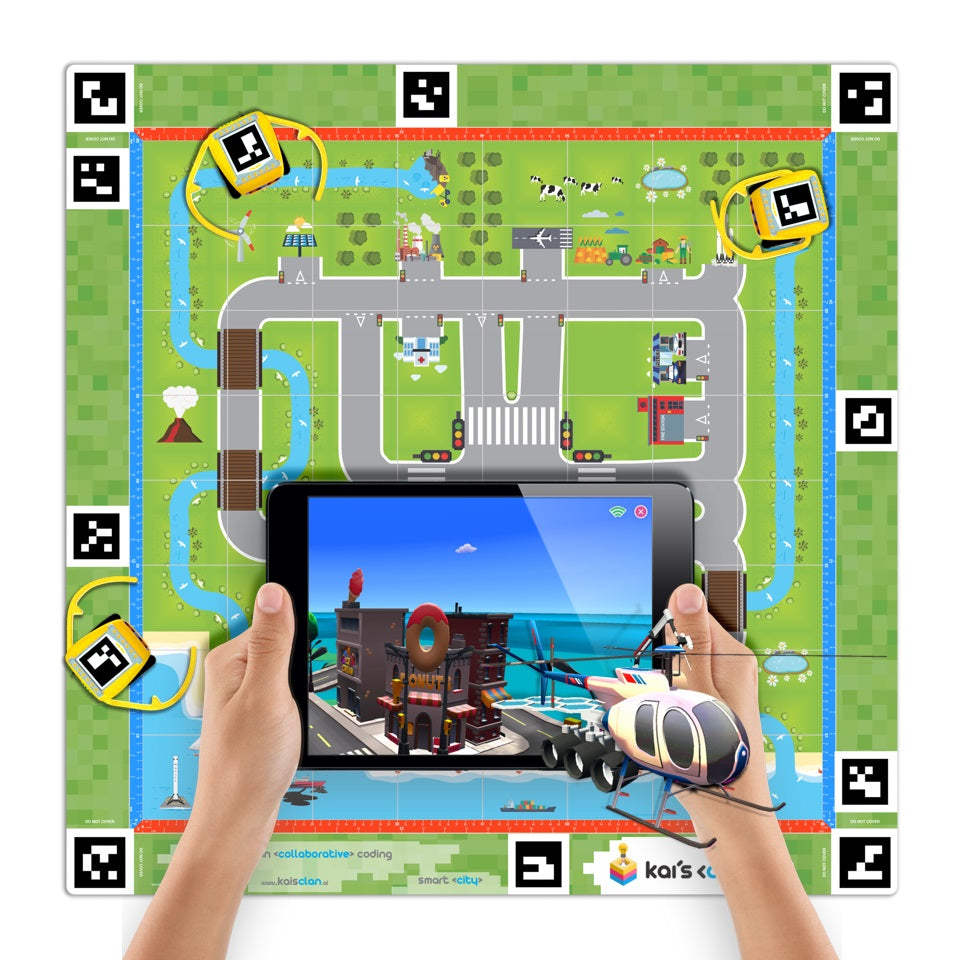
Smart cities need smart people. This mat puts one question in front of a class — what will future cities do to the people who live in them? — and gives them sensors, IoT data and a virtual city to answer it with.
What's included:
1 x neoprene AR/VR adventure mat, 1 m x 1 m
Premium 3D, AR and VR content with education lesson plans
What students work on:
Transport, energy and services in a connected city
Sensor and IoT data feeding real decisions about how the city runs
Both on-mat coding tasks and activities that take the question outside the classroom
How you can view it:
In 3D through Chrome, Safari or Edge
In augmented reality on a compatible Android or iOS device
In virtual reality on a compatible headset
Built for classroom use — durable, easy to clean, and folds away without creasing. Also available as a 1.6 m super-size mat for whole-class work. Requires KaiLab robots and the Kai's Eye tracking app, sold separately.
KaiLab Start Pack — 4 Robots
$1,532.30 ex GST
($1,685.53 inc GST)
The KaiLab Start Pack is the entry point to the platform — four robots, an adventure mat and everything needed to run collaborative AR/VR coding lessons for Years 5 to 10. Students code physical robots in a browser and watch their work mirrored in a 3D virtual world at the same time.
What's included:
4 x KaiLab robots
1 x Rescue Run AR/VR adventure mat
1 x tripod with phone holder
1 x sensor box of IoT KaiBits
Coding cards and spare parts boxes
1 x Kai's Eye app licence
Education lesson plans
How it works:
Coding happens in a browser using Blockly or Python — no software to install
A phone or tablet mounted on the tripod tracks each robot's QR code and position on the mat
Robot positions and sensor readings sync to the cloud about once a second, so everyone sees live updates
The same scenario can be viewed in 3D, in augmented reality, or in VR on a headset
What students practise:
Collaborative problem-solving — several students working in one shared environment at once
Reading and acting on live IoT sensor data
Blockly first, then Python, without changing platforms
Suits a small group, a club, or a class working in rotation. Purchase orders welcome from Australian schools.
KaiLab Super-size Mars Mat — 1.6m
$915.00 ex GST
($1,006.50 inc GST)
The super-size Mars Discovery mat is the 1.6 m version of the standard adventure mat — 2.56 square metres of Martian surface, roughly two and a half times the area of the 1 m version. It suits a full class working around one shared mission rather than small groups taking turns.
What's included:
1 x neoprene AR/VR adventure mat, 1.6 m x 1.6 m (2.56 m²)
Access to the Mars Discovery 3D, AR and VR content and lesson plans
What students do:
Plan and run missions across a simulated Martian environment
Graph live IoT sensor data from their rovers
Work through risk-factor role play, deciding what a mission can and cannot afford to attempt
Why choose the larger mat:
More robots can operate at once without collisions dominating the lesson
Longer routes make sequencing and efficiency genuinely matter
A whole class can gather around it, rather than rotating through a station
Built for classroom use — durable, easy to clean, and folds away without creasing. Requires KaiLab robots and the Kai's Eye tracking app, sold separately.
KaiLab Super-size Rescue Run Mat — 1.6m
$915.00 ex GST
($1,006.50 inc GST)
The super-size Rescue Run mat is the 1.6 m version of the tower-defence styled adventure mat — 2.56 square metres, roughly two and a half times the area of the standard 1 m mat.
What's included:
1 x neoprene AR/VR adventure mat, 1.6 m x 1.6 m (2.56 m²)
Rescue Run lesson plans and activities, with 3D, AR and VR content
What makes it work in class:
Game-based challenges that reward computational and scientific thinking under time pressure
A wide selection of coding lessons, or teachers can build their own
Student code is visible in a 3D environment, in augmented reality and in VR
Why the larger size:
More robots in play at once, which is the point of a tower-defence scenario
Longer approach routes, so planning and timing carry real weight
Teams can defend separate zones rather than queueing for one
Durable, easy to clean, and folds away without creasing. Requires KaiLab robots and the Kai's Eye tracking app, sold separately.
KaiLab Super-size Smart City Mat — 1.6m
$915.00 ex GST
($1,006.50 inc GST)
The super-size Smart City mat is the 1.6 m version of the Smart City adventure mat — 2.56 square metres of city-themed grid, roughly two and a half times the area of the standard 1 m mat.
What's included:
1 x neoprene AR/VR adventure mat, 1.6 m x 1.6 m (2.56 m²)
Access to the Smart City 3D, AR and VR environment and lesson plans
The lesson behind it:
Students tackle one question — how will future cities affect the people living in them?
Sensors and IoT data feed decisions about transport, energy and services
Activities run both on the mat and beyond it, connecting coding to real urban problems
Why the larger size:
A city grid gets crowded quickly — more space means more districts and more robots operating at once
Whole-class demonstrations work without students craning over each other
Genuine multi-team scenarios, where groups manage different parts of one city
Durable, easy to clean, and folds away without creasing. Requires KaiLab robots and the Kai's Eye tracking app, sold separately.
KaiLab Super-size Warehouse Mat — 1.6m
$915.00 ex GST
($1,006.50 inc GST)
The super-size Automated Warehouse mat is the 1.6 m version of the logistics-themed adventure mat — 2.56 square metres, roughly two and a half times the area of the standard 1 m mat.
What's included:
1 x neoprene AR/VR adventure mat, 1.6 m x 1.6 m (2.56 m²)
Access to the Automated Warehouse 3D, AR and VR content and lesson plans
The question it asks:
Is buying something really as simple as one click?
Students see what happens behind the scenes in logistics and warehousing
Routing, picking and supply-chain efficiency become coding problems with a visible cost
Why the larger size:
A warehouse floor needs room — more aisles, more picking stations, more robots working simultaneously
Congestion and routing conflicts emerge naturally, which is exactly the lesson
Suits whole-class scenarios where teams run different parts of one operation
Durable, easy to clean, and folds away without creasing. Requires KaiLab robots and the Kai's Eye tracking app, sold separately.
KaiLab Water Cycle AR/VR Mat
$762.30 ex GST
($838.53 inc GST)
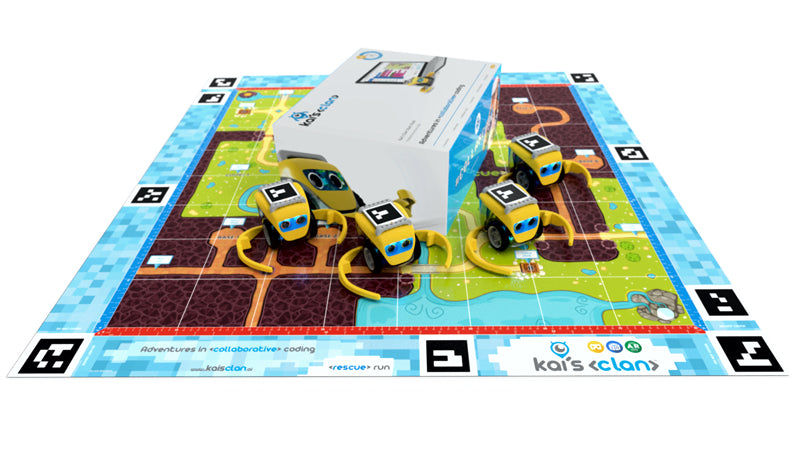
The Water Cycle mat turns an 8x8 grid into a working ecosystem. Students lay out T-junction and L-junction water pipes to build a network that directs supply into different input and output mechanisms — then watch the same system run in the virtual world alongside them.
What's included:
1 x neoprene AR/VR adventure mat, 1 m x 1 m
Access to 3D, AR and VR lesson content and education lesson plans
What students investigate:
How water moves through an ecosystem, and what each part contributes to sustaining it
Network design — planning pipe layouts that actually deliver water where it is needed
Resource management decisions, including preventing pollution downstream
How you can view it:
In 3D through Chrome, Safari or Edge
In augmented reality on a compatible Android or iOS device
In virtual reality on a compatible headset
Built for classroom use — durable, easy to clean, and folds away without creasing. Requires KaiLab robots and the Kai's Eye tracking app, sold separately.
Kid Pix 5
from $45.45 ex GST
($50.00 inc GST)
CUSTOM LICENCES AVAILABLE ON THIS PRODUCT. PLEASE ADD TO QUOTE WITH YOUR REQUIREMENTS.
The new STEAM edition of KID PIX enters a world where art and science reunite and critical thinking meets creative making.
Young artists can now transform their digital stories and adventures into interactive digital art, science and math projects with the help of STEAM activities tailored to suit the needs of your ingenious young innovators.
New button actions enable students to design interactive quizzes or create a learning game. Using a variety of animated costumes and their own recorded videos, students can star in their documentaries or talk to an animated character who shares the screen.
Features
NEW! Interactivity
New button actions enable students to design interactive quizzes
NEW! Voiceovers for slide shows
Record a full narration for your entire slide show, or give voices to the characters in your animated story.
Path Gestures
Rotating and resizing stickers, animations, movies and text while moving along a path is as simple as pinching and dragging, making it easy for characters to hop, jump and fly around the screen.
Create Stickers
Students can use the new Sticker Maker tool to create their own stickers out of anything they see or draw on the screen. Stickers are not automatically flattened to the background so they can be resized, rotated, flipped and assigned a path.
Collaborative Video Narration
Two students using the iPad’s built-in dual-view camera can create a video narration for their story, and add animated costume frames that let them not only tell their stories on screen, but appear as characters in them as well.
Interactive Tappable Objects
No longer bound to a linear model, students can create interactive characters that tell their story when tapped, sing a song, play a musical note, make an odd noise, or just fly off the screen.
Layer Tools
Students will learn simple layering concepts (move to front, sent to back, etc.) with the new Layer Tools in the Grab Tools area. Combined with the 3D characters and 3D backgrounds, they can now begin to explore the relationship of scale and perspective.
Presentation Creator
Slide shows and stop-action flipbook movies can be assembled on the same screen as the paint canvas with the new Slide Tube, including setting transitions, slide duration, music tracks and how tot advance to the next slide.
Mac OSX Edition
System
OS® X 10.10.5 or later, including macOS 10.13 High Sierra
Hard drive space
4.2 GB
Display
1024 x 768 display resolution, millions of colors
Built-in or external video camera
For recording video and taking photos
Microphone
For Sound Art Tools and recording narration
Internet connection
For publishing to YouTube™
DVD drive
Only if installing from a DVD
Windows Edition
System
Microsoft® Windows 7 SP1 or later, including Microsoft Windows 10
Processor
2 GHz Intel™ 2 Duo processor or equivalent
Memory
2 GB RAM
Free hard disk space
4.2 GB
Display
1024×768, 32-bit color or higher
Built-in or external video camera
For recording video and taking photos
Sound card
For sound and video playback
Microphone
For Sound Art Tools and recording narration
Internet connection
For publishing to YouTube™
DVD drive
Only if installing from a DVD
LapCabby 10 Vertical — 10-Device Charging Trolley
$2,090.00 ex GST
($2,299.00 inc GST)
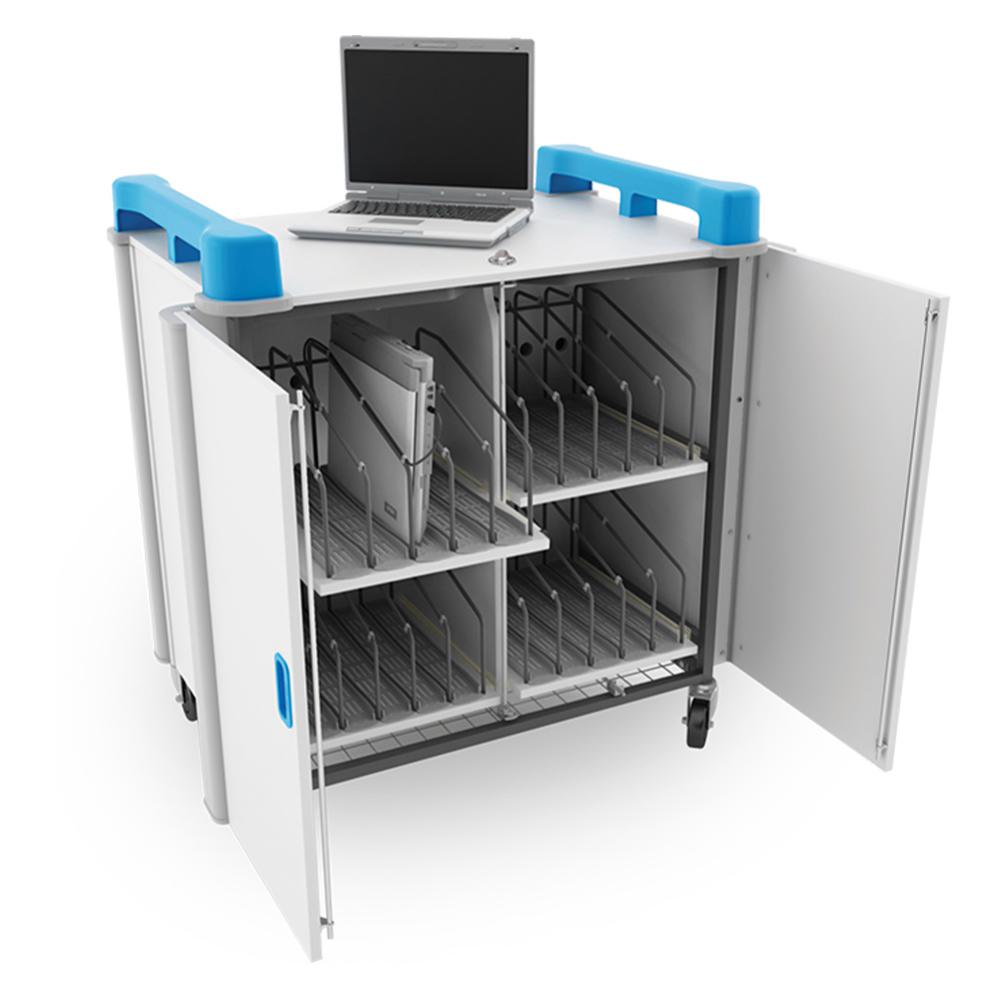
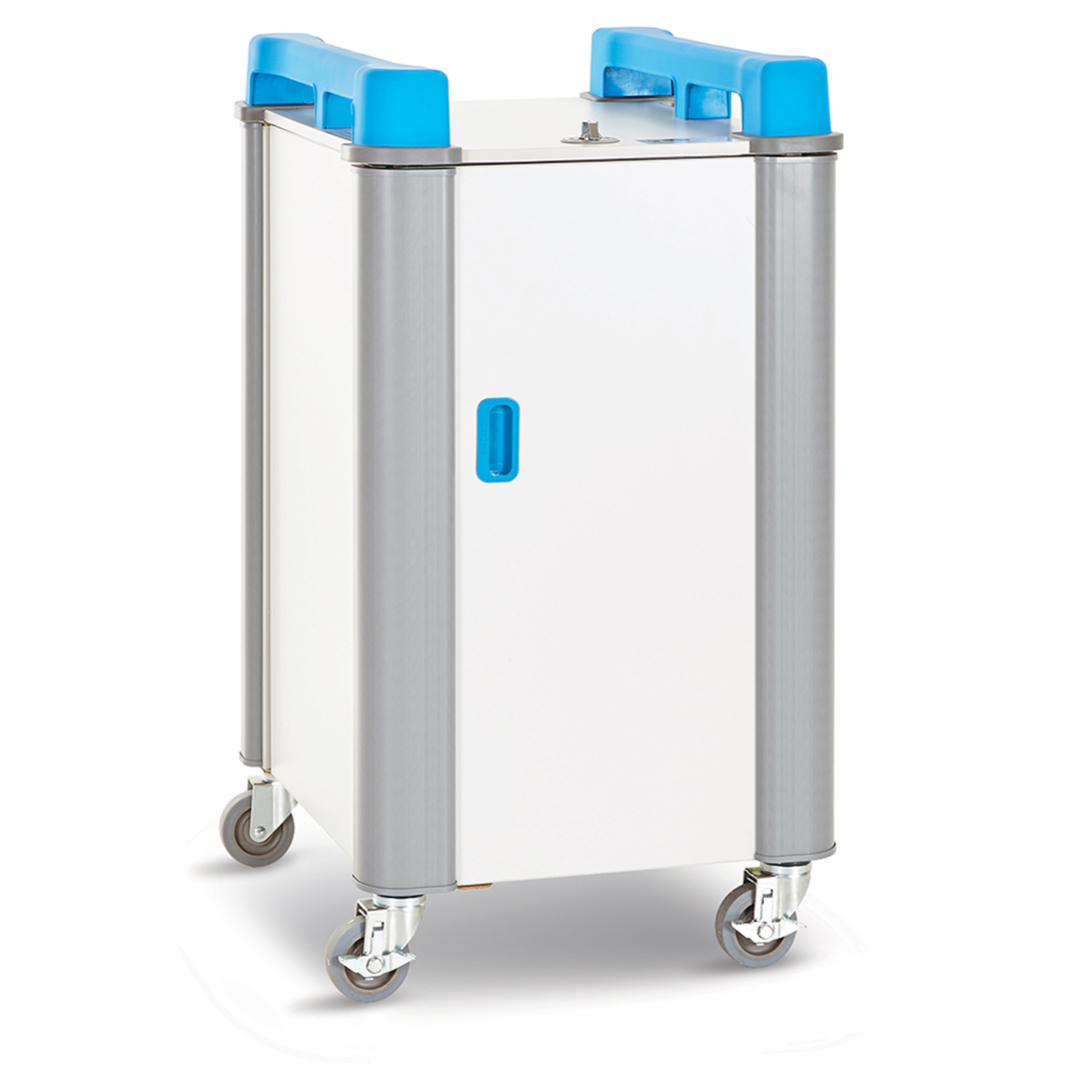
A mobile charging trolley that stores and charges 10 laptops or Chromebooks, sized for devices up to 17 inches including their protective cases — which is the measurement that catches schools out, because a 15-inch laptop in a rugged case often won't fit a slot built for a bare 15-inch machine.
What's included:
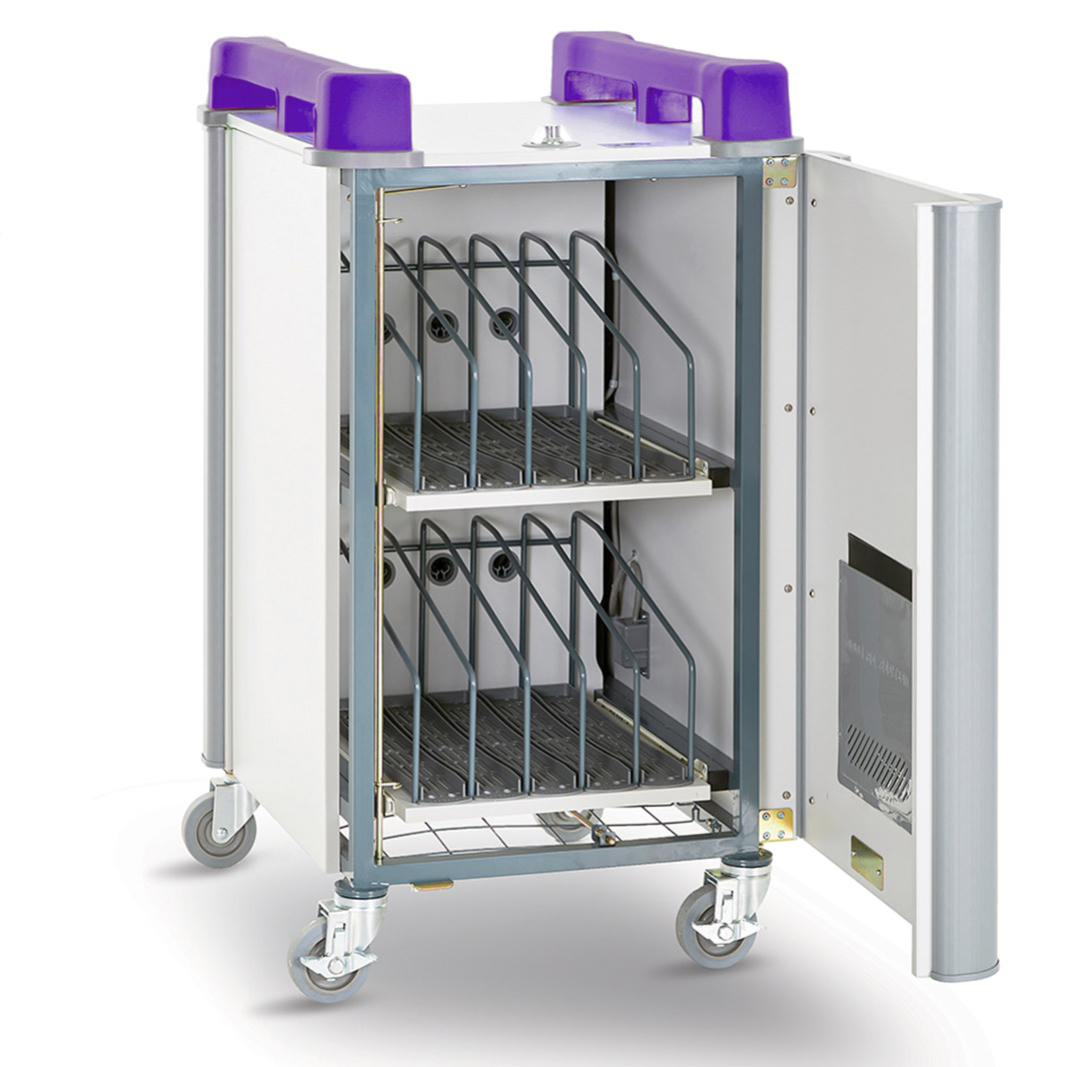
Sliding shelves storing 10 devices vertically, with dividers
Moulded rubber mats to hold devices in place
Cable management clips to keep loose leads off the floor of the unit
Programmable timer for simultaneous charging
Dual-point locking and a separate lockable power compartment
Built to be moved:
Ergonomic top handles and multi-directional non-marking wheels
Rounded corner bumpers to protect walls and doorframes
Built-in heat sensor that shuts the unit down if it overheats
The smallest trolley in the Vertical range, and the right size for a specialist room or a shared half-class set rather than a full one-to-one rollout. Purchase orders accepted on school accounts.
LapCabby 20 Vertical — 20-Device Charging Trolley
$2,453.64 ex GST
($2,699.00 inc GST)
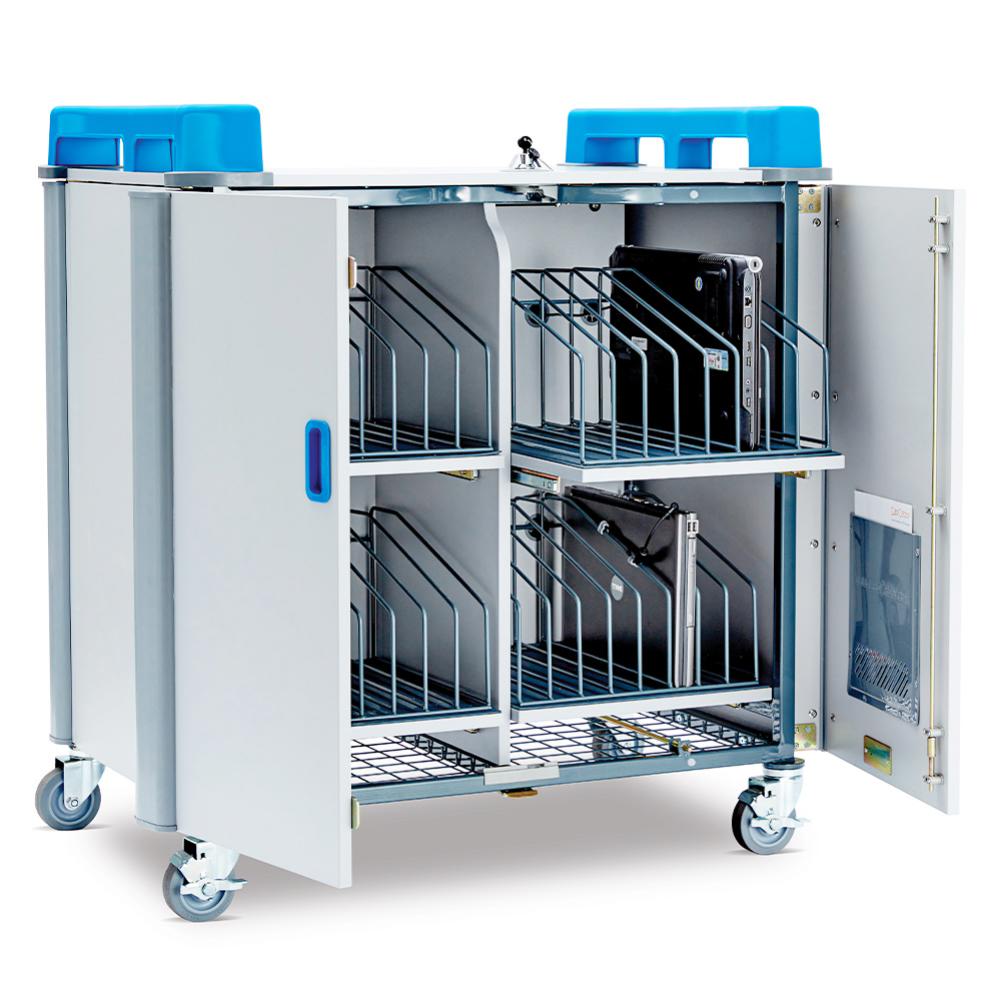
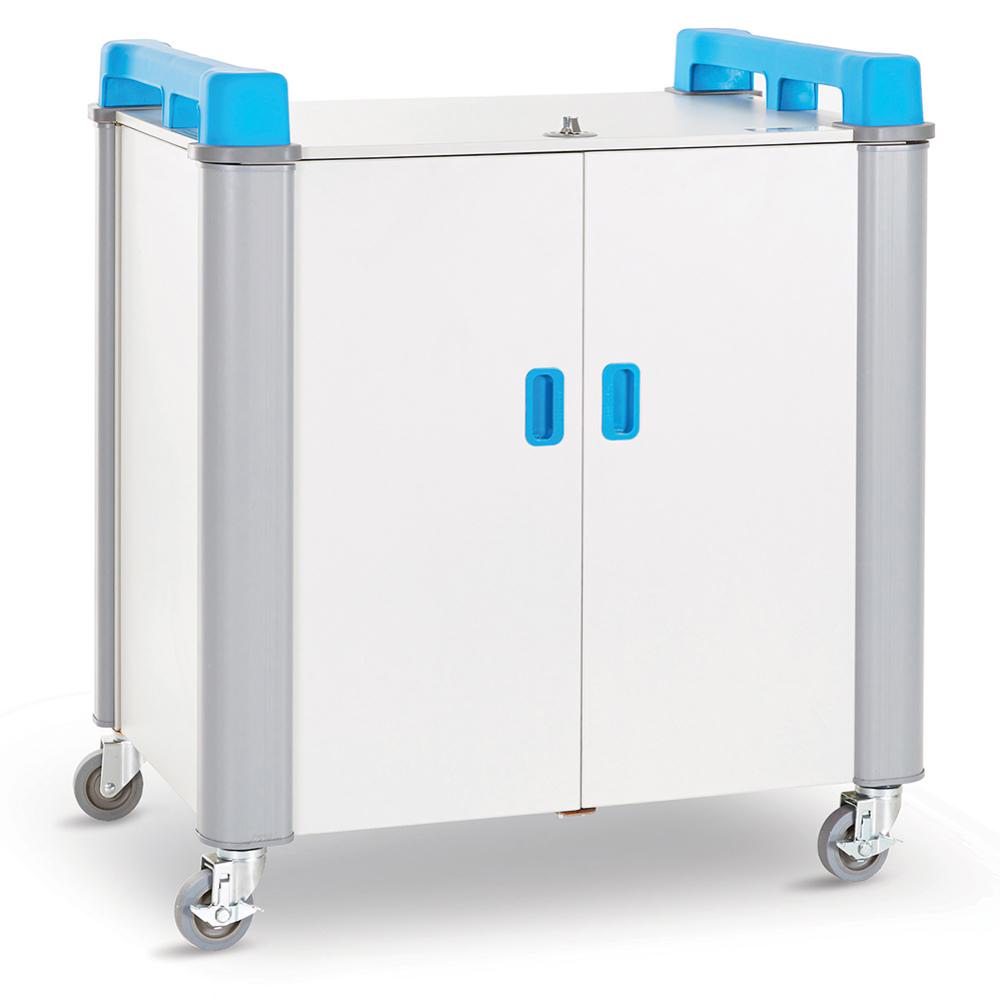
A mobile charging trolley for 20 laptops or Chromebooks up to 17 inches, protective cases included. Devices stand upright on sliding shelves with dividers between them, so a student pulls out their own machine without disturbing the rest of the row.
What's included:
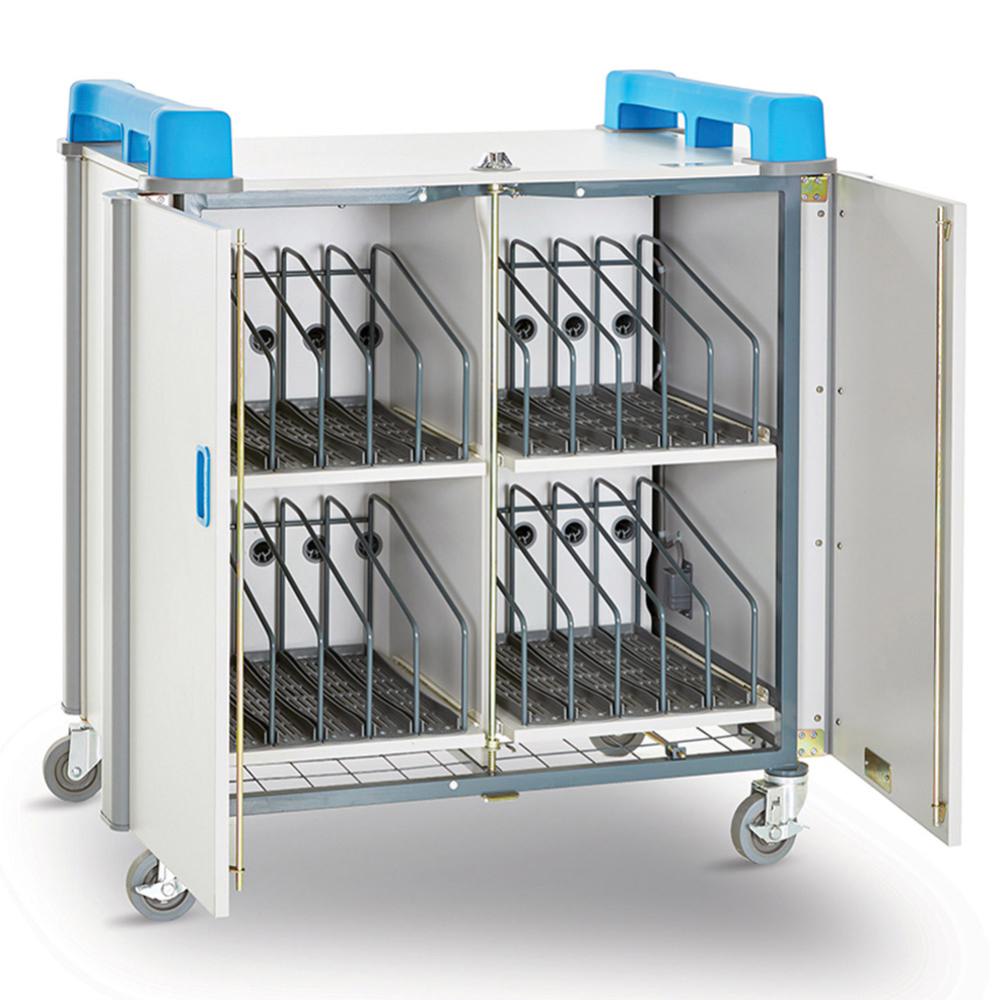
Sliding shelves storing 20 devices vertically, with dividers
Moulded rubber mats to hold devices in place
Cable management clips to stop leads tangling and fraying
Programmable timer for simultaneous charging
Dual-point locking and a separate lockable power compartment
Built to be moved:
Ergonomic top handles and multi-directional non-marking wheels
Rounded corner bumpers to protect walls and doorframes
Built-in heat sensor that shuts the unit down if it overheats
The middle size in the Vertical range — enough for a half-class set or a shared pool across two rooms. Purchase orders accepted on school accounts.
LapCabby 32 Vertical — 32-Device Charging Trolley
$3,144.55 ex GST
($3,459.01 inc GST)
A mobile charging trolley holding a full class set of 32 laptops or Chromebooks up to 17 inches, protective cases included. Devices sit upright in dividers on sliding shelves, which makes it obvious at the end of a lesson which slot hasn't been filled.
What's included:
Sliding shelves storing 32 devices vertically, with dividers
Moulded rubber mats to hold devices in place
Cable management clips securing leads beside each device
Programmable timer for fast, simultaneous charging
Dual-point locking and a separate lockable power compartment
Built to be moved:
Ergonomic top handles and multi-directional non-marking wheels
Rounded corner bumpers to protect walls and doorframes
Built-in heat sensor that shuts the unit down if it overheats
The largest Vertical trolley, and the standard choice for a one-to-one class set. Purchase orders accepted on school accounts.
LapCabby DeskCabby 16 — Desktop Charging Unit
$2,271.82 ex GST
($2,499.00 inc GST)
A desktop charging unit for 16 USB-C devices, delivering 30W to every port. It sits on a bench or counter rather than the floor, which suits a front office, staff room or specialist space where a full cabinet would be overkill and a power board full of chargers is what's happening instead.
What's included:
Sixteen USB-C charging ports at 30W each
Lockable retractable doors
Cable management that keeps leads from being pulled out or taken
Charging indicator lights showing which devices are still charging
Protection built in:
Over-current and over-voltage protection
Electric leakage and short-circuit protection
Takes tablets, mobile phones, Kindles, Android devices, Surface Pro and anything else that charges over USB-C. Replaces the earlier DeskCabby 12 with more capacity and USB-C throughout. Purchase orders accepted on school accounts.
LapCabby GoCabby VR — 4-Headset Charging Case
$2,500.00 ex GST
($2,750.00 inc GST)
A hard carry case that charges and stores four VR headsets and their controllers, held in a shaped foam insert. Schools running a headset set usually have nowhere to put them between lessons — they end up in a cupboard on a tangle of cables, half of them flat when the next class arrives.
What's included:
Foam insert holding 4 headsets and controllers securely
Dual charging hub: 5 x USB-A and 5 x USB-C
USB-C ports deliver up to 30W Power Delivery
Hard-wearing case with four securing clasps
Two stainless steel padlock protector holes
Extendable handle and castors for moving between rooms
How it charges:
Recognises each device and supplies the maximum power it can take
Stops charging at 100%, so headsets are never overcharged
Sized for headsets in the Meta Quest 2 class. Charging, storage, security and transport in one case — useful when a VR set moves between classrooms or gets locked away overnight. Purchase orders accepted on school accounts.
LapCabby Lyte 10 — 10-Device Charging Cabinet
$1,253.64 ex GST
($1,379.00 inc GST)
A static charging cabinet for 10 Chromebooks, laptops or tablets up to 16 inches, protective cases included. It stays where you put it rather than rolling between rooms, which suits a device set that lives in one classroom, library or office and gets collected from the same spot each day.
What's included:
Individual shelf compartments storing 10 devices horizontally
Compact footprint for rooms where floor space is tight
Fast charging so devices are ready when the lesson starts
Lock with a 7-pin activation system
Separate lockable power compartment
Worth knowing:
Silent charging with a dedicated ventilation system — no fan noise in a quiet room
High-density materials and construction built for constant use
Takes more than school devices: POS terminals, tooling and other chargeable equipment fit the same compartments
Choose Lyte if the devices stay put and you want to save floor space; choose a Vertical or UniCabby trolley if they need to move between classrooms. Purchase orders accepted on school accounts.
LapCabby Lyte 16 — 16-Device Charging Cabinet
$2,180.91 ex GST
($2,399.00 inc GST)
A static charging cabinet holding 16 Chromebooks, laptops or tablets up to 16 inches with their protective cases on. Individual shelf compartments keep each device separated, so one machine can be taken without disturbing the rest of the shelf.
What's included:
Individual shelf compartments storing 16 devices horizontally
Compact footprint relative to capacity
Fast charging so devices are ready when the lesson starts
Lock with a 7-pin activation system
Separate lockable power compartment
Built for constant use:
High-density materials and construction made for the busiest environments
Used across education, healthcare, retail and industrial settings
Suits POS devices, tooling and other chargeable equipment as well as school devices
The larger of the two Lyte Single Door cabinets, and the right size for a half-class set that stays in one room. Purchase orders accepted on school accounts.
LapCabby Lyte 16 — Phone Charging Cabinet
$1,680.91 ex GST
($1,849.00 inc GST)
A wall-mounted charging cabinet for 16 smartphones or handheld USB devices up to 7 inches. Schools use these for phone collection during class and exams — the problem is rarely charging so much as knowing every handset is accounted for and nobody is rummaging in a shared drawer at the bell.
What's included:
Individual horizontal compartments for 16 devices
USB charging for smartphones and handheld devices up to 7 inches
Wall-mounted door design
Lockable cabinet
Where it earns its place:
Phone collection during lessons and exam periods
Staff rooms and front offices
Handheld scanners and devices in libraries and resource rooms
Mounted on a wall rather than standing on the floor, so it takes no bench or trolley space. The 20-device version is available if you need a little more capacity. Purchase orders accepted on school accounts.
LapCabby Lyte 20 — Phone Charging Cabinet
$1,862.73 ex GST
($2,049.00 inc GST)
A single-door charging cabinet for 20 smartphones or handheld USB devices up to 7 inches. Each device sits in its own horizontal compartment, so phones are collected and returned individually rather than piled into a tray.
What's included:
Individual horizontal compartments for 20 devices
USB charging for smartphones and handheld devices up to 7 inches
Single-door design
Lockable cabinet
Where it earns its place:
Phone collection for a full class during lessons or exams
Staff rooms, front offices and reception areas
Handheld scanners and shared devices needing overnight charge
The larger of the two mobile phone cabinets — 20 compartments covers most class sizes with a few spare. Purchase orders accepted on school accounts.
LapCabby Lyte 30 — 30-Device Charging Trolley
$3,453.64 ex GST
($3,799.00 inc GST)
The largest tablet trolley in the Lyte range, charging 30 tablets, phones or handheld USB devices up to 11 inches with their cases on. Power comes from three 10-port USB-C hubs, so a full class set charges at once from a single wall outlet rather than a bank of power boards.
What's included:
Individual compartments storing 30 devices horizontally
Three 10-port USB-C hubs
Compact footprint relative to capacity
Top handles and medical-grade rubber wheels
How it charges:
High-speed charging at the optimum rate for each device
Detects a full battery and drops to trickle charge, so devices are never overcharged
Takes tablets, smartphones and handheld USB equipment — not laptops or larger Chromebooks. For those, the UniCabby range handles 14 inches and the Vertical range 17. Purchase orders accepted on school accounts.
LapCabby TabCabby 32 — 32-Tablet Trolley
$2,635.45 ex GST
($2,899.00 inc GST)
A compact charging trolley built specifically for tablets — 32 devices up to 11 inches, protective cases included. Two tablets sit side by side on each horizontal shelf, which is how it fits a full class set into a footprint smaller than a laptop trolley of the same capacity.
What's included:
Horizontal shelves storing two tablets side by side, 32 in total
Programmable timer for fast, simultaneous charging
Dual-point locking and a separate lockable power compartment
Built for a busy room:
Silent charging with a dedicated ventilation system — no fan noise during lessons
Ergonomic top handles and multi-directional non-marking wheels
Rounded corner bumpers to protect walls and doorframes
Built-in heat sensor that cuts power automatically if it overheats
The 11-inch limit is the thing to check before ordering — it suits iPads and standard tablets, not Chromebooks or laptops. For those, look at the UniCabby range at 14 inches or the Vertical range at 17. Purchase orders accepted on school accounts.
LapCabby UniCabby 20 — 20-Device Trolley
$2,271.82 ex GST
($2,499.00 inc GST)
A mobile charging trolley that takes 20 Chromebooks, laptops or tablets up to 14 inches, protective cases included. Devices lie flat on horizontal shelves rather than standing upright, which suits smaller devices and mixed fleets where tablets and Chromebooks share the same trolley.
What's included:
Horizontal storage shelves for 20 devices
Built-in cable management system
Programmable timer for fast, simultaneous charging
Dual-point locking and a separate lockable power compartment
Built for a busy room:
Silent charging with a dedicated ventilation system — no fan noise during lessons
Ergonomic top handles and multi-directional non-marking wheels
Rounded corner bumpers to protect walls and doorframes
Built-in heat sensor that cuts power automatically if it overheats
Choose UniCabby over the Vertical range if your devices are 14 inches or under and you want horizontal shelves; choose Vertical if you're running larger 17-inch laptops. Purchase orders accepted on school accounts.