




Last Updated: November 17, 2026
Quick Summary
Integrate robotics in primary school with a staged plan: pilot with one year group for a term, embed across a key stage over a year, then scale whole-school with a progression map. Start with one class set, set three success criteria before the pilot, and timetable robotics within existing design and technology or computing time rather than as an extra club.
- Give staff time to play with the kit before they teach with it to build confidence.
- Match activities to year groups, starting with concrete, screen-free coding in early primary.
- Assess the process with a three-point rubric covering decomposition, sequencing, debugging and collaboration.
- Check for consumables, replacement parts and app subscriptions before committing to a purchase.
Table of Contents
- Why Robotics Belongs in Primary Classrooms
- A Staged Plan for Integrating Robotics in Primary School
- Educational Robotics Activities for Primary School by Year Group
- Robotics Lesson Plans for Primary School That Fit the Curriculum
- Choosing Educational Robotics Kits for Schools on a Real Budget
- Assessing Robotics Learning in Primary School
- Frequently Asked Questions
Why Robotics Belongs in Primary Classrooms
Robotics in primary school works best as a way to teach thinking, not as an extra subject squeezed into a full timetable.
That first moment matters: children give instructions, watch a machine obey, then fix what went wrong. Sequencing, debugging and problem-solving become physical.
Educational robotics is the use of programmable machines in lessons so pupils learn by building and coding.
What Pupils Gain from Hands-On Robotics
The gains are practical, not theoretical:
- Computational thinking: breaking a task into steps a robot can follow
- Programming concepts: sequencing, instructions, loops and simple algorithms
- Collaboration and communication: pairs must agree on a plan before pressing go
Playful learning carries the load here. Pupils who would stall on a worksheet will happily debug a floor robot for twenty minutes.
A Staged Plan for Integrating Robotics in Primary School
A staged approach to integrating robotics in primary school works well: pilot with one year group, embed across a key stage, then scale whole-school. Buying a trolley of robots before anyone has taught a lesson is how equipment ends up in a cupboard. A staged plan gives you evidence to justify the next spend.
Stage 1: Pilot with One Year Group (One Term)
Start small and pick a year group with an interested teacher. A Kailab Classroom Pack 12 Robots gives you a manageable trial: enough units for pairs or small groups across a single year group, without committing the whole school.
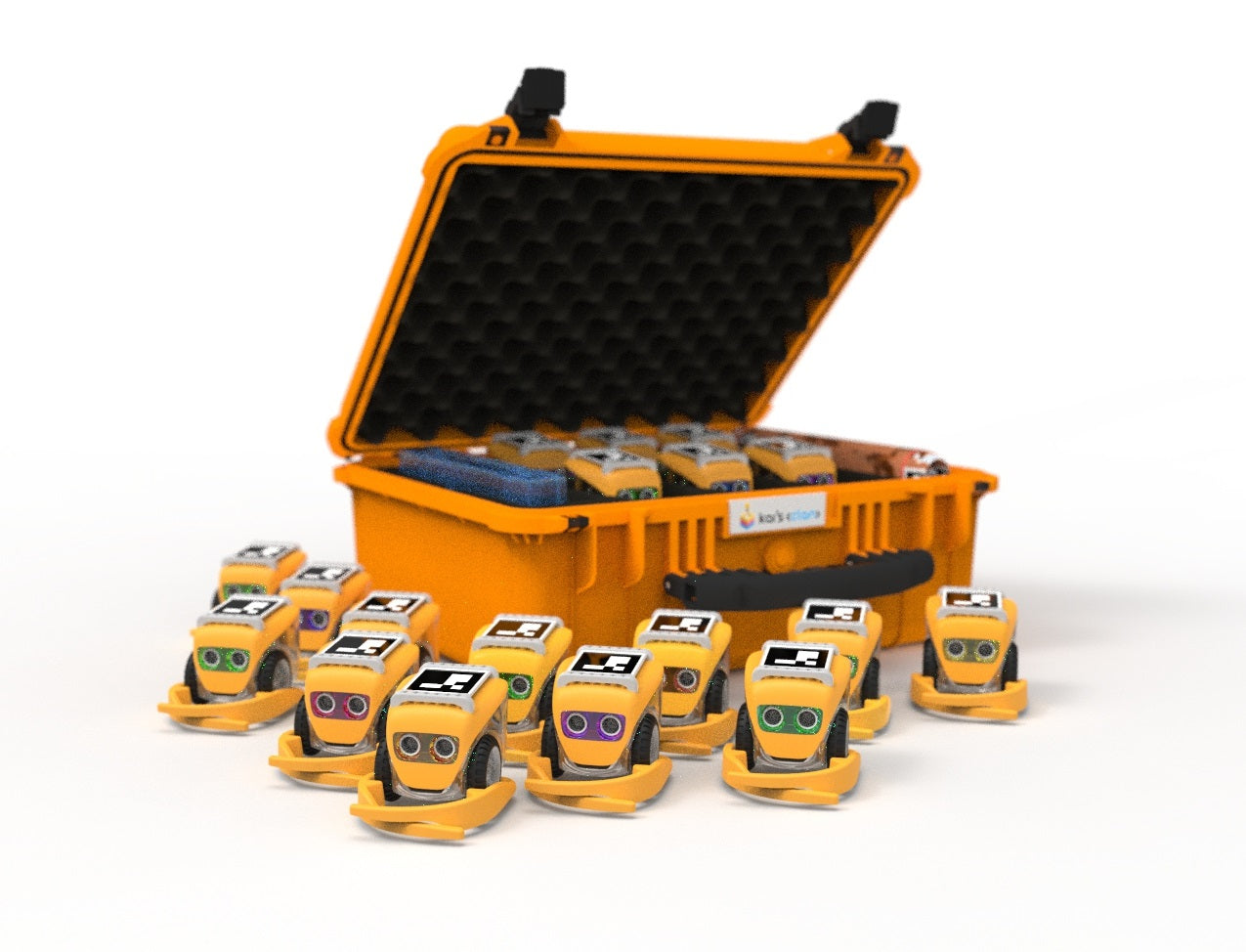
Set three success criteria before the pilot starts, so the decision to scale is based on evidence rather than enthusiasm:
- Pupil engagement: attendance and on-task behaviour in robotics lessons compared with a normal design and technology lesson
- Teacher confidence: the pilot teacher can plan and deliver a lesson without support by the end of term
- Learning evidence: pupils can explain a sequence and debug an error unaided (see the assessment section below)
Timetable the pilot as a six-week block within existing design and technology or computing time, not as an extra club. Forty-five to sixty minutes per week is enough, plus one slot for the teacher to test the kit beforehand.
Assign responsibilities explicitly. A common pattern is:
- Robotics lead (often the computing or design and technology subject lead): owns the kit, the timetable and the pilot review
- Pilot teacher: delivers lessons and keeps a simple log of what worked and what stalled
- Business manager: confirms the full cost, including consumables and any app subscriptions, before purchase
Watch out: pilots fail most often because the kit arrives without a charging routine or storage plan, so agree where robots live, who charges them and how they are booked out before the first lesson.
Stage 2: Embed Across a Key Stage (One Academic Year)
Once the pilot teacher is confident, extend to the whole key stage rather than the whole school. This spreads the load across two or three teachers who can support each other and share planning.
Teacher confidence decides whether robotics survives past term one.
Build a simple planning rhythm:
- Half-termly subject meeting: review what was taught, what pupils struggled with and what to change
- Shared planning folder: one lesson plan per year group, annotated with timings and differentiation notes
- Kit booking calendar: prevents two classes expecting the same robots in the same week
Hardware will misbehave. Keep a simple troubleshooting routine on hand, and our guide to troubleshooting classroom robotics hardware covers the fixes that come up most often mid-lesson.
Stage 3: Scale Whole-School with a Progression Map
Scaling means every year group has a defined robotics experience, not that every class runs robotics every term. A progression map also makes aligning STEM kits with curriculum a practical way to keep each year group's robotics experience purposeful and connected to classroom learning.
A workable pattern is:
- Foundation and Year 1: floor robots, sequencing and prediction, within understanding the world and maths
- Years 2-3: floor robots with turns and simple repeats, within design and technology and computing
- Years 4-5: block-based programming and sensors, within computing and science
Budget for replacement parts and charging cables at the scaling stage, and review the progression map annually against what teachers actually delivered.
Educational Robotics Activities for Primary School by Year Group
Match the activity to the year group, not the other way round. Early primary needs concrete, screen-free coding; upper primary can handle block-based programming and sensors.
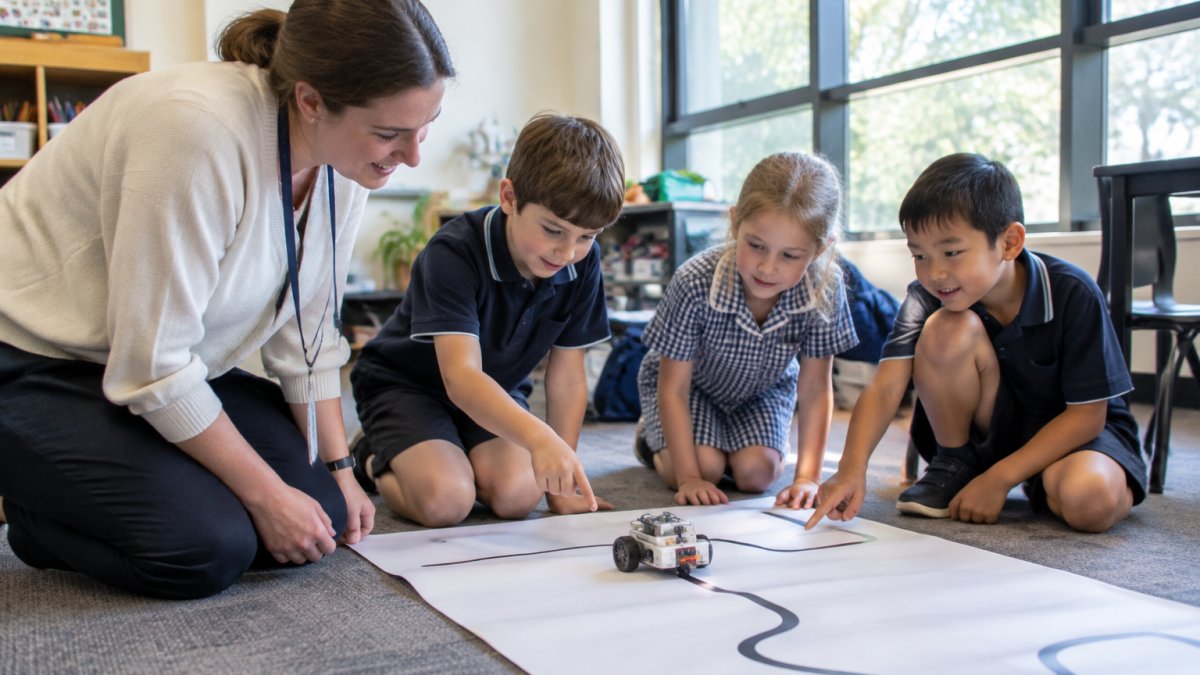
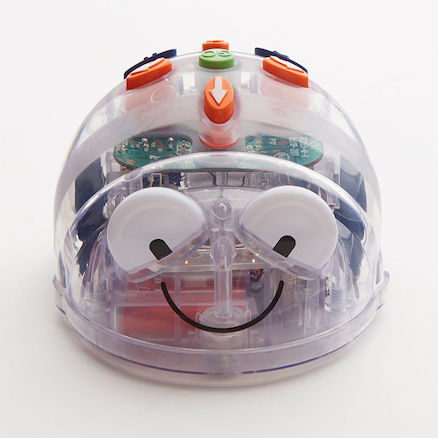
For early primary, the Blue-Bot Bluetooth Programmable Floor Robot is a suitable starting point. Children program it with the buttons on its back, and it remembers up to 200 steps.
A simple progression:
- Pre-school and Foundation: move the robot forward and back to a target
- Years 1-2: draw a track, predict the route, then test it
- Years 3-4: add 45-degree turns and repeat loops
Robotics Lesson Plans for Primary School That Fit the Curriculum
Good robotics lesson plans for primary school start with the learning outcome, then choose the robot. Not the reverse.
Map each activity to design and technology, digital technologies, maths, science, English and music where it fits.
If you want a ready-made starting point, the Sphero Blueprint Robotics Educators Guide maps activities to classroom teaching so you are not building every lesson from scratch.
Choosing Educational Robotics Kits for Schools on a Real Budget
Budget is where most plans stall, so be honest about the full cost. Kits are usually a one-off purchase, but check for consumables, replacement parts and app subscriptions before you commit.
At Sammat, we welcome purchase orders from schools. Our support team is staffed by ex-teachers.
Compare kits on what a class actually needs:
| What to check | Why it matters | Watch for |
|---|---|---|
| Robots per pack | Decides group size | Packs sold as single units |
| Charging method | Affects lesson timing | Disposable batteries |
| Programming levels | Grows with pupils | One fixed difficulty |
| Extra parts needed | Hidden cost | Projects that won't run |
| Local support | Fixes mid-lesson | Overseas-only help |
If you want to shortlist kits that come with local technical support before you spend, our list of robotics kits with local technical support for schools is a sensible place to start.
Assessing Robotics Learning in Primary School
Assessing robotics learning in primary school means looking at the process, not just the finished robot. A working robot can hide a pupil who copied a partner's code. The practical answer is a short, observable rubric used consistently across year groups.
Observable Criteria for Computational Thinking
Use four criteria that a teacher can see in a single lesson:
- Decomposition: the pupil breaks the task into steps before touching the robot
- Sequencing: the instructions are in a logical order and the pupil can explain why
- Debugging: the pupil identifies an error, proposes a fix and tests it
A three-point scale is enough for primary: beginning, developing and secure.
A Simple Rubric Structure
A one-page rubric per year group works well. Rows are the four criteria; columns are the three scale points, each with a short observable descriptor. For example, under debugging:
- Beginning: needs an adult to point out the error
- Developing: finds the error with a prompt and tries one fix
- Secure: finds the error independently and tests more than one fix
Keep the rubric in the shared planning folder so the next teacher knows what pupils have already demonstrated.
Evidence Worth Keeping
A short video of a pupil talking through their code is worth more than a ticked box. Keep it consistent across year groups:
- A 30-second clip of the pupil explaining their plan before testing
- A photograph of the track or build with the pupil's annotated instructions
- A one-line teacher note on the debugging fix the pupil found
Store evidence in the school's usual system, and check the school's data protection policy before filming pupils. Do not name pupils in shared folders; use group identifiers.
Inclusion, SEND and Differentiation
Robotics can support inclusion because it offers tasks at different levels: a pupil can succeed with a few instructions, and a confident pupil can extend to sensors and loops in the same lesson.
Practical adjustments:
- Group roles: assign planner, programmer, tester and reporter so every pupil has a defined part
- Pre-teaching: introduce the robot's buttons in a short small-group session before the whole-class lesson
- Language support: provide a picture glossary of key terms (sequence, instruction, debug, loop)
Watch out: a working robot can mask a pupil who has not understood the sequence, so always ask the pupil to explain the plan before the robot moves.
Linking Assessment to the Curriculum
Map each criterion to the relevant curriculum area so assessment does not become an add-on. Sequencing and debugging sit within computing and design and technology; explaining a plan supports English; measuring distance and angle supports maths.
Integrating robotics across a primary school is a staged job, not a single purchase. Start with one year group, build teacher confidence, then extend.
Frequently Asked Questions
What equipment do we need to start robotics in primary school?
Start with one class set of floor robots and a tablet or laptop for programming, plus spare batteries or a charging dock. Blue-Bot is programmable from its buttons, a free app or the TacTile Code Reader, so it works without extra devices. Add a pen holder robot such as Loti-Bot if you want drawing and mark-making tasks. Sammat stocks kits in single units and multi-packs, so a small trial set is a realistic first purchase before committing to a whole-school rollout.
Which subjects can be taught using educational robotics activities for primary school?
Robotics activities cover far more than digital technologies. Pupils use directional language and measurement in mathematics, write and sequence instructions in English, explore forces and sensors in science, and compose simple sound sequences in music. Design and technology links come through building and debugging. A single robot task can therefore meet outcomes across several learning areas at once, which makes timetabling easier for a busy primary teacher.
How do teachers introduce coding and robotics to complete beginners?
Begin screen-free. Pupils press buttons on the robot to move it forward, back and around a turn, then predict where it will land. Once sequencing is secure, move to a block-based app or a tactile reader. Blue-Bot supports this progression with on-body buttons, a free app and the TacTile Code Reader, while Loti-Bot's app has graduated levels from simple control to block coding. Keep the first lessons short and let pupils debug their own mistakes.
How can schools make robotics accessible to all primary pupils?
Plan robot-to-pupil ratios before you buy. Loti-Bot multi-packs suit group rotations, and the Edison class set of 21 robots is a ready-to-run option for a class or coding club. Pair pupils deliberately so stronger coders support others, and offer unplugged sequencing tasks on paper for pupils who need a slower start. Check each kit's age range before assigning it to early years.
