



Last Updated: 3 November 2026
Quick Summary
Hands-on robotics learning builds problem-solving, collaboration, creativity and applied maths and science because students program a physical machine and see the results immediately. Debugging teaches a disciplined method of isolating, measuring and changing one variable at a time, and these skills transfer beyond robotics.
- Students who run code on a robot discover faults that a worksheet never reveals.
- Debug by reproducing the fault, checking wiring and battery, then changing one variable.
- Watch whether students move from random changes to single-variable changes.
- The Finch Robot Classroom Solution, 10 Robots suits a class of 20 to 30 students.
- Trial one kit in a real lesson before buying a class set.
Table of Contents
- Why Hands-On Robotics Learning Beats Theory Alone
- The Benefits of Robotics Education for Students
- Robotics and Problem-Solving Skills: Building Resilience Through Debugging
- Robotics Projects for Students That Teach More Than Code
- Educational Robotics for Schools: Choosing the Right Kit for Your Year Levels
- Choosing Robotics Kits That Fit Your Classroom and Budget
- Frequently Asked Questions
Why Hands-On Robotics Learning Beats Theory Alone
Robotics learning is the practice of programming a physical machine to sense, move and respond, and it changes how students think because the feedback is immediate and visible. Watching a student's code fail to turn a robot and then fixing it shows the difference clearly. A worksheet can describe a loop; a robot shows you what a loop does.
The gap between reading and doing is where real understanding forms. Students who write a program on paper can recite the steps. Students who run that program on a robot discover the wheels turn the wrong way, the sensor misses the line, and the timing is off by half a second. That discovery is the lesson.
Hands-on robotics education also rewards persistence in a way theory rarely does. A student who debugs a stubborn line-following challenge learns that being wrong is a step, not a verdict.
The Benefits of Robotics Education for Students
The benefits of robotics education for students reach well beyond coding, but they are only useful if you can see them developing. The gains cluster into several observable areas, and each one can be tracked in a normal lesson rather than through a separate test.
- Problem-solving and critical thinking: students break a large challenge into testable parts. You can observe this when a pair stops rewriting the whole program and starts isolating one variable, such as the sensor threshold or the motor speed.
- Collaboration and communication: pairs must agree on a plan before they build. A useful indicator is whether students can explain a teammate's design choice, not just their own.
- Creativity and innovation: a robot can become a drawing machine, a delivery cart or a musical instrument. The benefit shows when students propose a second use for the same kit without prompting.
- Applied mathematics and science: angles, speed and distance stop being abstract when a turn of 90 degrees visibly overshoots and the student recalculates. Measurement, ratio and estimation become tools rather than topics.
The benefits differ by age and experience, and the same kit should be used differently across year groups. Younger students gain sequencing and directional language from floor robots and block coding; middle years students move into sensor logic and variables; older students move into text-based programming, engineering design and documenting a prototype.
Assessment does not need to be formal to be credible. Watch for four indicators: whether a student can explain why their robot failed and what they changed next; whether they test one variable at a time; whether they can read a sensor value and act on it; and whether they can describe a design trade-off to an audience. A short debugging log, a labelled photo of a build or a two-minute explanation at the end of a lesson gives you more evidence than a written quiz on robotics vocabulary.
Watch out: a benefit list can become a promise list. Outcomes depend on lesson design, facilitation and learner context, so treat the list as a set of things to look for and verify, not as guaranteed results from buying a kit.
Robotics and Problem-Solving Skills: Building Resilience Through Debugging
Robotics and problem-solving skills are built through debugging, because every fault has a cause the student must find. The robot does not accept a plausible answer; it either moves or it does not. That makes robotics unusually good at teaching a disciplined troubleshooting method, provided the lesson is designed to require it.
A concrete sequence works better than a general instruction to "try again". Take a line-following task with a two-sensor robot:
- Reproduce the fault. Run the robot on the same section of track until the failure is consistent, so the student is solving a repeatable problem rather than a one-off.
- Check the physical layer first. Confirm the wiring, the battery level and the sensor height above the mat. Many apparent logic faults are power or mounting faults.
- Read the sensor values. Display the raw readings on the screen or in the coding environment and compare what the robot senses with what the student expects.
- Change one variable. Adjust the threshold, the motor speed or the turn duration, then rerun the same section of track.
- Record the change and the result. A two-column log of "what I changed" and "what happened" turns trial and error into evidence-based iteration.
- Explain the fix. Ask the student to describe the cause in one sentence before moving on.
This troubleshooting approach of isolating, measuring, changing one thing and verifying is widely used in engineering, and it transfers beyond robotics. A common mistake is rushing to rewrite the whole program when one line is wrong, which destroys the evidence the student needs.
Progress in problem-solving can be observed without a written test. Look for whether a student moves from random changes to single-variable changes, and whether they check the physical layer before the code. A simple debugging log kept in a portfolio gives you a record of that shift.
Watch out: if a teacher fixes the fault for the student, the learning disappears. Ask questions instead, and let the student iterate, experiment and test again. Confidence grows from solving it themselves, and the resilience is in the method, not in the robot.
Robotics Projects for Students That Teach More Than Code
Robotics projects for students work best when the challenge is open enough to have more than one solution. A line-following task teaches sensors and logic; an obstacle navigation course adds measurement and angles; a drawing challenge brings spatial reasoning and visual thinking into play.
Finch Robot 2.0 — micro:bit Coding Robot →
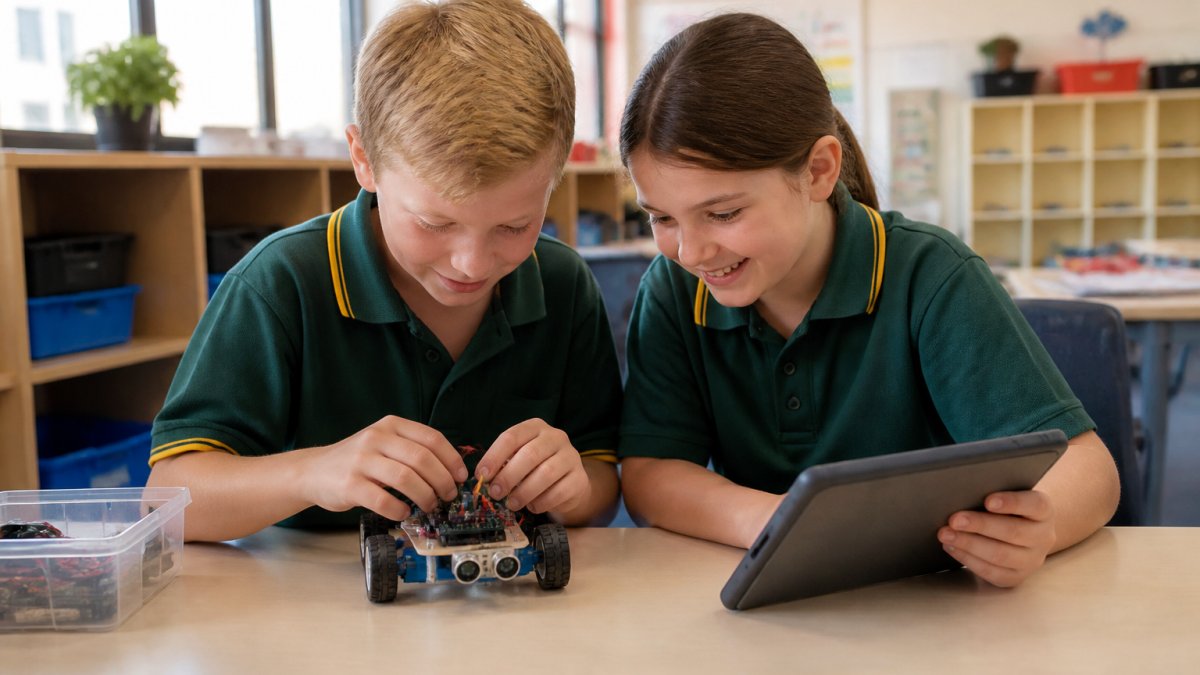
For younger pupils, a floor robot lets them write, test and debug a sequence without a screen. Our Blue-Bot Bluetooth Programmable Floor Robot is built for exactly that. For older students ready to build and prototype, the micro:bit Nezha 48-in-1 Inventor's Kit offers 48 documented builds.

Project-based learning like this also transfers skills beyond robotics: planning, teamwork and explaining a design to an audience.
Educational Robotics for Schools: Choosing the Right Kit for Your Year Levels
Educational robotics for schools only works when the kit matches the year levels and the learning outcomes. Start with the curriculum, not the hardware.
Ask three questions before you buy:
- Which year levels will use it, and can one kit grow with them?
- Does it support block coding and text-based programming?
- Are lessons and teacher support included?
A robot that scales from primary to secondary protects your budget. The Finch Robot Classroom Solution, 10 Robots arrives with mats, arenas and rolling storage for a class of 20 to 30 students, and the Finch supports coding from icon- and block-based languages through to Python and Java.
Watch out: buying a class set before trialling one kit can be an expensive mistake. Start small, test it in a real lesson, then scale.
Choosing Robotics Kits That Fit Your Classroom and Budget
Choosing robotics kits comes down to three trade-offs: cost per student, how far the kit scales, and how much support you get locally. A cheap kit that is outgrown in a term is not good value.
| Kit | Price (AUD) | Best for | Scales to |
|---|---|---|---|
| Ring:bit Car v2 | $40.00 | First build-it-yourself robot | Block coding, Python samples |
| Edison Robot V3 | $56.32 | Ages 4 to 16, screen-free start | Barcodes to Python |
| micro:bit Nezha 48-in-1 | $209.00 | Independent project work | MakeCode, Python, JavaScript |
| Finch Robot 2.0 | $317.27 | Whole-school coding pathway | FinchBlox to Java |
| Sphero RVR+ | $435.45 | Upper primary and secondary | Blocks to Python via SDK |
For a budget-conscious trial, the Edison Robot V3 is durable, rechargeable and needs no subscriptions. If you want a versatile micro:bit robot for a range of projects, the Finch Robot 2.0, micro:bit Coding Robot gives you product details and pricing to compare.


A common mistake is forgetting the extras, so check what is included before you commit.
Frequently Asked Questions
What are the benefits of hands-on robotics learning?
Hands-on robotics learning builds problem-solving, critical thinking and collaboration because students see their code produce a physical result. They learn to sequence steps, debug mistakes and adjust their approach when a robot does not behave as planned. It also develops spatial reasoning, logical thinking and confidence, and gives abstract concepts in maths and science a practical application students can watch happen in front of them.
How does robotics help students develop problem-solving skills?
Robotics and problem-solving skills grow together because every project presents a real obstacle: a robot that veers left, a sensor that misfires, a loop that never ends. Students test, observe, adjust and try again. That cycle of experiment, iterate and troubleshoot mirrors how engineers work and teaches resilience. The mistake is not a failure but the next clue, which shifts how students approach challenges in other subjects too.
Is robotics suitable for primary school students?
Yes. Many kits are designed for early primary and even earlier. The Blue-Bot floor robot, for example, lets children program with buttons on the robot's back before they read fluently, while the Edison Robot V3 scales from screen-free barcode coding for beginners as young as four up to text-based Python. Starting early builds sequencing and directional language that support later coding and maths.
What is the difference between hands-on and theoretical robotics learning?
Theoretical robotics learning explains concepts such as sensors, algorithms and control systems on paper. Hands-on robotics learning puts the components in students' hands so they build, wire, program and test a working machine. The practical version makes abstract ideas concrete: a student who has watched a robot fail to turn a corner understands angles and measurement differently from one who has only read about them.
The challenge is not finding robots; it is choosing kits that fit your year levels, your budget and your support needs. Sammat curates classroom-ready robotics and STEAM resources, with kits selected by former teachers, fast local shipping, purchase orders welcome, and a teacher-run support team for those mid-lesson questions. Get started with Sammat and put hands-on robotics learning to work in your classroom.
