




Eduverse+ is the enhanced tier of the ClassVR content library. It sits on top of Eduverse rather than replacing it, adding content suites aimed at older students and at schools that want to move from exploring ready-made VR to creating their own.
What Eduverse+ adds:
- EduverseAI — AI-generated content, so teachers and students can build their own customised virtual worlds rather than only visiting existing ones
- WildWorld — the natural world in 360° video, suitable through to further education
- CareerHub — career pathways in fields including healthcare, engineering and manufacturing
- Everything already in the standard Eduverse library, across every subject
Before you order:
- Eduverse+ does not run on the Xcelerate headset. If your school uses Xcelerate, the standard Eduverse subscription is the one you need, or one of the EduverseCTE or EduverseSTEM bundles. Eduverse+ works with Xplorer and earlier ClassVR headsets.
- One subscription covers the whole school, not a fixed number of headsets
- Choose a term of 1, 3 or 5 years, with the longer terms costing less per year
- Existing Eduverse subscriptions can be upgraded rather than started again; ask us and we'll check where your current term sits
If you're weighing this against the standard licence, the question is usually whether you want students creating content and exploring career pathways, or whether the core curriculum library is enough. The full ClassVR range shows both alongside the headsets they run on.
Lesson Ideas and Curriculum Aligned Content
Real-time controls to create, plan, save and deliver VR & AR in your lessons.

Finding Curriculum Resources
With a simple search function and pre-made collections, it’s easy to find VR and AR resources for your lesson. There are over 1000 resources currently available.
Search for resources by subject, topic or even by keyword. Browse through our extensive collection of curriculum aligned resources and custom lesson plans to find ready made ideas and worksheets to help engage your students.

Build, save and share
Using our intuitive drag and drop functionality, you can easily create custom resource ‘playlists’ within seconds, ready for you to deliver to your class at the click of a button.
Prepare your lessons ahead of time, then save them in your own ‘My Library’, for easy access later.

Upload your own VR content
Whilst the Class VR Portal gives you access to hundreds of great curriculum resources, creating, uploading and using your own content like 360 degree photos and videos is easy. Build your own resources into your own custom ‘playlist’ lesson.
Includes Subscription to Avantis World
Imagine being able to take your students to the moon, float through a blood vessel, or time travel and meet dinosaurs, no matter where they are or what device they have. Avantis World is a revolutionary learning experience, where the impossible becomes a (virtual) reality!
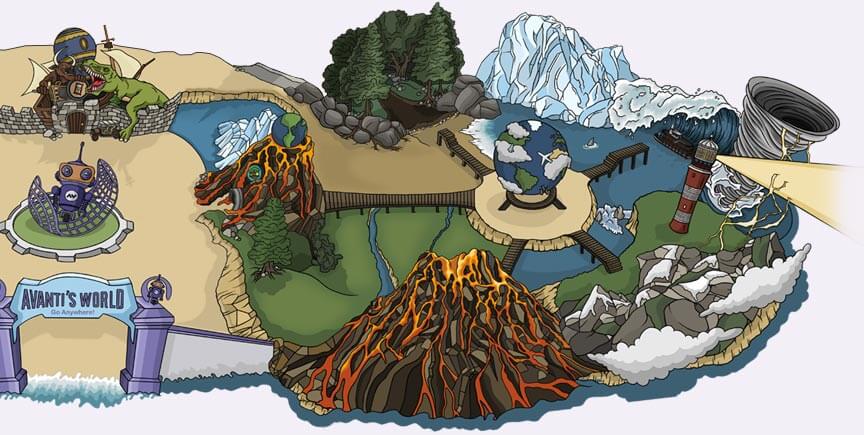
Educational Virtual Reality Lands
Like any other theme park, Avantis World is split into lands, with various zones and learning scenes for students to explore independently. Every learning scene provides a fully immersive experience where students can discover, investigate and research as if they were there in person.
Take your students to places you would never imagine. From the moon, to inside a plant cell, Avantis World lets you explore the impossible, all from the safety of a ClassVR headset or web browser. Learning has never been so fun.
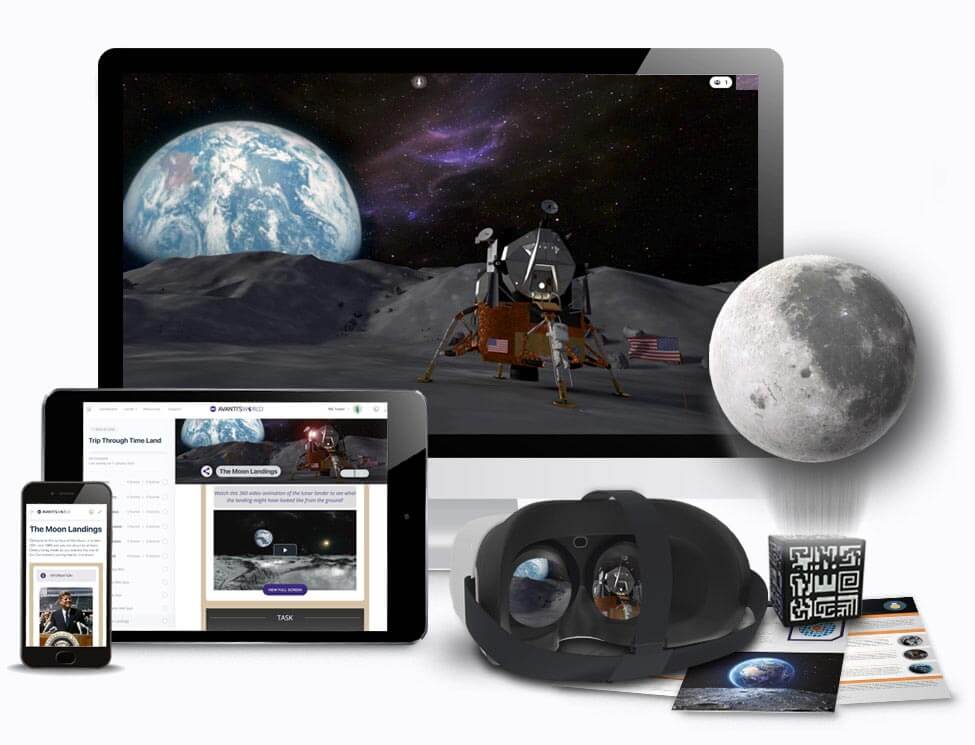
Engaging Curriculum Resources
Each virtual reality land comes with a comprehensive set of educational resources to ensure you’re getting the most out of every lesson. Each learning zone and scene incorporates detailed subject information, 3D AR models and 360 images and videos to provide context to the student before exploration begins.
From VR content to engaging curriculum resources, Avantis World can be accessed via a secure website to give students everything they need to learn about a topic in the classroom or even remotely.
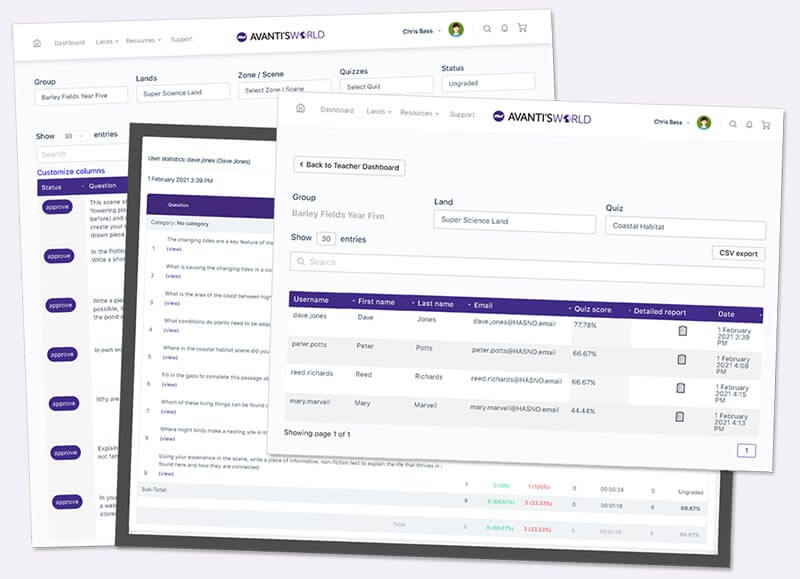
Teacher Reporting & Assessment
Avantis World also includes a comprehensive set of reporting and assessment tools designed specifically to save teachers’ time.
As students work through the educational activities and quizzes, their progress and attainment are tracked and recorded. All from a simple-to-use web-interface, teachers can easily identify areas where students may need further support or assistance and can create additional lesson plans as appropriate.
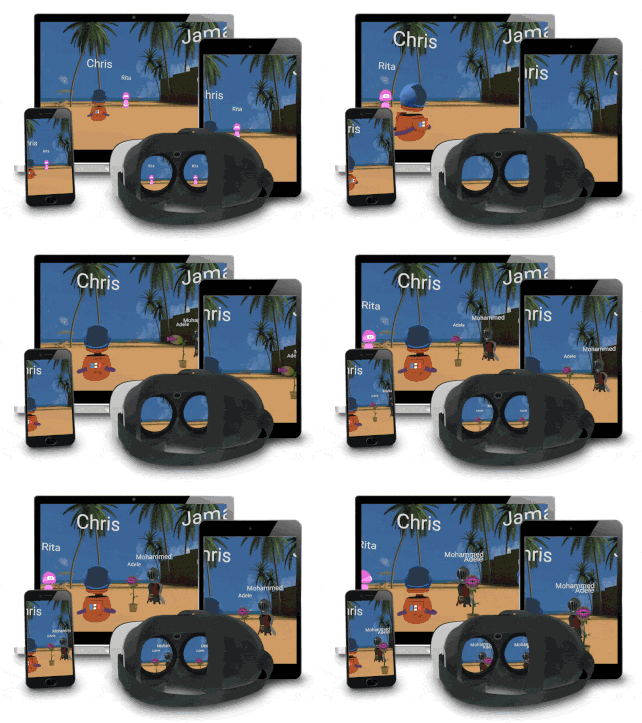
Collaborate from anywhere
With Avantis World it doesn’t matter where your students are, or what device they have access to, you can collaborate and teach with unparalleled ease.
From the classroom or remotely accessed, every model of teaching and learning can be supported. Bring your students together for a guided teacher-controlled session or let them roam free in the themepark to discover and learn at their own pace. Student can learn collaboratively in groups or even experience the amazing themepark exclusively on their own, the choice is yours.
Deliver Your Lessons with a Single Click
Real time controls to help you deliver your lesson!
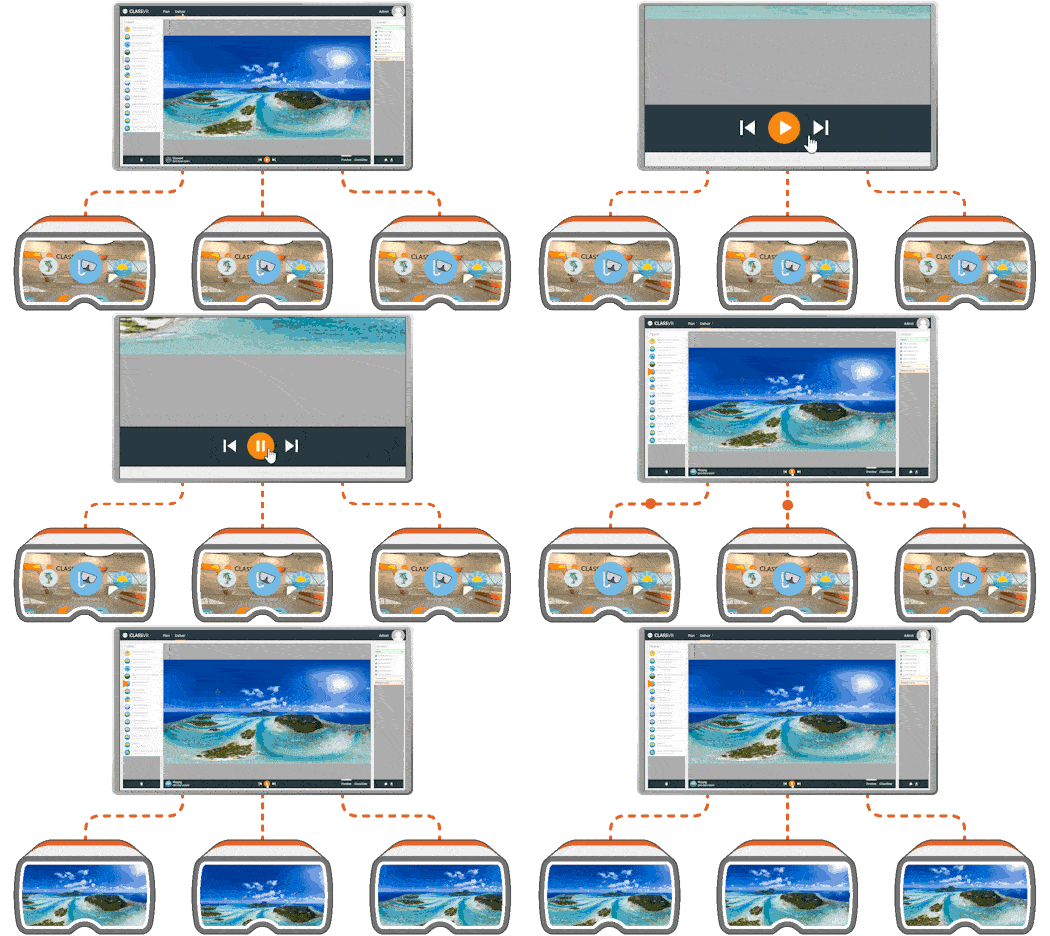
Launch activities simultaneously
ClassVR portal allows the teacher to deliver a defined playlist of resources to multiple headsets simultaneously.
A simple set of ‘play’ and ‘pause’ controls sends resources to headsets and starts experiences. Videos are all sequenced simultaneously, so every student will be seeing the video at the same point, allowing teachers to describe and comment as it plays.
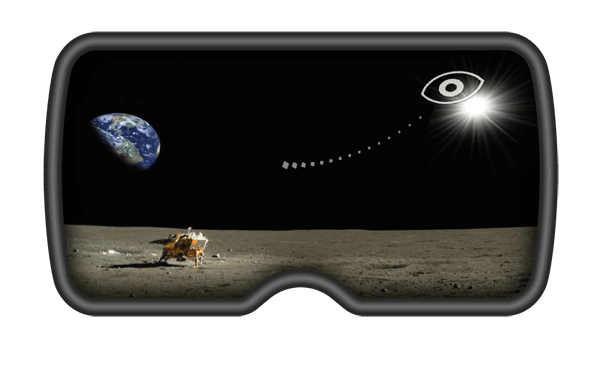
Dynamic point of interest
Students can be so immersed in a VR experience, it can be hard to get their attention. With ClassVR’s dynamic ‘Point of Interest’ (POI), teachers can guide students to look at a specific part of a VR experience, by simply clicking anywhere on the 360 image that is playing.
In the headsets, students will see a ‘breadcrumb’ trail, leading them towards the POI, and when the reach it they will see an icon, pointing out the item the teacher has highlighted.
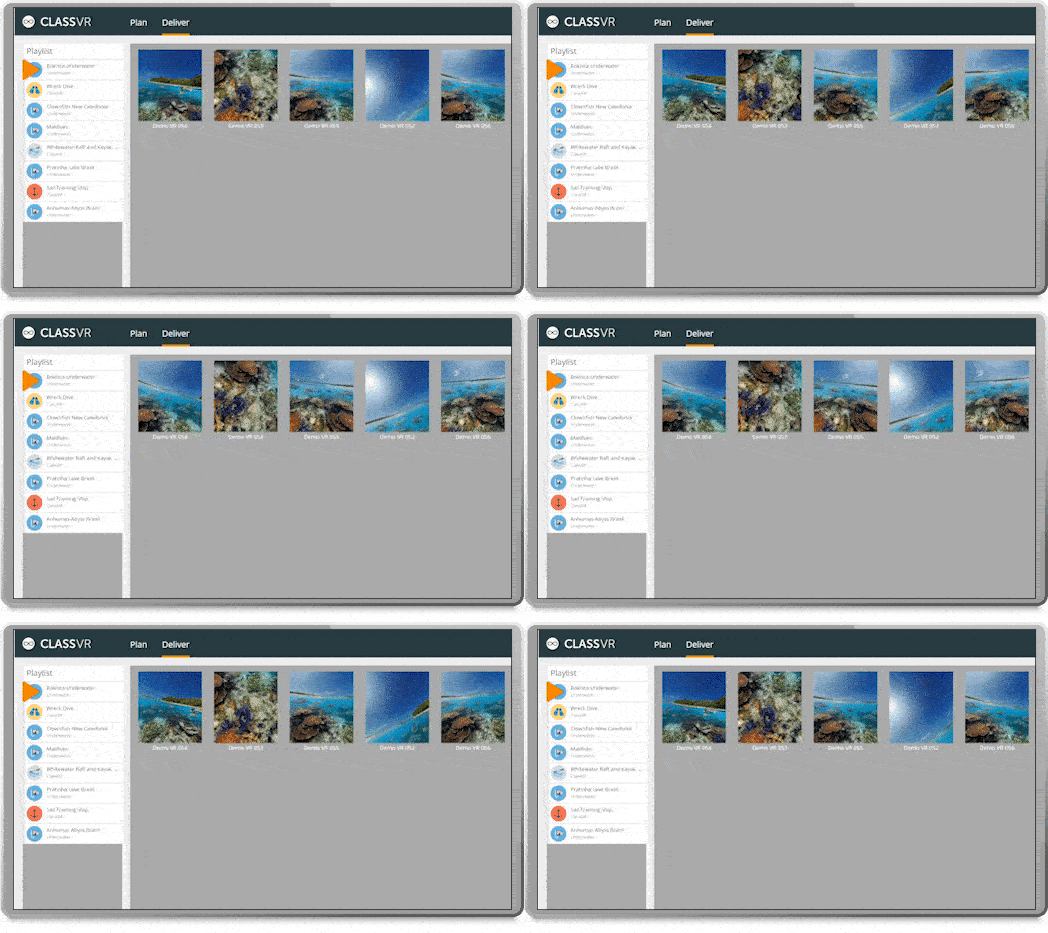
Realtime headset view tracking
Understanding where children are looking is almost impossible when they are wearing VR headsets.
ClassVR’s innovative head tracking feature allows teachers to have a view of exactly where each student is looking in their headset.
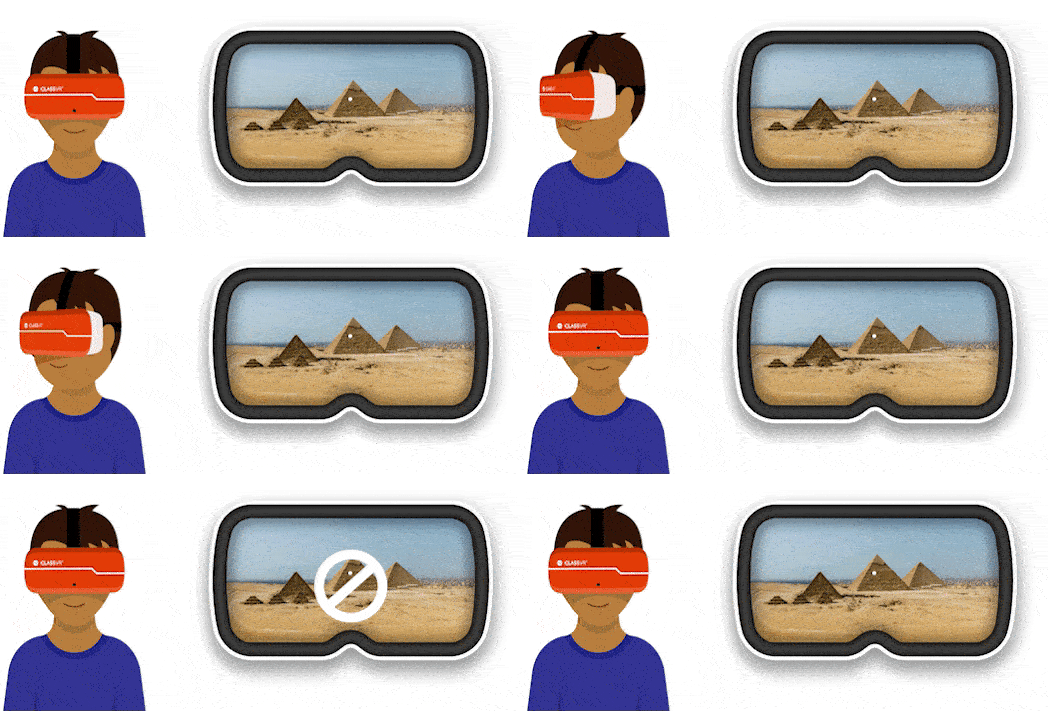
Activity lock for focus
When delivering a lesson, the headsets automatically lock into the selected activity from the playlist.
Button presses or gestures are disabled, ensuring the student remains in the current experience, under the teachers control.


