Educator engaging with Sphero Edu app Sphero BOLT+ in classroom setting
Sphero Edu Self-Guided Professional Development $154.54 ex GST
Elevate your teaching and coding skills with the Sphero Edu Self-Guided Professional Development course. Designed for educators keen on integrating Sphero robotics into their classrooms, this virtual course serves as a comprehensive guide to harnessing the full potential of Sphero robots and the Sphero Edu app. Dive into programming with Draw, Blocks, and JavaScript Text canvases, and explore classroom applications across all grade levels. With exclusive content and a hands-on approach to STEM education, this course is your ticket to becoming a Sphero Edu expert. Major Features: Comprehensive Curriculum: Learn how to use the Sphero Edu app and robots to teach fundamental STEM skills through exciting, hands-on activities. Flexible Learning: A self-guided, 4-6 hour course that fits your schedule, accessible for 90 days from activation for convenience and repeated reference. Expertly Designed: Crafted by Sphero's professional learning and education content team, ensuring an insightful and practical learning experience. Exclusive Content: Gain access to unique Sphero Edu content, including programming canvases and teaching suggestions tailored for the Sphero robot. Certification: Earn a 6-hour Professional Development Certificate upon completion, showcasing your commitment to educational innovation. FAQs Q: What is included in my purchase? A: You will receive 1x Activation Code to access the Self-Guided Course (robot sold separately). Q: When will I receive my Activation Code? A: Once we receive your order, we will email you an Activation Code within 3-5 business days. Q: How long is the course? A: The course duration is 4-6 hours. Q: How long will I have access to the course? A: Your course will be available for 90 days from the date you activate it. Q: What will I receive on completion of the course? A: You will receive a 6 Hour Personal Development Certificate. Sphero will email this to you on completion of the course.
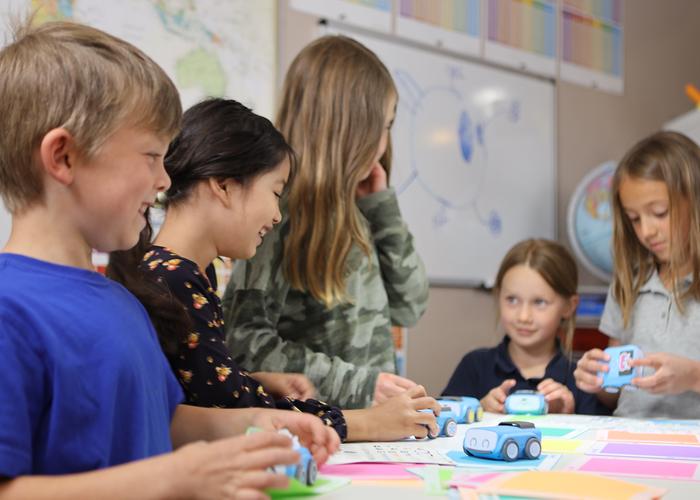
Sphero BOLT+ in classroom setting Educator engaging with Sphero Edu app
Sphero BOLT+ Self-Guided Professional Development $154.54 ex GST
Transform your classroom with the Sphero BOLT+ Self-Guided Professional Development Course, designed specifically for educators of 3rd grade and up. This course empowers teachers to integrate STEM, computer science, and cross-curricular learning through comprehensive programming skills in Draw, Block, and JavaScript Text using the Sphero Edu app. Ideal for educators looking to upgrade their Sphero BOLT, this course provides the tools to confidently introduce fundamental STEM skills to students, aligned with the Australian curriculum. Major Features: Comprehensive Programming Guide: Master Draw, Block, and JavaScript Text programming in the Sphero Edu app for a well-rounded introduction to computer science fundamentals. Cross-Curricular Integration: Step-by-step examples make it easy for educators of all coding levels to incorporate BOLT+ into STEM, literacy, and engineering lessons. Expertise in Sphero Central & Edu: Quickly create classes, discover engaging content, and get students programming with BOLT+, offering endless hands-on learning opportunities. Self-Paced Professional Development: Earn PD hours at your convenience with this 4-6 hour online course, accessible for 90 days post-purchase. Exclusive Content & Resources: Gain access to Sphero Edu lessons and exclusive content, enhancing teaching practices across curriculum areas. FAQs Q: What is included in my purchase? A: You will receive 1x Activation Code to access the Self-Guided Course (robot sold separately). Q: When will I receive my Activation Code? A: Once we receive your order, we will email you an Activation Code within 3-5 business days. Q: How long is the course? A: The course duration is 4-6 hours. Q: How long will I have access to the course? A: Your course will be available for 90 days from the date you activate it. Q: What will I receive on completion of the course? A: You will receive a 6 Hour Personal Development Certificate. Sphero will email this to you on completion of the course.
Sphero & littleBits Craft Pack Sphero & littleBits Craft Pack
Sphero & littleBits Craft Pack $180.91 ex GST
The Sphero Craft Pack is your one stop shop for all the crafting accessories you’ll ever need to take your creations and inventions even further. With over 31 different items and 100’s of materials the Sphero Craft Pack was designed for both littleBits and Sphero robots. Highlights - The Sphero Craft Pack consists of the most commonly purchased  items to help take student inventions and creations even further. - Instead of sourcing all of the materials separately, everything is included in one box. - Pair with the BOLT Power Pack or the littleBits STEAM+ Class Pack to complete your MakerSpace. - Recommended 1-10 students per Sphero Craft Pack.
-4% sale
sphero activity mat 1 sphero activity mat 1
Sphero Activity Mat 1 $218.17 ex GST
$227.26 ex GST
Sphero Activity Mat 1 with the Sphero SPRK+, Sphero BOLT and Sphero BOLT+ An incredible vinyl floor mat (1220mm x 2010mm) with five excellent activities that links coding across the curriculum with the Sphero SPRK+, Sphero Mini, Sphero BOLT and Sphero BOLT+. The Sphero Activity Mat 1 has a number of excellent activities that links coding across the curriculum with the Sphero SPRK+, Sphero Mini, Sphero BOLT and Sphero BOLT+. Students aged between 4 and 16 can use the mat while using the Draw, Block or Text projects within the Sphero Edu app. 2 groups of 2 pupils should use the mat at any one time, each with a Sphero robot. Sphero Activity Mat 1 activities Racetrack Challenge Students can work together to program the Sphero around the track on the outside of the mat. 2 teams of students can compete against each other to complete the reversible racetrack. Students aged between 7 and 16 can use the Block or Text projects to create their own code to power the Sphero. They will have to take account of headings, angles, speed, distance and time while programming the Sphero around the track. Circles Challenge 1 Students will answer mathematics questions by programming the Sphero to move to one of the numbers. The teacher may ask ‘5 6’ or ‘square root of 81’ and students of any age can use a Draw, Blocks or Text project to program the SPRK to the correct number. Circles Challenge 2 Each coloured circle on the Sphero Activity Mat 1 is a vertices of a 2D shape. The route between each same coloured circle is a side of a 2D shape.Yellow = Square.Red = Rectangle.Blue = Hexagon.Green = Scalene Triangle.Purple = Right Angle Triangle. Students can use a Draw, Blocks or Text project to use code to explore the properties of the 2D shapes. Gates Challenge A really interactive challenge that develops problem solving skills, collaboration between students, computational thinking and knowledge of angles and shape and space. Beginning at ‘START HERE’ and finishing at ‘FINISH HERE’ students have to use a Blocks or Text project and follow the instructions at each gate. Students will really enjoy extending their mathematical knowledge while exploring sound, movement and light with the Sphero. Number Line Challenge Students will answer mathematics questions by programming the Sphero to move up and down the number rule. Students of any age can use a Draw, Blocks or Text project to program the Sphero to the correct number.
Sold out -6% sale
sphero computer science foundations - course 3 sphero computer science foundations - course 3
Sphero Computer Science Foundations - Course 3 $319.00 ex GST
$336.35 ex GST
Computer Science Foundations (CSF) by Sphero is a supplemental, standards-aligned curriculum designed to be taught in the classroom with Sphero robots. CSF features three courses, each with their own spiral-bound Educator Guide. Using CSF, teachers and students will explore STEAM principles through creative coding. CSF features student-facing instructions and pre-loaded blocks for every activity. Teachers can access every lesson in the Sphero Edu app by scanning the QR code or by navigating to the CS Foundations tab under "Activities" in the app. Teachers can then assign individual lessons to each student's Workbook. Many lessons have pre-loaded blocks so students can start coding right away. Course 3 features three themes, each theme comprising eight lessons. By the end of Course 3, students will be able to develop complex programs with the Block Canvas and rewrite simple block programs in JavaScript. Course 3 Content: Missions - in this series of lessons, students will become critical thinkers and problem-solvers as they puzzle through obstacle courses, lockboxes, secret codes, and more. Navigation - from exploring how animals migrate to planning a road trip, this series of lessons brings the world of navigation to life for students through hands-on programming with their Sphero robots. Brain Breakers - in this theme, students develop their problem-solving and collaboration skills while creating secret codes, solving riddles and cracking a bank robbery. By the end of Course 3 students will be able to: Manipulate variables (numbers, sound) in the Block Canvas. Apply conditionals without guidance that utilise sensors, comparators. Develop their own complex programs in Block programming. Read and interpret simple programs written in JavaScript involving movement, lights, sounds, and loops. Troubleshoot JavaScript to fix syntax errors. Rewrite simple Block programs in JavaScript. What's included: A spiral-bound Course Educator Guide book containing 24 lessons A unique access code that grants a perpetual license to all digital student-facing materials and content ACARA and NSW Curriculum Curriculum links for ACARA and NSW are available here. CS Foundation Course 3 Sample Activities Click here for CS Foundation Course 3 sample activities. CS Foundation Course 3 Sample Pages

Why Robotics Matters in Education

In today’s education landscape, robotics is far more than toys — it’s a teaching tool that empowers learners to explore science, coding, math and engineering concepts in a fun and practical way. Robotics activities encourage logical reasoning, iterative design thinking and collaboration, preparing students for future digital careers.

Expect improved outcomes in:

Computational thinking
Algorithmic logic
Teamwork and collaboration
Creative problem-solving
Hands-on engineering experience
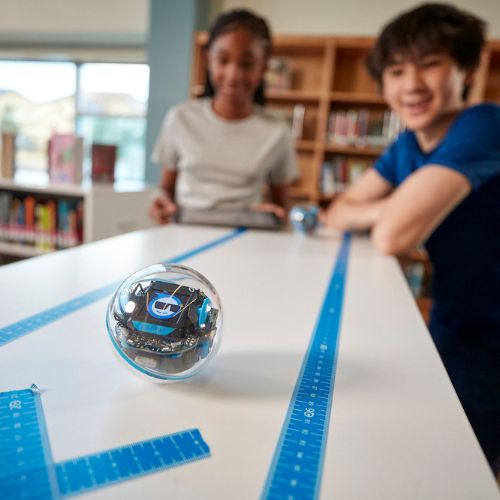
Programmable Classroom Robots

Our range includes app-enabled and programmable robots such as Sphero robotic balls and mobile robots that support beginner to advanced coding levels.

Popular options include:

Sphero BOLT+ Power Pack — complete classroom set with charging case and curriculum-aligned activities.

Sphero Mini — compact robot balls ideal for introductory coding and STEAM activities.

Each kit includes access to learning pathways that integrate coding with design thinking, puzzle solving, game-based challenges and teacher-ready lesson plans.

Floor & Early Learning Robots

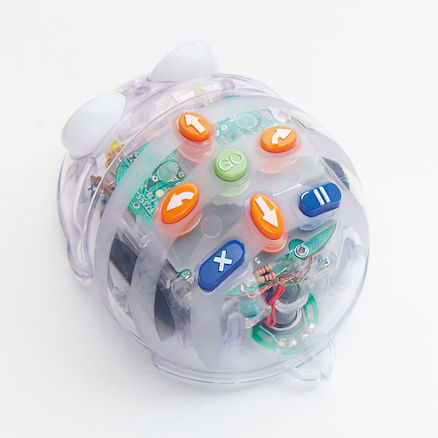
Robots like Bee-Bot and Blue-Bot are especially well-suited to younger learners, using directional buttons and visual sequencing to introduce foundational programming concepts.

They’re perfect for:

Early years classrooms

Storytelling and sequencing activities

Cross-curriculum numeracy tasks

EDISON STEAM PROGRAM

Edison & Expandable Robotics

For a scaffolded approach to STEM, Edison robots and their activity mats let learners explore robotics basics up to complex internal logic.

Engaging physical mats and barcode programming introduce students to coding without screens and transition to drag-and-drop and text-based languages like EdBlocks and EdPy as their skills grow.

Classroom Bundles & Swarm Packs

Bundled sets such as Bee-Bot Swarm and Blue-Bot Swarm deliver multiple units and docking stations, enabling group projects and collaborative classroom challenges — perfect for differentiated learning.

FREE Shipping Australia Wide!
-6% sale
Sphero BOLT Education 15 Pack + Power Pack sphero bolt power pack + free activity mat
Sphero BOLT Power Pack incl. FREE PD $4,726.36 ex GST
$4,999.00 ex GST
Plug in. Power up. Roll out. Includes FREE shipping. Receive a FREE online Professional Development (PD) Training Course (via redemption) with everypurchase of a Sphero BOLT Power Pack made before 31st December 2025!  Sphero's 4-6 hour BOLT online self-guided professional development course walks you through getting started with your Sphero robot, the Sphero Edu app, and how to apply it in your classroom. Learn more about the course content here. On receipt of your Power Pack order, we will contact you with further information about redeeming your free Sphero training course. The Sphero BOLT Power Pack lets you charge, store, and carry Sphero BOLT robots... times 15. Built with an integrated cooling system, your robots can charge safely all from one place. FREE Shipping to anywhere in Australia!  With more robots, a longer battery life (2+ hours), auto-aiming, and more, the BOLT Power Pack is the top of the line kit for educators using the Sphero Edu program in a classroom, robotics club, or in any maker environment you can dream up. Plus it's loaded with Turbo Covers, maze tape, and protractors, so the activities can get started anytime, anywhere. Tote it all like a boss in a sleek airline compliant carrying case on rollers with a retractable handle. You'll officially be the best teacher ever. Highlights Learn to code by drawing, using Scratch blocks, or writing JavaScript text with the Sphero Edu app. Sphero BOLT was built to shine with a programmable 8x8 LED Matrix that animates and displays real-time data. BOLT to BOLT infrared communication allows for new games and advanced movements like swarming. Auto aim your robot thanks to the built-in compass. A long battery life of 2 hours per charge can handle even your biggest projects. It’s fun to take for a spin. Simply drive BOLT and play games. BOLT is approachable yet advanced with more features, more power, and more fun. What's in the box 15 x Sphero BOLT Charging Case and Power Adapter 15 x Clear Turbo Covers 15 x Maze Tape and Protractors with heading, directions, and clock Classroom Posters and Stickers
bee-bot swarm
Bee-Bot Swarm $953.64 ex GST
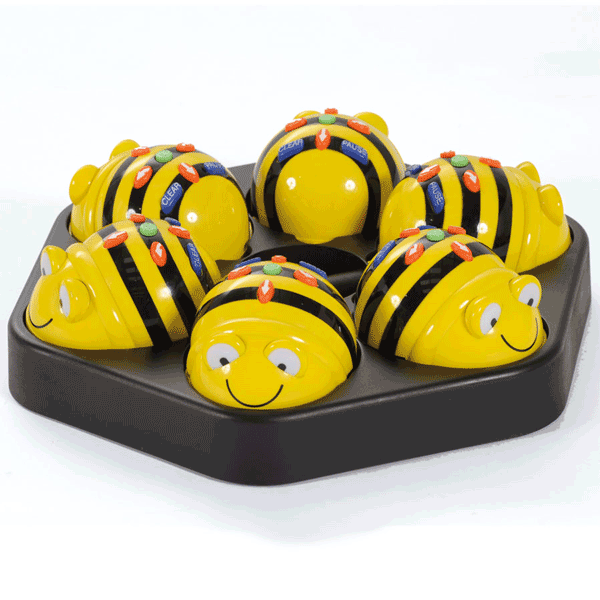
The Bee-Bot Swarm bundle includes 6 Bee-Bot's, the award winning programmable floor robot. The simple and child friendly layout is a perfect starting point for teaching control, directional language and programming to young children. The new and improved Bee-Bot is a perfect starting point for teaching control, directional language and programming. Bee-Bot can now detect another Bee-Bot or Blue-Bot and say hello. They will play a default sound or the students can record their own. Students can also record audio to play back when each button is pressed, making it more accessible to all students, including those with auditory or visual processing needs. NO MORE batteries - NOW RECHARGEABLE!  The Bundle also includes the Bee-Bot Rechargeable Docking Station - an excellent storage device for a class set of Bee-Bots, it can be wall mounted with six docked Bee-Bots. Features: Great for young learners Robust and small design Clear and bright buttons Ideal introduction to logic and thinking skills Memory of up to 200 steps No confusing degrees to program Sounds and flashing eyes confirm your instructions Moves accurately in 15cm steps at a time and turns in 90 degrees. Swarm Bundle includes: 6 x Rechargeable Bee-Bots 1 x Rechargeable Docking Station
blue-bot swarm blue-bot swarm
Blue-Bot Swarm $1,359.09 ex GST
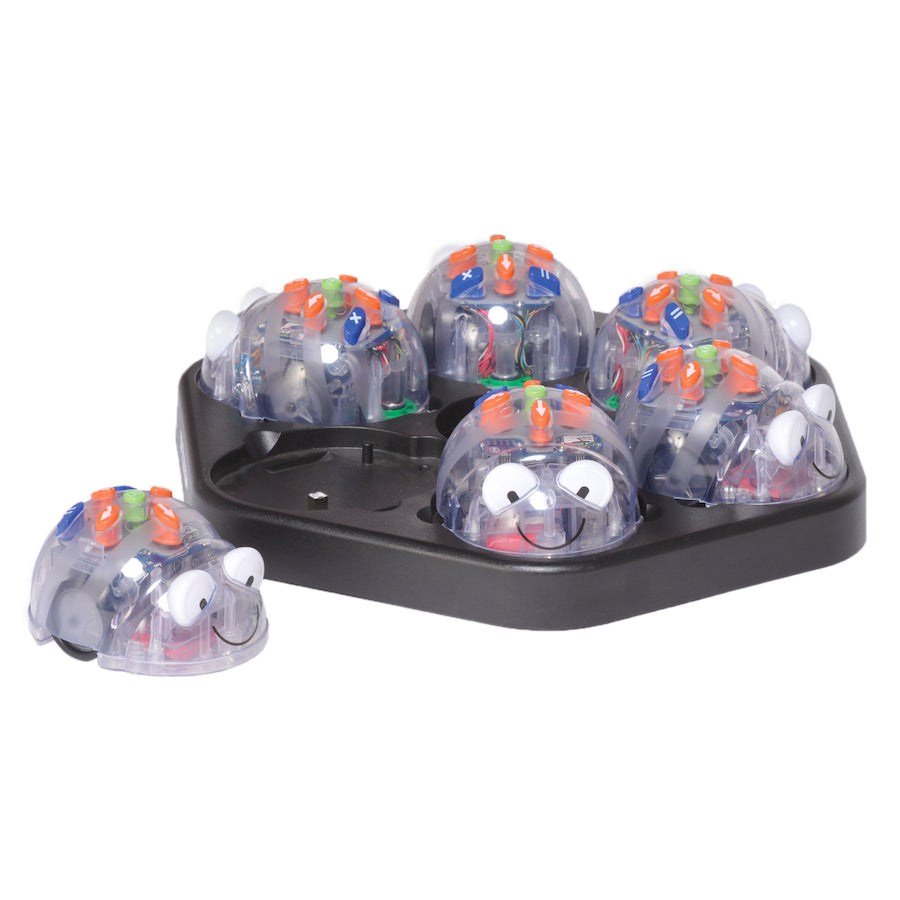
Introducing the Blue-Bot Swarm - a Bluetooth Programmable Robot Class Pack You can program Blue-Bot with a wide range of tablets, a PC, Mac, or our very own TacTile Reader. The tablet app features a host of programming challenges and problems for children to solve by constructing the correct program. Blue-Bot Swarm is a set of 6 Blue-Bots and also includes a docking station, allowing you to charge 6 Blue-Bots at the same time so you don't need to worry about storage or batteries, just pop Blue-Bot back on the dock and it'll charge ready for its next adventure! Blue-Bot can now interact with another Bee-Bot or Blue-Bot and say "hello" or students can record their own message. Students can also record audio to play back when each button is pressed (e.g. a different sound for forward and a different sound for backward), making it more accessible to all students, including those with auditory or visual processing needs. Blue-Bot is well suited to supporting a number of aspects of computing. It can be used to help pupils: Understand what algorithms are, how they are implemented as programs on digital devices, and that programs execute by following precise and unambiguous instructions Design, write and debug programs that accomplish specific goals, including controlling or simulating physical systems; solve problems by decomposing them into smaller parts Use sequence, selection and repetition in programs; work with variables and various forms of input and output. Use logical reasoning to explain how some simple algorithms work and to detect and correct errors in algorithms and programs
-6% sale
Ozobot Bit+ Classroom Kit Ozobot Bit+ Classroom Kit pack contents
Ozobot Bit+ Classroom Kit $1,635.45 ex GST
$1,722.73 ex GST
The Ozobot Bit+ Classroom Kit is the new robotics kit designed around the new Ozobot Bit+ educational robot. It includes 12 small robots and all the material necessary to organise workshops, for children from nursery school through to upper secondary. Ozobit Bit+ Classroom Kit: an innovative digital education tool All pupils in primary and secondary education are required to develop their digital and computer skills. This includes learning programming languages and discovery of various robotics systems. The newest Ozobot robot, Ozobot Bit+, is a small mobile and Arduino-compatible educational robot you can program on Ozobot Blockly. It teaches pupils of all ages essential robotics programming skills and develops their knowledge of STEAM (Science, Technology, Engineering, Arts, Mathematics), with five different levels of difficulty. This kit includes 12 programmable Ozobot Bit+ robots, a charging cradle that can accommodate all the robots, and materials for organising various Ozobot activities: marker pens for colour recognition and line following, stickers, etc. Technical specifications of the Ozobot Bit+ Classroom Kit Ozobot Bit+ robot: 3x more battery capacity than Ozobot Bit Improved LEDs Strong polycarbonate shell Optical sensors for line following and colour codes Arduino™ compatible Connectivity: Ozobot Blockly (via USB) Rechargeable LiPo battery Charging cradle: DC input: 12 V / 5.5 A Charge output: 5 V / 0.5 A per robot USB-C output: 5 V / 2 A (combined ports) The Ozobot Bit+ Classroom Kit includes: 12 Ozobot Bit+ robots 1 charging cradle 1 power cable 18 colour code correction stickers 1 Ozobot brand sticker pack 12 colour code marker sets (red, green, blue, black) Get started activities
makey makey stem pack - classroom invention literacy kit makey makey stem pack - classroom invention literacy kit
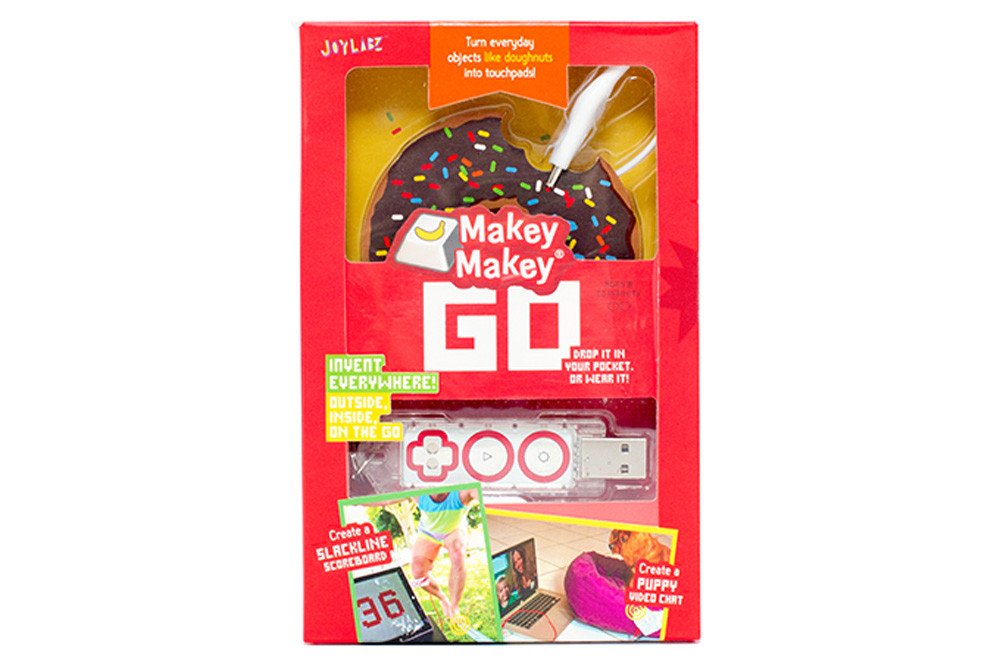
MaKey MaKey STEM Pack - Classroom Invention Literacy Kit $1,408.18 ex GST
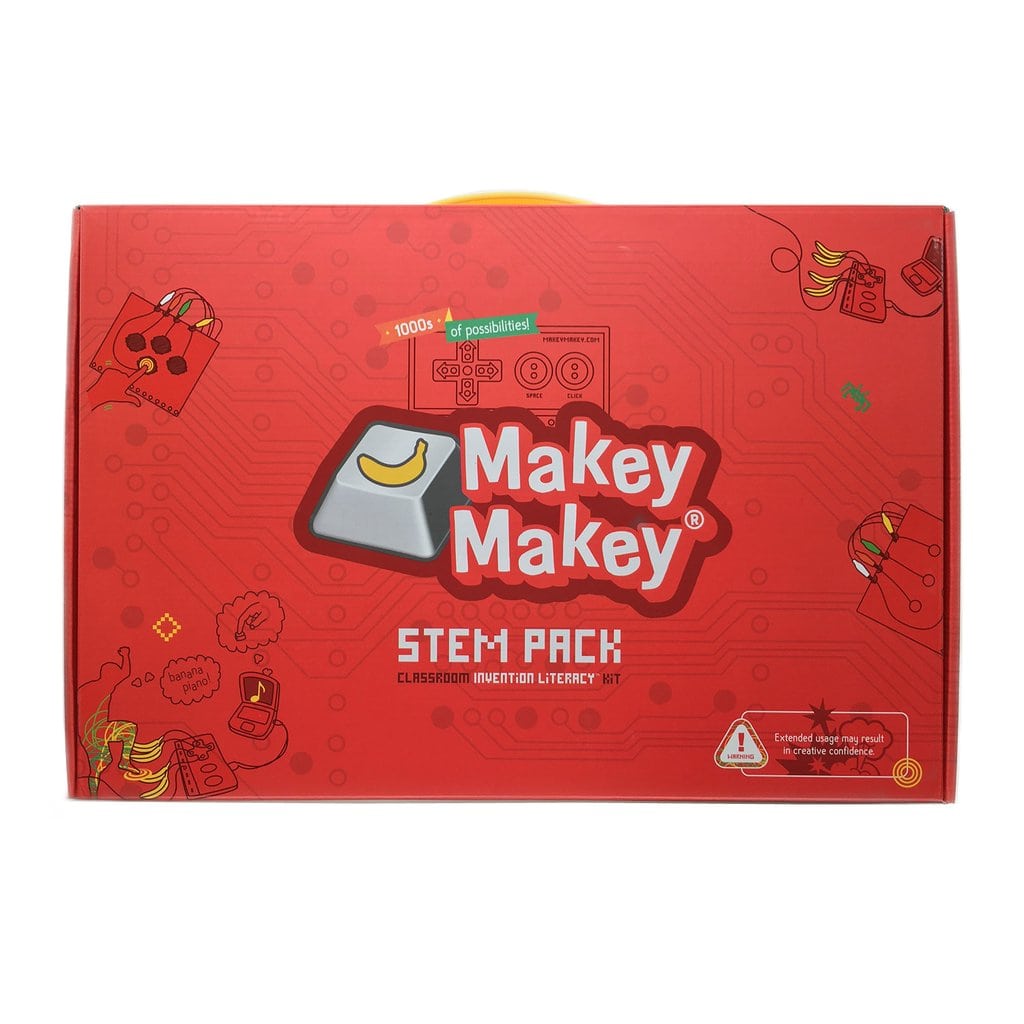
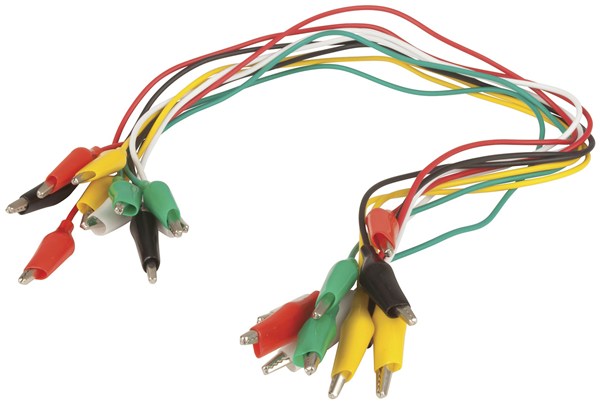
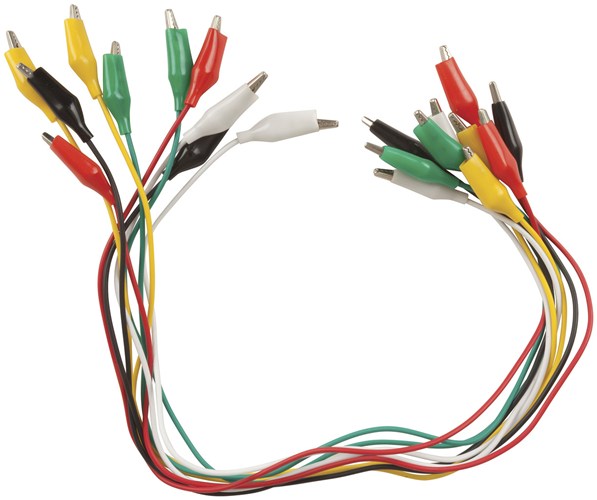
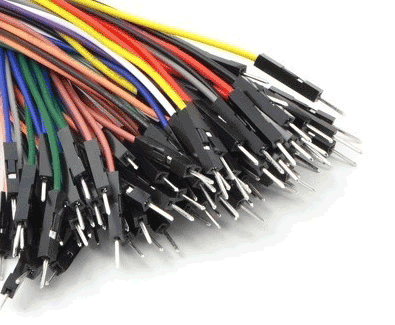
Perfect for classrooms, schools, districts, workshop teachers, and anyone else that wants all their Makey Makeys in a really nicely organised briefcase. The Makey Makey STEM Pack is a distillation of 12 Makey Makeys, 12 booster packs and some extra parts for when you want to invent something even bigger. Contents 12 Makey Makey Classics 12 (6ft) Alligator Clips 12 (6ft) Connector Wires 72 extra Alligator Clips 144 New and Improved Connector Wires (for the back) 12 Makey Makey-Optimised Conductive 6B Pencils In addition, each of the 12 Makey Makeys in the STEM Pack has its own box that comes out of the case containing the Makey Makey, USB cable, 7 alligator clips, and how-to booklet.
-10% sale
Ozobot Evo Classroom Kit (18 Bots) now available in Australia from Sammat Education Ozobot Evo Classroom Kit (18 Bots) now available in Australia from Sammat Education
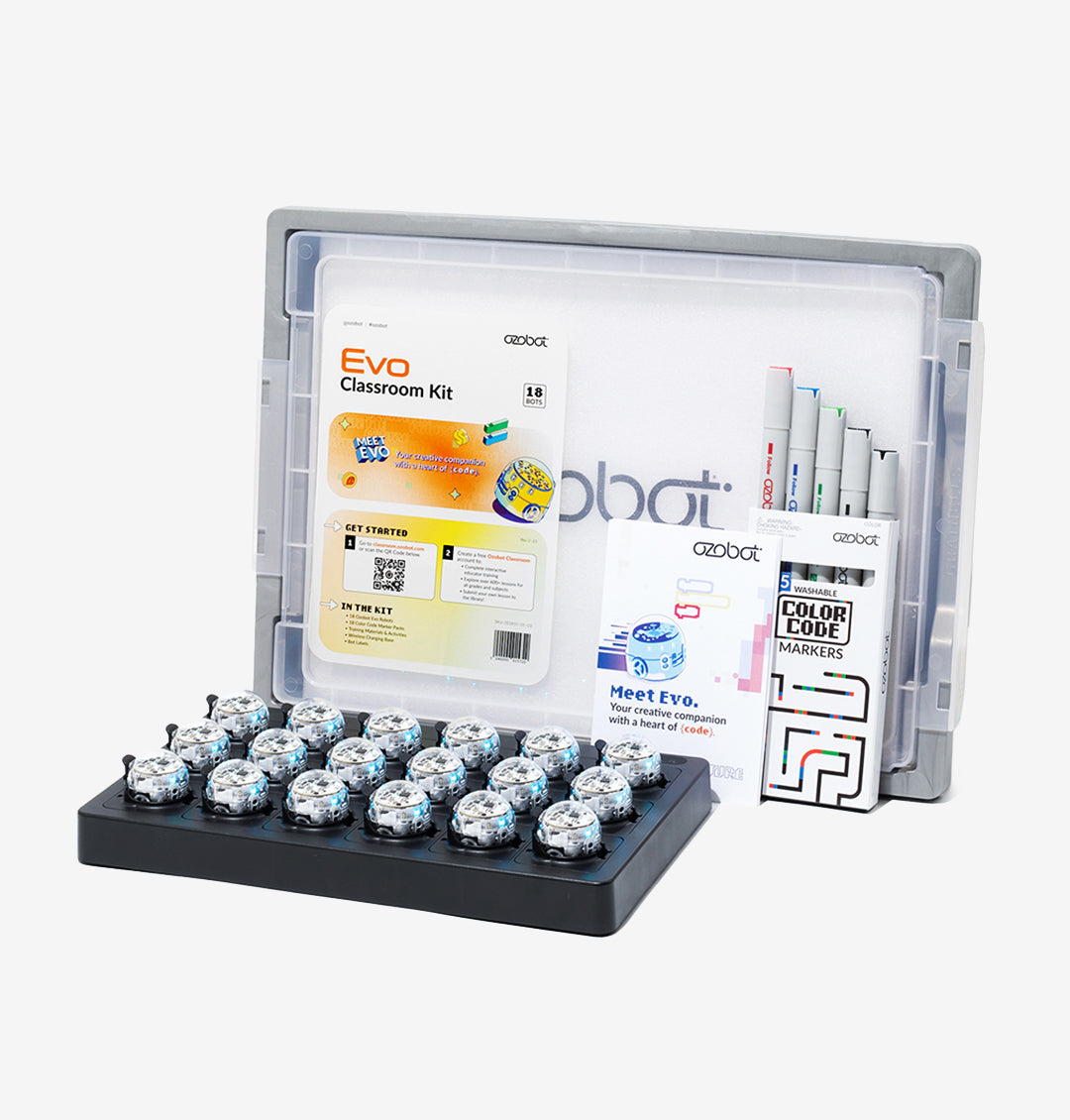
Ozobot Evo Classroom Kit (18 Bots) $4,908.18 ex GST
$5,450.00 ex GST
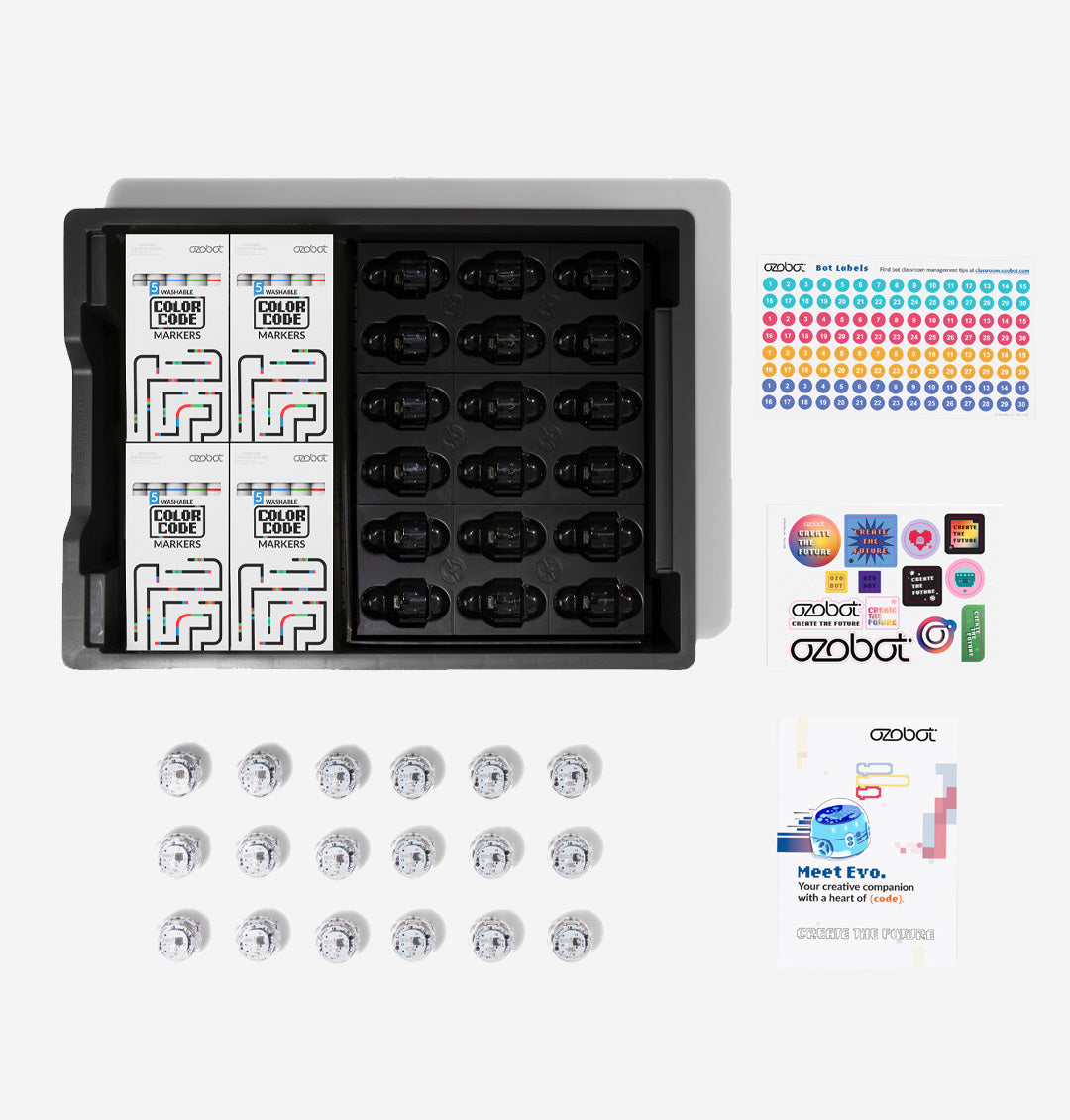
Free Shipping! STEAM Made Simple – with the Ozobot Evo Classroom Kit - 18 Evo robots, tons of educator tools, and two ways to code Meet Evo – The award-winning, app-connected robot with two ways to code 1) Colour Codes - Students start coding screen-free, with the stroke of a marker 2) OzoBlockly - Students advance with OzoBlockly visual programming Ozobot Classroom software unlocks teacher training and free access to hundreds of lessons in our lesson library. Edu App – Easy updates let Evo grow with your students 150 STEAM Lessons – Discover K–12 lessonson STEM subjects & beyond (including art, history, & more!) Tech Specs Evo is a desk-friendly robot packed with tech, including: Bluetooth® Low Energy (30 ft. range) Ozobot Classroom connectivity Proximity sensors* Optical sensors* for detecting lines and Colour Codes LED lights* Built-in speaker* Strong polycarbonate shell New feature firmware updates Rechargeable LiPo battery (60 min. charge time) * Program these features and more with Ozobot Blockly! What's in the Box 18 Ozobot Evo Robots 18 Colour Code Marker Sets Get Started Activities 1 Charging Cradle & Power Cable 1 Bot Label Sticker Pack 1 Ozobot Brand Sticker Pack Recommended Devices Teacher devices – Ozobot Classroom, Ozobot’s STEAM learning management system, supports computers with the Google Chrome browser, including: Chrome OS with Chrome 56+ Mac OS X 10.10+ with Chrome 56+ Windows 10 with Chrome 70+ Student devices – For coding with Ozobot Blockly, students can use computers or tablets.For using Ozobot Blockly from student computers (incl. Chromebooks), the following technology works best: All modern browsers iPad 3 and newer Android tablets For using Ozobot Blockly with the Evo app, we recommend student tablets with these specs or higher: iOS 7.0 1GB RAM (iPhone, iPad, or iPod Touch) Android 6.0, 2GB rAM Bluetooth 4.0
sphero mini education 16 pack (v2.0) sphero mini education 16 pack (v2.0)
Sphero Mini Education 16 Pack (V2.0) $2,272.72 ex GST
FREE Shipping on this productThe Sphero Mini Education Pack is now individualised and has everything you need to get rolling and learning! This new and improved pack includes 16 clear Sphero Mini app-enabled robotic balls, bumper covers, mini traffic cones, bowling pins, construction sets, and activity cards that help expand playtime and imagination in STEAM learning. Now enough accessories for easier to send home with students for individualized or hybrid learning! TEENY TINY TECH Packed with teeny tiny tech, Sphero Mini has a little gyroscope, accelerometer, and LED lights. With almost an hour of play time, your students will have the room to stretch their imagination—all while having fun learning! Step-by-Step Learning Learn the fundamentals of STEM and coding with mini traffic cones, bowling pins, construction sets, and step-by-step activity cards with STEM-inspired challenges and games. Program Your Robot The Sphero Edu app empowers anyone to program their Mini. Draw paths, use Scratch blocks, or write your own JavaScript text programs. Use actions, controls, operators, and more to give your bot the orders. Sphero Edu provides a toolset unbounded in its potential. Sphero Edu uses app-enabled robots to foster creativity through discovery and play, all while laying the foundation for computer science. Our program goes beyond code with collaborative STEAM activities, nurturing students’ imaginations in ways no other education program can. Sphero Edu is a cross-platform app, and is approachable for all skill levels, allowing us to reach as many minds as possible. Jump into Draw and Drive, advance to Block-based programming, and graduate to using JavaScript. What's in the box 16 Sphero  16 Robotic ball covers 16 sets of 6 pins and 3 cones 16 construction sets 16 splitter USB cables 16 sets of 15 activity cards 1:1 Robots/Accessories/Activity Cards packaged together Free Sphero Edu app available for download on iOS, Android, Kindle, Mac, Windows, and Chrome Free Sphero Play app available for download on iOS and Android
-6% sale
Sphero BOLT+ Education Power Pack (15 robots) Sphero BOLT+ Education Power Pack (15 robots)
Sphero BOLT+ Power Pack incl. FREE PD $5,170.00 ex GST
$5,454.54 ex GST
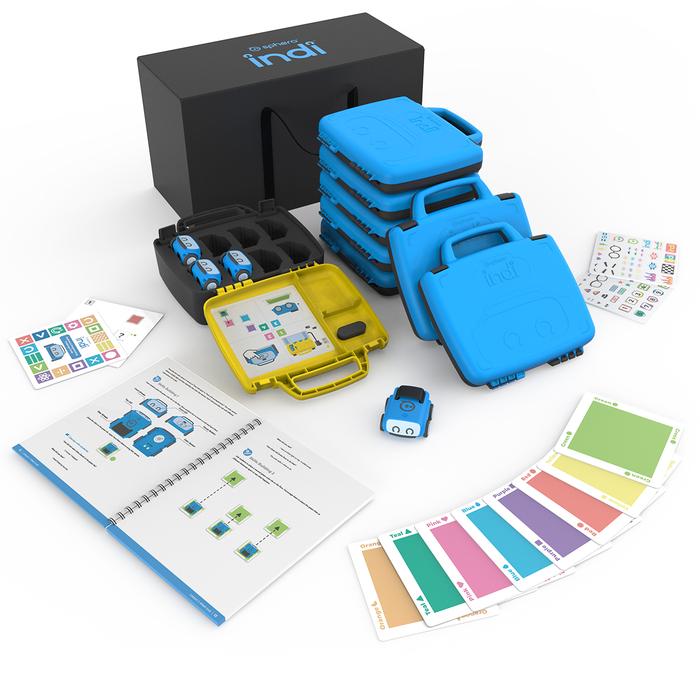
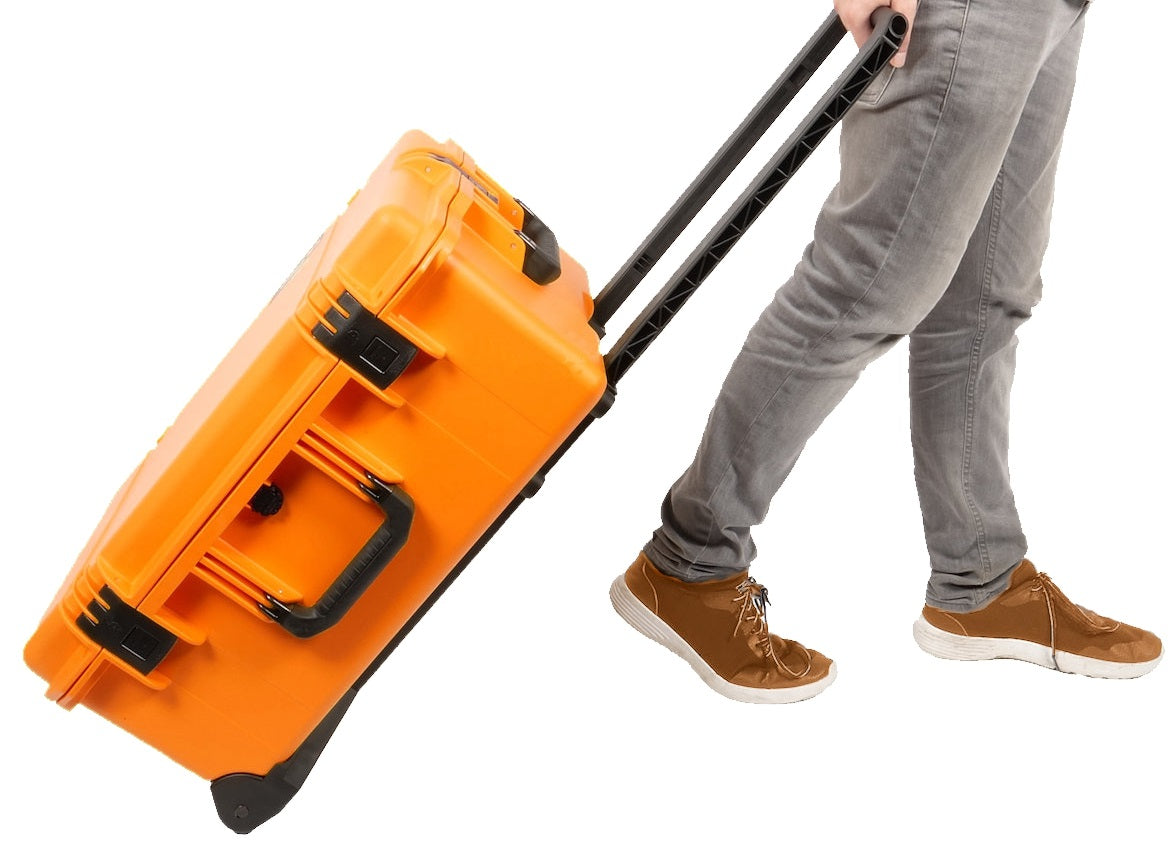
FREE Shipping on this Product Receive a FREE online Professional Development (PD) Training Course (via redemption) with every purchase of a Sphero BOLT+ Power Pack - 15 robots made before 31st December 2025!Sphero's 4-6 hour BOLT+ online self-guided professional development course is your comprehensive guide to equip you with knowledge and skills to confidently start using BOLT+ with students across STEM, computer science, and cross-curricular learning. Learn more about the course content here. On receipt of your Power Pack order, we will contact you with further information about redeeming your free Sphero training course. Introducing the Sphero BOLT+ Power Pack, the next evolution in STEM education. This education pack comes with Sphero BOLT robots that are perfect for classrooms, robotics clubs, and any maker environment. The BOLT+ is a programmable robot ball that takes learning to a new level with its 128x128 pixel LCD screen, providing vibrant graphics and playful animations. It moves with precision and can be manually driven or programmed with the free Sphero Edu app. The BOLT+ Power Pack is loaded with 15 Sphero BOLT+ robots, Turbo Covers, maze tape, and protractors, making it ready for any activity, anytime, anywhere. With an integrated cooling system, the BOLT Power Pack can charge and store up to 15 Sphero BOLT robots simultaneously. It's housed in an airline-compliant carrying case on rollers with a retractable handle for easy transportation. Major Features 15 x Sphero BOLT+ Robots with programmable 128x128 pixel LCD screen for vibrant graphics and animations. Capable of charging and storing 15 Sphero BOLT robots simultaneously. Durable polycarbonate shell for safety and creativity. Comes loaded with Turbo Covers, maze tape, and protractors. Housed in a sleek, airline-compliant carrying case for easy transportation. Why Sammat Education? We are proudly Australian owned and your order ships directly from our supplier's warehouses in Australia. As former teachers, we offer first-class support for our educational products and welcome purchase orders from schools and educational institutions.

More great STEAM Products from Sammat Education

Bee-Bot
Bee-Bot
MaKey MaKey
MaKey MaKey
micro:bit
micro:bit
Classroom VR & AR Devices | ClassVR Headsets for Schools
ClassVR

Latest News from Sammat Education

Purchase Orders Welcome

Schools and Educational Institutions we offer a Purchase Order option at checkout, ensuring a seamless purchasing process.

First-Class Support

We offer exceptional support for our educational products, backed by our firsthand experience as former teachers.

Australian Warehouses

Experience efficient and timely delivery as our store ships directly from our suppliers' warehouses in Australia.

Australian Owned

Shop with confidence knowing that we are proudly Australian owned, delivering quality products with a touch of true Aussie spirit.
Afterpay American Express Apple Pay Diners Club Google Pay Mastercard PayPal Shop Pay Visa