




Last Updated: 4 November 2026
Quick Summary
The best robotics kits for preschool makerspaces are screen-free, durable and simple enough for a four-year-old to operate without reading. Choose button or colour-card robots such as Bee-Bot or Sphero indi, and buy enough for group rotations rather than one per classroom.
- A preschool robotics session should run fifteen to twenty minutes with a demonstration, small-group rotation and shared review.
- Plan on six robots for rotations with children in threes, or twelve for pairs working simultaneously.
- The Bee-Bot Value Class Kit includes twelve rechargeable robots, five activity mats and a one-year warranty on every item.
- The Sphero indi At-Home Learning Kit is designed for children from age four and needs no reading or device.
- Start by buying one group set, run it for a term, then scale once you know how your room uses it.
Table of Contents
- What Separates the Best Robotics Kits for Preschool Makerspaces
- Robotics Kits for Preschoolers: A Quick Comparison
- Screen-Free Coding Toys for Preschoolers in the Makerspace
- Early Years Robotics Activities That Fit a Makerspace Session
- Total Cost of Ownership for a Preschool Makerspace
- Frequently Asked Questions
What Separates the Best Robotics Kits for Preschool Makerspaces
Choosing robotics kits for preschool makerspaces comes down to four things: whether a four-year-old can operate the robot without reading, whether it survives daily handling by twenty children, whether it works without a tablet or login, and whether the total cost per child makes sense. The Rugged Robot product page shows a durable floor robot suited to preschool makerspace use. Buying one robot per classroom is a common mistake, so plan on enough robots for a class rotation.

Robotics Kits for Preschoolers: A Quick Comparison
Prices are one-off purchases for the kits listed below.
| Kit | Price (AUD) | Robots included | Best for | Screen-free core activity |
|---|---|---|---|---|
| Sphero indi At-Home Learning Kit | $172.72 | 1 | Trialling with one small group | Colour cards, ages 4+ |
| Bee-Bot Mobile Learning Kit | $944.55 | 6 | Sharing across rooms | Buttons plus sequence cards |
| Bee-Bot Value Class Kit | $1,999.09 | 12 | Whole-class rotations | Buttons plus activity mats |
The Sphero indi At-Home Learning Kit is designed for children from age four and needs no reading or device, and the Sphero indi Educational Robot Student Kit supports one to three students at a time. The Bee-Bot Value Class Kit includes twelve rechargeable robots, five activity mats and a one-year warranty on every item.

Screen-Free Coding Toys for Preschoolers in the Makerspace
Screen-free coding toys are programmable robots children direct using physical inputs, buttons, colour cards or tiles, rather than a tablet, so the logic becomes something a four-year-old can see, test and correct. Colour-driven robots like the Sphero indi read coloured tiles, while button-sequence robots like the Bee-Bot and Blue-Bot store directional presses; Blue-Bot adds 45-degree turns and repeat loops.
The Bee-Bot Bundle - Mobile Learning Kit covers the button-sequence approach for a group, and the Loti-Bot, Programmable Floor Robot adds programmable motors, bumper sensors, a built-in speaker and an adjustable pen holder. Keep the tiles and mats stored with the robot.
Ex-Demo Sphero indi Class Pack (8 Robots) →

Early Years Robotics Activities That Fit a Makerspace Session
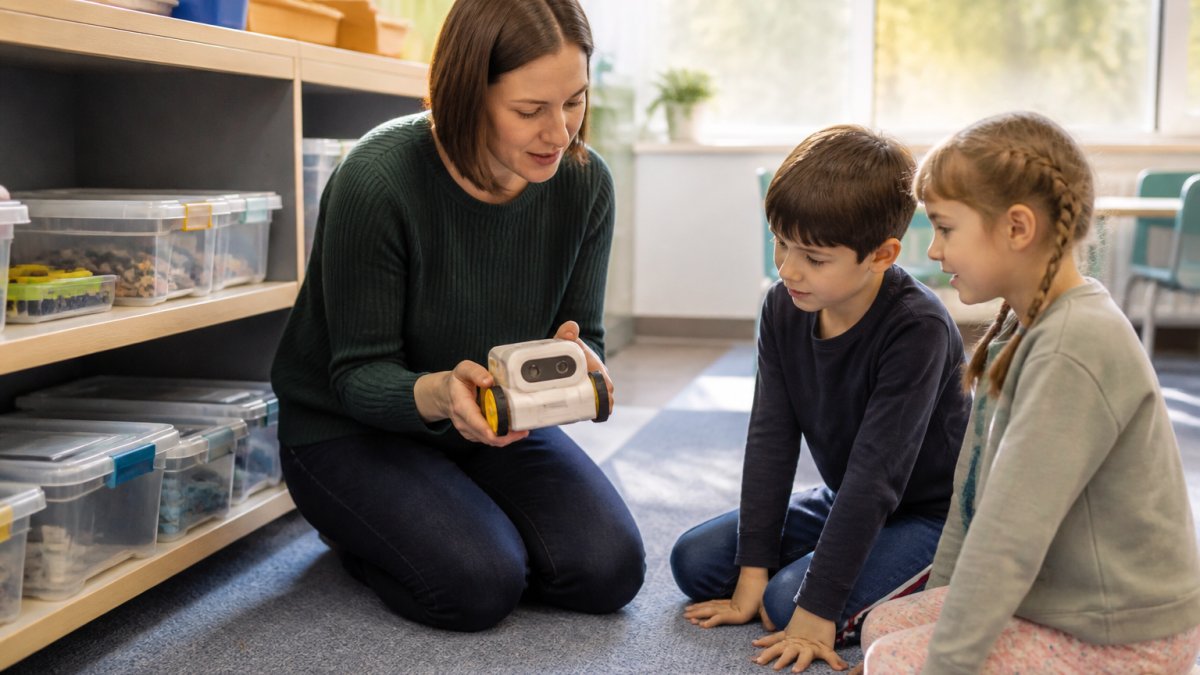
A workable preschool robotics session runs fifteen to twenty minutes: a short demonstration, a small-group rotation, then a shared review of what went wrong. Demonstrate one sequence and ask children to predict where the robot will stop, have groups of three get from start to treasure without crossing the blue square, then ask the class why the first attempt failed. As children explain why a route failed and suggest a new one, they build critical thinking by testing their predictions against what the robot actually does.
Themed mats turn a programming exercise into a story, counting task or geography hunt; the Play and Learn Kit adds five themed mats and the Explore and Discover Kit adds map and grid mats to an existing Bee-Bot or Blue-Bot.
Total Cost of Ownership for a Preschool Makerspace
Budget for robots and buy rechargeable where the kit offers it. To start without committing a full budget line: buy one group set, run it for a term, then scale, one robot for a trial, six in a carry case for rotations across one room, twelve for a full class working in pairs, and fifteen or more for coding across an entire cohort.
For schools justifying the spend, a floor robot and a set of mats can be reused across multiple curriculum areas.
Frequently Asked Questions
What robotics kits are suitable for preschool children?
Look for kits designed for ages four and up that need no reading or tablet to start. The Sphero indi range uses colour tiles read by an on-board sensor, so children build a path and watch the robot respond. Bee-Bot and Blue-Bot floor robots use simple button presses for sequencing and directional language. All three suit early learners and are available as single units or classroom packs through Sammat.
Are there screen-free robotics kits for preschoolers?
Yes. Screen-free coding toys for preschoolers work by physical input rather than an app. Sphero indi reads coloured silicone tiles, while Bee-Bot and Blue-Bot are programmed with buttons on the robot itself. Both approaches build sequencing and cause-and-effect understanding without a tablet. The Sphero Edu Jr app and Blue-Bot Bluetooth app exist as optional next steps once children are ready, but neither is required to begin.
How can you use robotics kits in a preschool makerspace?
Set up a floor area with taped or tiled paths and let small groups design routes for the robot to follow. Pair kits with themed mats, like the Play and Learn Kit for Bee-Bot and Blue-Bot, to link coding to counting, shapes and storytelling. Rotate groups so every child gets hands-on time, and keep charging docks nearby so robots are ready for the next session. Preschool makerspace activities work best when the setup takes under five minutes.
